Product file upload
Shopify’s own file upload on the product, designed in Webflow or Astro, with the file managed from your admin.
Shopify themes can take a file as a line item property for free. Smootify brings the same thing to your site, and adds more ways in: customer profiles, metaobjects and the configurator.
- Upload widget on the product page
- File attached to the order
- Managed from the Shopify admin
- There are five ways in: cart, customer metafields, metaobject, configurator and the product form.
- Required uploads use data-required on the element.
- Several files need a list of file references as the metafield type.
- Outside the Server plan the file input is removed.
Every file type except HTML is accepted, images, PDF, ZIP, AI, PSD and the others, up to 20 MB per file. With data-only-images, only JPEG, PNG, WebP, HEIC and GIF.
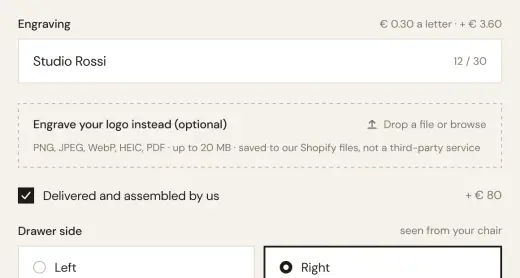
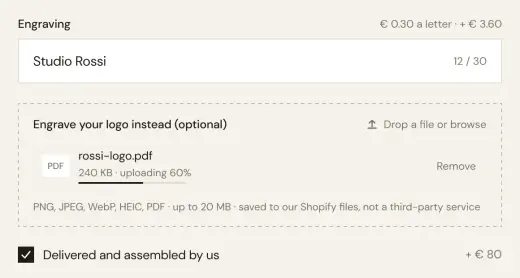
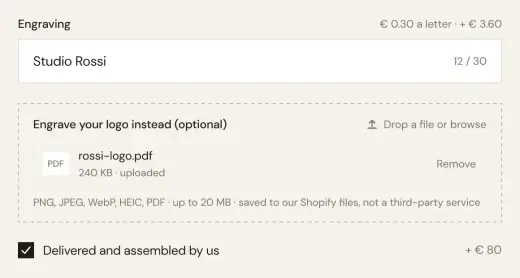
What stores build with it.
Examples of what a store builds with this add-on and plain elements, in Webflow or Astro.
Print on demand
The customer uploads the artwork with the order; you download it from the order in the admin.
Prescriptions and documents
Glasses with a prescription PDF, a form a service needs before it starts.
Photo gifts
A photo and a name for a mug or a frame, both on the order line.
Often used together.
Product configurator
Prices calculated live from the options, quantities and formulas you set.
Read moreDynamic properties
Show or hide add-to-cart inputs from Shopify metaobjects, when conditional visibility is not enough.
Read moreStart in Figma.
Go live on Shopify.
Free to build, pay only when you go live. One Shopify app with 17 add-ons, billed on the store’s Shopify invoice.
- One Shopify app with 17 add-ons, on the Shopify bill
- Free to build, pay only when you go live
- Works on Basic, Grow and Advanced
- Your 1.x store keeps working
- Every element stays yours to change
- Docs indexed in llms.txt