Metaobject creator
Forms on your site that create Shopify metaobjects, with no manual entry in the admin.
Reviews, applications, registrations, requests. A form designed in Webflow or Astro writes straight to a Shopify metaobject, so the data lives where the rest of your store does.
- Any form, in Webflow or plain HTML in Astro, mapped to a metaobject
- Entries created in Shopify on submit
- No third inbox to check
- Create the definition first, with active and draft status and Storefront access.
- Use drafts for moderation, so nothing goes live before you approve it.
- Shopify Flow is a separate app, free, installed from Shopify.
Every input name must match a field key of the metaobject definition. On Webflow, copying a form renames its fields, so check them after every copy: it is the most common failure.


What stores build with it.
Examples of what a store builds with this add-on and plain elements, in Webflow or Astro.
Product reviews
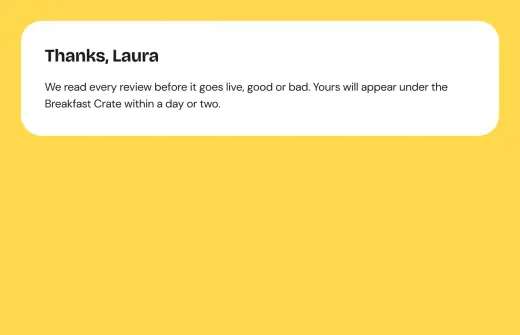
Stars, a text and a photo become a draft review you approve in the admin before it shows.
Reseller applications
Company, VAT number and volumes land in Shopify, and a Flow emails your sales team.
Warranty registration
A logged-in customer registers a serial number and a receipt, linked to their account.
Automations on top.
Shopify Flows that react to what this add-on writes into Shopify.
Back in stock
A shopper leaves an email on a sold-out variant, and Shopify writes to them when it is back.
See the flowPrice drop alert
A shopper asks to be told when a variant costs less, and Shopify tells them when it does.
See the flowWaitlist for a new product
Shoppers sign up for something that is not out yet, and hear from you the day it is.
See the flowReview request after delivery
A few days after an order is fulfilled, the customer gets a link to review what they bought on your site.
See the flowReview moderation notice
When a new review comes in as a draft, you get told there is one to approve.
See the flowProduct questions and answers
A question asked on a product page reaches you by email and joins the product’s list; once you answer it and make it active, Shopify Flow tells the customer who asked.
See the flowGift list link
When a customer creates a gift list with a form, Shopify Flow emails them the link to share it, and tells you.
See the flowGift list: count the gifts
When an order is paid, Shopify Flow adds the units bought from a gift list to the list, so its page shows “2 of 6 gifted” and closes what is complete.
See the flowEU withdrawal request
A customer withdraws from the contract with a form on your site; Shopify Flow sends them at once the acknowledgement of receipt the EU rule asks for, with what they sent and the time it was received, then marks the order and tells your shop.
See the flowSample request to draft order
A sample request sent from your site becomes a free draft order for the customer and their company, and your sales team is told on Slack to review it before shipping.
See the flowCustomer photos, approved
Once a day, the customer photos you approved join their product’s gallery, and each customer who sent one gets store credit.
See the flowTrade registration
A trade application sent from your site tags the customer as pending and reaches your sales team on Slack; when you approve them with a tag, Shopify Flow tells them their trade account is active.
See the flowSupport request to the right team
A support request sent from the customer account, with the order number and photos, reaches the right team on Slack by topic, and the customer gets a confirmation with a request number.
See the flowCustom quote to draft order
A made-to-measure request sent from your site, with sizes, material and drawings, becomes a draft order with a custom line for the customer: you set the price and send the invoice from Shopify.
See the flowOften used together.
Customer metafield editor
Let customers edit their own profile fields, stored as Shopify metafields.
Read moreDynamic properties
Show or hide add-to-cart inputs from Shopify metaobjects, when conditional visibility is not enough.
Read moreStart in Figma.
Go live on Shopify.
Free to build, pay only when you go live. One Shopify app with 17 add-ons, billed on the store’s Shopify invoice.
- One Shopify app with 17 add-ons, on the Shopify bill
- Free to build, pay only when you go live
- Works on Basic, Grow and Advanced
- Your 1.x store keeps working
- Every element stays yours to change
- Docs indexed in llms.txt