If you sell from a Shopify store with your own front end, built in Webflow or in Astro, and you run ads in Europe, you have probably had to pick one of two bad options.
The first is to paste the Meta Pixel, the Google tag and the TikTok Pixel into the custom code and let them run. They load on the first page view, before anyone has been asked anything. The second is to buy a consent management platform, then spend an afternoon wiring each pixel to the right category, and then write the e-commerce events by hand so that the product ids match your Shopify catalog. Many end up with ad reports that never quite match the store.
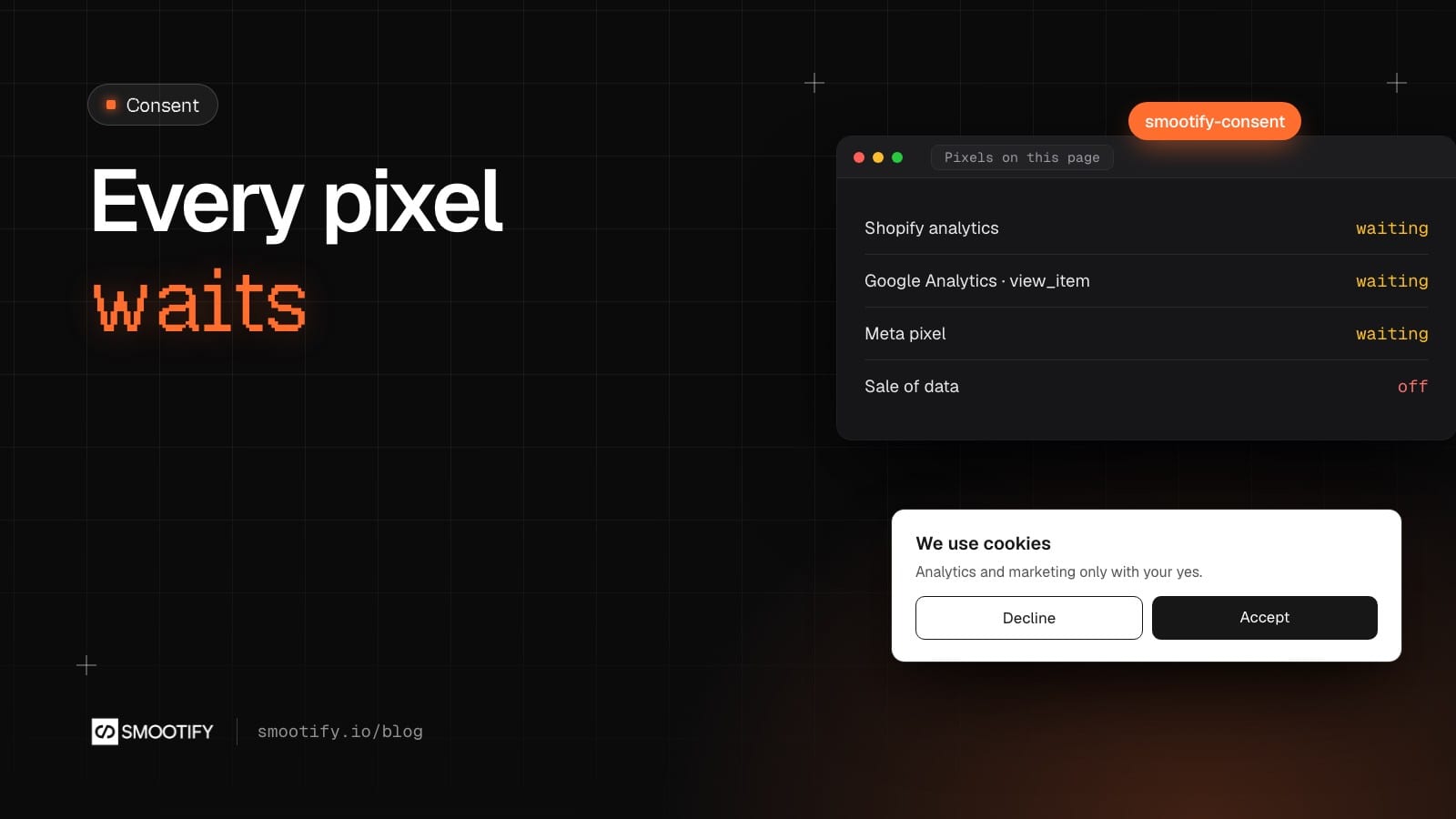
Smootify 2.0 takes a different route. It loads the pixels itself, and only after the visitor has agreed to the category each one needs.
The script is not there until the visitor says yes
You set up to four ids in the site’s custom code, inside analytics in the Smootify options: metaPixelId, ga4MeasurementId, googleAdsId and tiktokPixelId. There is no pixel code to paste. Where the law asks for consent, such as in the EU and the UK, Smootify does not download the scripts of Meta, Google or TikTok until the visitor accepts.
This is different from loading a pixel and holding it back. Open the browser’s Network panel on your site, with a fresh visit from a country where consent is needed: there are no requests to any of the three vendors. Accept, and they appear. Visitors who have not answered also get a lighter page.
Nothing is lost on the page where consent arrives. If the visitor accepts while looking at a product, the page view goes out and then the product view for that product, on the same page.
Consent by category
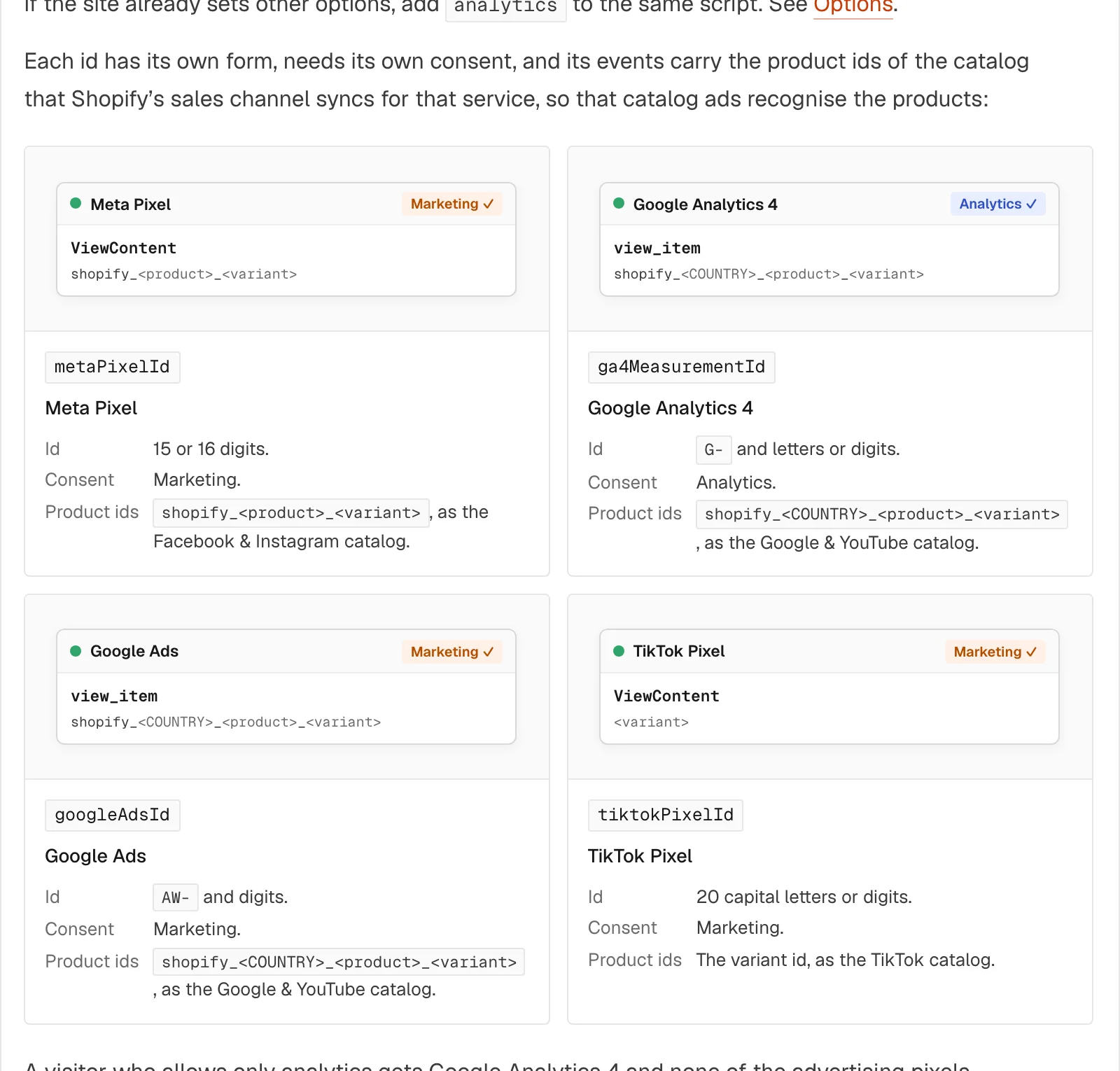
Each service waits for its own category. Meta, Google Ads and TikTok need marketing. Google Analytics 4 needs analytics. A visitor who ticks only Analytics in the preferences panel gets GA4 and none of the advertising pixels. A shop that only measures its site and runs no ads sets just ga4MeasurementId, and only analytics consent matters.
The ids your catalog ads already know
The events use the product ids of the catalogs that Shopify’s sales channels sync:
| Service | Product id in the events |
|---|---|
| Meta | shopify_<product>_<variant>, as the Facebook & Instagram catalog |
| Google Analytics 4, Google Ads | shopify_<COUNTRY>_<product>_<variant>, as the Google & YouTube catalog |
| TikTok | the variant id, as the TikTok catalog |
So the coffee a visitor looked at on your site is the same product the Instagram catalog ad shows them the next day. The events are the standard ones: page view, product view, search, add to cart and checkout start, with each service’s own names (ViewContent for Meta, view_item for Google).
A banner you design yourself
The banner is a Smootify element, smootify-consent, built like any other block of the site. Buttons with data-action accept, decline, save, open the preferences or close. The preferences panel is a Form Block with one Checkbox per category. A sale_of_data box sits inside an element with consent-condition="sale-of-data", so it only shows in the regions where that choice exists, such as some US states. In Webflow you can put the whole thing in a Popover. Smootify adds no styles of its own beyond hiding it.
Sunday Crate, our food-crate demo store, has one. Open Sunday Crate from Italy on a fresh visit and the banner says what the cookies are for, with three buttons.
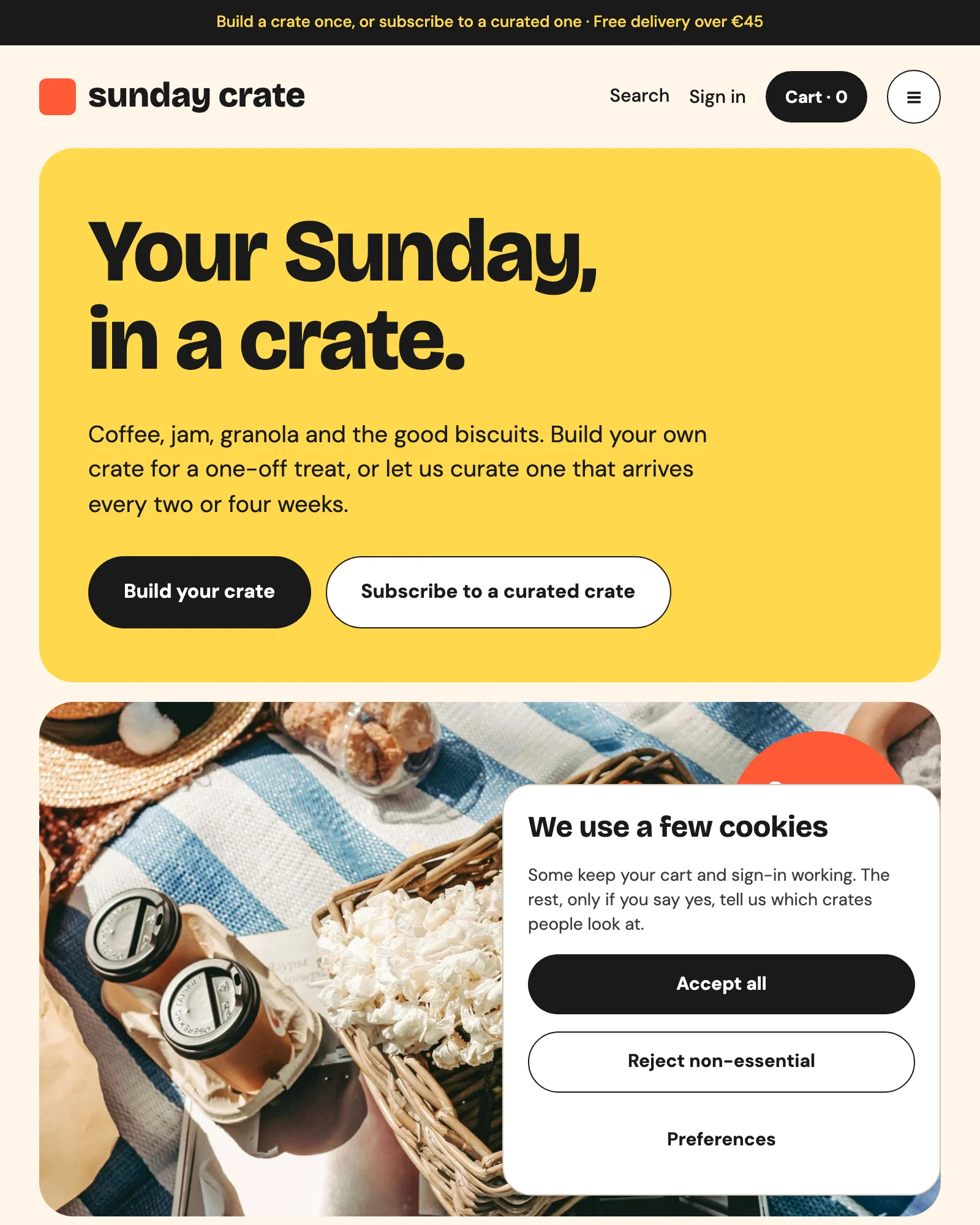
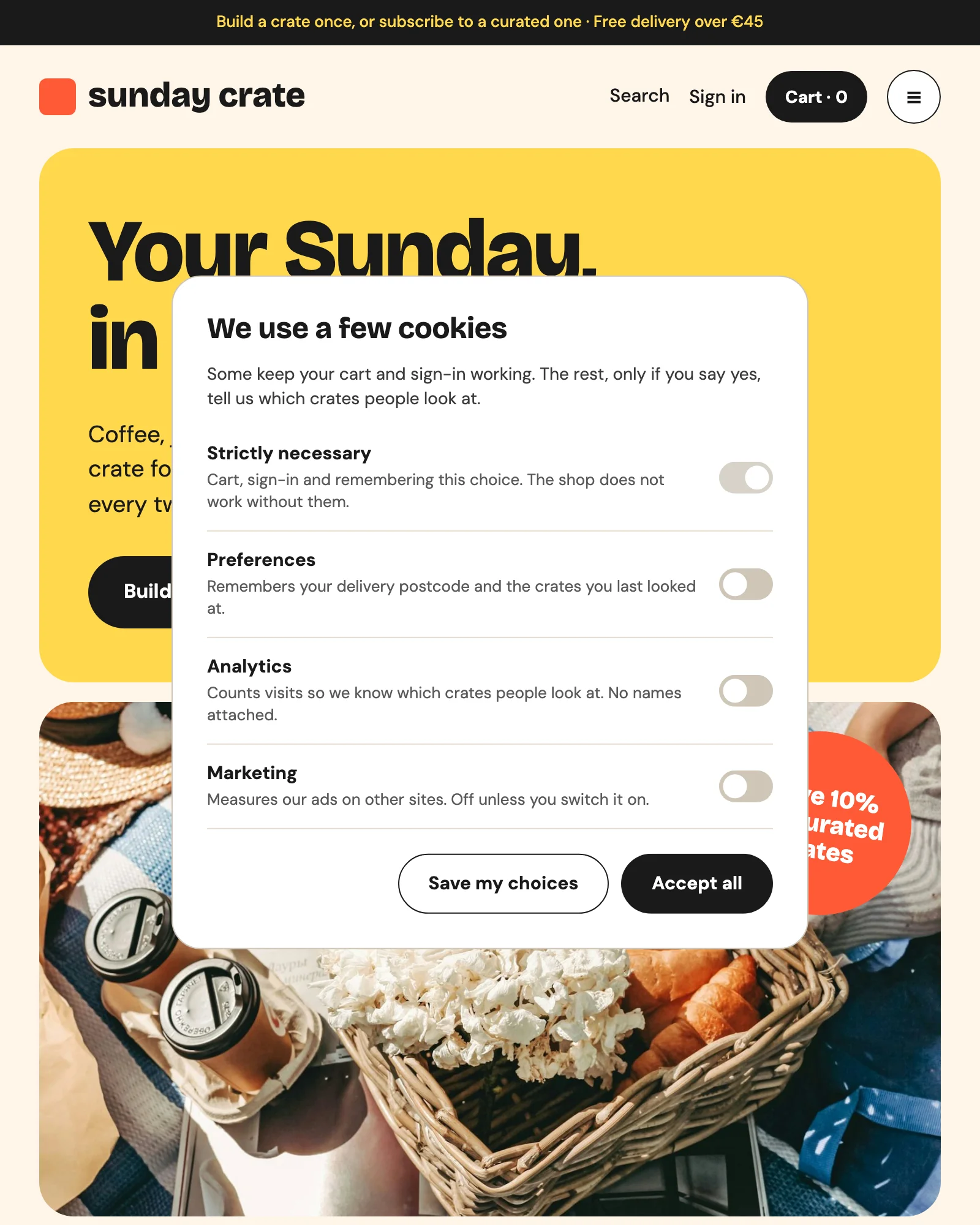
Preferences opens the panel, with one switch per category, all off until the visitor turns them on.
The visitor’s choice is saved through Shopify’s Customer Privacy API, so the checkout and Shopify’s own analytics follow it. Shopify decides where consent is needed, from the store’s privacy settings (Settings › Customer privacy › Cookie banner): turn it on, or the banner never shows.
Google gets Consent Mode v2 from the visitor’s choices, and Meta gets Limited Data Use for US visitors who refuse the sale of their data.
In Astro the banner is the same element in a component of your layout: see Cookie consent and Analytics and pixels in the Astro docs.
What it does not do
The title says every pixel, and that means four: Meta, GA4, Google Ads and TikTok. Pinterest, Microsoft Clarity and the rest are not loaded by Smootify. A developer can start them with the same rule using Smootify.on("consent_changed", …).
The purchase is not a Smootify event. The site’s funnel ends at the checkout start, when the visitor leaves for the checkout. From there the checkout belongs to Shopify and its sales channels, which read the consent Smootify saved. Set up purchase tracking on the Shopify side.
waitForConsent: false exists for one case: Google’s estimate of conversions from visitors who refuse. It downloads every script at once with consent denied. Meta and TikTok still receive nothing until the visitor accepts, and Google only receives anonymous pings. It does not give you more data.
The value of cart and checkout events is the variant price times the quantity, before discounts.
Smootify makes sure no script starts before consent. The banner’s wording, your privacy policy and your Shopify privacy settings are still yours to get right.
Where it goes quiet
The failures here make no noise, which is why they are worth knowing before launch.
- Ids set, no banner. If a page has no
smootify-consent, a visitor in the EU can never give consent, so they are never tracked. Your reports fill up for the US and stay empty for Europe. Put the banner in a component every page uses, such as the footer. - An old copy of the pixel. A Google Analytics or Facebook Pixel id in Webflow’s integrations, or base code in a Code Embed or a tag manager, sends its page view before anyone answers. Remove it.
- An id with the wrong form. A Google Ads id without
AW-gives a pixel that never reports. Smootify’s debugger, on your.webflow.ioaddress, checks every id and warns about a missing banner.
If you are moving from 1.x: 2.0 no longer loads Shopify’s cookie banner. A site that relied on it has no banner until you add smootify-consent. The migration guide lists this with the other changes.
The setup is two pages: Cookie consent for the banner, and Analytics and pixels for the ids.