Spannbach
Industrial components for trade buyers, with a public catalog beside it.
Running on Smootify 2.0. The Webflow project and the Figma file are both free.
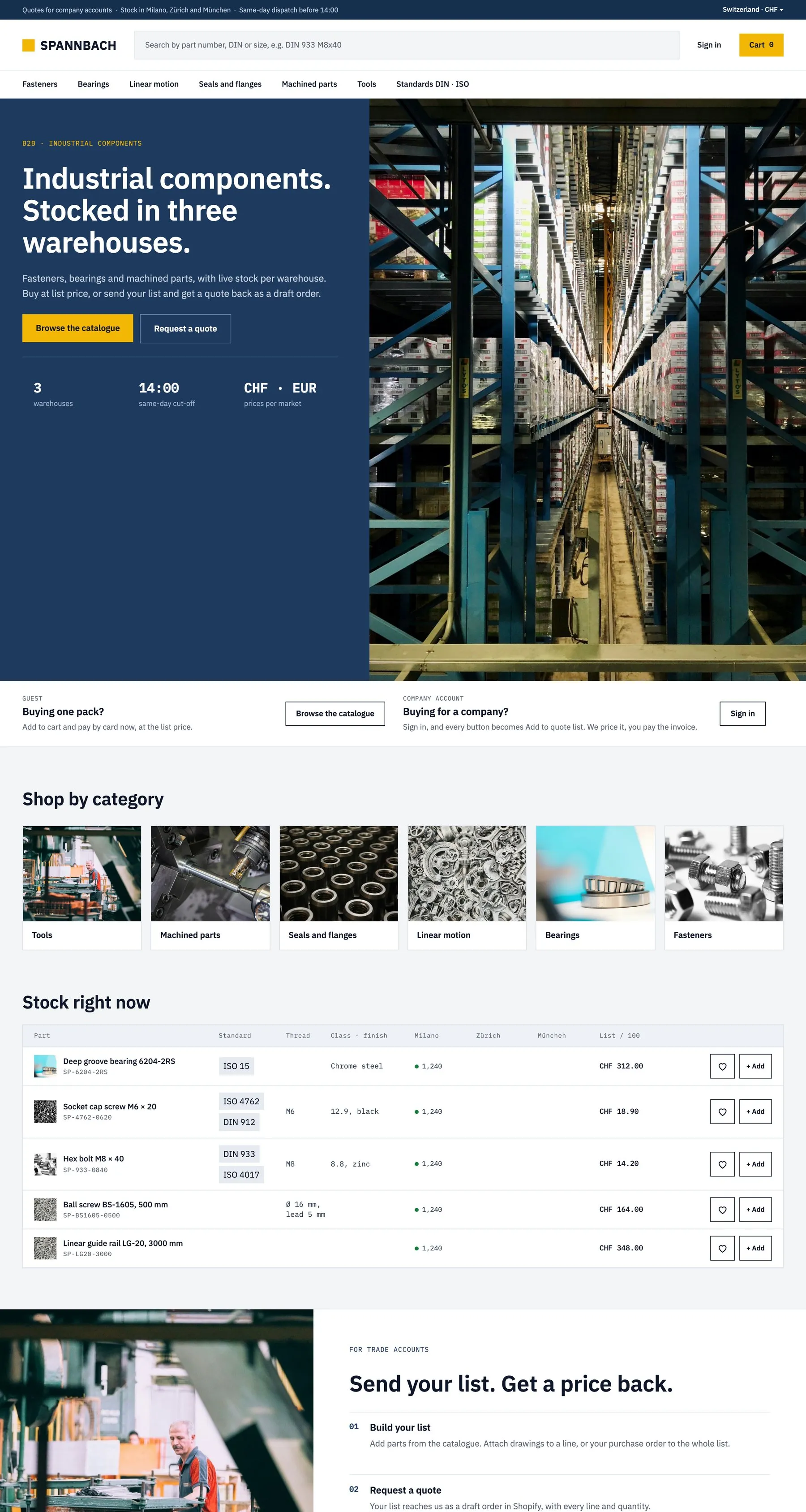
Quotes as draft orders, stock across three warehouses, specs from metafields.
Server
- The Webflow project, ready to clone
- The Figma file: desktop, tablet and mobile
- A teardown of every mechanic
Go all the way to checkout.
Spannbach runs on a Shopify development store: you can place a test order end to end. Nothing is charged and nothing ships.
- 01
Fill the cart
Open the live store and add anything to the cart, the way a customer would.
- 02
Enter the store password
At checkout Shopify asks for the store password of the development store:
spannbach - 03
Place the order
The checkout takes test payments: Shopify shows the test card to use right there. Your order reaches the store like a real one.
How Spannbach is built.
Spannbach sells fasteners, bearings and linear motion parts to trade buyers from warehouses in Milano, Zürich and München, at list price and mostly in packs of 100. One catalog serves two kinds of customer: a guest adds parts to a cart, a buyer signed in with a company account builds a quote list that reaches Shopify as a draft order. Specs, datasheets, certificates and every form on the site live in Shopify, as metafields and metaobjects.
Two tracks, one parts table
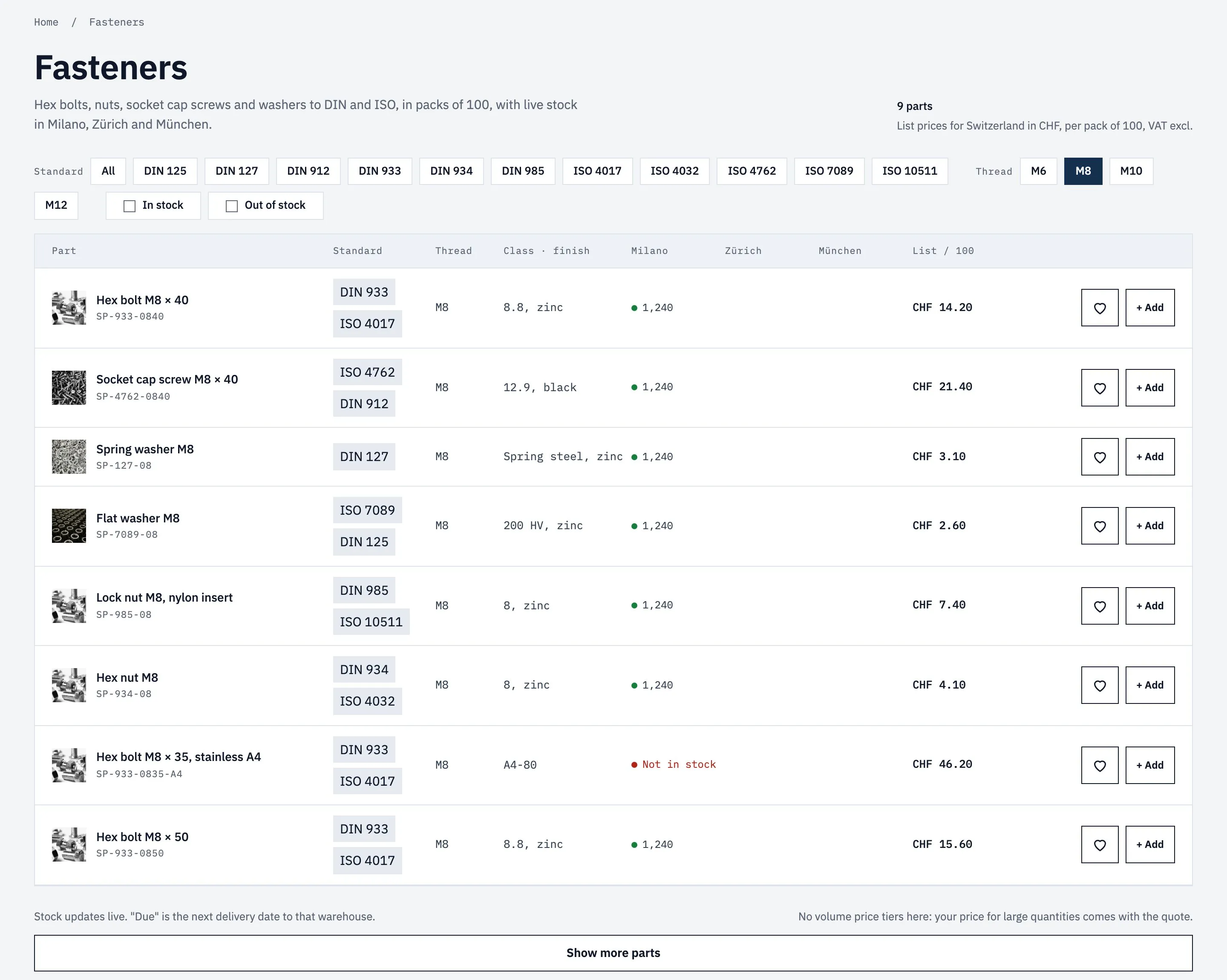
A guest and a company buyer open the same page and get different buttons, without a second catalog.
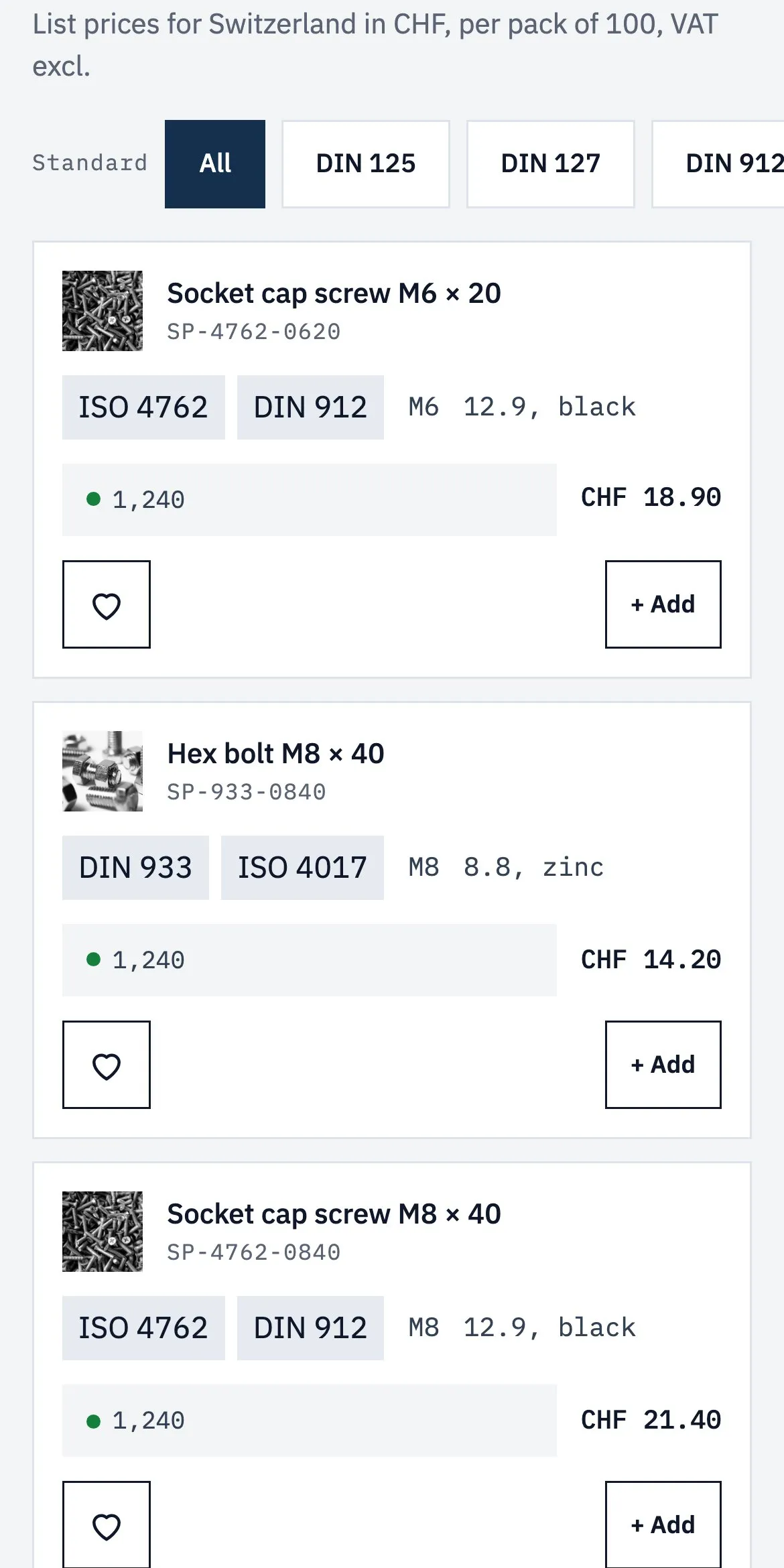
Every category is a parts table: standard, thread, class and finish, list price per pack. A guest saves a part with the heart or adds it with + Add. A buyer signed in with a company account sees + Quote list on every row, a notice above the table and Quote list instead of Cart in the header. The chips filter the table in place, and the address keeps the filter.
The table is one row designed once and repeated for every part, with filters for standard, thread and availability that stay in the address. Each row has both buttons, and Smootify keeps the one that fits: Add for guests, Quote list for buyers whose company is set up in Shopify.
Acme Automation SA is a Shopify B2B company with three locations and the company metafields customer_number, sales_contact and payment_terms. The chips are Search & Discovery filters on custom.standards, custom.thread and availability.
The cart becomes a quote
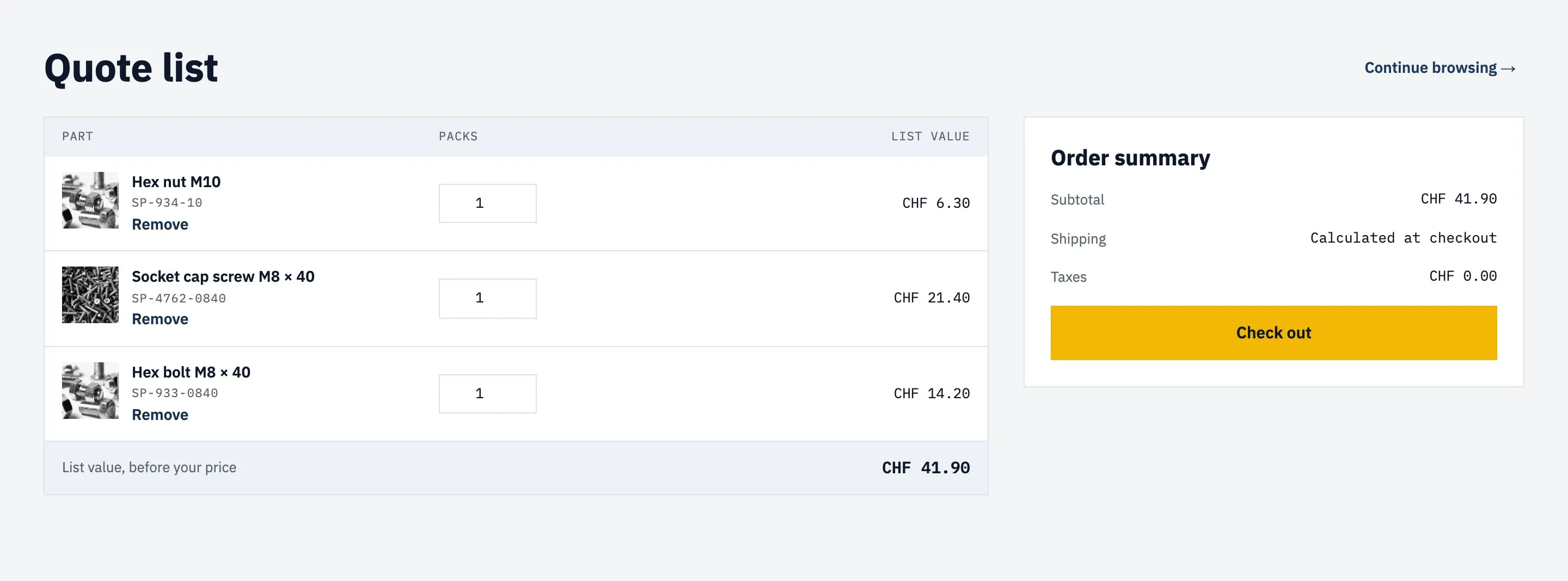
Company buyers do not check out: the list they send arrives in Shopify as a draft order, and their price comes back with the invoice.
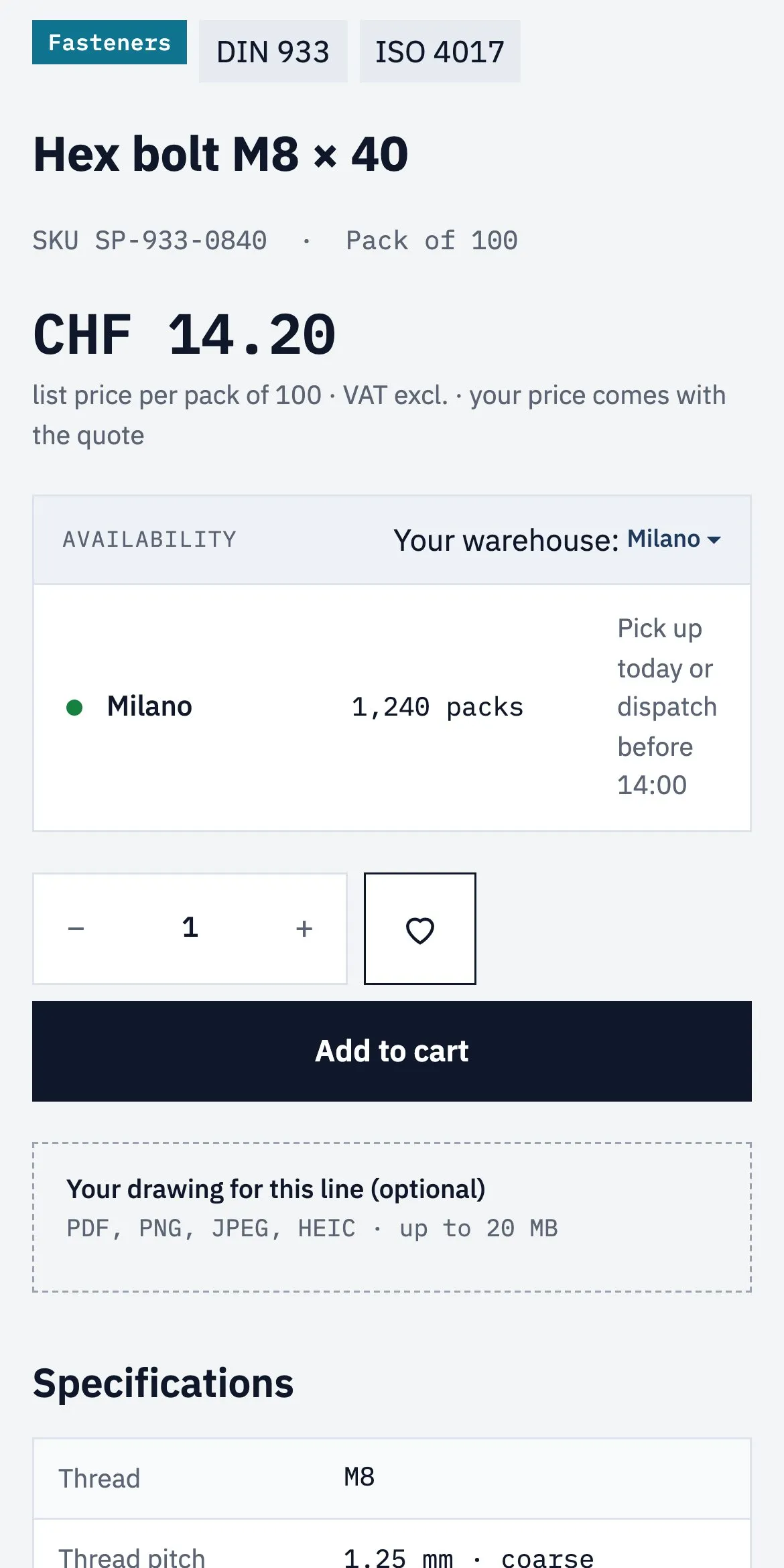
The cart page is the quote list: parts, packs and list value. A company buyer adds an email, a PO reference, the purchase order as a file and a note, then presses Send quote request. Nothing is charged: the trade desk sets the price in Shopify and sends an invoice link, paid in the normal checkout. On the product page, the buyer can attach a drawing to the line before adding it.
For company buyers the cart is a quote request: a short form with email, PO reference, purchase order file and a note sends the list to Shopify as a draft order. Guests check out as usual. On the product page, a drawing uploaded with the part travels with the cart line.
Draft orders and Product file upload are add-ons of the Server plan. Each request lands under Orders > Drafts with its lines, the drawing on its line, the buyer as the customer, the PO reference in the additional details and the note as the draft order’s note.
Specs and documents from metafields
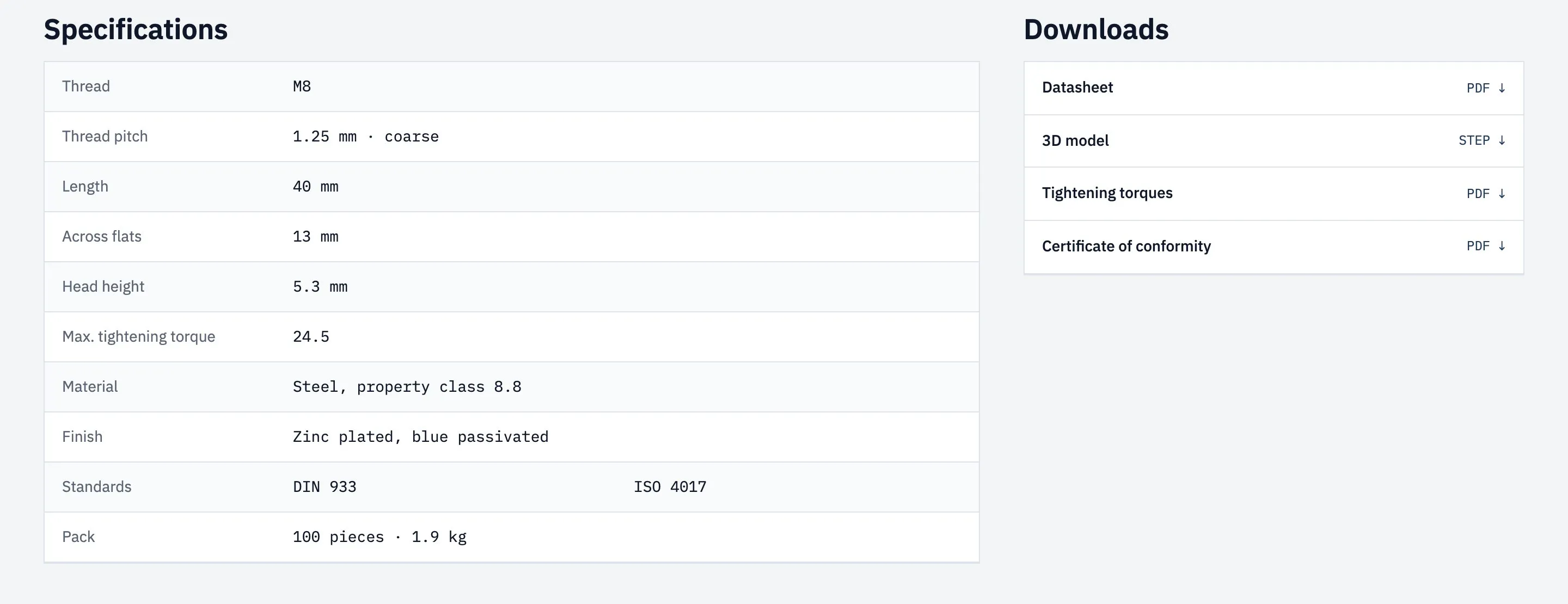
Ten spec rows and four downloads on the product page, and none of them is typed into Webflow.
The hex bolt lists thread, pitch, length, across flats, head height, torque, material, finish, standards and pack, and offers its datasheet PDF, a STEP model, the torque table and the declaration of conformity. A bearing shows bore, outside diameter, width and seals instead. A flat washer, with no torque table or declaration, shows only the datasheet and the STEP model.
The specifications are rows designed once, each reading one field of the product, and a row without a value disappears. Standards with several values repeat one chip per value. Each download links straight to the file saved on the product, and products without that file don't show the row.
Product metafields in the custom namespace: text such as thread and material, dimensions such as length and across_flats, the decimal torque_nm and the text list standards. The four documents are file-reference metafields pointing at PDFs and STEP files in Shopify Files.
A datasheet library without the CMS
Every product’s files, searchable and filterable on one page, read from Shopify.
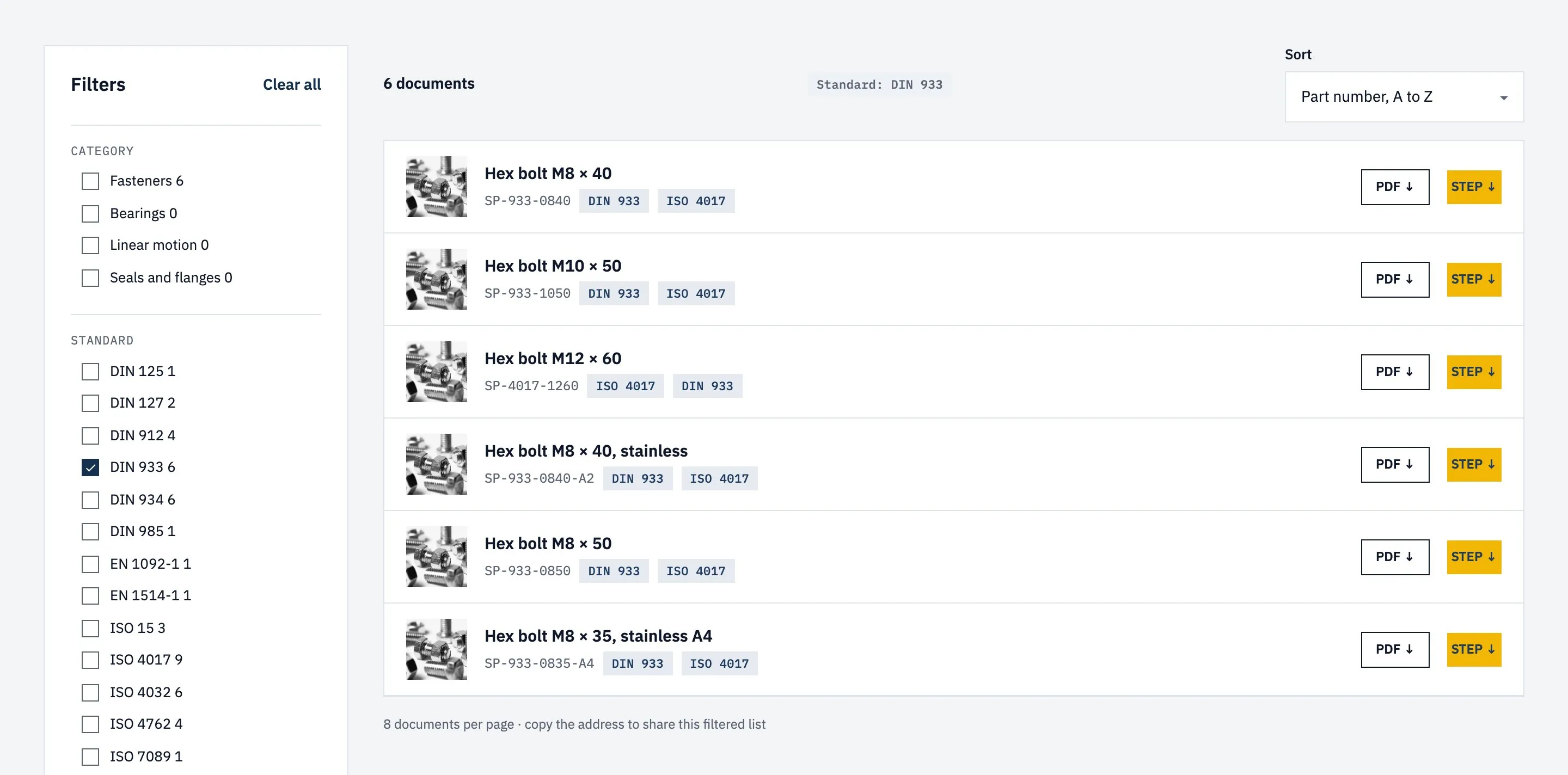
The Datasheets page lists every part with PDF and STEP buttons. Engineers search by part number or standard, tick a category, a standard or a property class, and the list narrows, with a count on every option and a chip for each active filter. Eight documents per page, and the address keeps the filters, so a filtered list can be shared.
The library searches the whole catalog, with a search field, filters that show how many parts match, active filter chips, sorting and pages. Each result links to the same documents as the product page. On a phone the filters open from a button that counts the active ones.
Search & Discovery filters on the product type, custom.standards and custom.property_class. The files sit in Shopify Files, linked from each product’s metafields, so the library and the product page show the same documents.
Forms that write into Shopify
Trade applications, warranties, defect reports and feedback land in Shopify next to the customer, not in a form inbox.
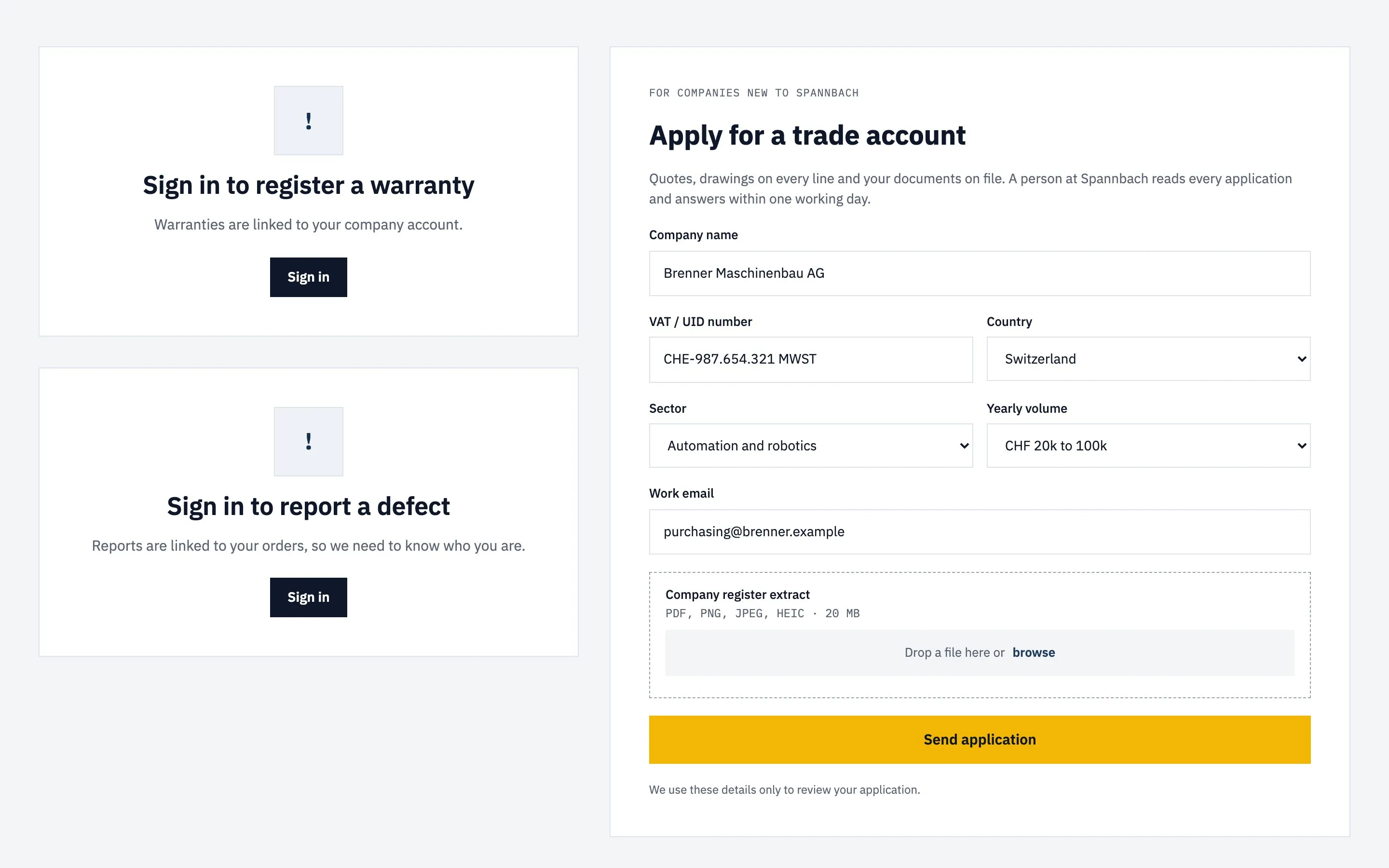
A new company applies for a trade account with its VAT number, sector, yearly volume and the company register extract as a file. Signed-in buyers register a warranty with the receipt, report a defect with up to three photos and rate their last order from 0 to 10. Guests see a sign-in card where the warranty and defect forms would be. On the Contact page, a message can carry a photo or a drawing.
Each form is a regular Webflow form whose fields match an entry type in Shopify, so a trade application, a warranty or a defect report lands in Shopify as an entry, with its files. Signed-in customers see the forms linked to their account; guests see a sign-in card instead.
One metaobject definition per form. Trade applications, defect reports, feedback and contact requests have no storefront access, so the entries stay in the admin. Warranty entries hold a product reference, the receipt file and a customer reference. The Metaobject creator is an add-on of the Server plan.
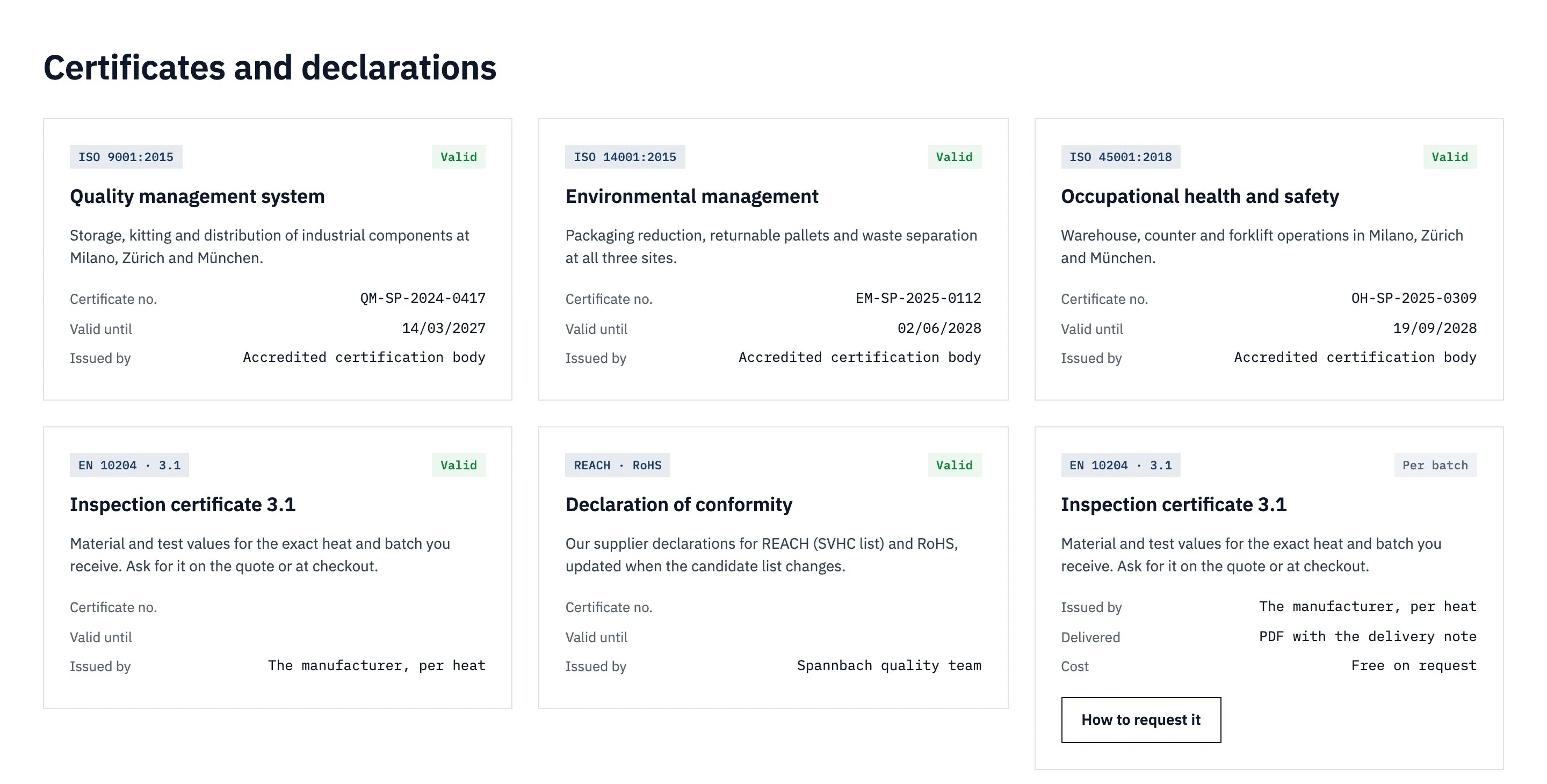
Certificates from metaobjects
The quality team edits a certificate in Shopify, and the Certifications page shows the change.
Certifications shows each certificate as a card: the standard, what it covers, the certificate number, the date it runs until and who issued it. A card for batch inspection certificates, written in Webflow, sits beside them with how to request one.
The certificates are entries in Shopify, shown with a card designed once and repeated for each one, ten at a time. When there are none, an empty state takes their place.
A certificate metaobject definition with storefront access and five entries. The valid_until field is a date, so it is shown in the visitor’s date format.
The other templates.
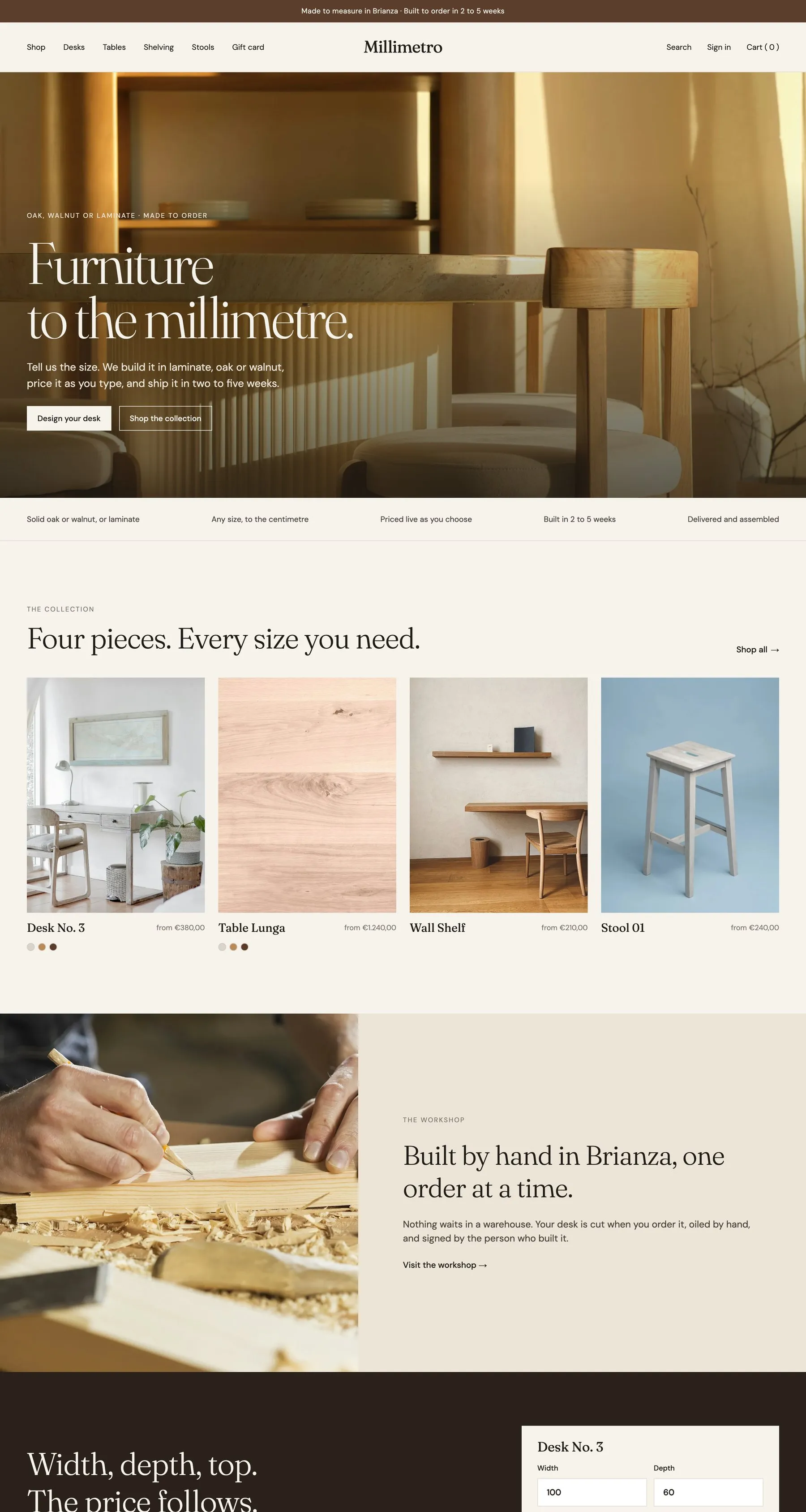
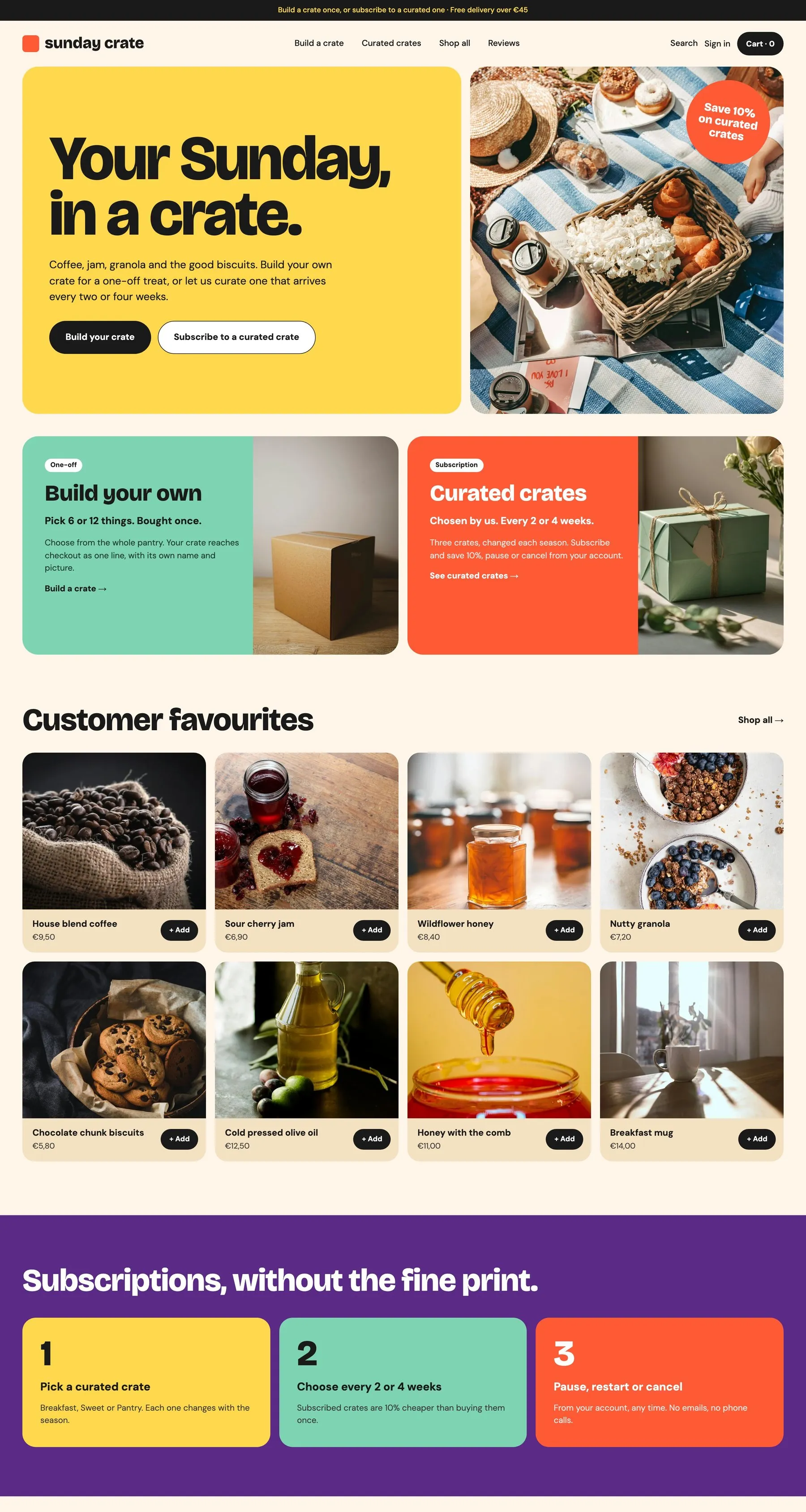
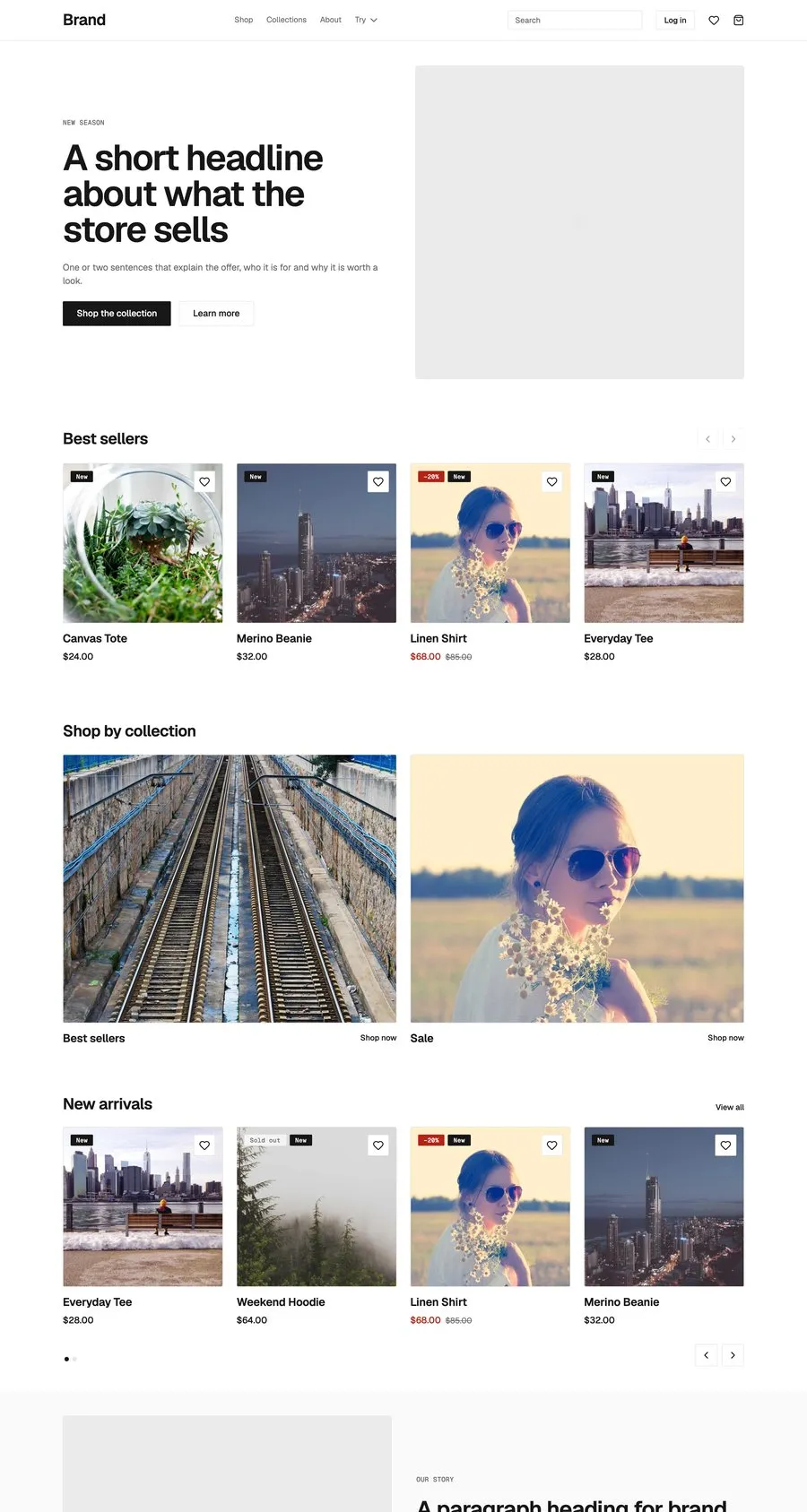
Start from Spannbach.
Free to build, pay only when you go live. One Shopify app instead of ten, billed on the store’s Shopify invoice.
- One app on the Shopify bill, not ten
- Free to build, pay only when you go live
- Works on Basic, Grow and Advanced
- Your 1.x store keeps working
- Every element stays yours to change
- Docs indexed in llms.txt