Millimetro
Furniture made to measure, with tops in oak, walnut and laminate.
Running on Smootify 2.0. The Webflow project and the Figma file are both free.
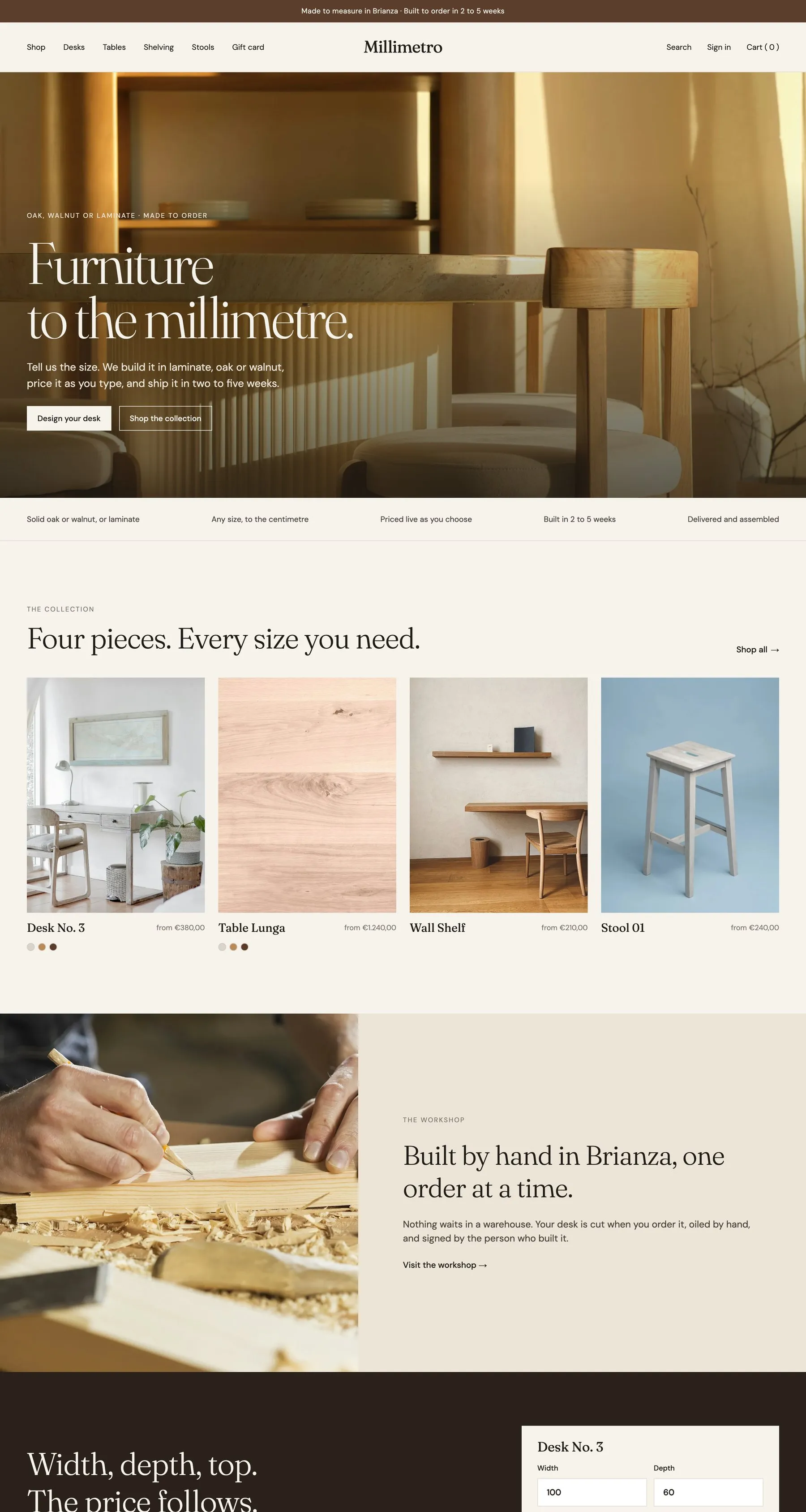
Configurator, dynamic properties, swatches and a gift card at a price the customer chooses.
Server
- The Webflow project, ready to clone
- The Figma file: desktop, tablet and mobile
- A teardown of every mechanic
Go all the way to checkout.
Millimetro runs on a Shopify development store: you can place a test order end to end. Nothing is charged and nothing ships.
- 01
Fill the cart
Open the live store and add anything to the cart, the way a customer would.
- 02
Enter the store password
At checkout Shopify asks for the store password of the development store:
millimetro - 03
Place the order
The checkout takes test payments: Shopify shows the test card to use right there. Your order reaches the store like a real one.
How Millimetro is built.
Millimetro is a furniture workshop in Brianza that builds desks, tables and shelves to the size the customer types, in laminate, oak or walnut. Every price is worked out on the page by a formula, paid on a Shopify invoice, and the same site books free workshop visits and paid home measuring visits from a calendar.
A price from a formula
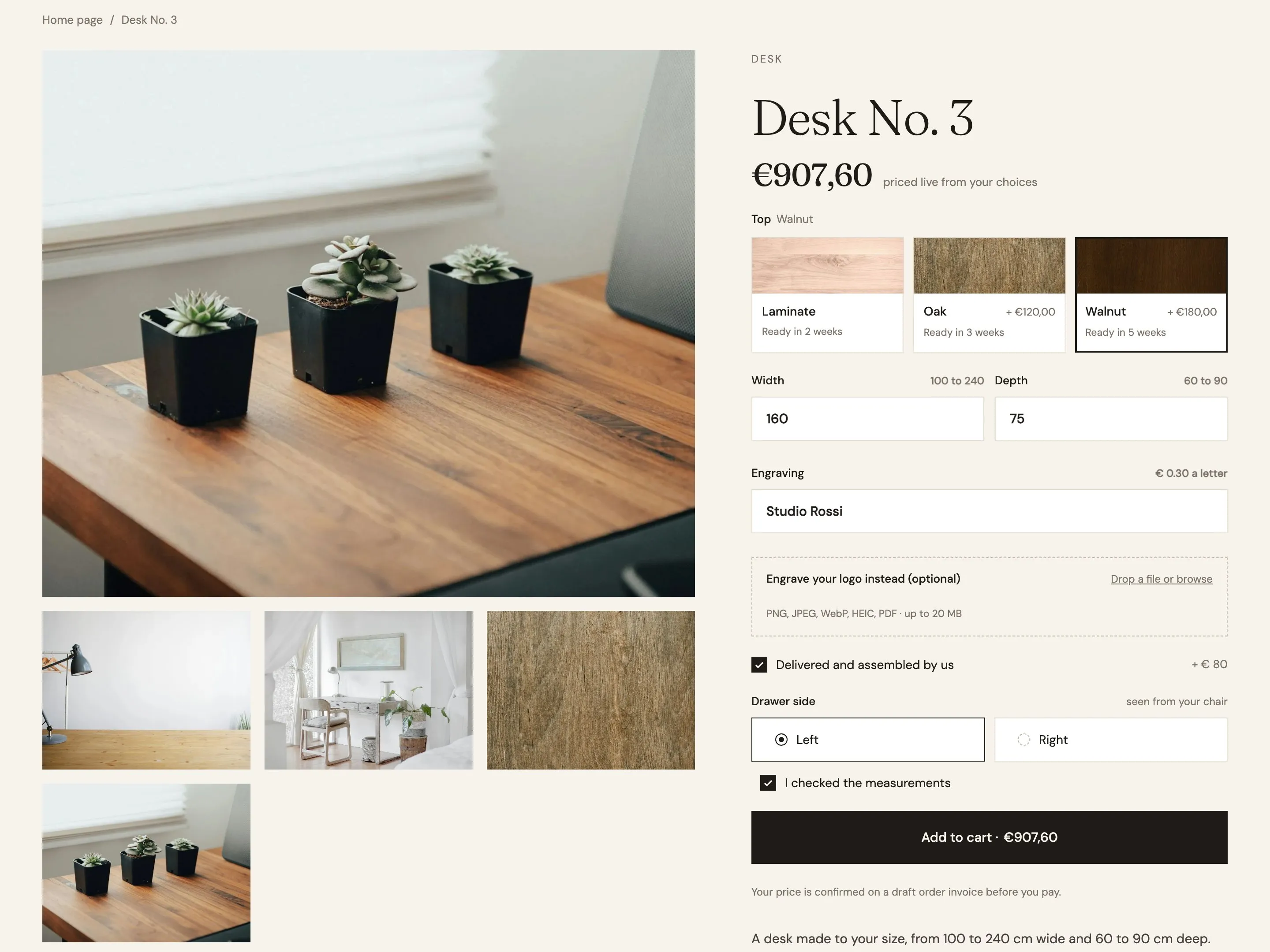
A desk sold in any width from 100 to 240 cm has three variants in Shopify, and the price still comes out to the cent.
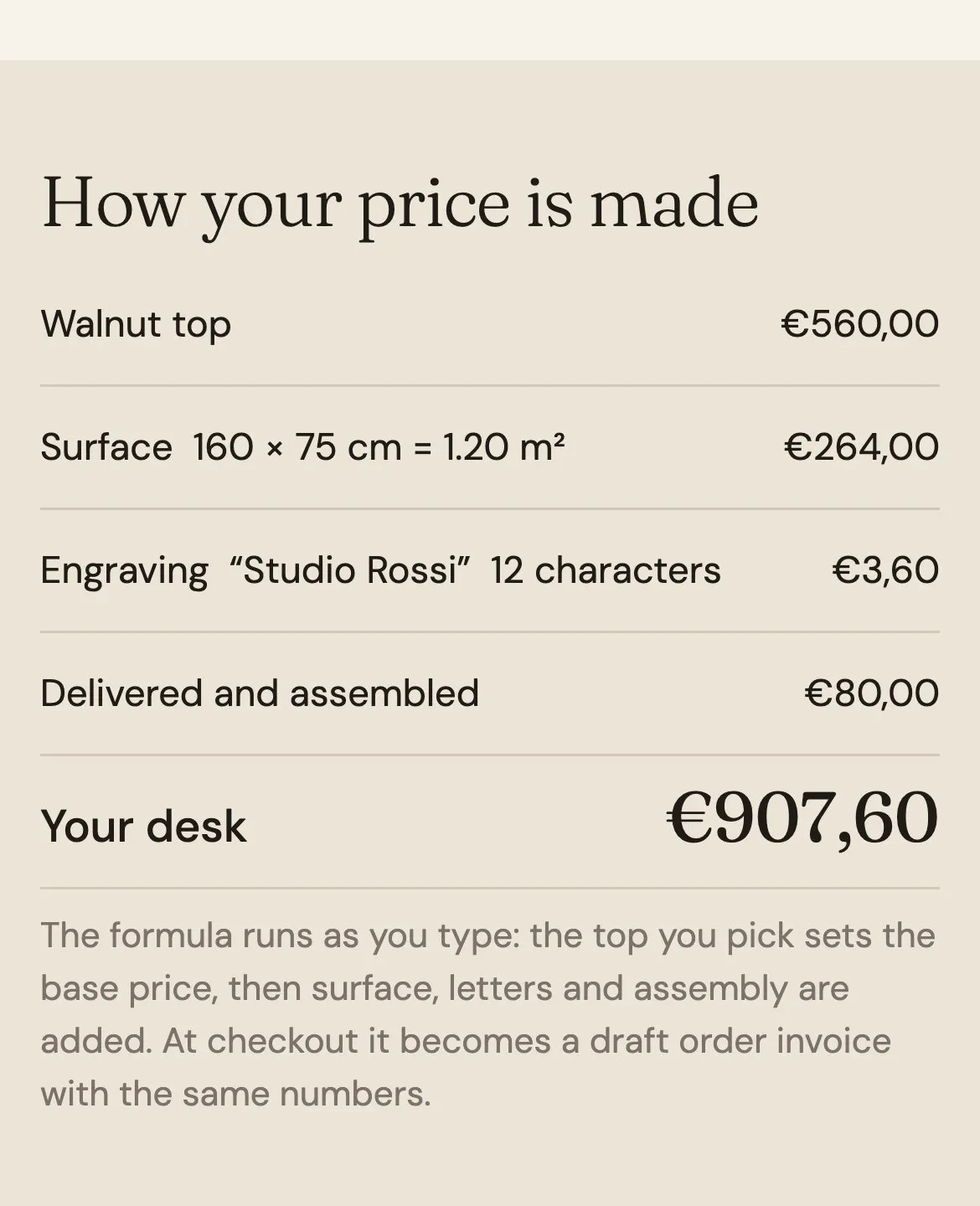
The customer picks a top, types the width and depth, adds an engraving at €0.30 a letter and ticks assembly. The price under the title and inside the button changes as they type. Below the form, “How your price is made” lists each part: the top, the surface in square meters, the letters, the assembly. A logo can be uploaded instead of the engraving text.
Every choice on the page carries a small formula, and Smootify adds them up as the customer types: the wood sets the base price, the size adds the surface, each letter of the engraving and the assembly add their part. The summary lists only the choices that count, and the home page runs the same calculation in a smaller panel.
Desk No. 3 has one option, Top, with three variants at the base price of each wood. The formulas live in the markup, not in Shopify, and every choice reaches the order as a line property under its field Name.
A visit booked from a calendar
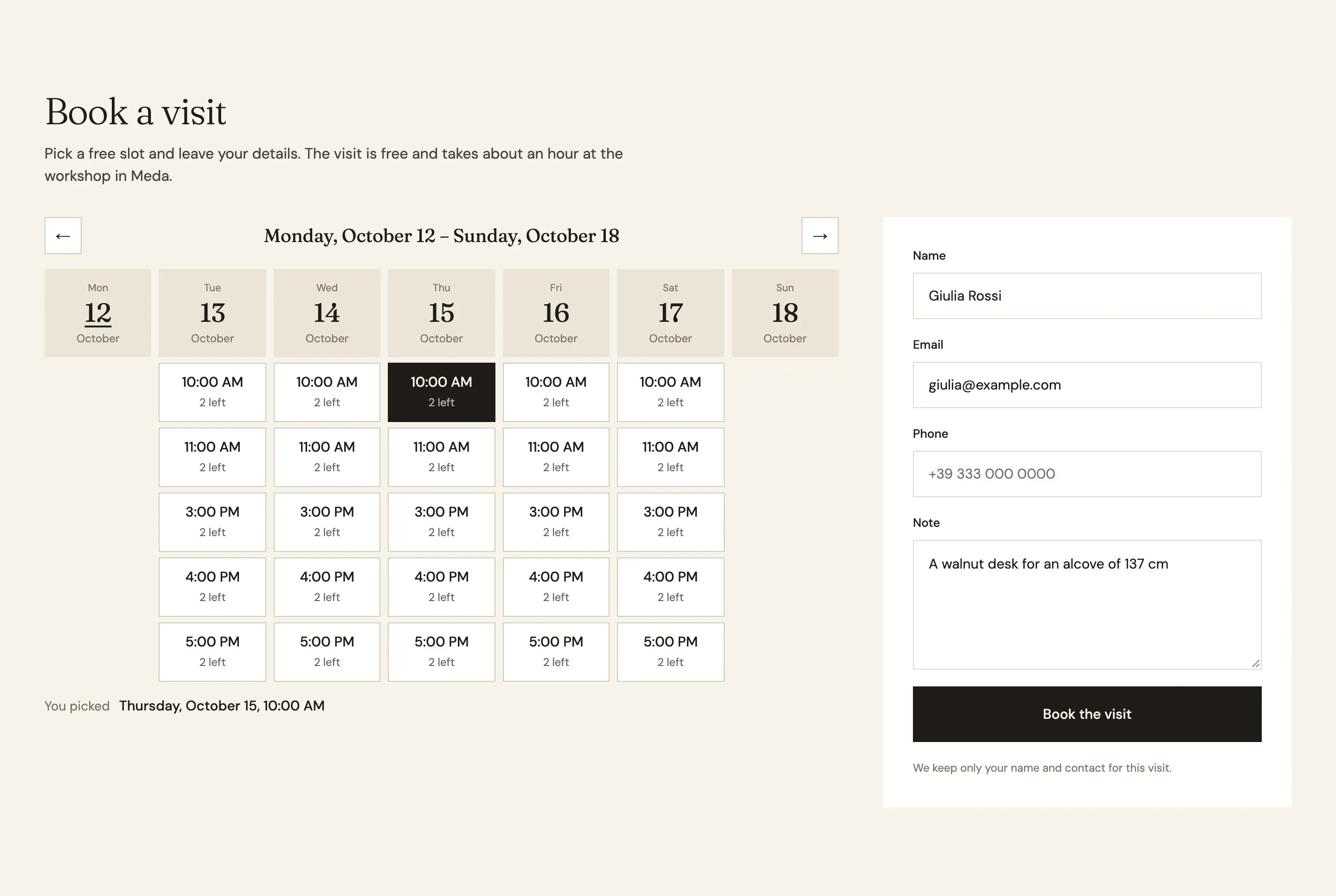
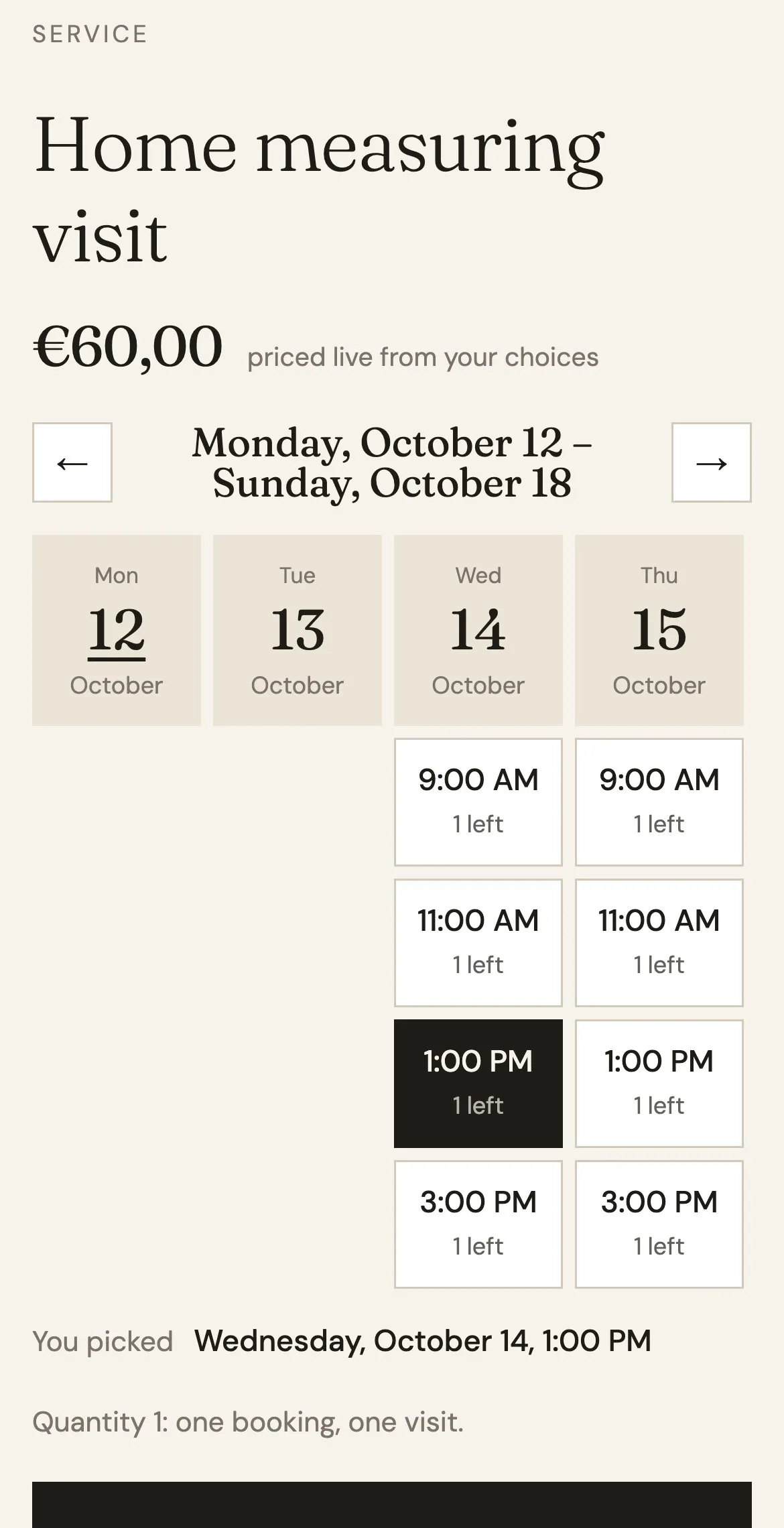
The same calendar books a free visit with a form and sells a paid one with its slot, and the last place goes to one customer only.
On Visit the workshop, the customer sees a week of free slots with the places left, picks one and leaves a name, an email and a note. On the Home measuring visit page they pick a two-hour slot and pay €60 for it. The arrows move week by week, and a full slot cannot be picked.
The same calendar does both jobs. On the free visit it sits in a booking form that saves the name, email, phone and note with the slot. On the paid visit it sits in the product's buy box, so the chosen slot travels with the cart line and is paid at checkout.
Both visits are products with a booking schedule on them. Workshop visits run Tuesday to Saturday, 10:00 to 12:00 and 15:00 to 18:00, in one-hour slots with two places, and stay out of search. Home measuring visits run Monday to Friday, 9:00 to 17:00, in two-hour slots with one place. Every booking is an entry of the Booking metaobject.
A gift card at the customer’s price
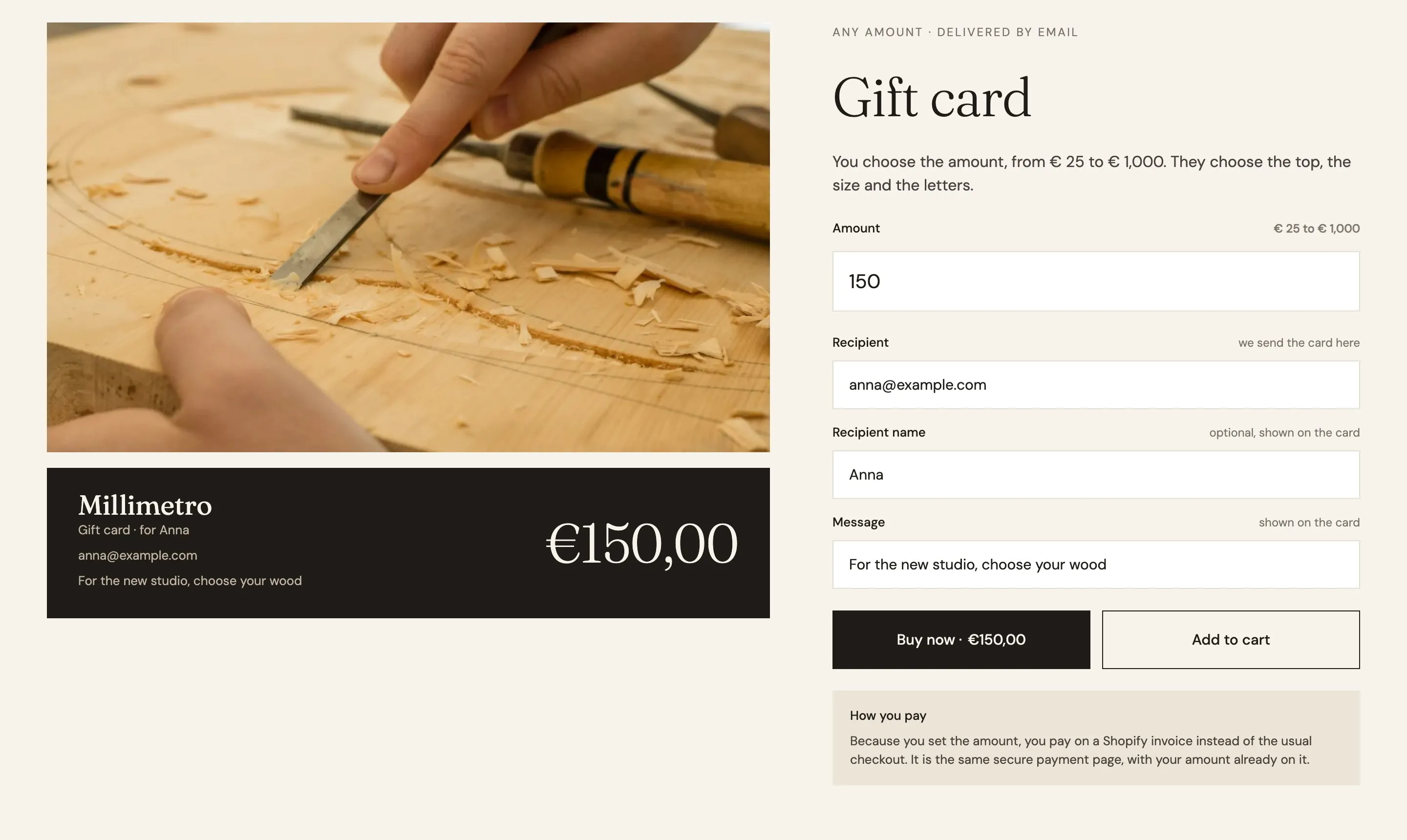
The buyer types any amount from €25 to €1,000, the card preview follows, and Shopify issues a real gift card for what was paid.
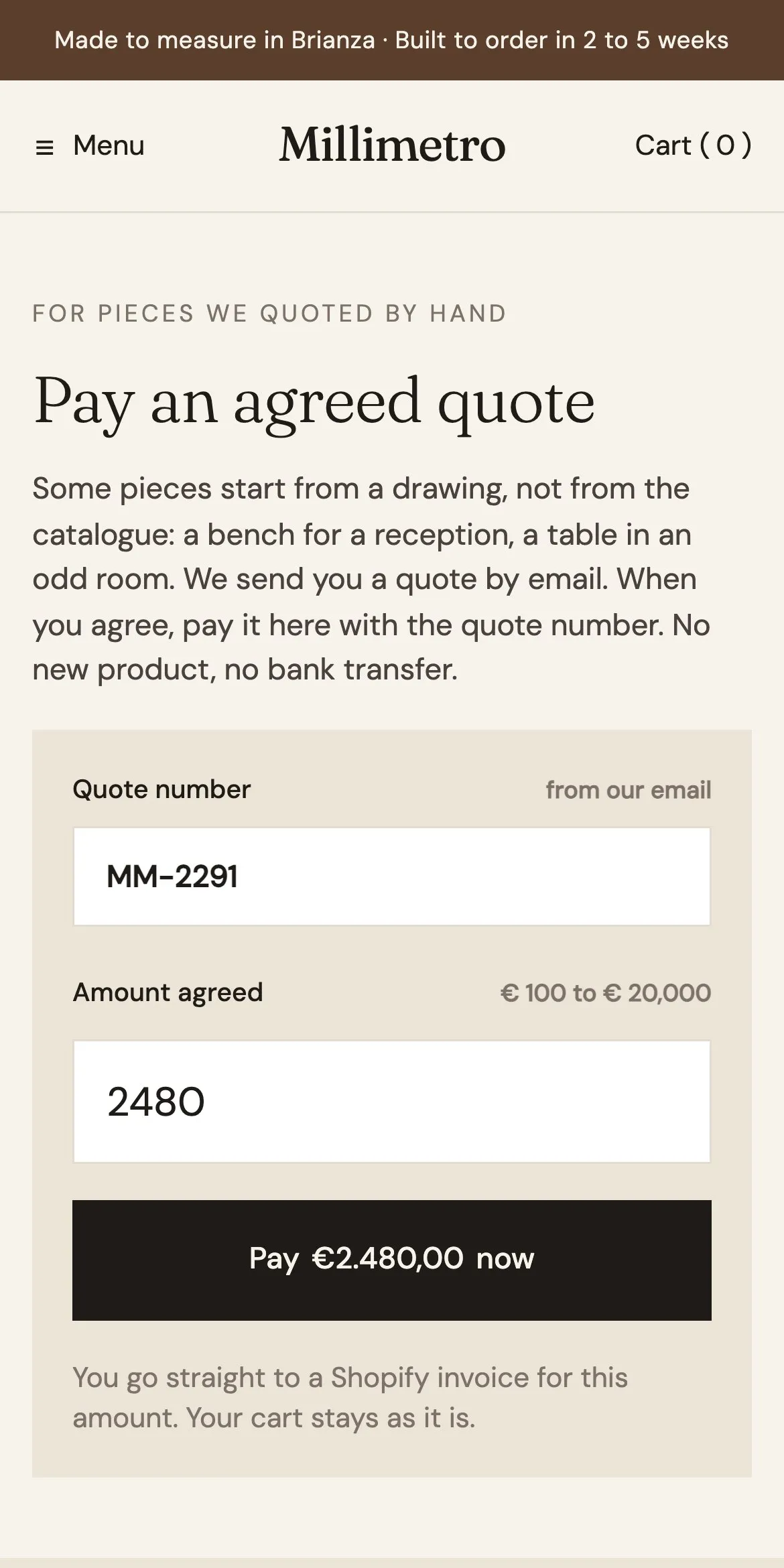
The buyer types the amount, the recipient’s email, their name and a message. The dark card under the photo shows the amount, the name and the message as they type. Buy now goes straight to payment for the card alone; Add to cart keeps it with the rest. On Pay a quote, a customer types the quote number and the agreed amount, from €100 to €20,000, and pays it.
An amount field with a minimum and a maximum replaces the price, and a message appears when the amount is out of range. The recipient fields are questions defined in Shopify, the preview card repeats what the buyer types, and a Buy now button pays the card on its own.
The gift card is a normal product at €25, not taxed, because a Shopify gift card product cannot sell any amount. A Shopify Flow on Order paid creates a native gift card for the amount paid, and Shopify emails it to the recipient.
Swatches that are woods, not colors
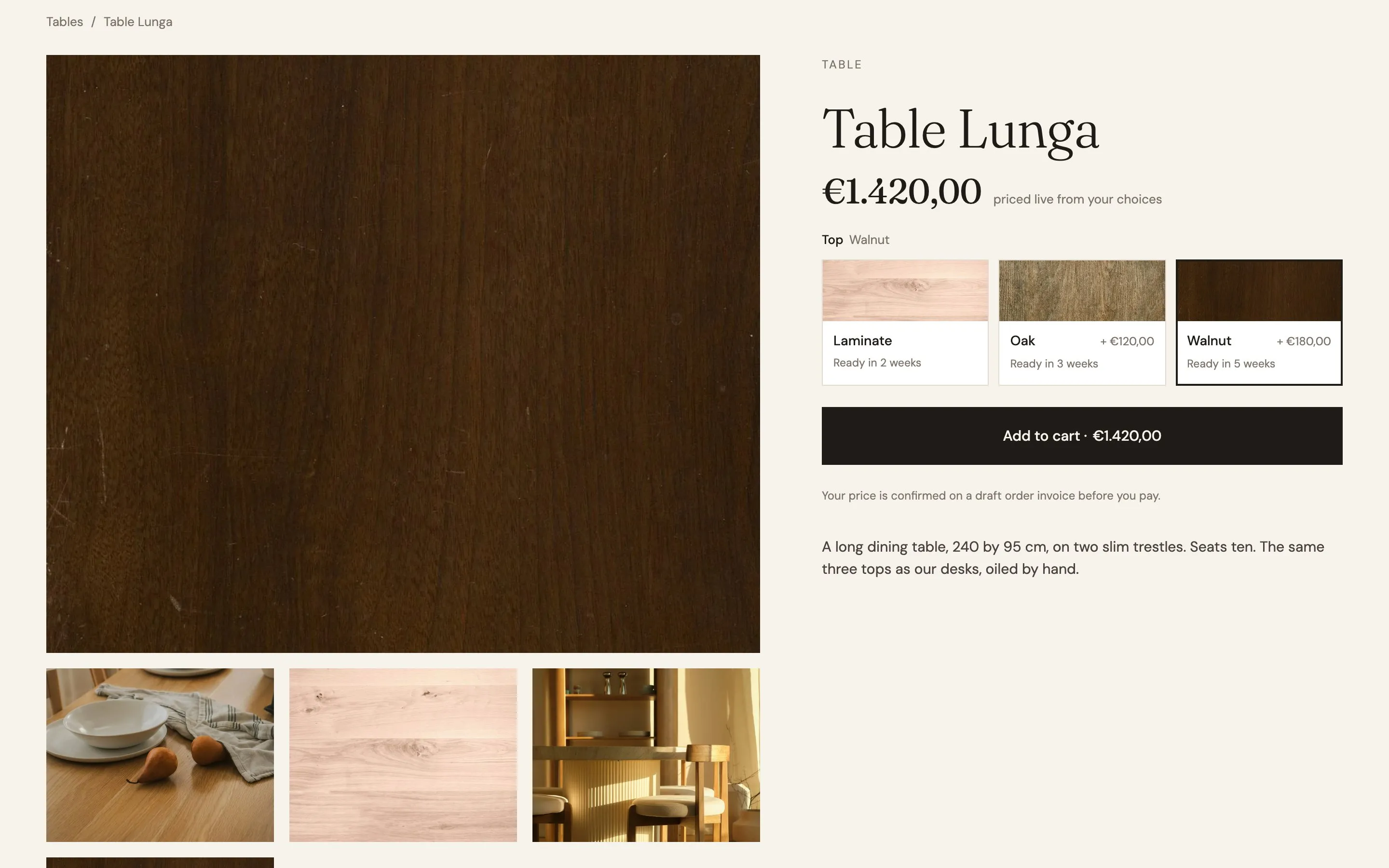
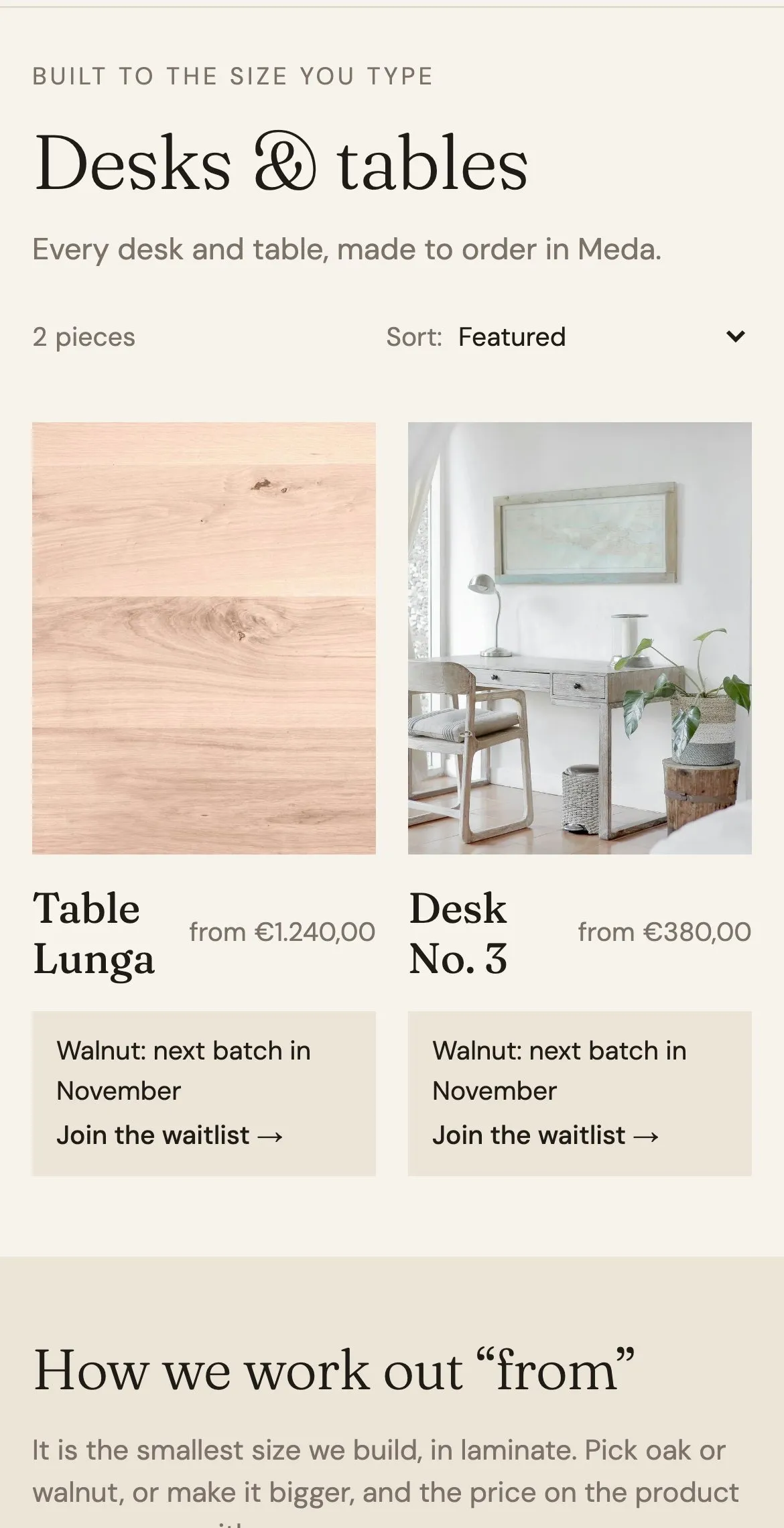
Each top shows its grain, what it adds to the price and how long it takes, and a wood waiting for its next batch says so on the collection page.
Each top is a button with a photo of the wood, its name, the difference in price and “Ready in 2 weeks”, “3 weeks” or “5 weeks”. Picking one changes the price and the gallery. On the collection page, each card says that walnut comes with the next batch in November, with a link that opens the product with walnut chosen.
The swatch is designed once in Webflow and Smootify repeats it for every wood, filling in its photo, name, price difference and lead time from Shopify. On the collection cards, a note appears only for the woods that have a next batch, with a link to the product.
The woods are entries of an Option metaobject, selected on each product in the custom.options metafield: name, color, image, description, plus Millimetro’s own lead_time and next_batch fields.
Questions the merchant edits in Shopify
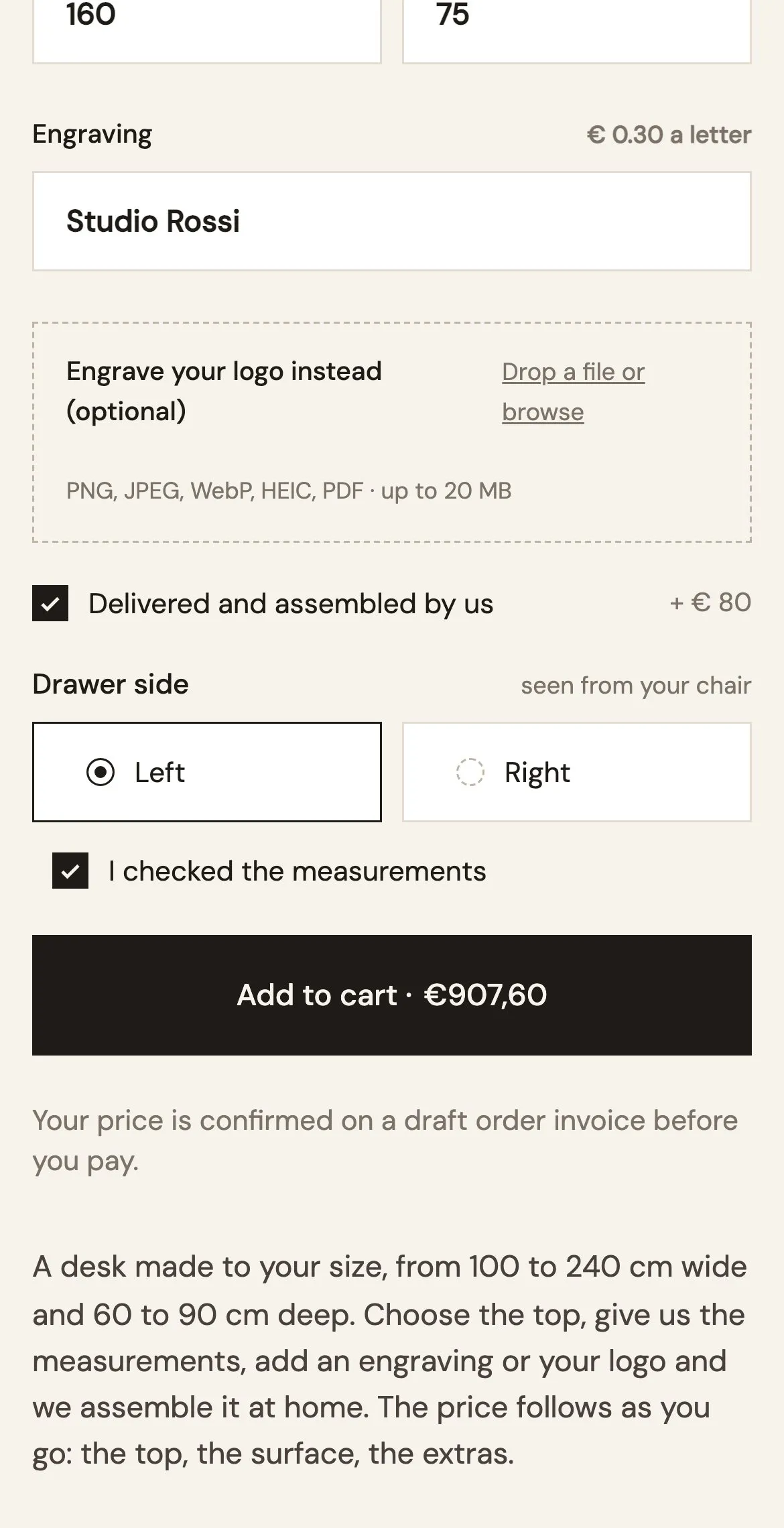
The drawer side and the measurement check are written in Shopify, and the Webflow page only draws what they look like.
Before adding the desk, the customer chooses the side of the drawer and confirms that the measurements are measured, not guessed. Both answers are required, and both show on the cart line and the order, as “Drawer side: Left” and “Measurements checked”.
Each question is a block designed once with the right kind of control, a radio or a checkbox. Smootify gives it the label, the choices and whether it is required from Shopify, and removes the block on products that don't ask that question.
Six Dynamic Property metaobjects, linked from each product’s custom.properties metafield: Drawer side (Radio, Left or Right), the measurement check (Checkbox, saved as “Measurements checked”), the gift card’s Recipient, Recipient name and Message, and a quote number.
One template, five kinds of product
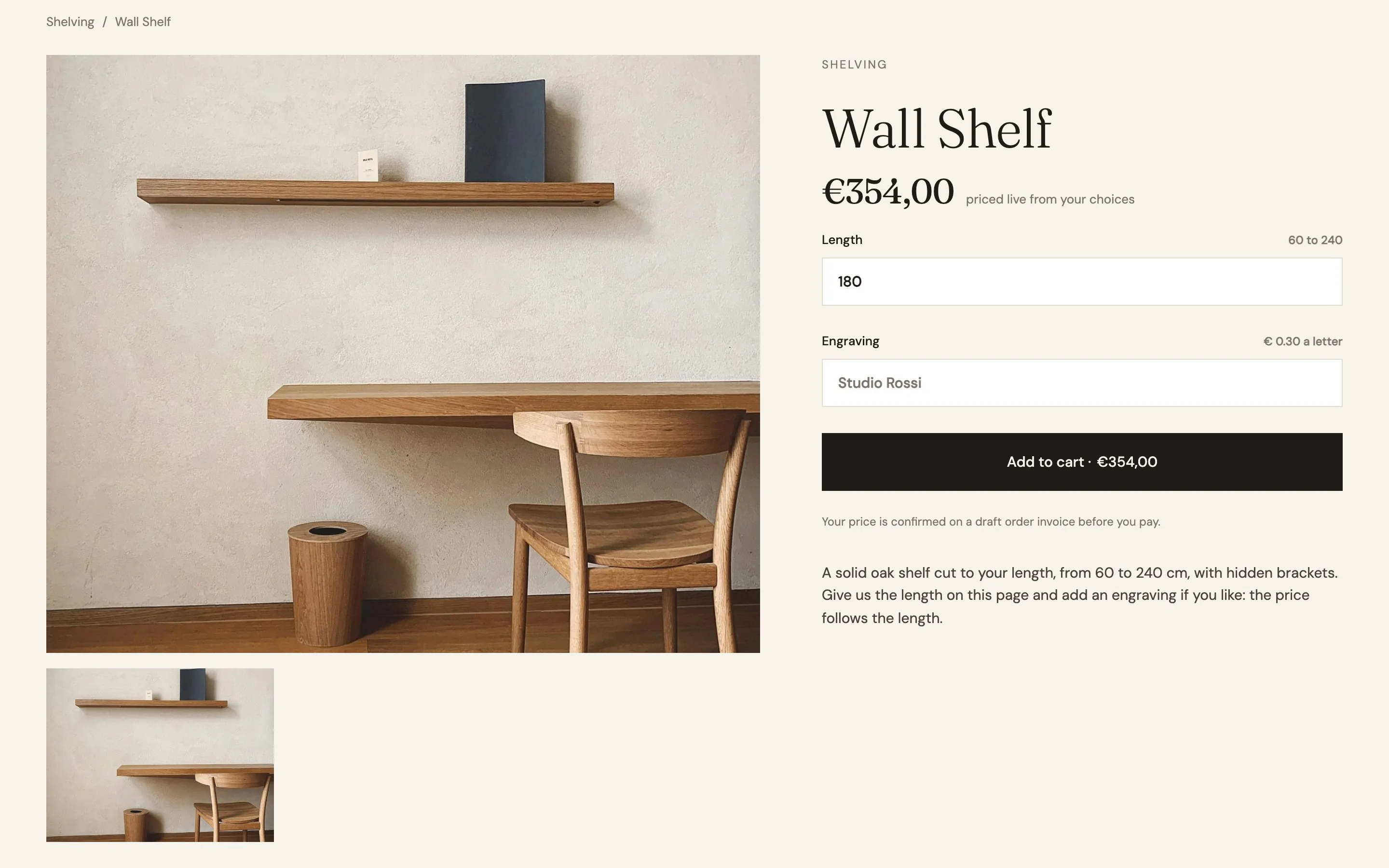
A desk, a table, a shelf, a stool and a home visit share one product template, and each shows only the parts it needs.
Desk No. 3 shows the full configurator. Wall Shelf shows a single length field, from 60 to 240 cm, and an engraving. Table Lunga shows only the tops, Stool 01 only Add to cart, and the home visit a calendar with a “Book and pay” button.
One product template holds every block, and the product's tags in Shopify decide which ones show: the desk configurator, the shelf length, the visit calendar. A hidden block asks for nothing, so its required fields never get in the way.
Tags in Shopify do the sorting: desks, shelving, bookable. Wall Shelf is one variant at €210 for 60 cm. The swatches need no tag: a product without the Top option shows none.
The whole cart on one invoice
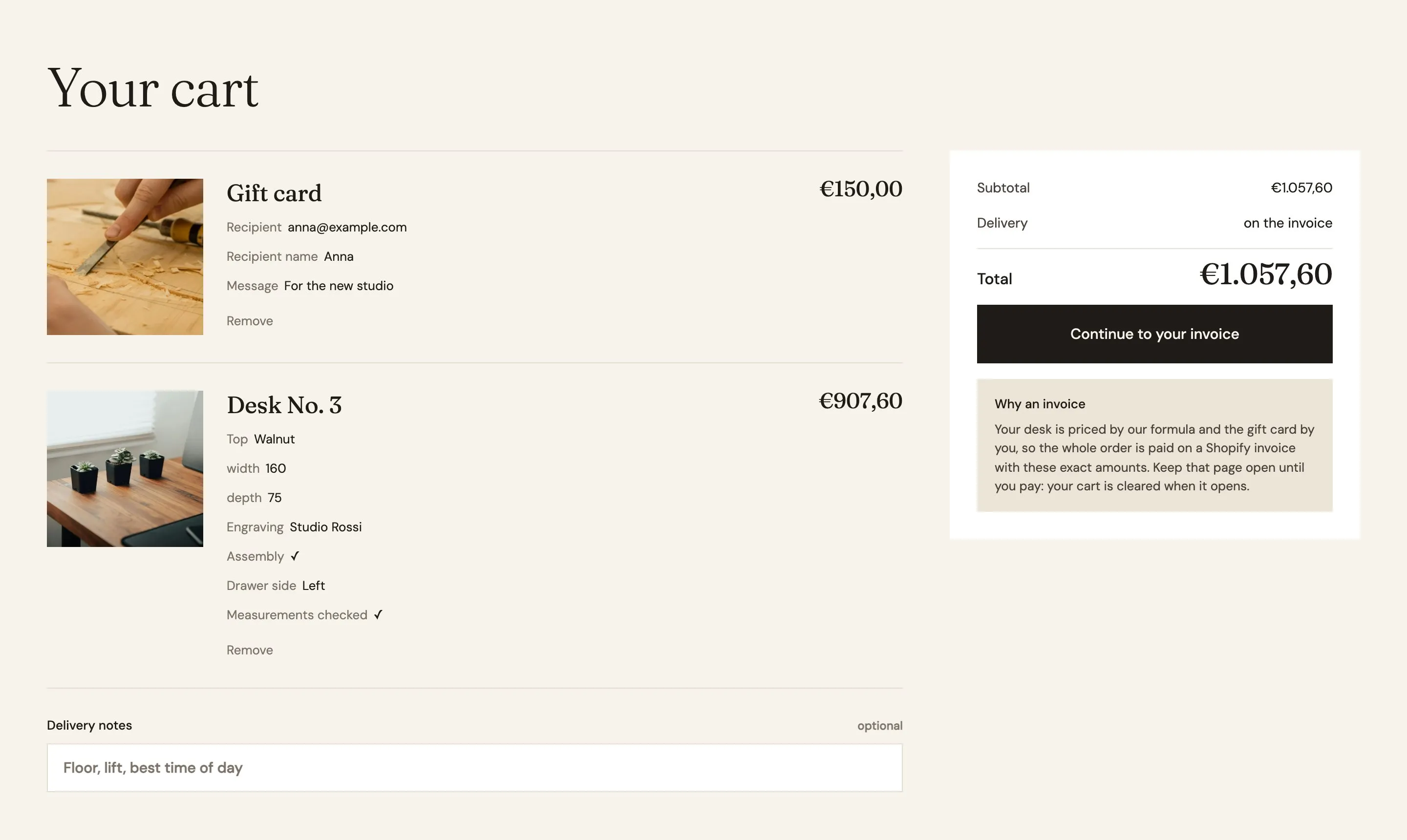
A desk priced by a formula and a gift card priced by the buyer check out together, at exactly the amounts on the page.
The cart lists each line with its choices: the top, the size, the engraving, the drawer side, the gift card’s recipient. The customer can leave a delivery note. “Continue to your invoice” opens a Shopify invoice with these amounts, and the page says why: the prices were set by a formula and by the buyer.
The cart line is designed once and repeats every choice the customer made. A delivery note field travels with the order. Because the prices were calculated on the page, checkout goes through a Shopify invoice with the same amounts.
The invoice is a Shopify draft order. Delivery and assembly is a shipping rate: free in Italy, €120 to Switzerland, €90 to Austria.
The other templates.
Start from Millimetro.
Free to build, pay only when you go live. One Shopify app instead of ten, billed on the store’s Shopify invoice.
- One app on the Shopify bill, not ten
- Free to build, pay only when you go live
- Works on Basic, Grow and Advanced
- Your 1.x store keeps working
- Every element stays yours to change
- Docs indexed in llms.txt