Sunday Crate
Boxes: build your own once, or take a curated one on subscription.
Running on Smootify 2.0. The Webflow project and the Figma file are both free.
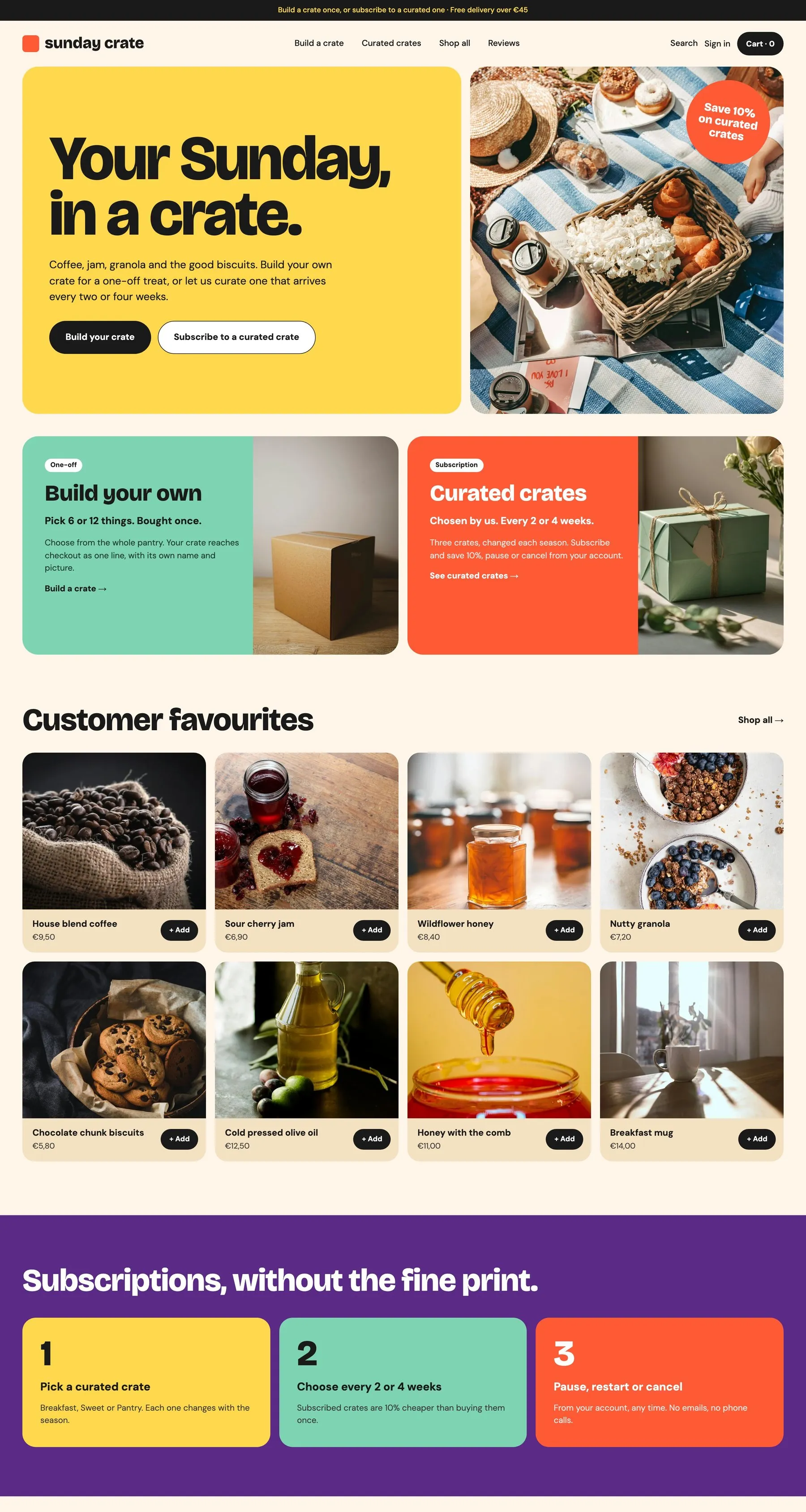
A build-your-own box bought once, curated boxes on subscription, reviews without an app.
Free for the box, Server for delivery booking and reviews
- The Webflow project, ready to clone
- The Figma file: desktop, tablet and mobile
- A teardown of every mechanic
Go all the way to checkout.
Sunday Crate runs on a Shopify development store: you can place a test order end to end. Nothing is charged and nothing ships.
- 01
Fill the cart
Open the live store and add anything to the cart, the way a customer would.
- 02
Enter the store password
At checkout Shopify asks for the store password of the development store:
sunday - 03
Place the order
The checkout takes test payments: Shopify shows the test card to use right there. Your order reaches the store like a real one.
How Sunday Crate is built.
Sunday Crate sells breakfast crates from a kitchen in Milan: build your own once, or take a curated crate every 2 or 4 weeks. The crate you fill reaches checkout as one line, the delivery window is booked in the cart, and every product list on the site reads straight from Shopify, without a single CMS Collection List.
A crate that checks out as one line
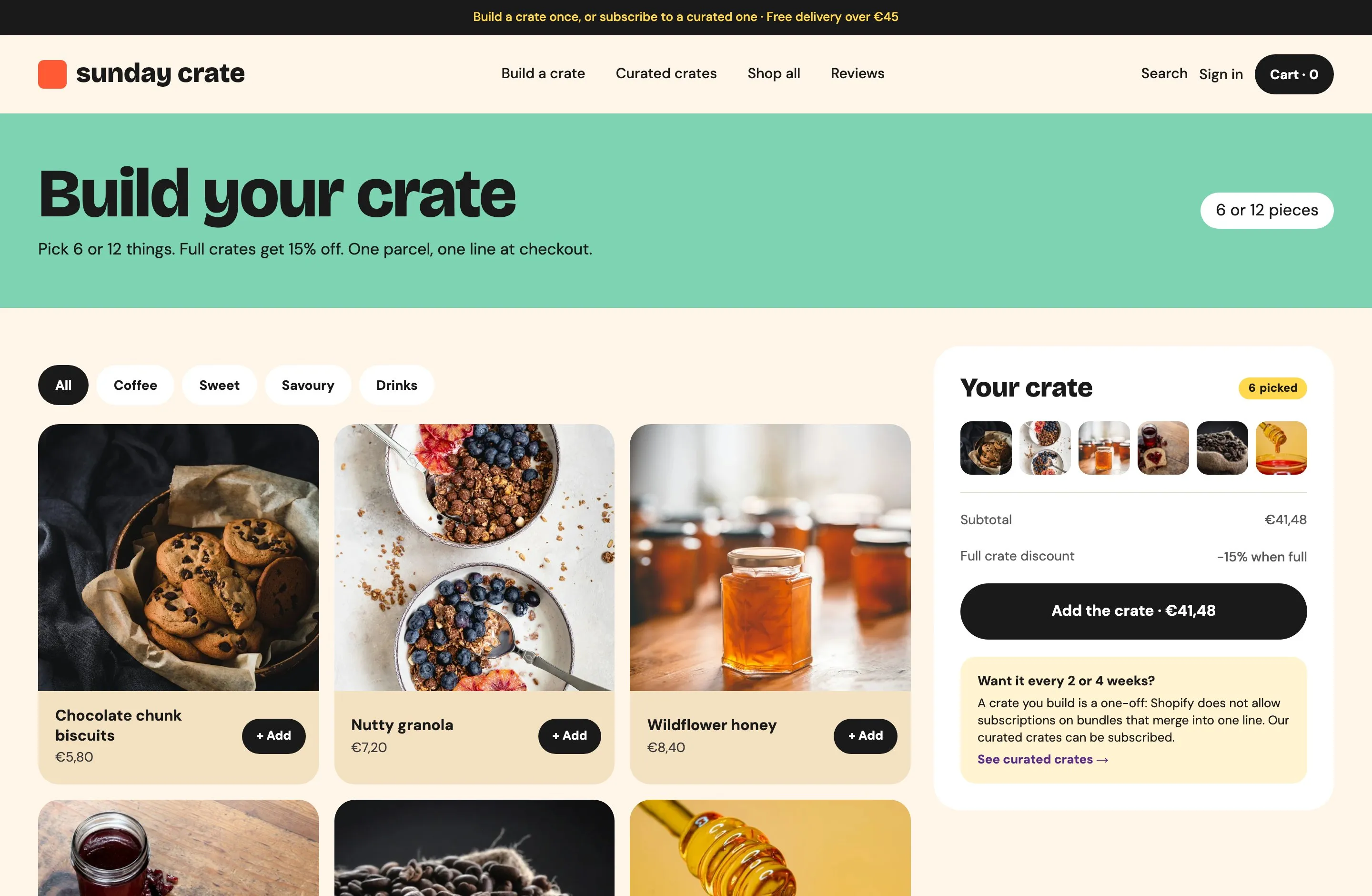
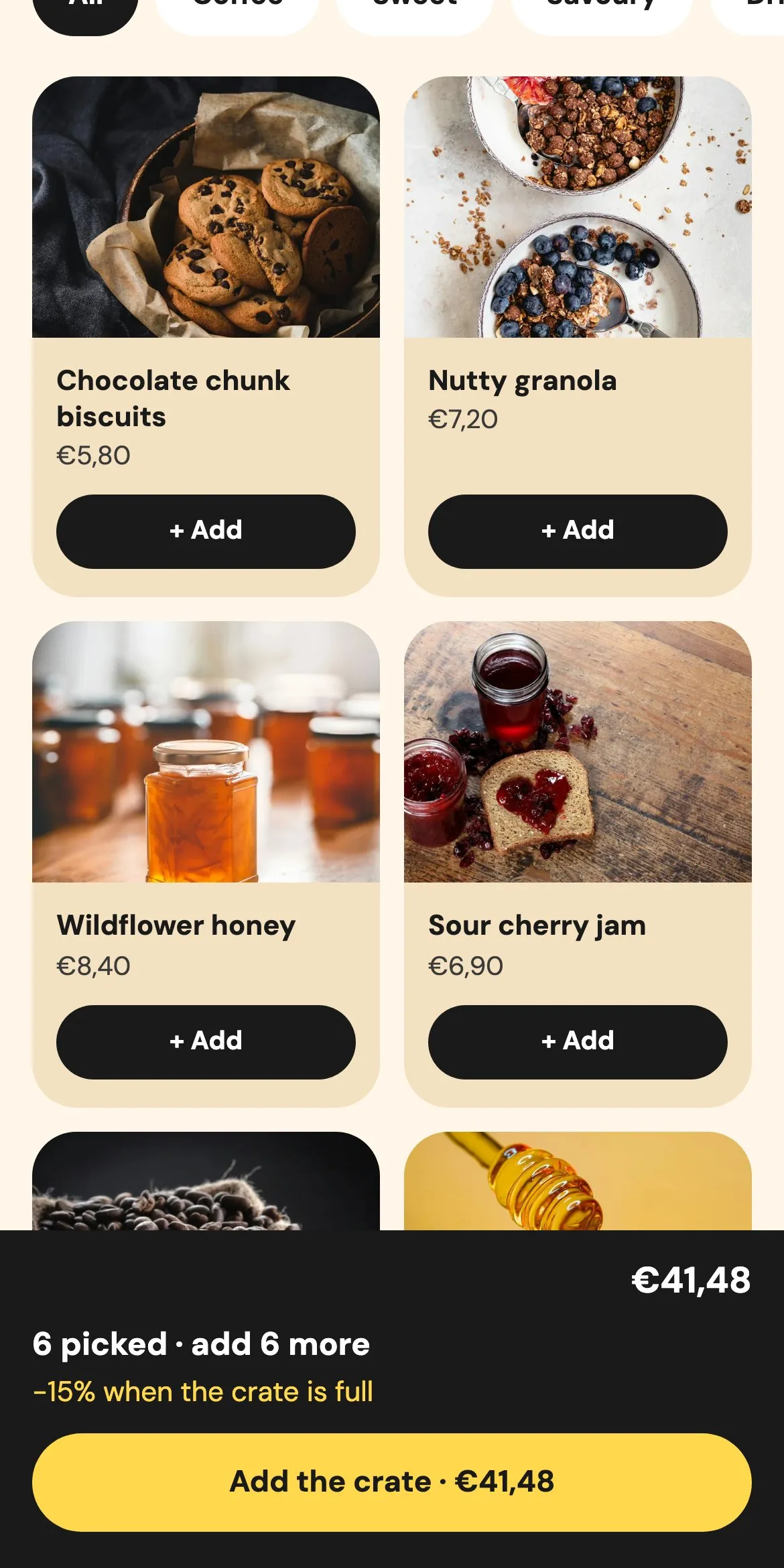
Six jars picked one by one leave as a single parcel, with its own name, picture and 15% off.
The shopper filters the pantry by Coffee, Sweet, Savoury or Drinks and taps “+ Add”. Each pick drops its photo into a slot of the crate, the count and the subtotal update, and the button turns on at 6. The crate takes 6 or 12 pieces, one of each, and a full crate is 15% cheaper. A tap on a slot takes the piece out.
The page is one box with its rules: 6 or 12 jars, one of each. The product grids are ordinary product lists, so their Add buttons fill the box instead of the cart. The panel shows the picked jars, how many are left and the total, and the checkout button unlocks when the box is complete. The Breakfast Trio reuses the same box with one pick per category.
A magic_box metaobject per box holds the title “Your crate”, the crate picture and discount_percentage 15 (10 for the Breakfast Trio). The categories are plain collections: coffee, sweet, savoury, drinks. No bundle app, and Magic box is included on every Smootify plan.
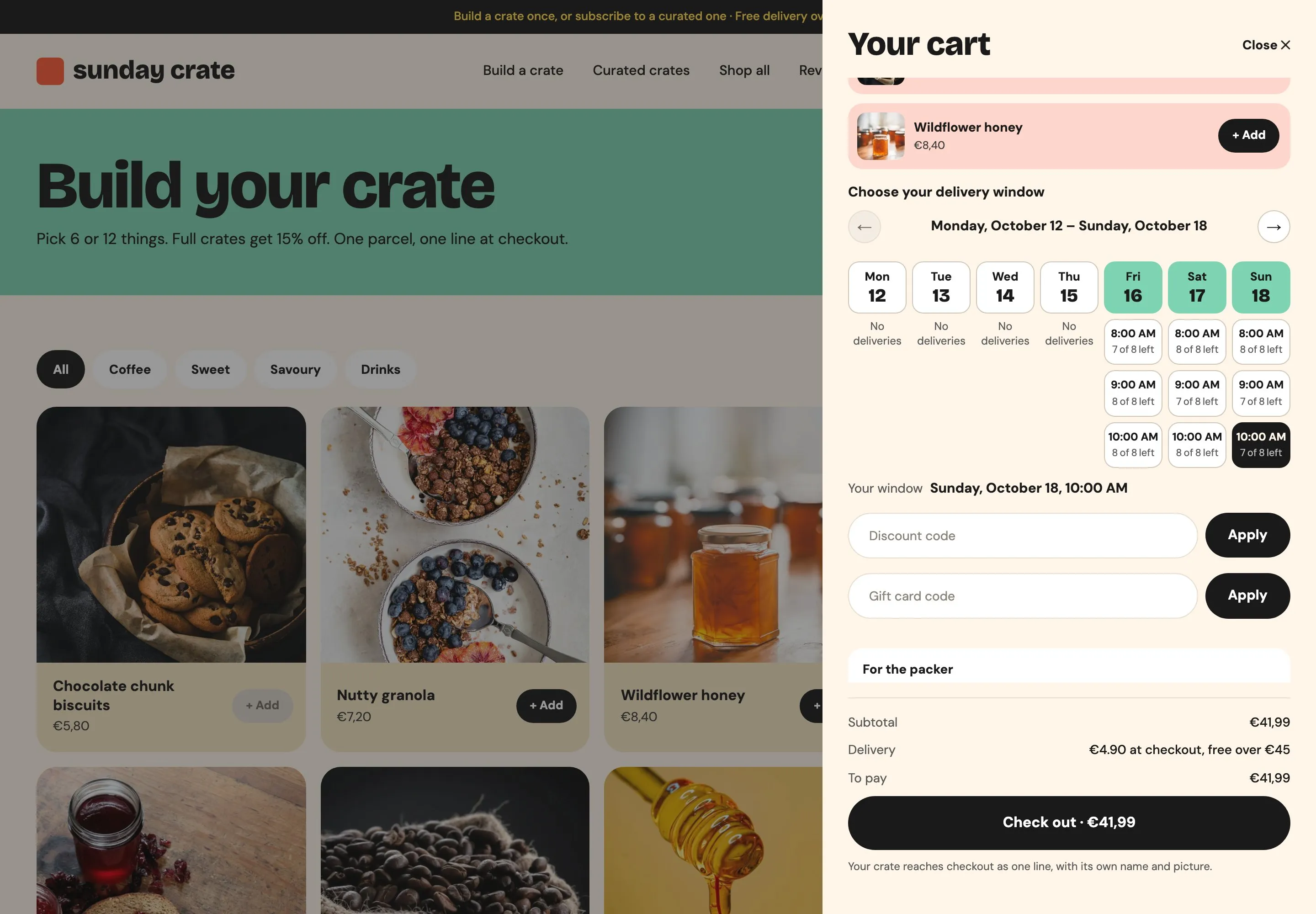
The delivery window, booked in the cart
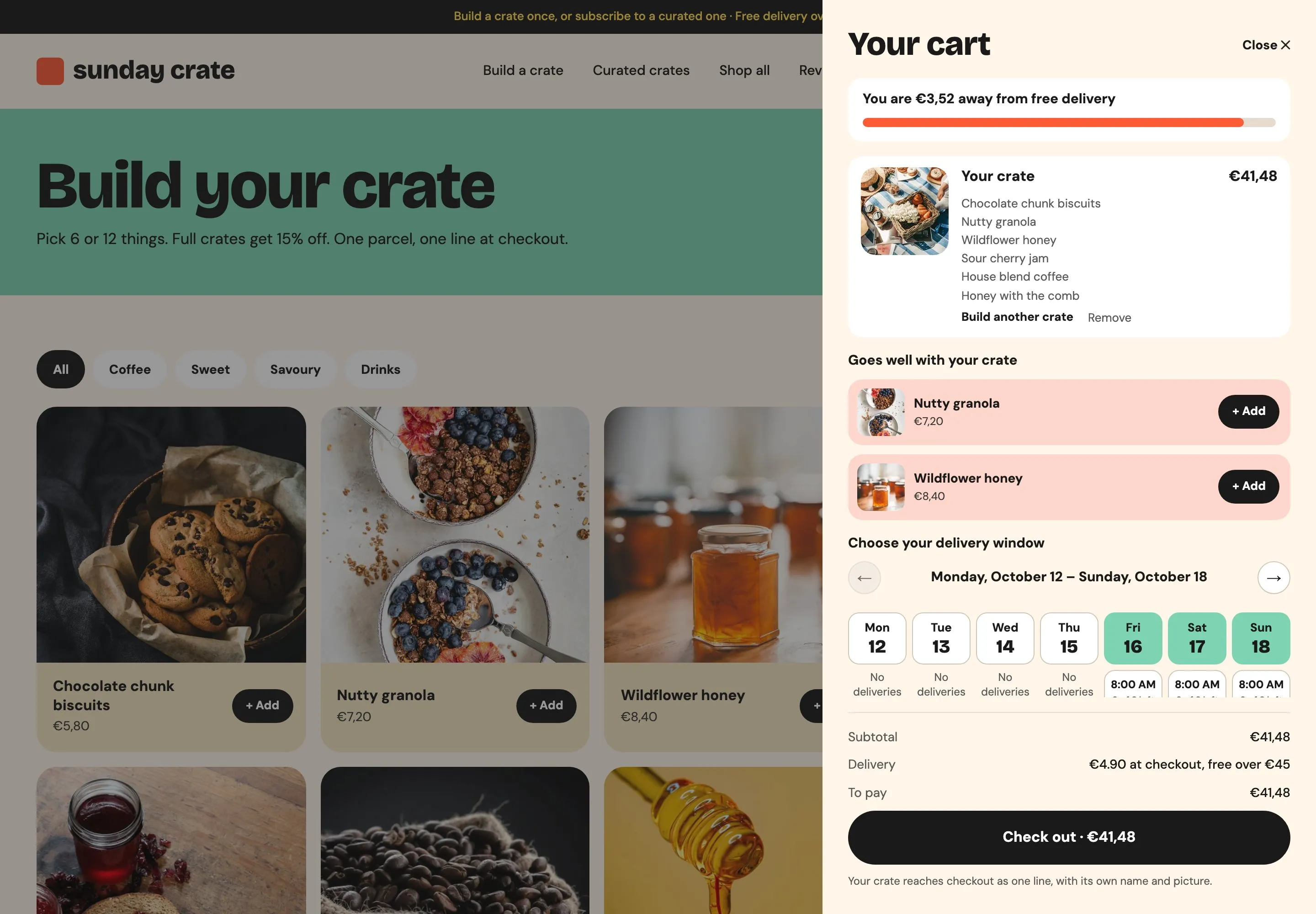
The cart is where the shopper picks Sunday at 10:00, and the place is held for them while they pay.
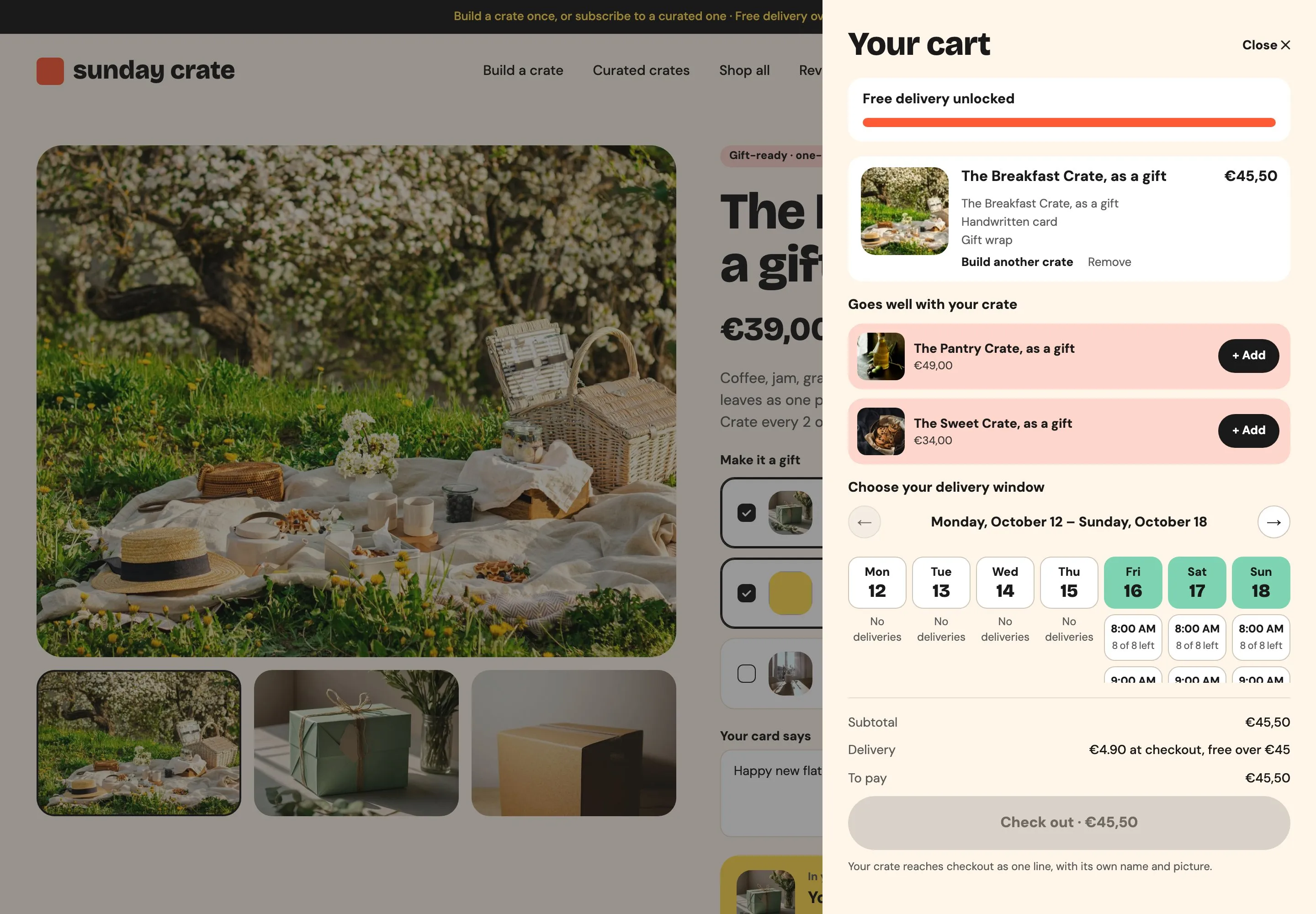
The cart opens on a bar that counts down to free delivery over €45, then the crate as one line, then two products that go with it. Below, a week of delivery days: Friday, Saturday and Sunday have windows at 8:00, 9:00 and 10:00, each with the places still free. The shopper picks one, sees it confirmed under the calendar and checks out. Without a window, the checkout does not go ahead.
A delivery calendar sits inside the cart and reads its windows from a bookable product in Shopify. Checkout waits until a window is chosen. Above it, the free-delivery bar and the suggestions update with what is in the cart.
Home delivery is a hidden product whose booking schedule says Friday to Sunday, 8:00 to 11:00, one-hour windows of 8 places, Europe/Rome. The picked window is written on the cart as “Delivery”, so the order shows it; Smootify’s Shopify Flow template turns the hold into a booking when the order is placed. Booking needs the Server plan.
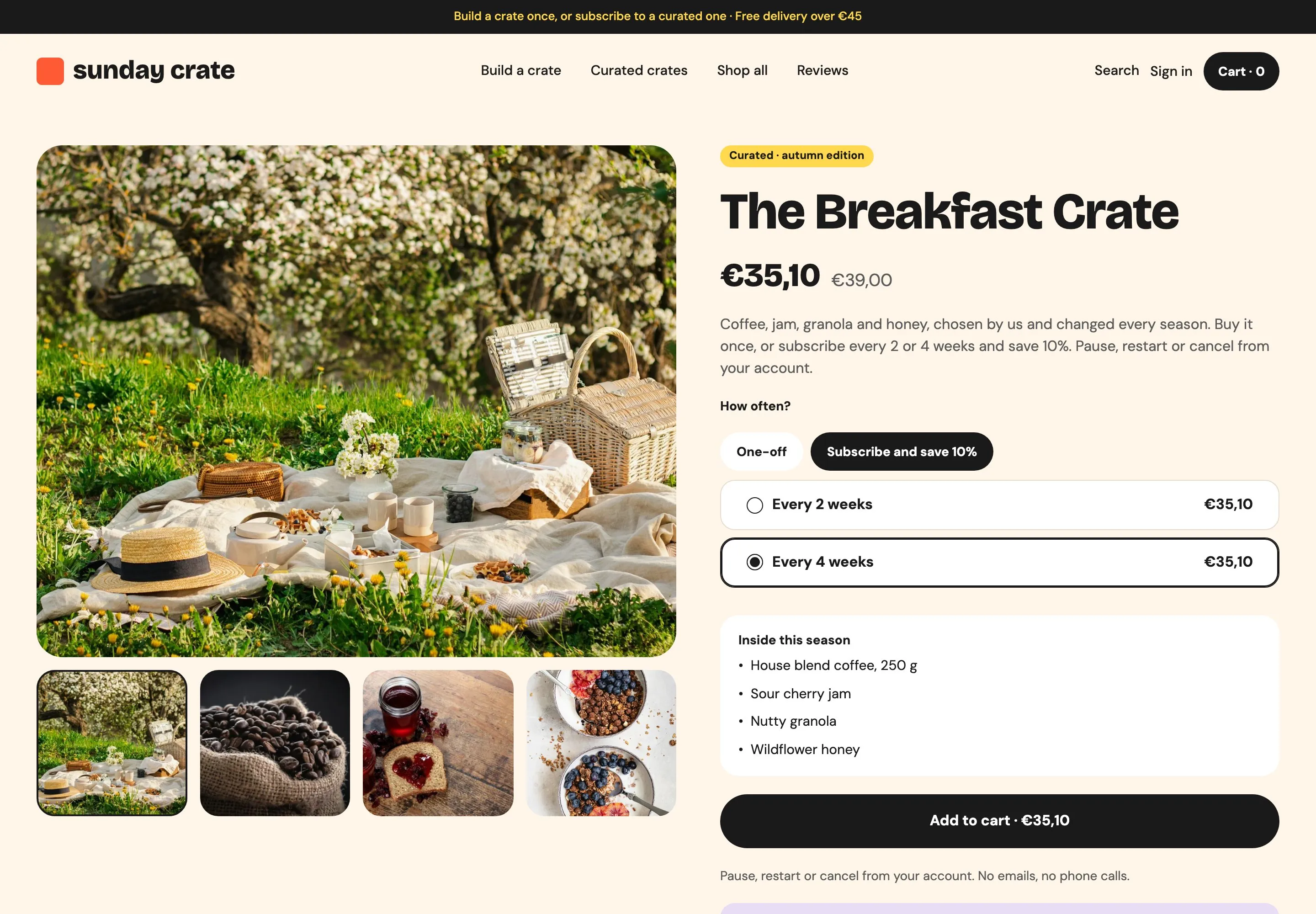
Curated crates on subscription
The crate you build is a one-off on purpose, and the page tells the shopper why.
On a curated crate the shopper chooses One-off or “Subscribe and save 10%”, then every 2 or every 4 weeks. The price drops from €39 to €35.10 and the button follows. “Inside this season” lists what is in the crate now. A note under the button says how to choose your own pieces: build a crate, bought once.
The plan picker lists the product's subscription plans and opens on every 4 weeks. The badge and the reassurance line show only while a plan is picked, and the season's contents come from the product. One product template holds both buy boxes, and the product's tags decide which one shows.
One selling plan group, “Subscribe and save 10%”, every 2 or 4 weeks, on the three curated crates only, from the Shopify Subscriptions app. Shopify does not merge cart lines that carry a selling plan, which is why the built crate stays a one-off. custom.inside lists the season’s contents.
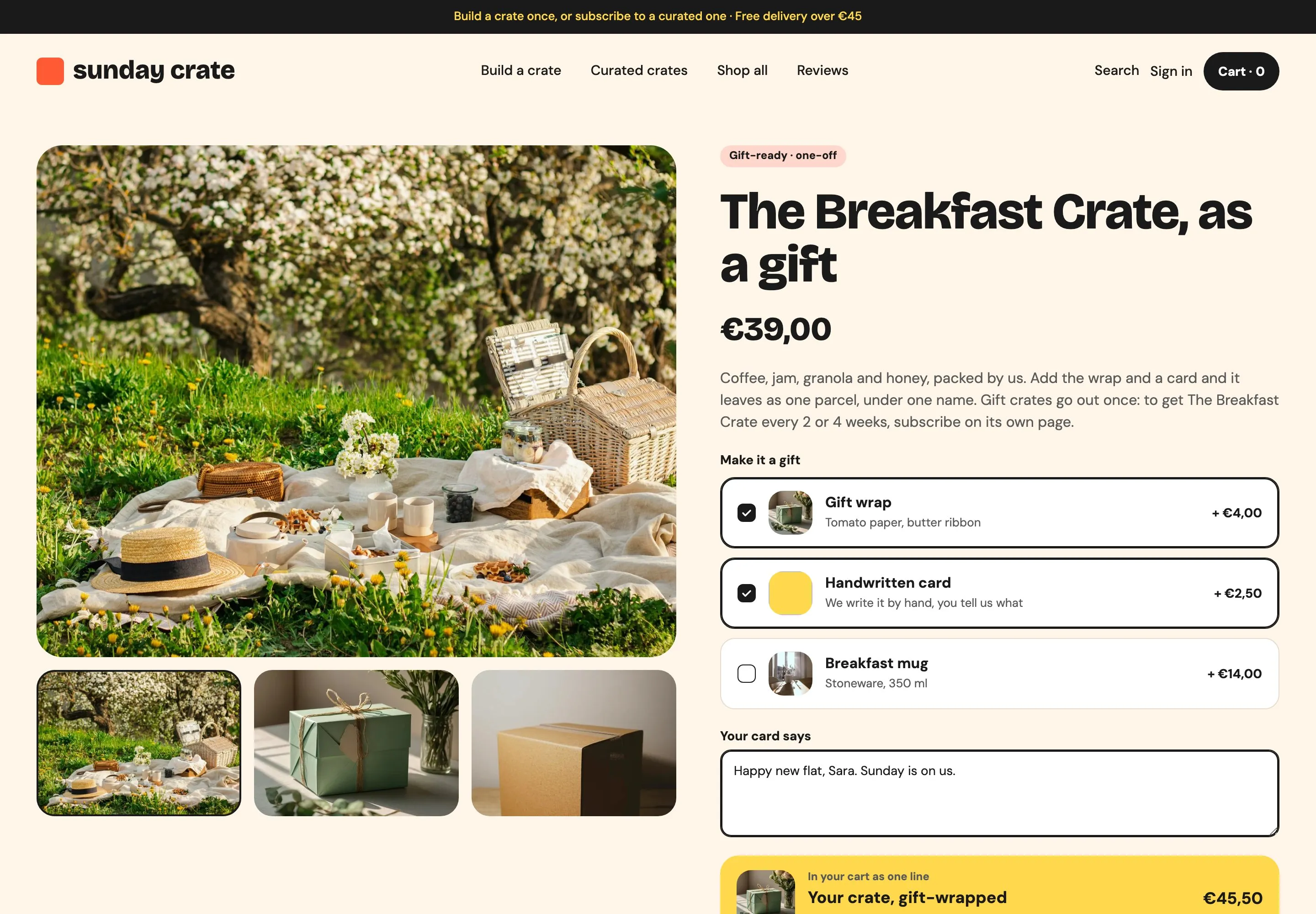
A gift in one parcel
Gift wrap and a handwritten card join the crate as one cart line, not three.
On a gift crate the shopper ticks the extras: gift wrap for €4, a handwritten card for €2.50, the breakfast mug for €14. They type what the card should say. A summary shows the parcel as one line with its total, and the button adds it all at once.
The gift crate's extras are real products added as options to the crate, and the summary adds up the crate and the ticked extras. Everything reaches the cart as one line, with the card message attached.
Gift crates are their own products, tagged gift, with no selling plan. Their extras are listed in the custom.add_ons product metafield; the wrap and the card are products hidden from search, with a custom.subtitle.
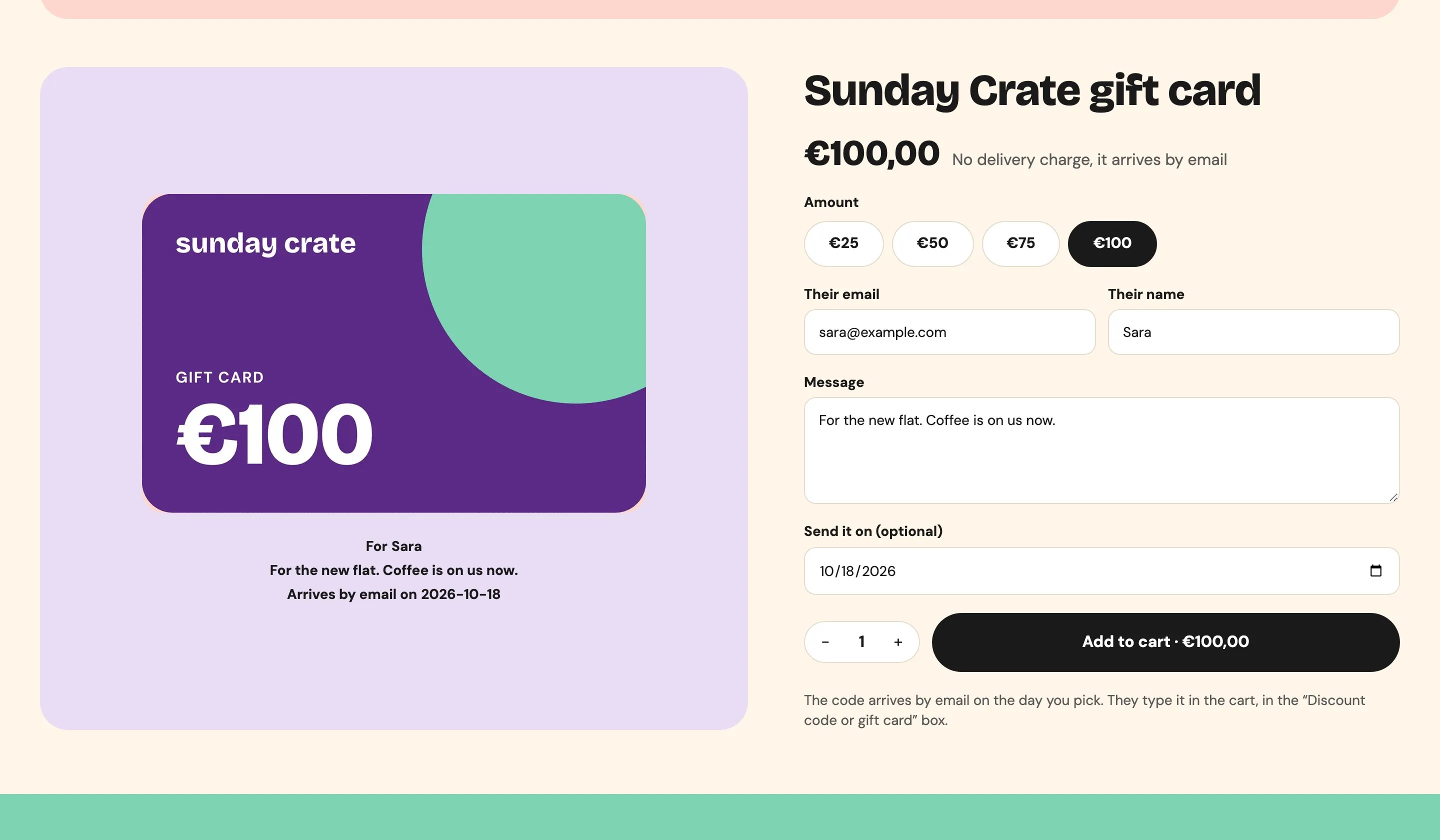
A gift card with its own art
Each amount has its own card design, and the preview writes the recipient’s name as it is typed.
The shopper picks €25, €50, €75 or €100 and the card picture changes color with the amount. They type the recipient’s email and name, a message and the day it should arrive. Under the card, “For Sara” and the message appear while they type. Shopify emails the card on that day.
The amounts are swatches, and the picture follows the chosen amount, so each one shows its own artwork. The preview repeats the recipient's name, the message and the date as they are typed, with a default when a field is empty.
Shopify’s native gift card product with four variants, each with its own image. Recipient, message and send date are Shopify’s own gift card fields, so no gift card app is involved.
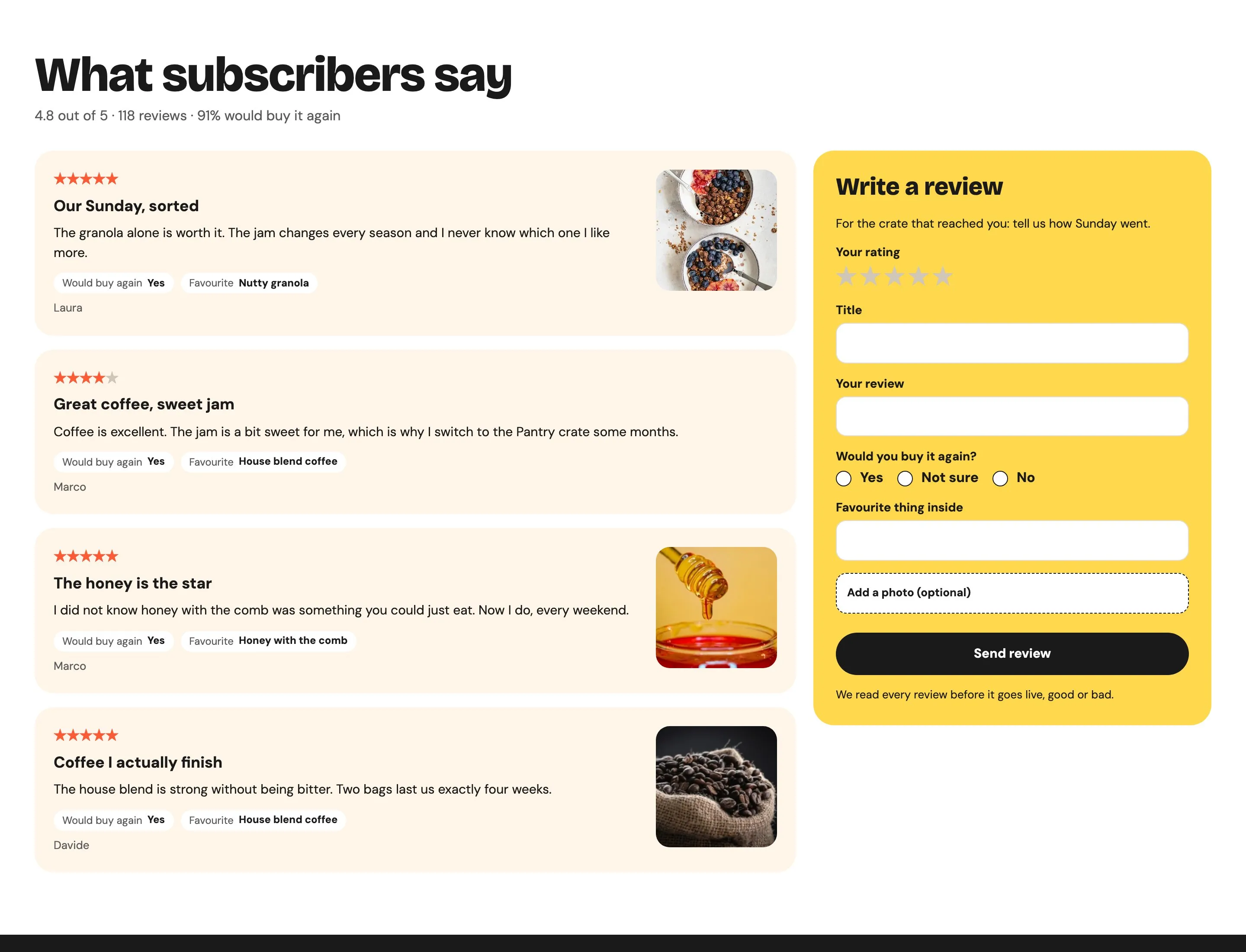
Reviews without an app
Every review is a Shopify metaobject: written on the site, read in the admin, published by hand.
Under each curated crate the shopper reads what customers wrote: stars, a title, whether they would buy it again, their favorite thing inside and sometimes a photo. The form beside it asks for the same, with an optional photo. A crate with no reviews yet shows an invitation instead. The Reviews page lists them all, six at a time.
The reviews linked to the product are listed with one card designed once, and the stars follow each rating. The form saves a new review in Shopify as a draft, photo included, so it waits there until someone publishes it.
A review metaobject definition with rating, title, body, would buy again, favorite item, photo, author and product. Products list theirs in custom.reviews, and reviews.rating keeps the average. The form needs the Server plan.
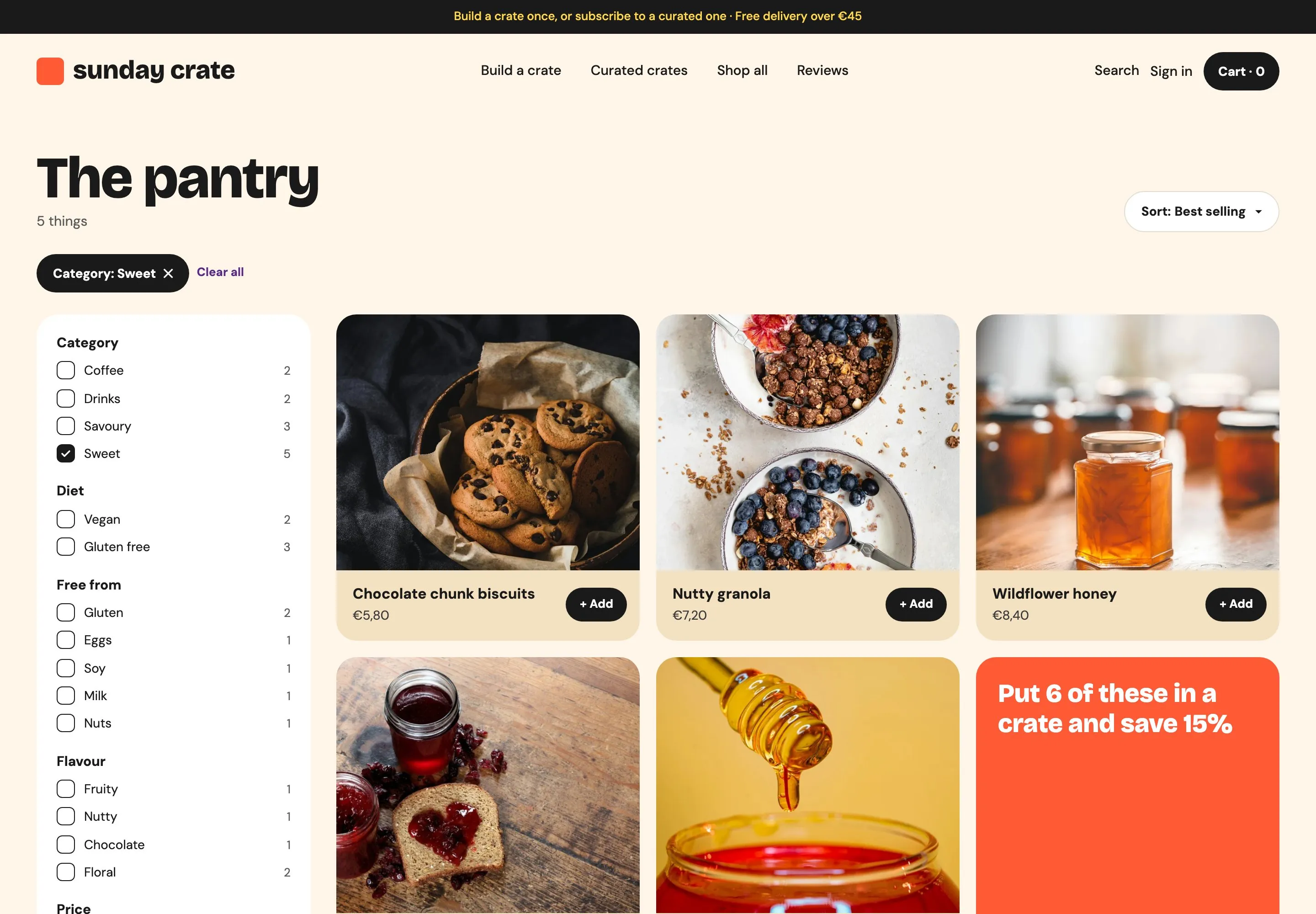
Filters from Search & Discovery
Category, diet, flavor and price come from a free Shopify app and render in the store’s own design.
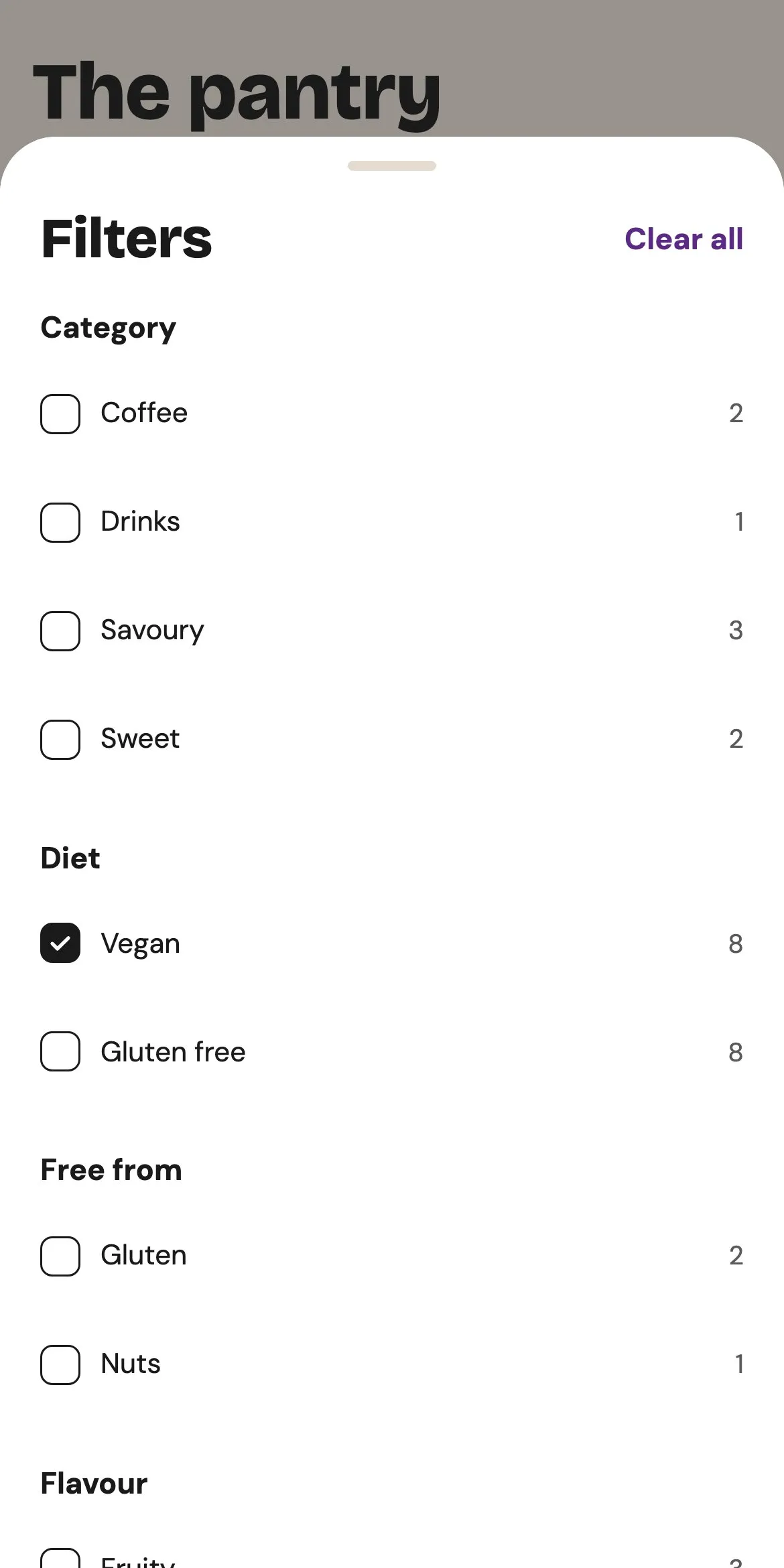
On the pantry page the shopper ticks Sweet, Vegan or Nutty, or drags the price range. The list and the counts next to every option update at once, each choice shows as a chip with “Clear all”, and the address keeps the filters for sharing. On a phone the filters open as a sheet from the bottom.
The page is one filtered list of the pantry: filter groups come from Shopify with their counts, a price range, active filter chips and an empty state, and the filters stay in the address. The sidebar on desktop and the sheet on a phone are the same panel.
Shopify Search & Discovery, free in Shopify, defines the filters: Category from the product type, Diet from custom.diet, Flavor from custom.flavour, Allergens from custom.allergens, and Price.
The other templates.
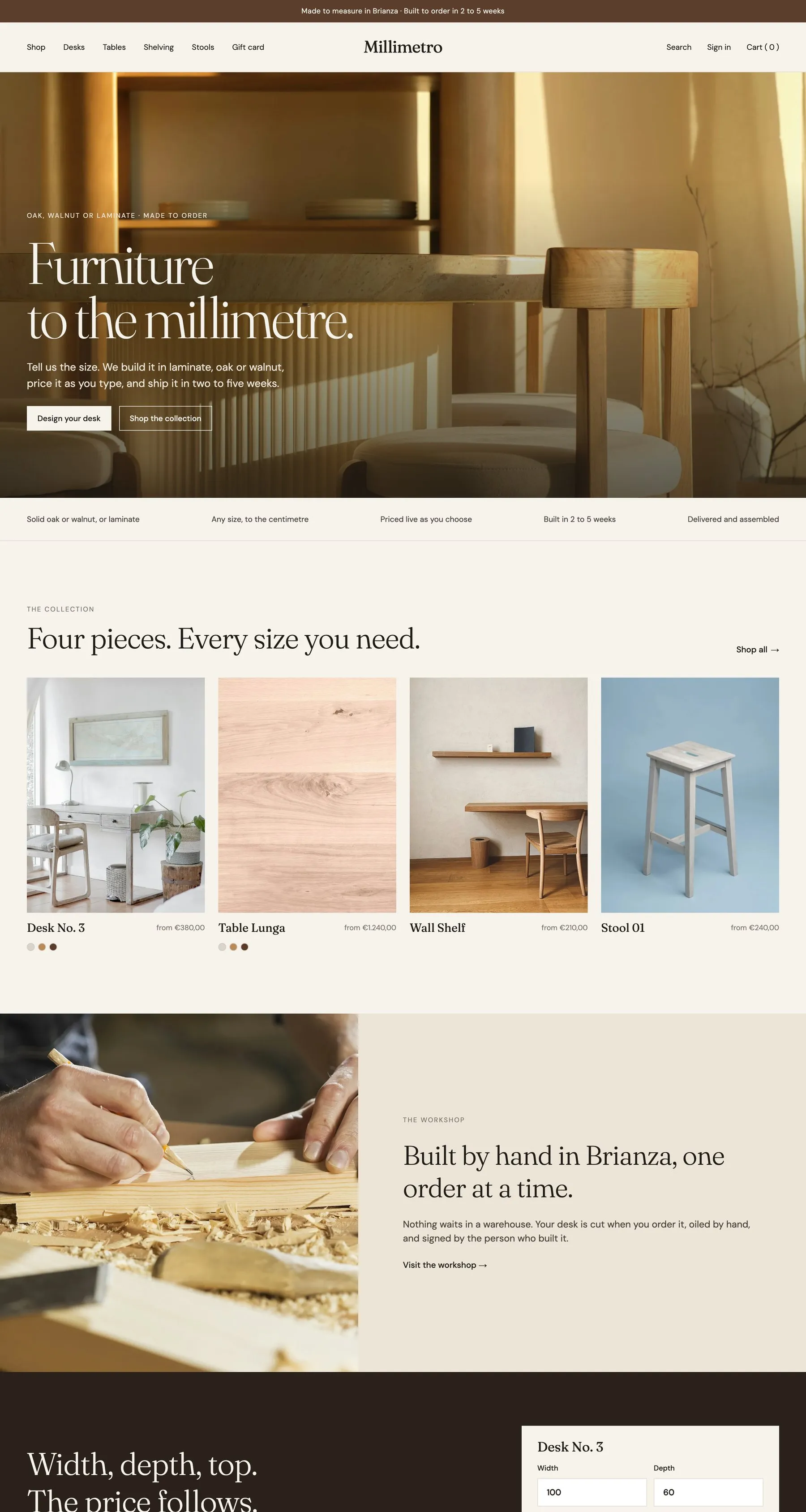
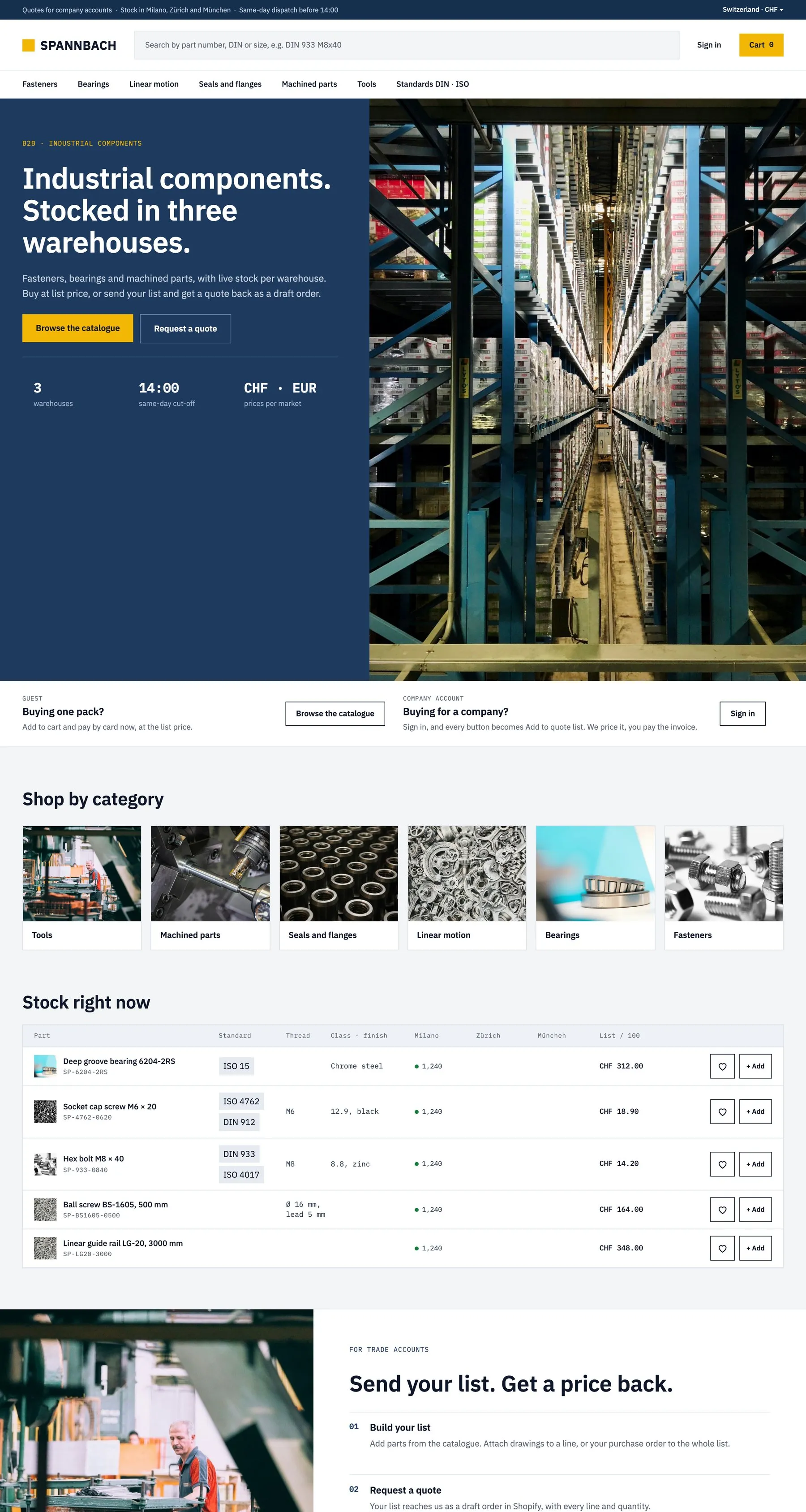
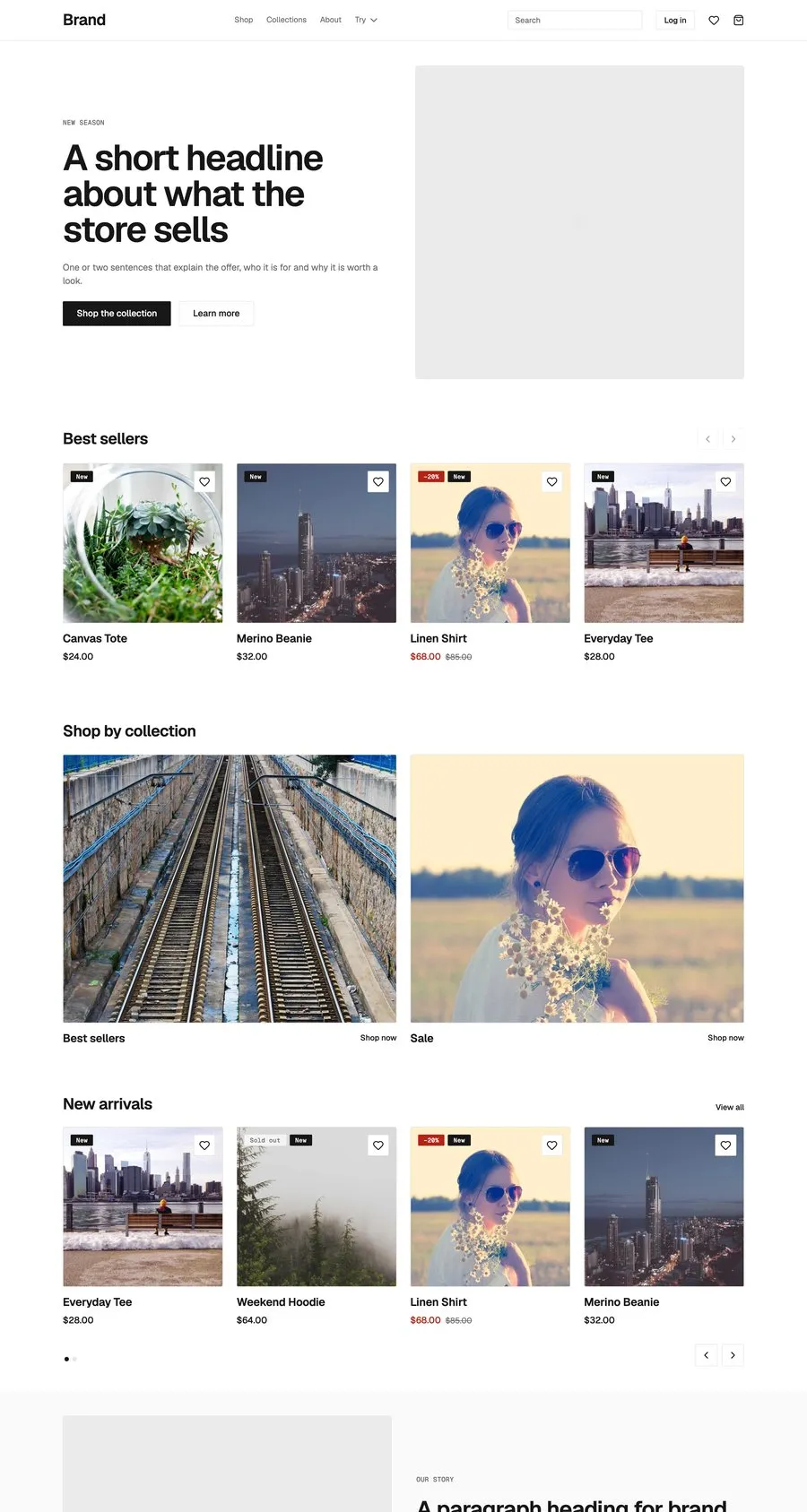
Start from Sunday Crate.
Free to build, pay only when you go live. One Shopify app instead of ten, billed on the store’s Shopify invoice.
- One app on the Shopify bill, not ten
- Free to build, pay only when you go live
- Works on Basic, Grow and Advanced
- Your 1.x store keeps working
- Every element stays yours to change
- Docs indexed in llms.txt