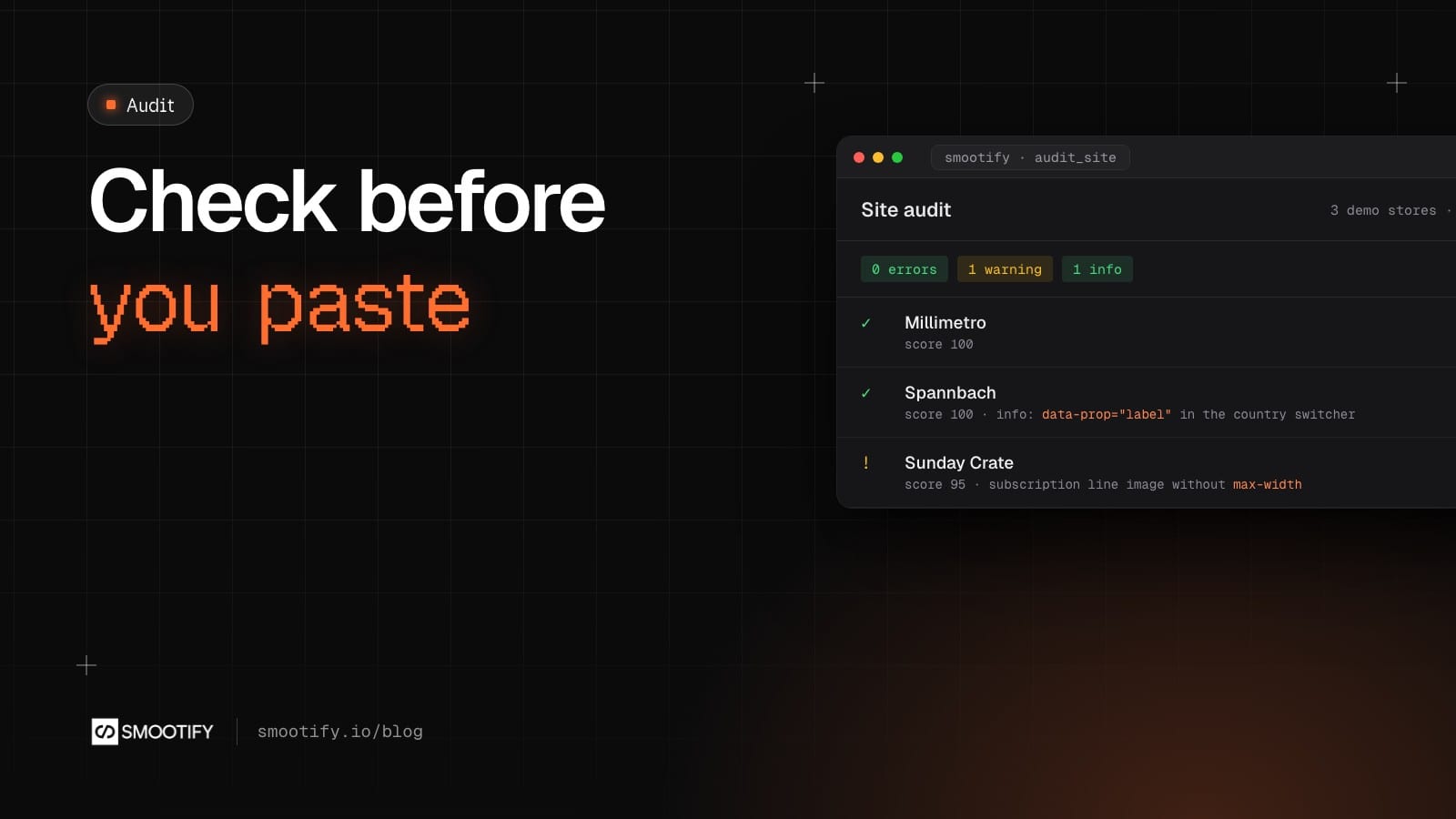
A Shopify store built in Webflow or Astro breaks quietly. A swatch block with the wrong child disappears from the page. A quantity button made with Webflow’s Button element does nothing, because a Webflow Button is a link. An attribute outside the element it belongs to is simply never filled. None of these shows an error in the Designer or in the build, and most of them look fine until a customer tries to buy.
A store audit used to mean a person opening every page and comparing it with the docs. Smootify 2.0 ships the rules as data, so an agent can run them: before markup reaches the site, in Webflow or Astro, and after the site is published.
The rules are the product’s own
The Smootify MCP is a server your agent connects to (Claude, Cursor, Codex). Its checks do not come from a model’s memory. They come from Smootify 2.0’s markup contract, which says which elements exist and what each must sit inside, from the attribute glossary the Webflow app also reads, and from smootify.d.ts, the file that describes the JavaScript API. Each finding names the rule it comes from.
You sign in with your Smootify account, on any plan, the free one too. The audits read only pages anyone can open: no customer or order data goes through the server.
Four tools do most of the work:
check_markup, before you paste: HTML (an Astro component’s markup too), a Webflow clipboard payload or a Designer tree.audit_page, after you publish: one live page, as Smootify will see it.audit_site:audit_pageon up to ten pages, one per template, with findings merged by cause.diagnose: from a symptom in words to the known causes, and the check that confirms each.
Before you paste: check_markup
Here is a product block with three mistakes people really make. The swatch template is a div. The quantity buttons are links. And the product title has been copied outside its product.
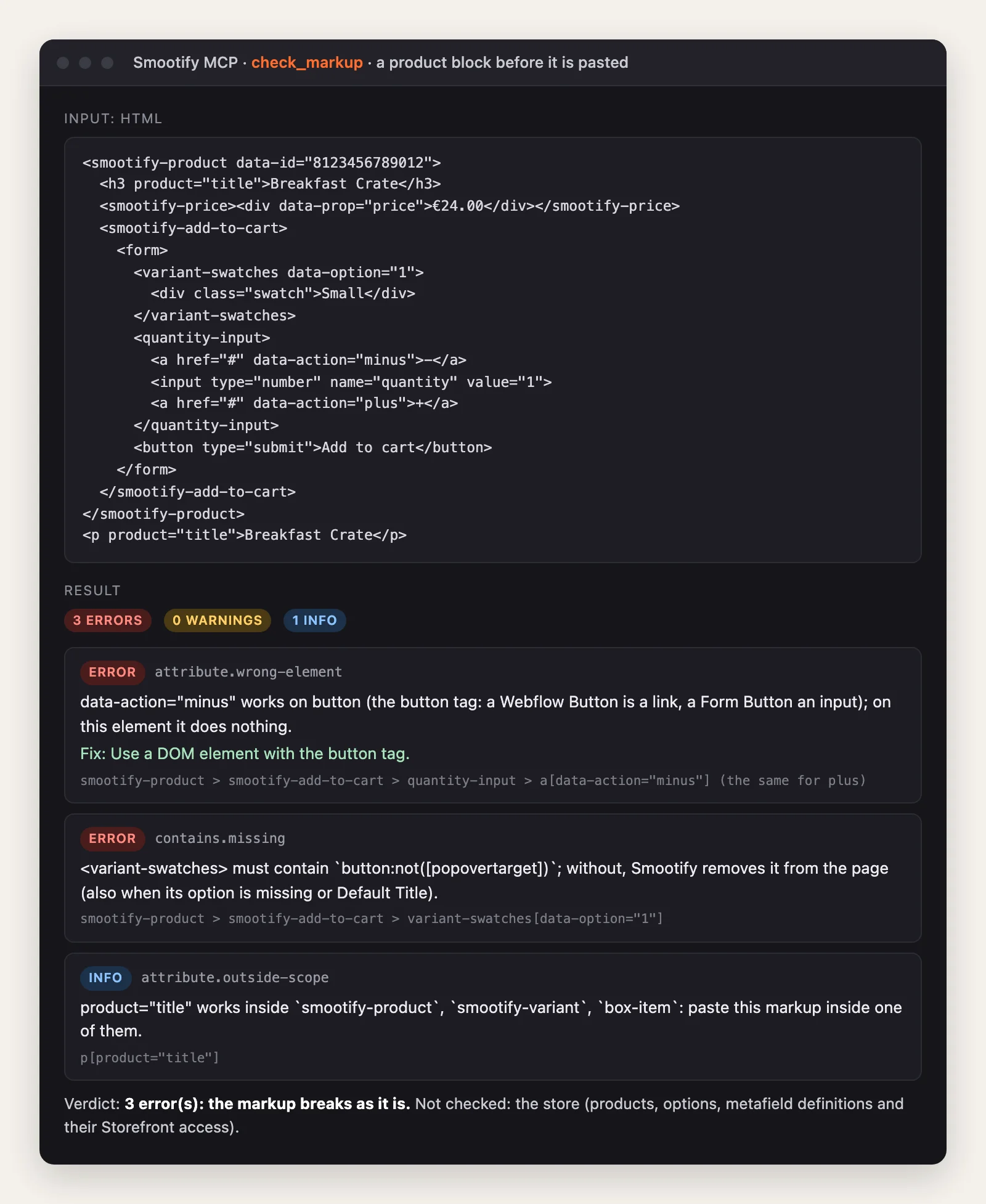
What matters is the second half of each message. data-action="minus" on a link “does nothing”. A variant-swatches without a button inside is removed from the page by Smootify. The title outside smootify-product stays as designed. Those are three different failures, and in the browser all three look like “the product page is a bit broken”. The check also says what it could not see: the store itself, its products and metafield definitions.
When the markup goes inside other Smootify elements, such as a card inside a search grid, pastedInside gives the ancestors, so the check knows where the fragment will live.
After you publish: audit_site on the demo stores
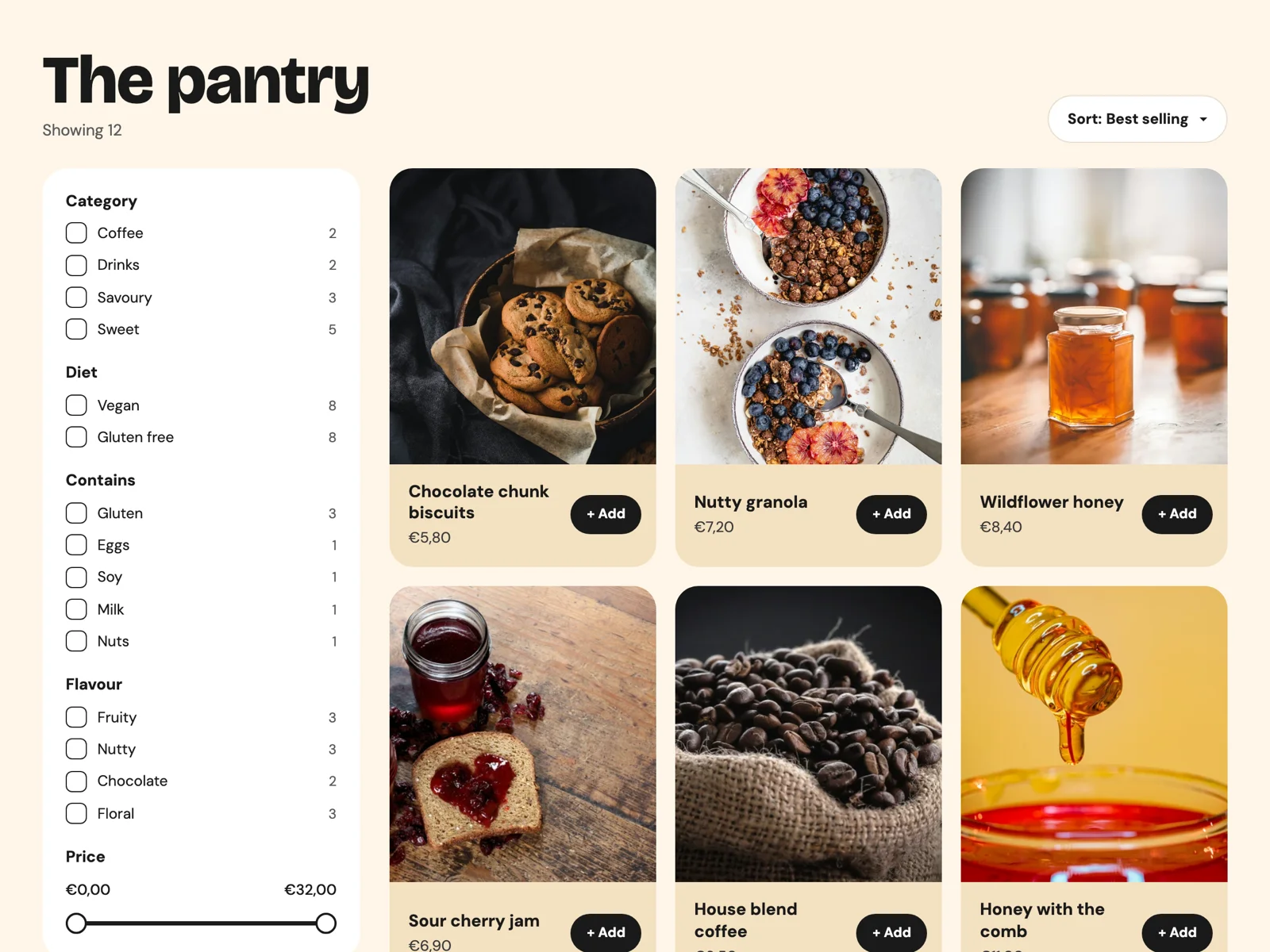
We ran audit_site on the Webflow builds of Smootify’s three public demo stores on 2026-10-15: Millimetro, furniture made to measure; Spannbach, industrial parts for trade buyers; Sunday Crate, boxes and subscriptions. None has a sitemap, so the tool took the pages linked from the home page, one per kind of template first (collection, cart, account, search and, on Millimetro, a product page).
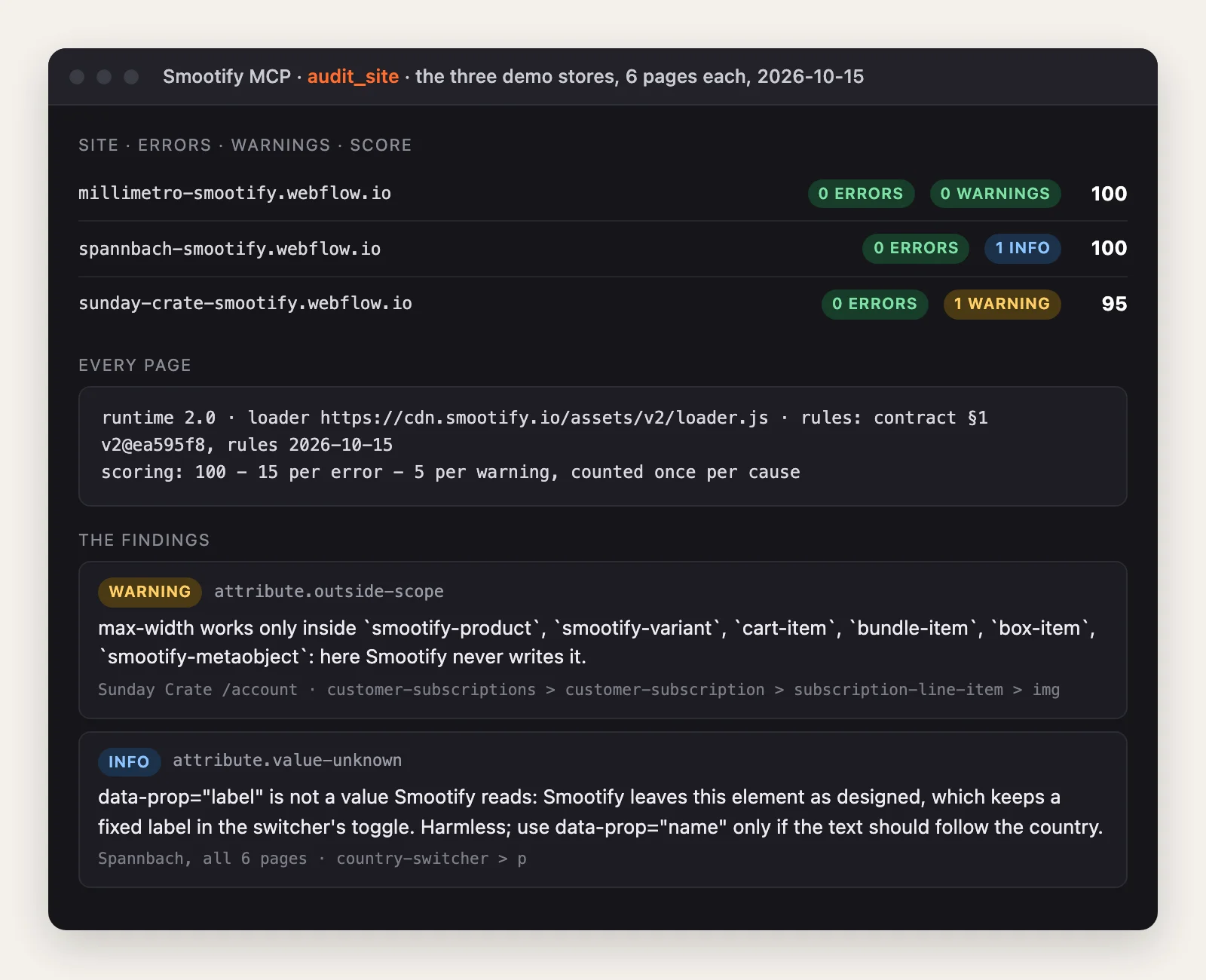
The result is mostly clean, and the two findings show what the audit is good at.
Sunday Crate, warning. On the account page, a subscription line’s image carries max-width. That attribute asks Shopify’s CDN for a smaller image, but only inside the elements Smootify fills, such as a product, a variant or a cart line. Inside a subscription line item, “here Smootify never writes it”. The image is not broken. It just loads at whatever size it was uploaded, and the attribute does nothing. A person reviewing the page would never see it.
Spannbach, info. In the country switcher, data-prop="label" is not a value Smootify reads, so the text stays as designed. The tool calls it harmless: it keeps a fixed label in the toggle, and says which value to use if the text should follow the country.
Millimetro: 100, nothing to report.
A page audit says more than the findings. On Sunday Crate’s account page it also listed what the page asks of the store: the Server plan for the booking calendar, the add-ons its elements need, the customer accounts for the login and order list, and one customer metafield, custom.usuals, that must have Storefront access or it “comes back null”. It checked the licence too: which add-ons are turned on for that site. And it said what it did not check: what Smootify renders after it runs, and the store’s own definitions.
That last list matters. An audit that does not say what it skipped reads as a pass when it is not.
When something is wrong: diagnose
diagnose starts from a sentence, such as “the swatches do not show”, and a page. It ranks the known causes by the words of the symptom, each with the tool that confirms it, and audits the page too. On Millimetro’s Desk No. 3 no finding on the page matched, which is the right answer for a page whose markup is clean. Among the causes it listed is one that catches many 1.x habits: in 2.0 the variant pickers need a smootify-product around them. The tool says that each cause must be confirmed before concluding. It points; it does not guess.
The skills that run the tools
The tools answer questions. The skills decide which questions to ask.
The site audit skill (smootify-site-audit) checks first which Smootify the site loads, 1.x or 2.0, from the script tag. On a 1.x site, the 2.0 findings become “Moving to 2.0”, not current bugs. Then it runs audit_site, checks that it reached a product page, a collection page and the cart, and applies its own rules only to what the MCP reports as not checked. Every claim cites a page you can open. It never changes the site on its own. In Smootify Studio, Audit with Claude in the Check tab runs it and leaves the report in the site’s folder as a dated file you can send to the client.

The iterate skill works from the other end. You click what looks wrong on the published site in Studio’s Iterate and write a sentence. Claude checks the page and the site’s configuration first, fixes the site in Webflow when the site is the cause, and answers in the note with the cause and how sure it is. It never publishes.
If you used the free Smootify Website Checker, the support-style checklist you run from Claude.ai, the site audit skill is the next step: it reads the project and the published pages itself, with the same rules the MCP uses.
What it costs
The MCP and the skills are free with a Smootify account. Smootify itself is one Shopify app with 17 add-ons, billed on the store’s Shopify invoice, and the audit tells you which of them a page uses and which are turned on.
Where people get stuck
Check these first
- The audit misses a page. The site has no sitemap and the page is not linked from the home page. Pass it to
audit_page. - A 1.x site shows dozens of findings. They are what changes when it moves to 2.0, not current bugs. Read them as a migration list.
- A finding says “certainty: unknown”. No rule can check it. It is not a pass.
- The markup is clean and the element is still empty. The store is the cause: a metafield without Storefront access, an add-on turned off. The audit’s “needs” list says which.
The tools, how to connect them and what they read are on the Smootify MCP page. The skills are on the skills page.