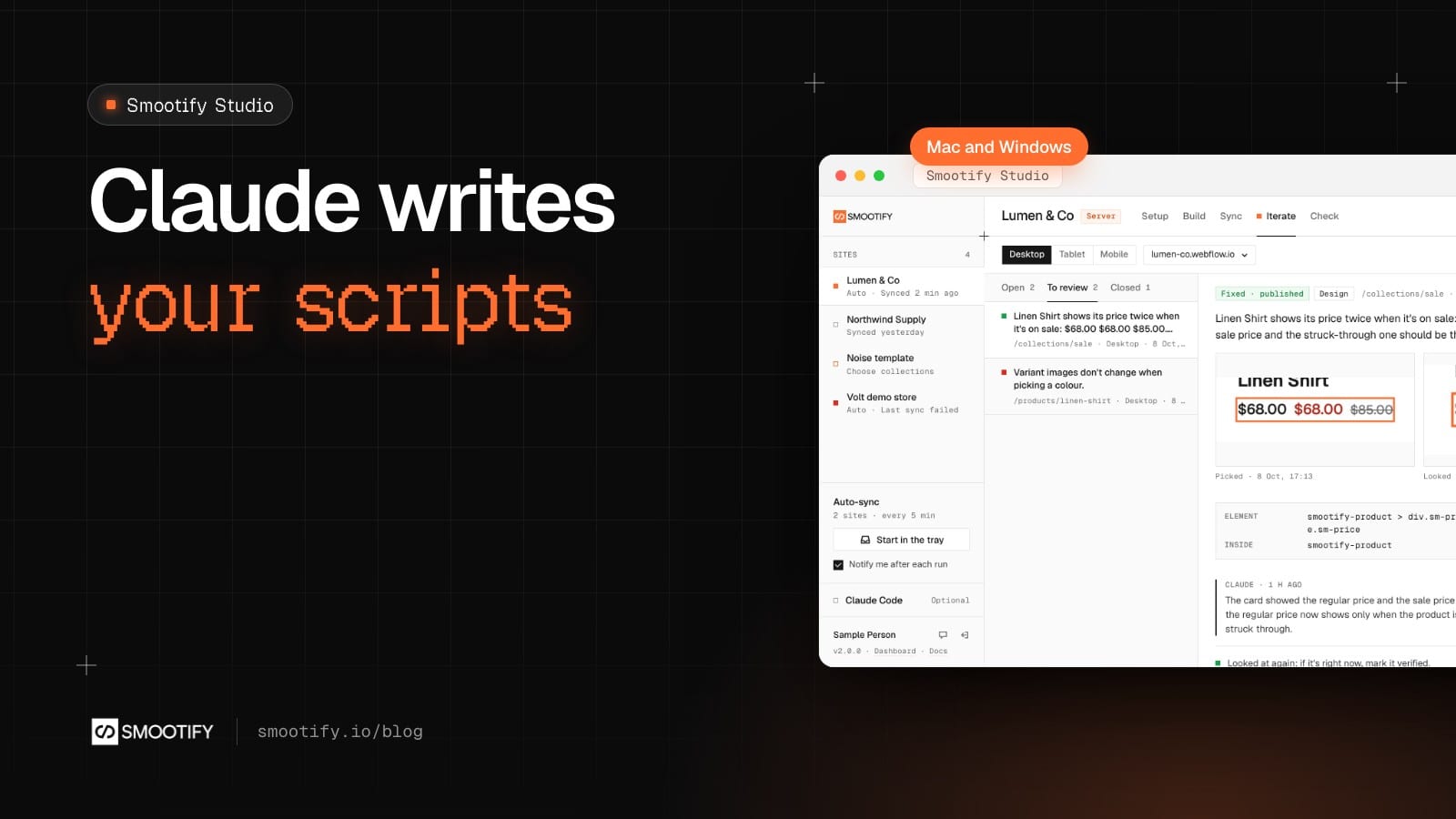
Every store reaches the point where no component does the job. The client wants buyers to accept the delivery terms before checkout. Or a minimum order on one product line. Or a line in the cart that changes with what is in it. The answer is a custom script, and custom code for Webflow + Shopify has a reputation: written once by a freelancer, pasted in the site’s head, and broken by the next update because it read something the platform never promised to keep.
AI does not fix that on its own. Ask a general chatbot for “a Smootify script that blocks checkout” and you get code that looks right and calls things that do not exist. Smootify Studio, the desktop app, gives the job to Claude with Smootify’s own rules loaded, inside the site’s folder, and every name it uses can be checked against the real API.
Where the script lives
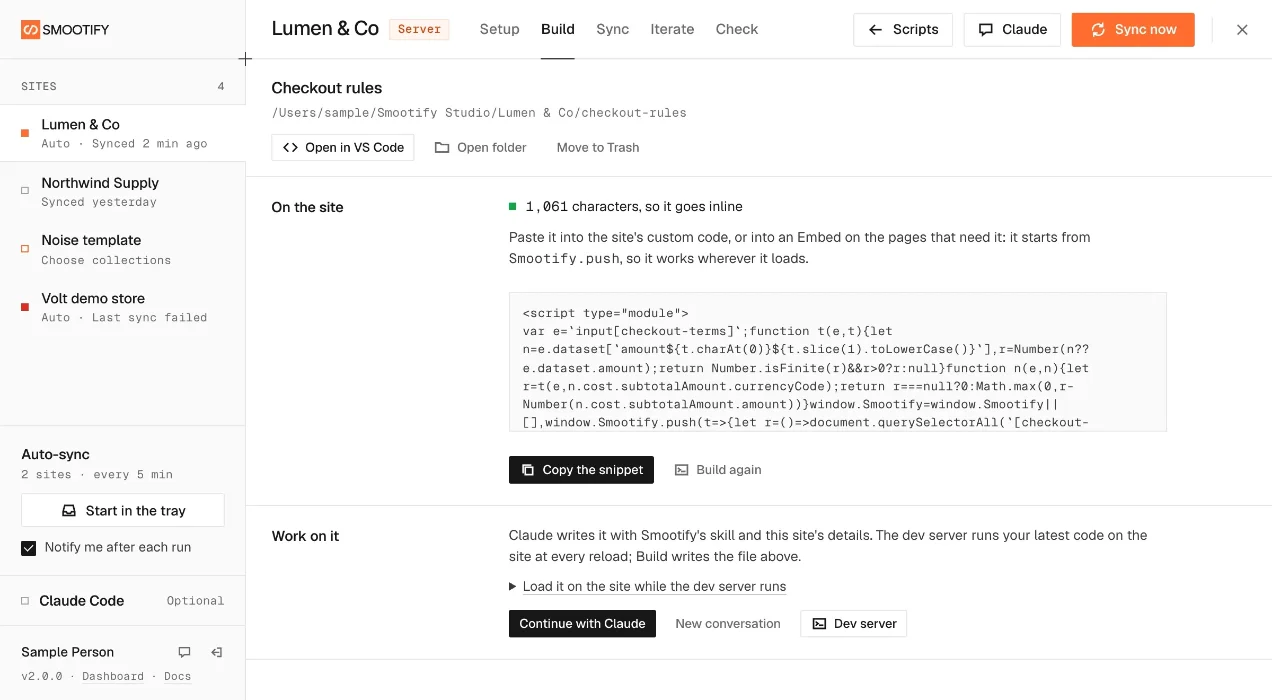
In Studio, each site has a Build tab. A script gets its own folder: a small Vite and TypeScript project that builds into one file. From that tab you can:
- Write with Claude. A conversation opens in the app, in the script’s folder, with Smootify’s custom-script skill loaded. Claude asks what the script should do before it writes any code.
- Try it on the site. The dev server runs your latest code on the real site at every reload. No publishing to see a change.
- Build. One click type-checks the source and minifies it into the single file the site loads.
- Open it yourself in VS Code or a terminal whenever you want to take over.
Claude runs on your own Claude account. Each time it opens on a site, Studio writes it the site’s brief: the Webflow site, its addresses, the Shopify store and plan, the CMS collections. Studio asks Claude to say what it will change in Webflow before changing it, and to leave publishing to you. Syncing the CMS works without Claude at all.
What the skill makes Claude do
The custom-script skill (smootify-custom-script) is a plain file. It is short, and worth reading even if you never use an agent, because it is a list of what Smootify promises to scripts and what it does not.
- Read before writing. The site’s notes, the script so far, and
smootify.d.ts, the file that describeswindow.Smootify, its events and its filters. Nothing outside that file is public. - Start with
Smootify.push. The script pushes one function, and Smootify runs it once it knows the visitor and the market, before it loads products and the cart. Listeners get every event from the first one, and filters apply from the first request. It works whether the script loads before or after Smootify. - Use events and filters, not timers. No polling, no reading Smootify’s storage, no counting events to work out a state.
- Leave styles to Webflow. A state goes on a class, such as
is-missing, for the designer to style. Text the visitor reads comes from an attribute with an English default, so each language can set its own. - Measure. Up to 10,000 characters, the script goes inline in the site’s custom code or an Embed. Longer, it goes on a bucket of the owner’s and loads with a script tag.
A real request, and the script
The request: “On this store, buyers must accept the delivery terms in the cart before they can check out. Show a message if they forget.”
The skill points to one filter for this. Before writing, the names can be checked with the Smootify MCP:
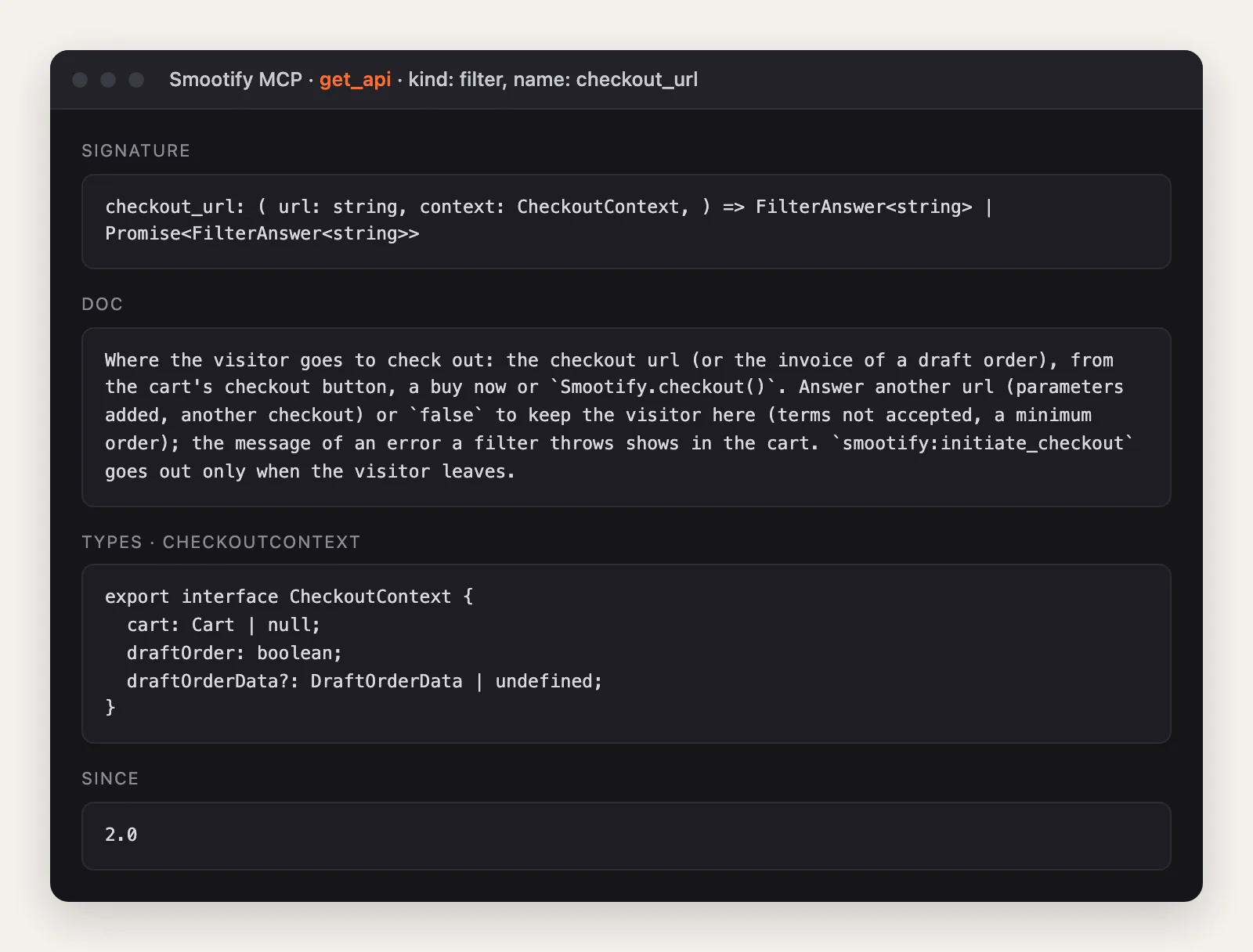
checkout_url runs whenever the visitor heads for checkout: the cart’s checkout button, a buy now, or Smootify.checkout(). A filter that throws an error stops the visitor there, and the error’s message shows in the cart. That is the whole mechanism. Here is the script, written with the custom-script skill’s rules:
// Delivery terms: the cart's checkout waits until the visitor ticks the box.
// The site needs: a checkbox with the attribute checkout-terms inside smootify-cart,
// Name "Delivery terms accepted", and data-message with the text to show (optional).
const clear = () =>
  document
    .querySelectorAll("label.is-missing")
    .forEach((el) => el.classList.remove("is-missing"));

window.Smootify = window.Smootify || [];
window.Smootify.push((Smootify) => {
  Smootify.addFilter("checkout_url", (_url, { cart }) => {
    if (!cart) return; // a buy now with a custom price skips the cart
    const boxes = Array.from(
      document.querySelectorAll<HTMLInputElement>("input[checkout-terms]"),
    );
    if (boxes.length === 0 || boxes.some((box) => box.checked)) return;
    boxes.forEach((box) => box.closest("label")?.classList.add("is-missing"));
    throw new Error(
      boxes[0]?.dataset.message ?? "Please accept the delivery terms to check out.",
    );
  });

  Smootify.on("cart_opened", clear);
});

document.addEventListener("change", (event) => {
  if (event.target instanceof HTMLInputElement && event.target.matches("[checkout-terms]")) clear();
});
What the designer does in Webflow: a Checkbox inside the cart’s form, with the custom attribute checkout-terms, the Name Delivery terms accepted, and a data-message in each language. A style for is-missing on its label. Nothing else.
There is a second effect nobody has to code. Any named field of the smootify-cart form is saved as a cart attribute when the visitor checks out. So when the box is ticked, the order in Shopify shows “Delivery terms accepted” under Additional details. It does not show at checkout. The merchant has a record per order, from one Webflow field.
Check it before it ships
check_custom_code reads a script against the 2.0 API: events that do not exist or are never dispatched, unknown methods and filters, hooks 2.0 removed, calls that may run before Smootify loads, and scripts that start from smootify:loaded instead of Smootify.push. On the script above it finds nothing. check_markup on the cart checkbox finds nothing either.
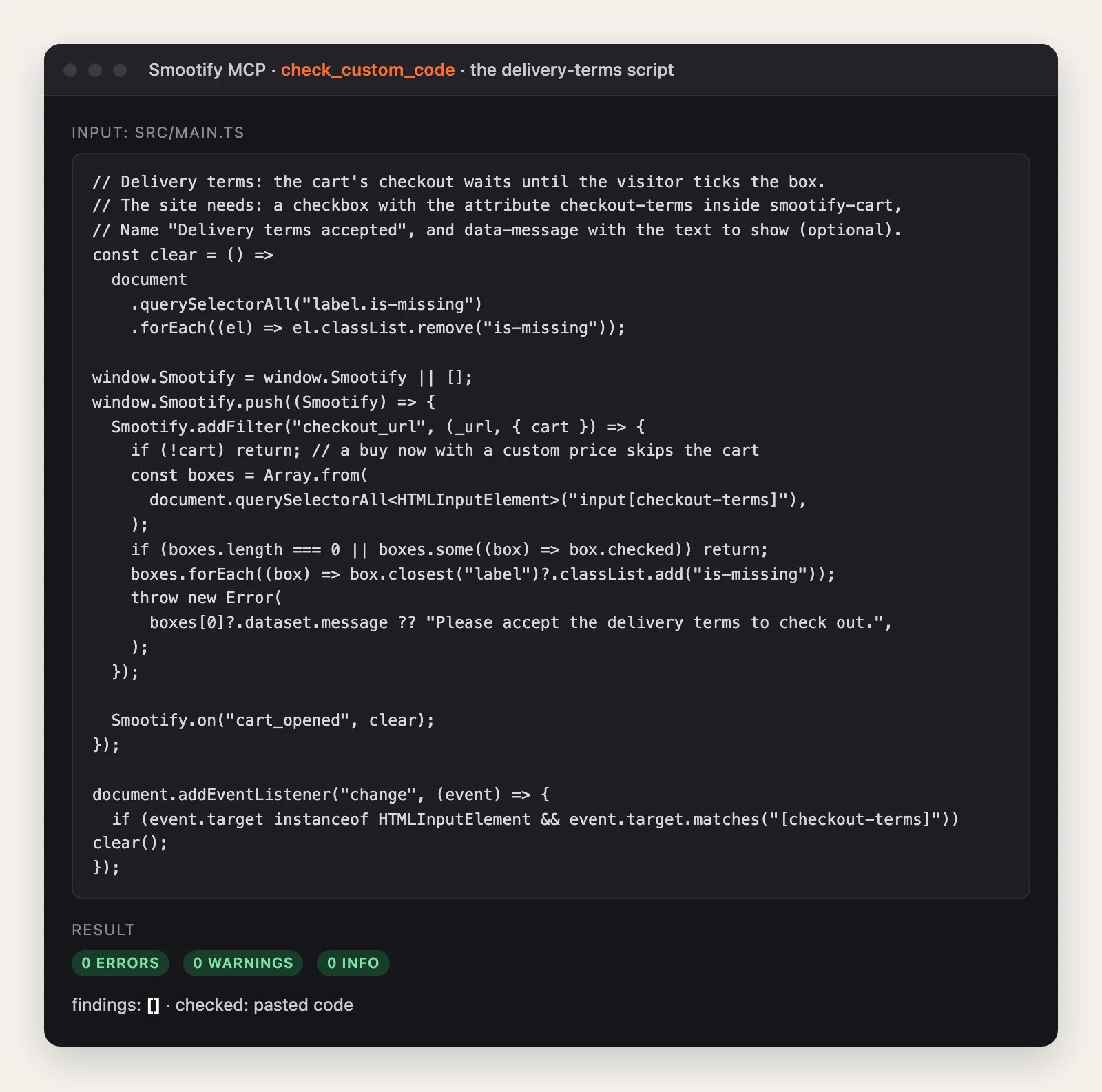
The same check on a script written from memory is the reason it exists:
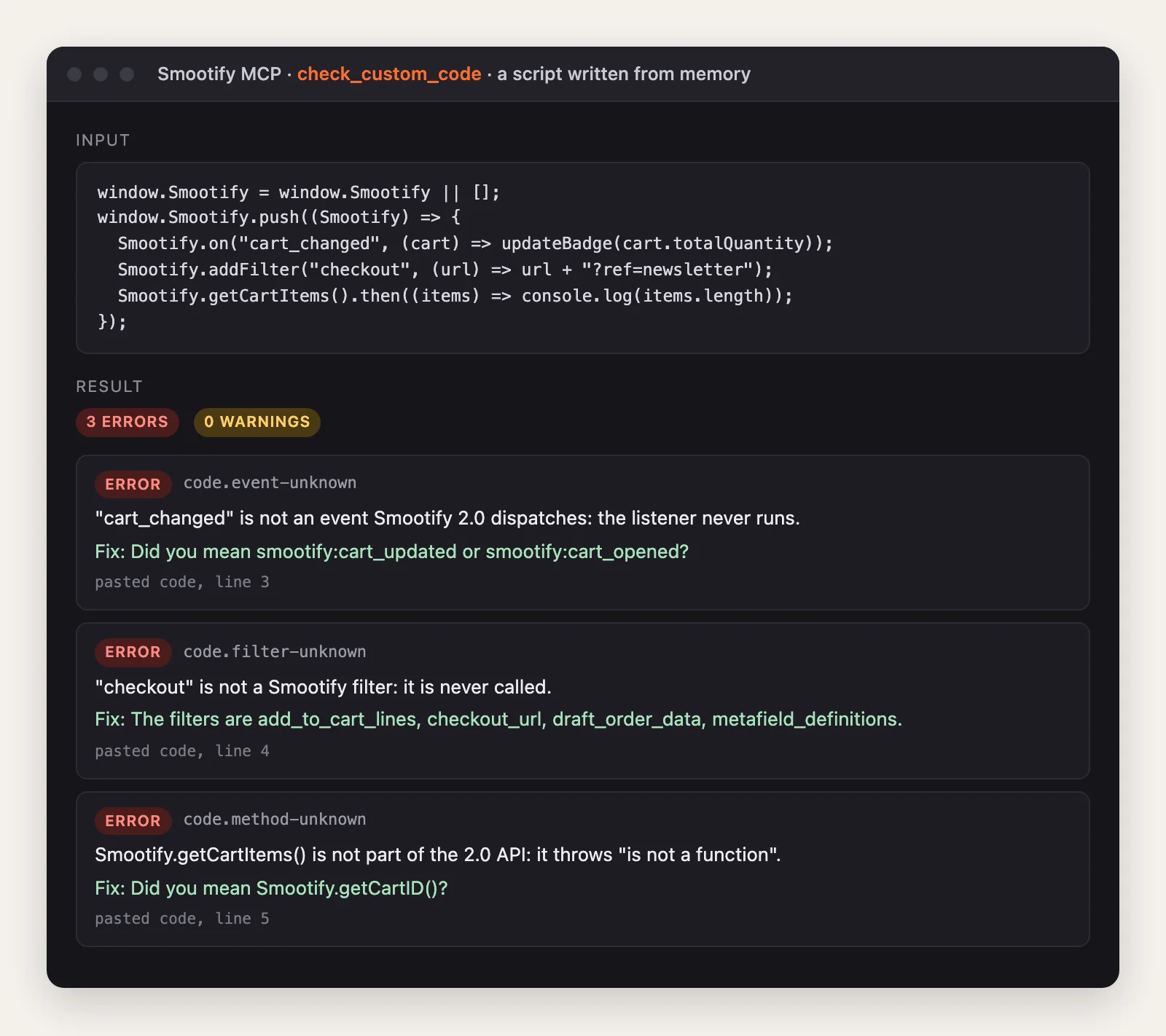
cart_changed is not an event, so the listener never runs. checkout is not a filter, so it is never called. getCartItems() is not a method, so it throws. The tool lists the four real filters and suggests the real names: cart_updated for the event. This is the gap between an agent that guesses and one that checks.
What it costs
Smootify Studio is a free download for Mac and PC. Claude is your own subscription. The scripts run on the site with Smootify, one Shopify app with 17 add-ons, billed on the store’s Shopify invoice. A script is your code and stays in the site’s folder, built from source you can read.
Where people get stuck
Check these first
- The listener never fires. The script waits for
smootify:loadedand loads after it. UseSmootify.push. - The message never shows. The filter returns
falseinstead of throwing.falsekeeps the visitor in the cart without saying why; throw anErrorwith a sentence for them. - The cart attribute is missing on the order. The checkbox is outside the
smootify-cartform, or it has no Name. - The script grew past 10,000 characters. Remove code first, then move it to a bucket.
The skill is on the skills page, the events and filters are in the docs under Events and Filters, and Studio is on the Smootify Studio page.