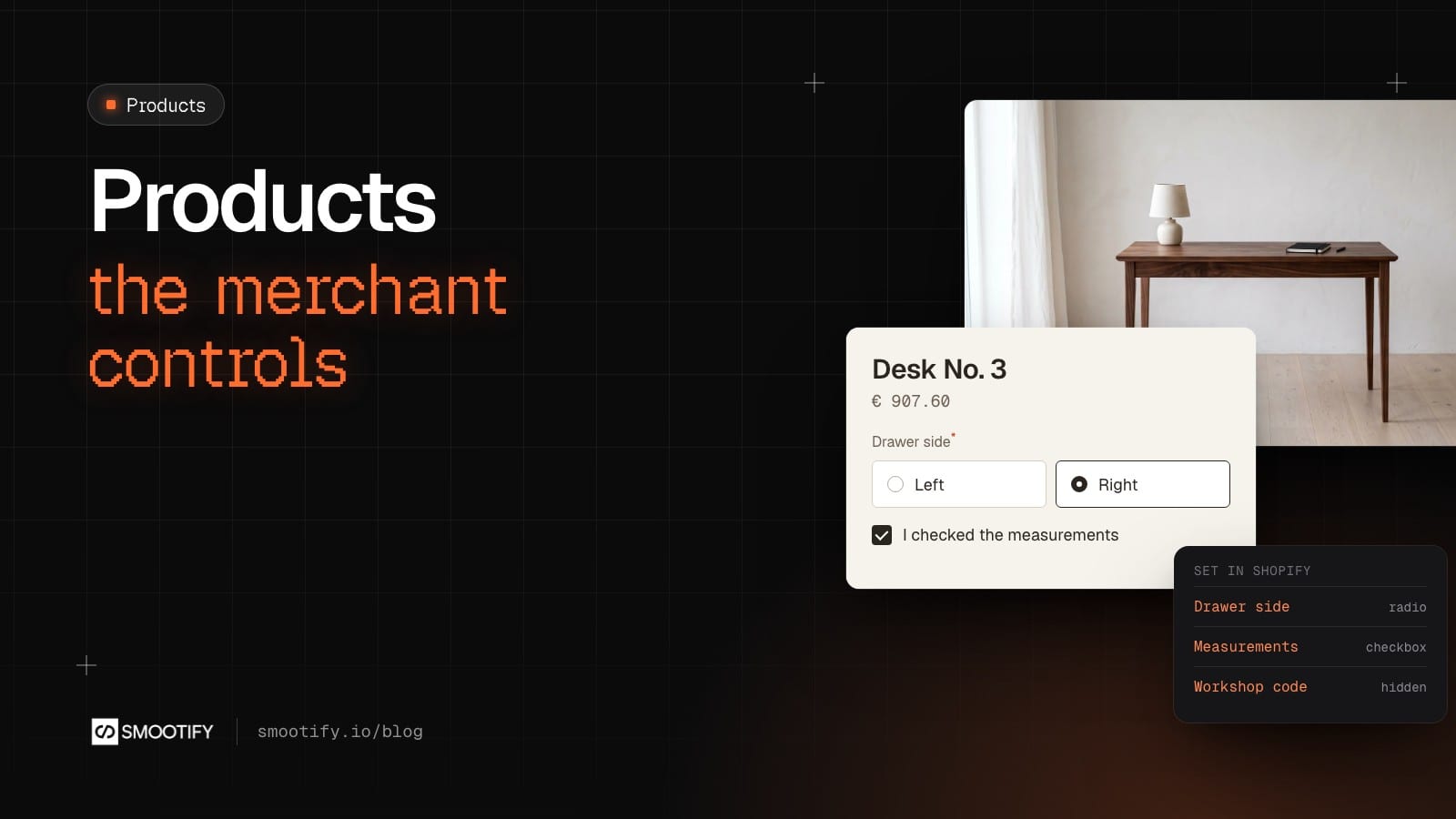
The ticket arrives on a Tuesday. “Can we add a question on the desk page: left or right for the drawer? Customers keep emailing us after they order.” The agency answers that it is a small change. It goes into next week’s sprint, then a designer adds a field, someone checks it on staging, it goes live on Friday. A month later the workshop wants a confirmation box for the measurements, and the ticket starts again.
Made-to-measure shops change their questions all the time. When every change goes through the agency, the shop stops asking for changes, and the questions it needs never reach the product page. Dynamic properties move that decision back to the person who sells. The questions live in Shopify. The designer builds each kind of field once, in Webflow or in Astro. After that, the merchant adds, removes and edits questions without anyone opening the Designer or the code.
What it looks like on Millimetro
Millimetro, our furniture demo store, has two products that ask questions.
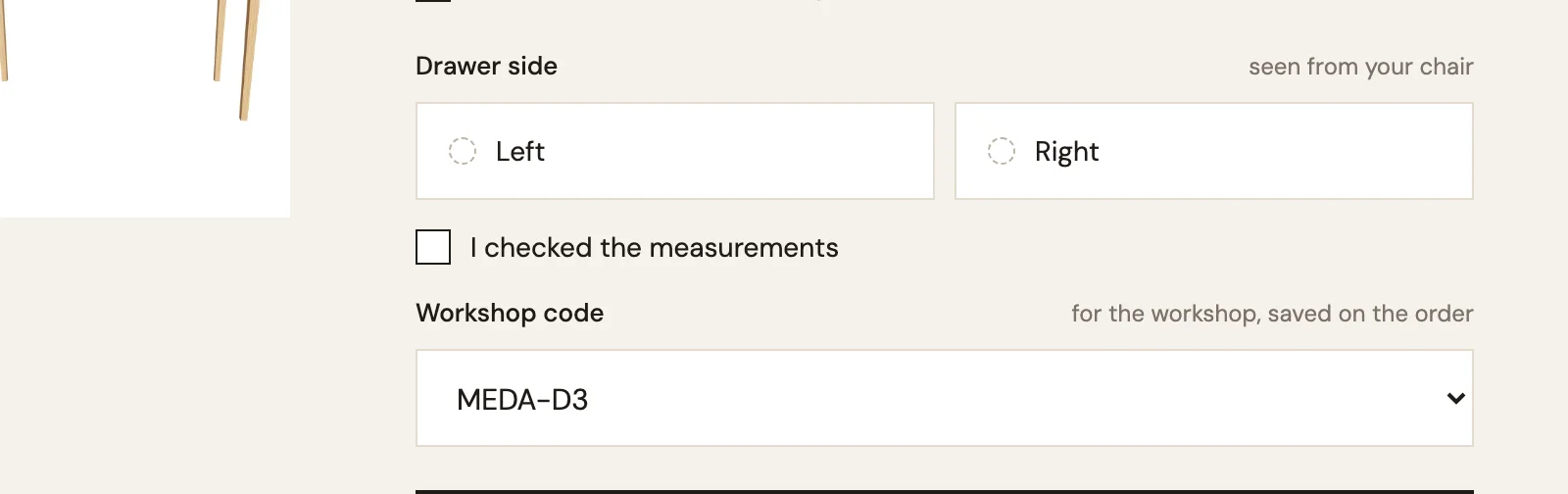
- Desk No. 3 asks which side the drawer goes on (Left or Right, as radio buttons) and asks the customer to tick “I checked the measurements”. Both are required. It also carries a Workshop code, a Select with the one value MEDA-D3, saved under a hidden name (more on that below).
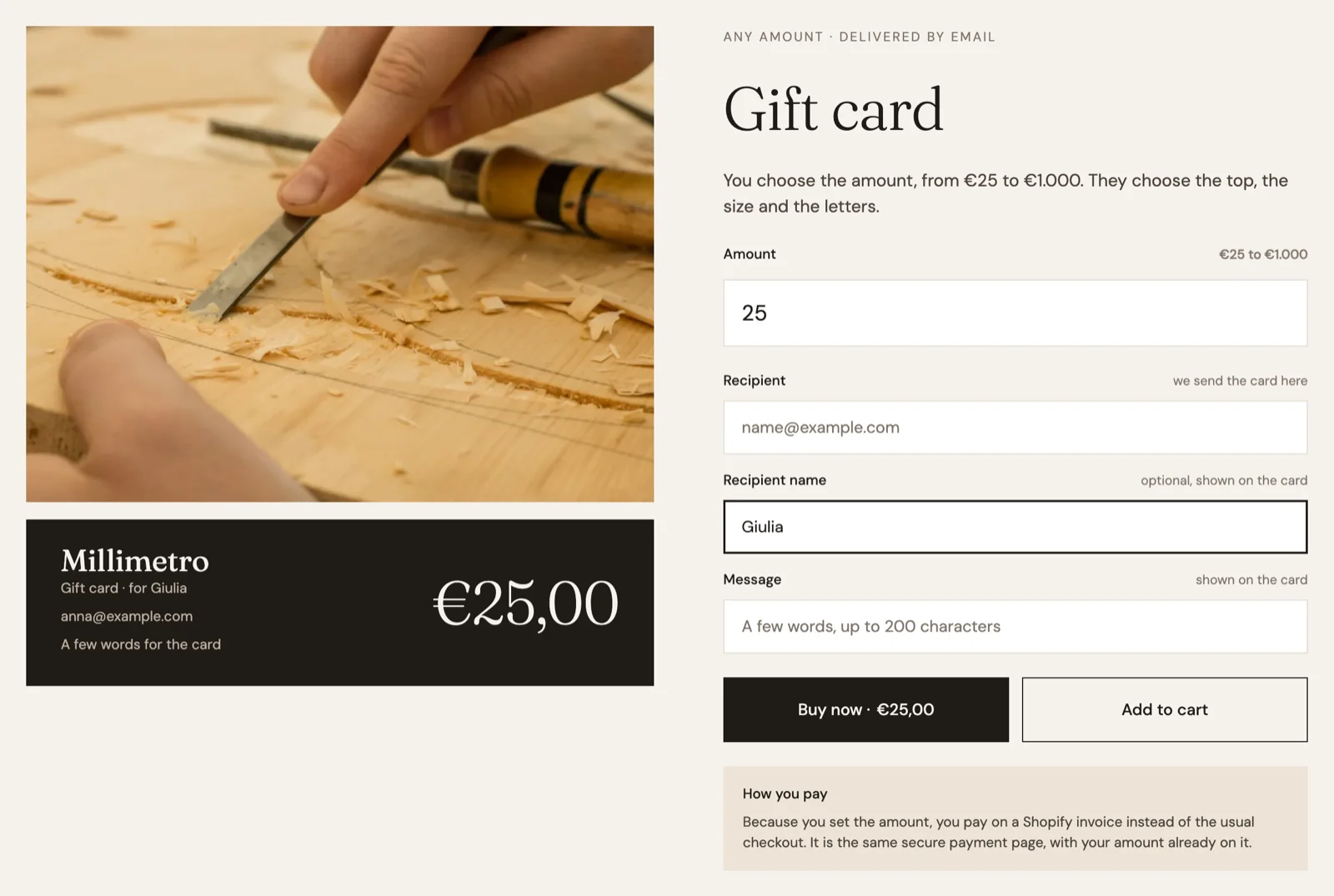
- The Gift card asks for the recipient’s email, their name and a message of up to 200 characters.
Each question is an entry in Shopify, under Content › Metaobjects › Dynamic Property. The entry has a Title (what the field is called), a Property Name (what the answer is saved under on the order), a Property Type, and optionally a placeholder, a list of values, a required flag and rules such as maxlength:200. On each product, the Dynamic Properties metafield lists the questions it asks.
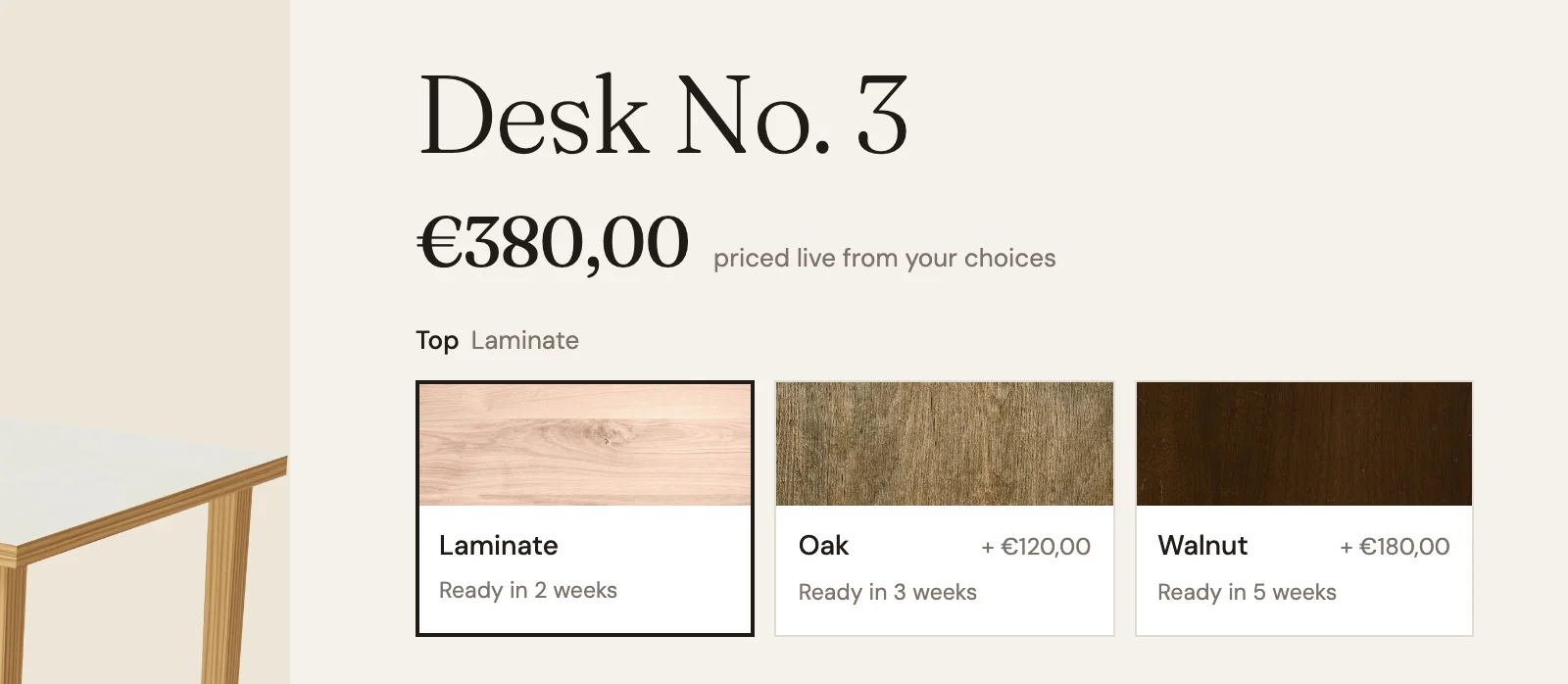
Questions are not variant options, and mixing them up gives the wrong markup. An option such as the desk’s Top (Laminate, Oak, Walnut) makes variants with their own price, SKU and stock. A property changes nothing about the product. It records the customer’s answer on the cart line, and the answer goes to the order.
One field per type, for every product
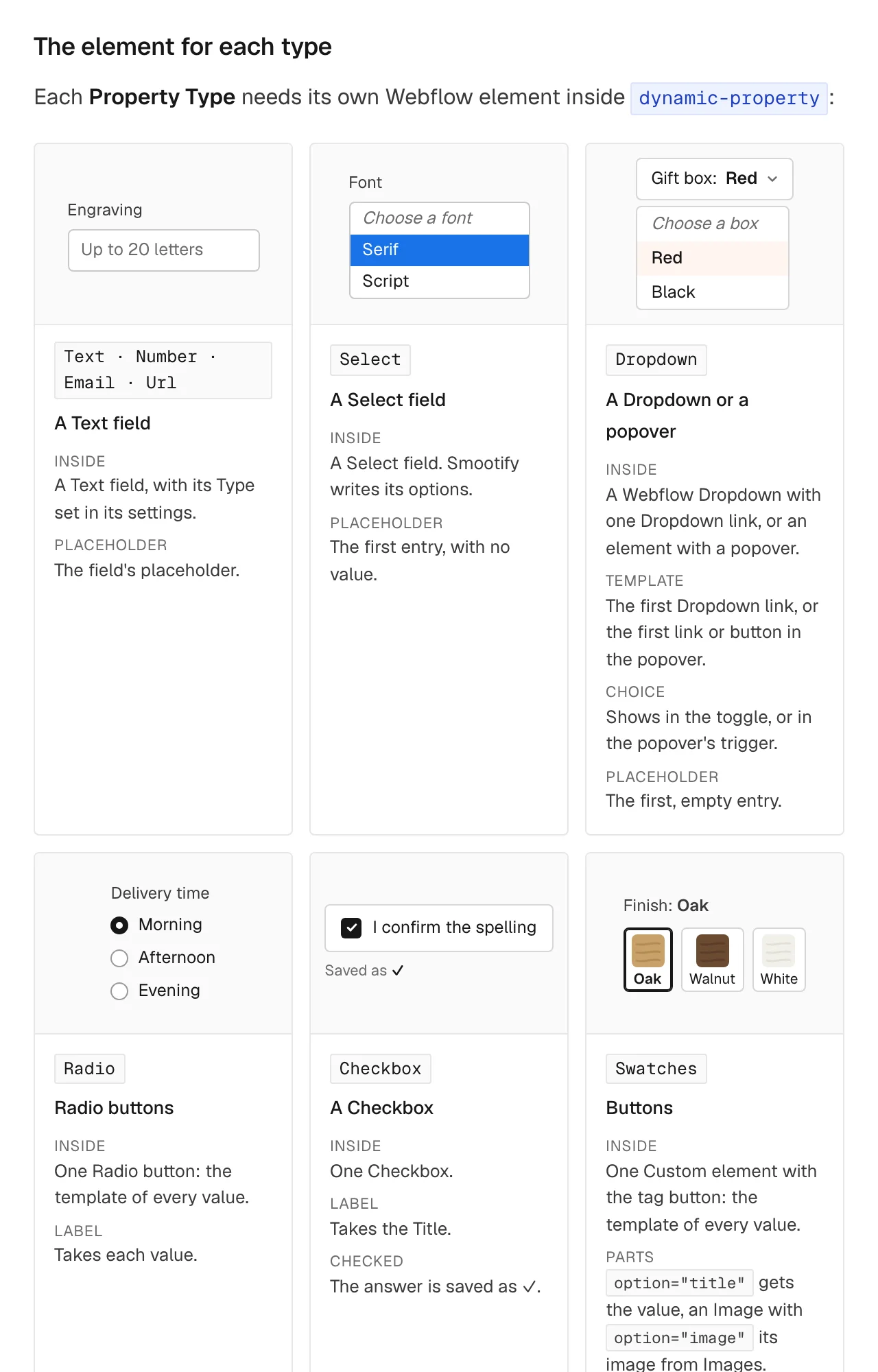
In Webflow, the designer adds a Custom element with the tag dynamic-property inside the add-to-cart form, sets its label to the entry’s Title, and puts inside the Webflow element its type needs:
Smootify copies the radio button for each value in Shopify, and gives the field the Property Name, the placeholder, the required setting and the extra rules. A product that does not ask a question removes its element. With delete-parent, the element’s wrapper goes too, heading and spacing included. So one product template can hold the fields for every question the shop may ever ask, and each product shows only its own.
There are nine types: Text, Number, Email and Url (a Text field), Select (a Select field), Dropdown (a Webflow Dropdown, or a popover), Radio, Checkbox and Swatches (a button with the value’s image). Once the designer has built one of each, the merchant can create any new question of those types.
In an Astro project the markup is the same, written in the product page component: see Dynamic properties for Astro.
Show the answer while it is typed
form-value shows an answer elsewhere on the product, as the customer types. On Millimetro’s Gift card, a preview reads “Gift card · for Anna”: “Anna” is a text element with form-value="Recipient name" and data-fallback="Anna", so it shows a sample name until the customer writes one. It works for any field of the add-to-cart form, a dynamic property or a plain field.
The answer the customer never sees
This is the part almost nobody knows. A Property Name that starts with _ is saved on the order but not shown in the cart or at checkout. The question still shows on the product page; what disappears is the line in the cart and at checkout. The merchant chooses the name, so the data is the merchant’s own:
_workshop_codefor the workshop. On Millimetro, Desk No. 3 has a Workshop code question whose Property Name is_workshop_code, with the one value MEDA-D3;_agent, a Select of sales agents, to credit the right one;_campaignto know which campaign brought the order.
On Desk No. 3 the question still shows on the page, with MEDA-D3 already chosen. By the rule above, the code then travels with the cart line to the order, without a line in the cart or at checkout.
For a value that has to be calculated, developers can use the add_to_cart_lines filter, new in 2.0. It receives the lines just before they go to the cart, with their properties. It can refuse an add with a message shown in the form, such as an engraving that is too long, or add a property built from the other answers, such as a _workshop_code made from the drawer side and the top. Every add goes through it: add-to-cart forms, boxes, direct add to cart, buy again, Smootify.addToCart and /cart/add.js. See Filters.
Where it fails without a word
When something is missing, no field shows and it looks like a markup mistake:
- Nothing shows on any product. Dynamic Properties is not turned on in the Smootify dashboard, or the product metafield or the metaobject definition has no Storefront access. Smootify creates both with it, but a definition that already existed keeps its own setting.
- One question never shows. The
labelis not written exactly like the entry’s Title. On stores set up with an earlier version, that field may still be called Label. - The answer is not in the cart. The
dynamic-propertyis outside the form, or the entry has no Property Name. - A choice question is empty. Its Values field is empty.
- Swatch images are mixed up. The Images are not in the same order as the Values.
The add-on is free and works on every plan. The setup, field by field, is in the guide: Dynamic properties.