
Spannbach sells bearings, bolts and linear guides to workshops in Switzerland, Italy, Germany and Austria. Nobody buys a deep groove bearing because of the photo. They buy it because the bore is 20 mm, the outside diameter 47 mm, the seals are rubber on both sides, and it meets ISO 15. A product page without those numbers is useless to an engineer.
In Shopify, those numbers live in metafields. A Webflow site used to have two ways to show them: copy every field into the CMS and keep it in sync, or write JavaScript for every type that was not plain text. In Smootify 1.x, about half of the metafield types were handed to custom code. A list of standards, a colour, a rating, a set of dimensions: someone had to write a script.
In Smootify 2.0, every metafield type renders. You put metafield="key" on an element inside a smootify-product, and the type decides what happens. The rest of this post is about the attributes next to it, because that is where a value turns into a piece of interface.
Lists: one element per value
This is the one to remember. Spannbach’s parts carry a metafield standards, a list of texts, such as the ISO and DIN norms a bolt or a bearing meets. By default, a list prints as one line: ISO 4017, DIN 933. Add separator="repeat" and Smootify makes one copy of the element per value:
Style that element once as a chip and you get one chip per standard. No nested Collection list, no reference field in the CMS, no multi-reference you have to keep in sync with Shopify.
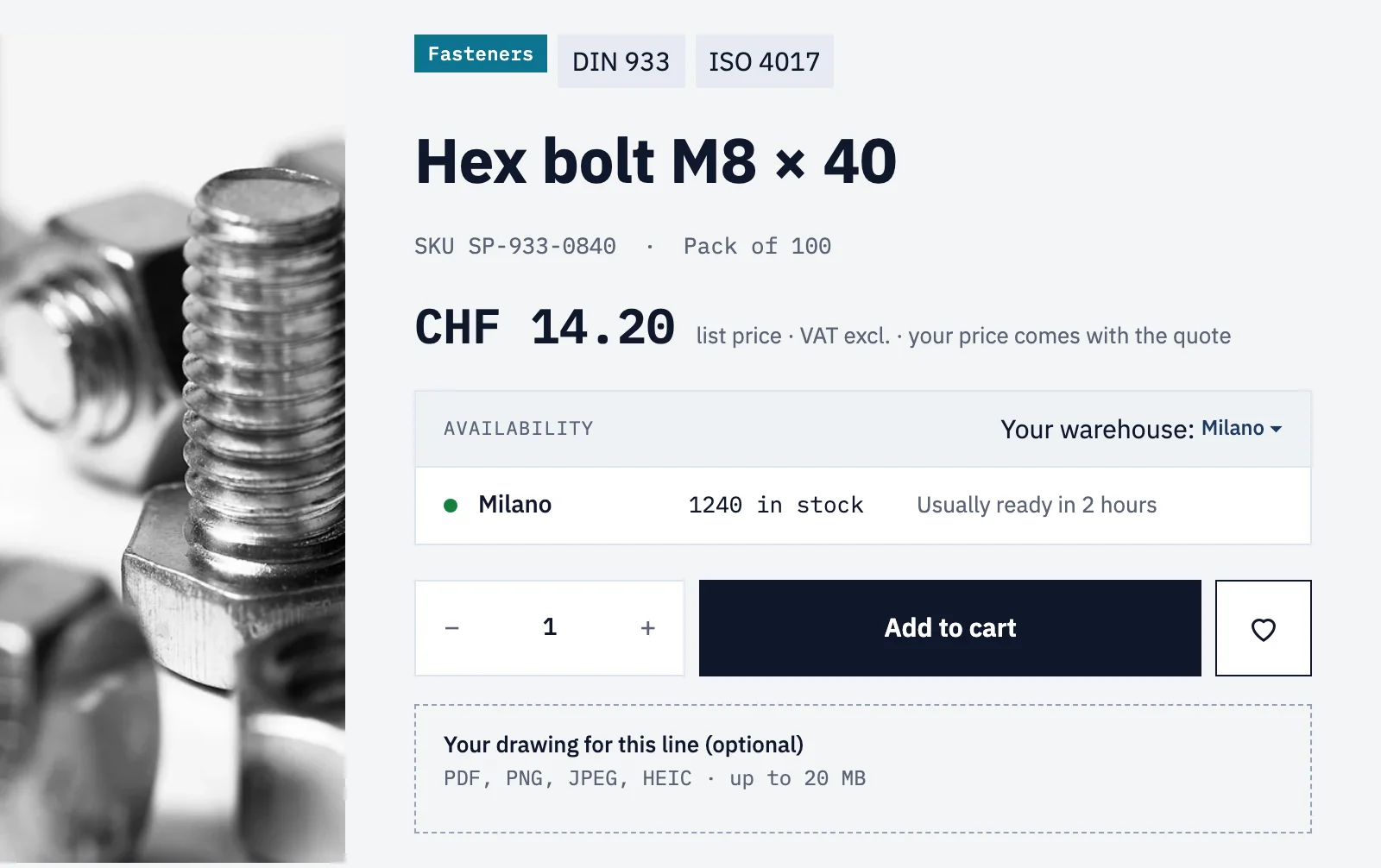
It works the same for lists of numbers, dates and measures. If you prefer a single line, separator=" / " joins the values with exactly what you write, spaces included.
Some lists always repeat, with no attribute at all: files, colours, URLs, links, ratings, references and metaobjects. Each one makes a copy of the element per item.
Measures and numbers
The bearing’s bore, width and diameter are dimension metafields, and weights are weight. Smootify writes the value with its unit: 20 mm, 650 g, 0.75 L. In 1.x you got 650 GRAMS.
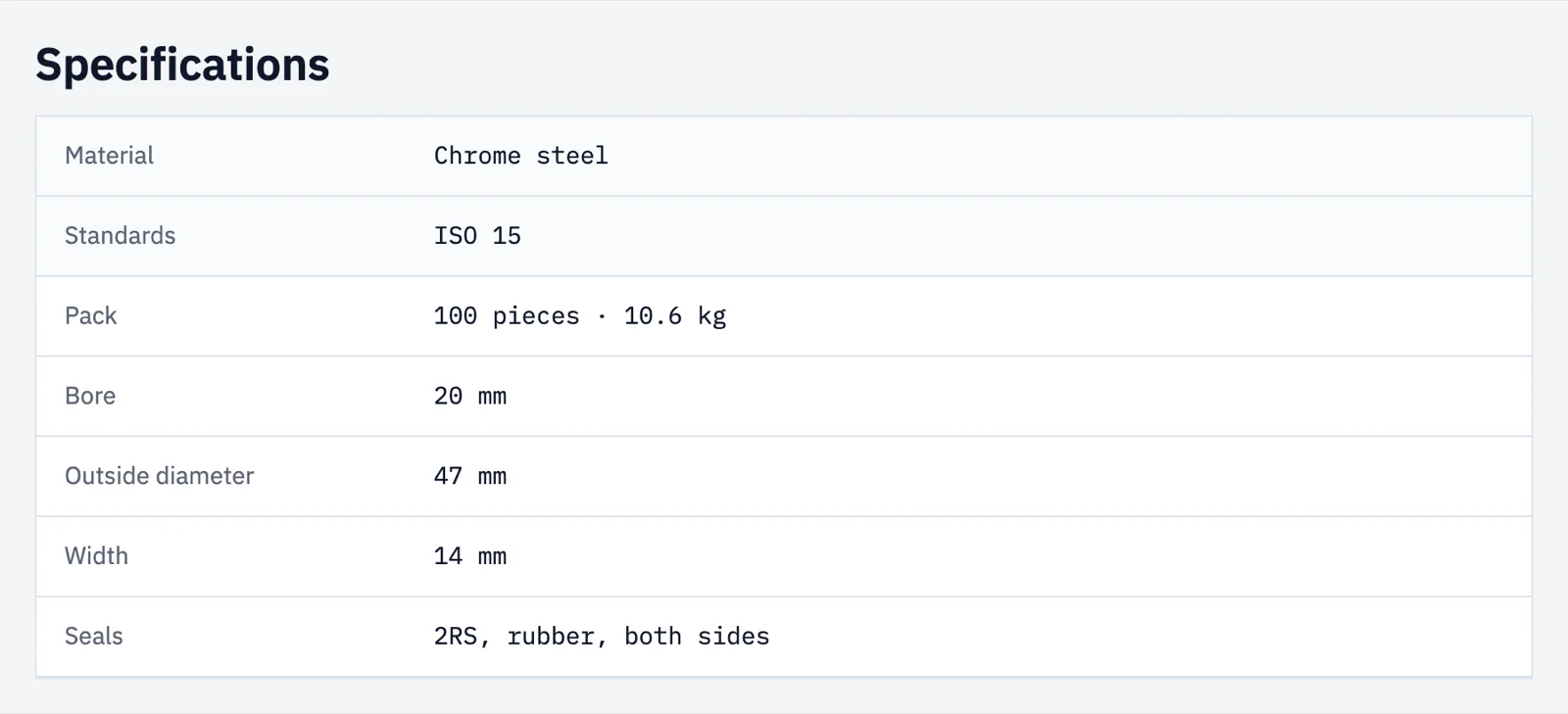
A decimal number keeps as many decimals as Shopify stores. Spannbach’s tightening torque is a decimal, and its spec row uses data-digits="1" to round it to one decimal, such as 24.5.
Dates show the day saved in Shopify, in every time zone.
Colours as CSS variables
Each Spannbach category has its own colour, set by the team in Shopify as a color metafield. A colour writes no text. It sets a CSS variable on the element, --metafield-color by default. Spannbach renames it with property="--cat" and uses var(--cat) in its styles.
When the merchant changes the colour in Shopify, the site follows. Nobody opens the Designer.
Values inside attributes
Sometimes the value is not meant to be read on screen. data-attr="aria-label" writes it into that attribute instead of the content. It works for text, whole numbers, ratings and values from JSON. Use it for an image alt, a title, or a label for screen readers.
Ratings that draw their own stars
Spannbach has no reviews, but Sunday Crate and Millimetro do: reviews.rating, written by a review app. On an element without children, a rating shows as text, 4.5. It also always sets --metafield-rating, the rating as a share of its scale: 90% for 4.5 out of 5. Put a row of stars inside, give a fill a width of var(--metafield-rating), and the stars fill without JavaScript. data-digits="1" rounds the text, data-attr="aria-label" reads it to screen readers.
JSON and references
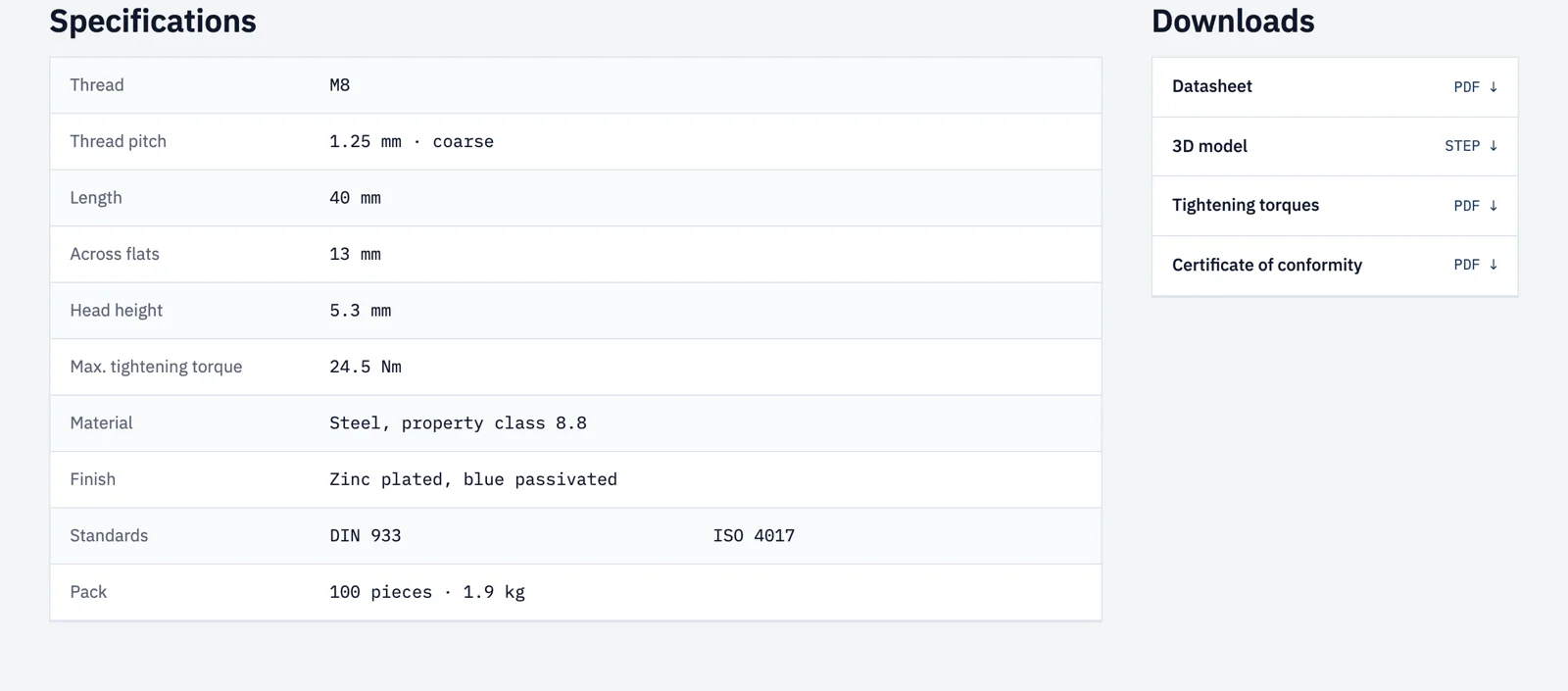
A json metafield shows nothing until data-path points at a value: data-path="size.width", or data-path="colors.0" for the first item of a list. A path that leads to a list of objects repeats the element once per object, which turns [{"label": "Height", "value": "90 cm"}] into a spec table.
A metafield that references a product, a variant, a collection or a page renders according to the element: a link links to it, an image shows its image, an element without children shows its title. Inside it, reference="title", "url", "image" and "handle" show the parts ("description" for collections, "body" for pages). A list of product references, such as the add-ons that go with a product, repeats a small linked card per product this way. For cards with a price and an add-to-cart button, a product list is still the right tool.
Show or hide by a metafield
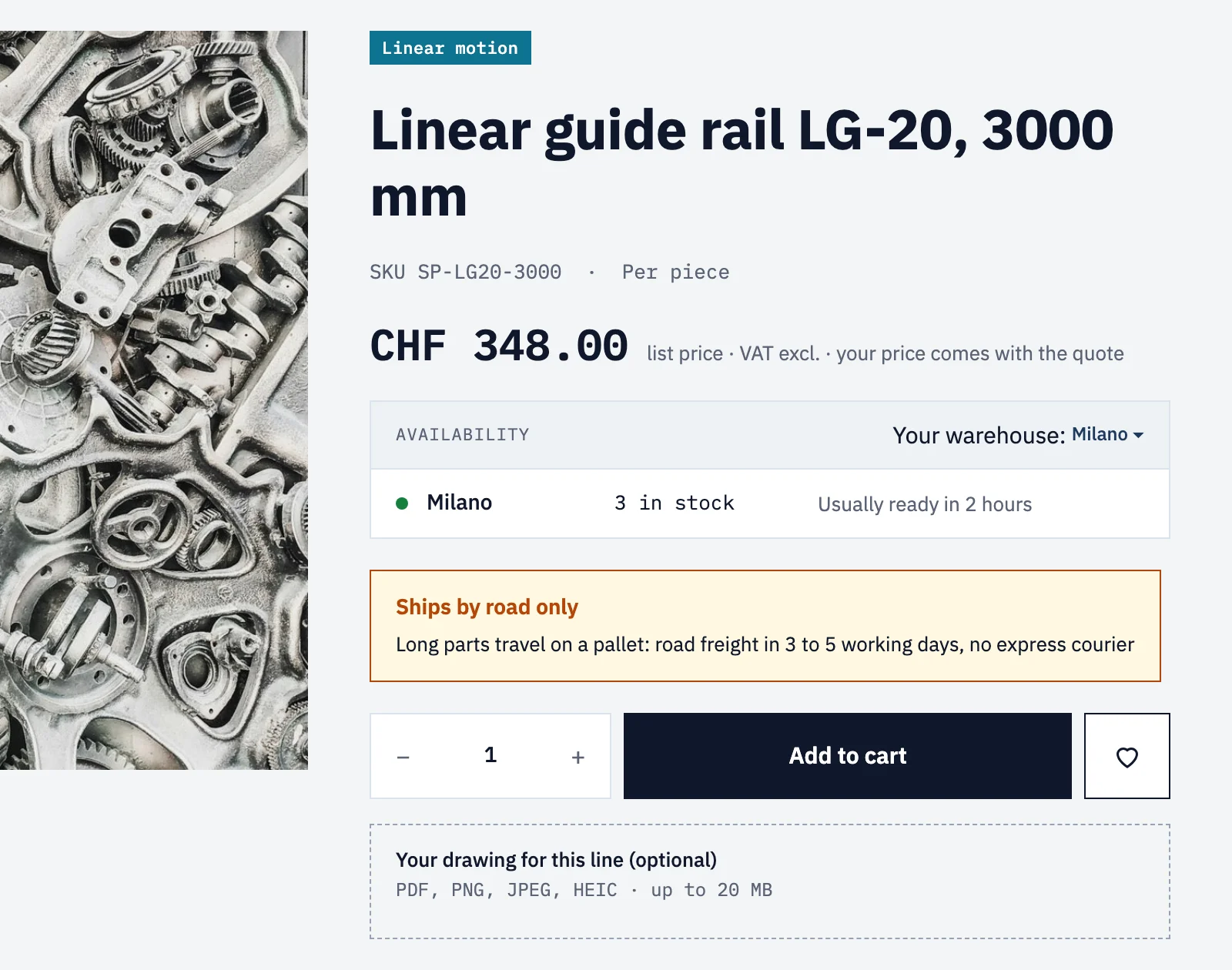
if-metafield shows an element only when the metafield says so; unless-metafield hides it. With data-check-value, they compare. Spannbach shows a shipping notice only on parts whose shipping_restriction is road_only, with if-metafield="shipping_restriction" and data-check-value="road_only", and every spec row sits inside an if-metafield on its own key, so a bolt never shows an empty “Bore” row.
Where it goes wrong, quietly
Metafields fail without a message. The element simply stays hidden, or keeps its placeholder text.
- The definition has no Storefront access. Every metafield needs it in Shopify, under Settings › Custom data, and a metaobject reference needs it on the metaobject definition too.
- The namespace is not
custom. Review apps write in their own namespace: addnamespace="reviews". - The element is outside a
smootify-product, a variant card or a cart line. There Smootify does not readmetafield. - A list shows as one line. That is the default: add
separator="repeat". - A JSON metafield is blank. It needs
data-path. - The stars do not fill. The fill must be inside the element with the rating, with
width: var(--metafield-rating).
If a design needs an output no attribute gives, the smootify.devMetafield event still runs after the render, and your code has the last word.
Every type and modifier is in the guide: Metafields on the page.