Every agency that pitches Webflow with Shopify hears the same question from the client’s developer, sooner or later: “And when we need something it doesn’t do?” A minimum order for one customer group. A terms checkbox before checkout. A note on every line added from the quiz page. A product field no element shows. If the answer is “you can’t”, the client picks a stack they can write code in, usually Shopify’s own Hydrogen, and gives up the Designer to get it.
Smootify 2.0 answers that question with a documented, typed JavaScript API. Designers keep building in Webflow; when the store needs a rule nobody planned for, a developer adds a few lines of code in the site’s custom code and changes what Smootify does, without forking anything.
Wait for Smootify, from anywhere
Most “it works sometimes” bugs in custom code have one cause: the script ran before Smootify. Smootify loads as an asynchronous module, so a plain script in the Head code finds no window.Smootify and misses the first events.
The fix is the pattern Webflow already uses for window.Webflow.push:
<script>
  window.Smootify = window.Smootify || [];
  window.Smootify.push((Smootify) => {
    Smootify.on("cart_updated", (cart) => console.log(cart.totalQuantity));
  });
</script>
Before Smootify loads, window.Smootify is a plain list. When Smootify starts, it runs each function with the API as its argument, as soon as it knows the visitor and the market and before it loads products and the cart. Listeners added there get every event from the first one, and filters apply from the first request to Shopify. A function pushed later, by a tag manager for example, runs at once; Smootify.on("loaded", fn, { replay: true }) still hands it the event it missed.
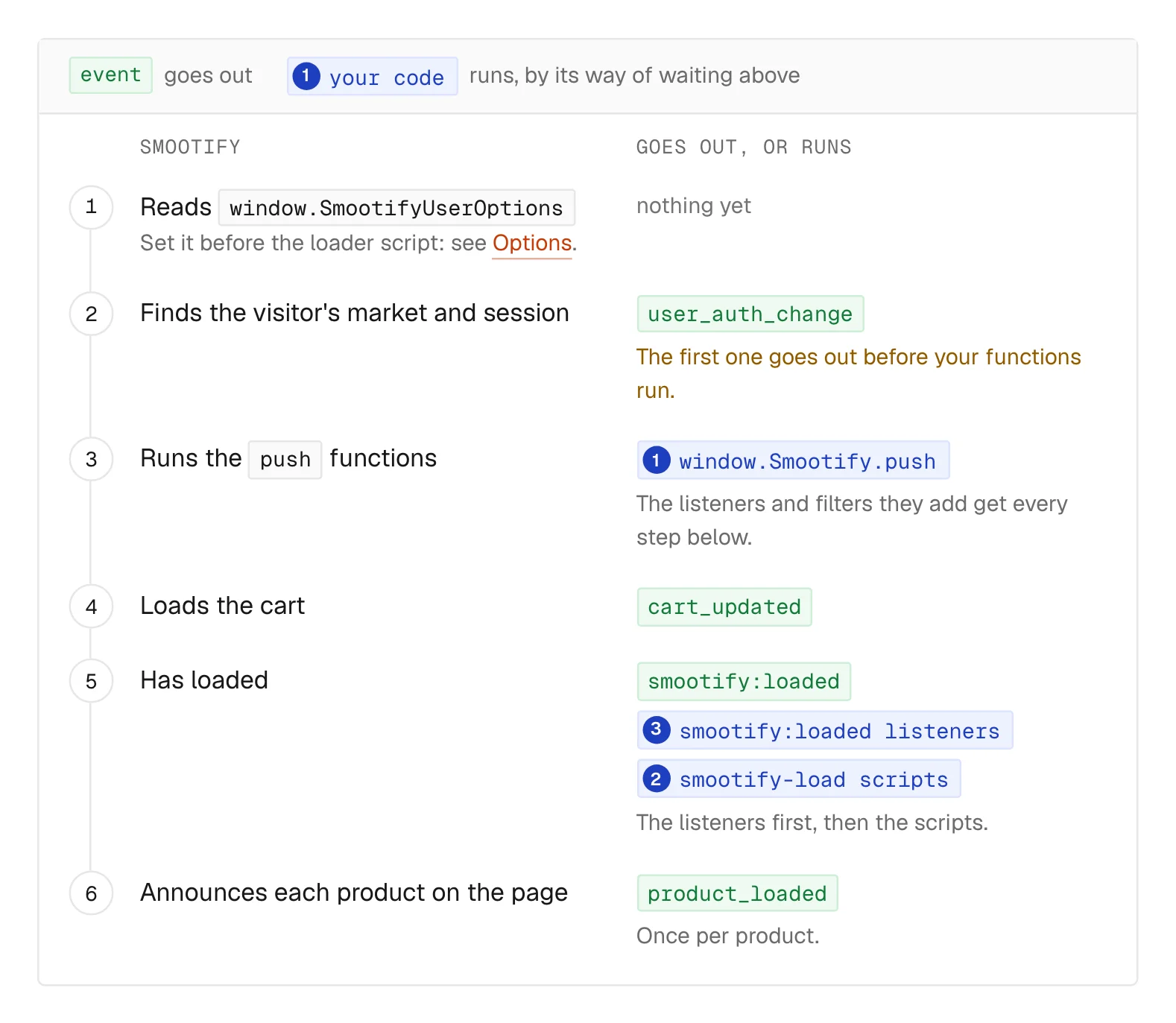
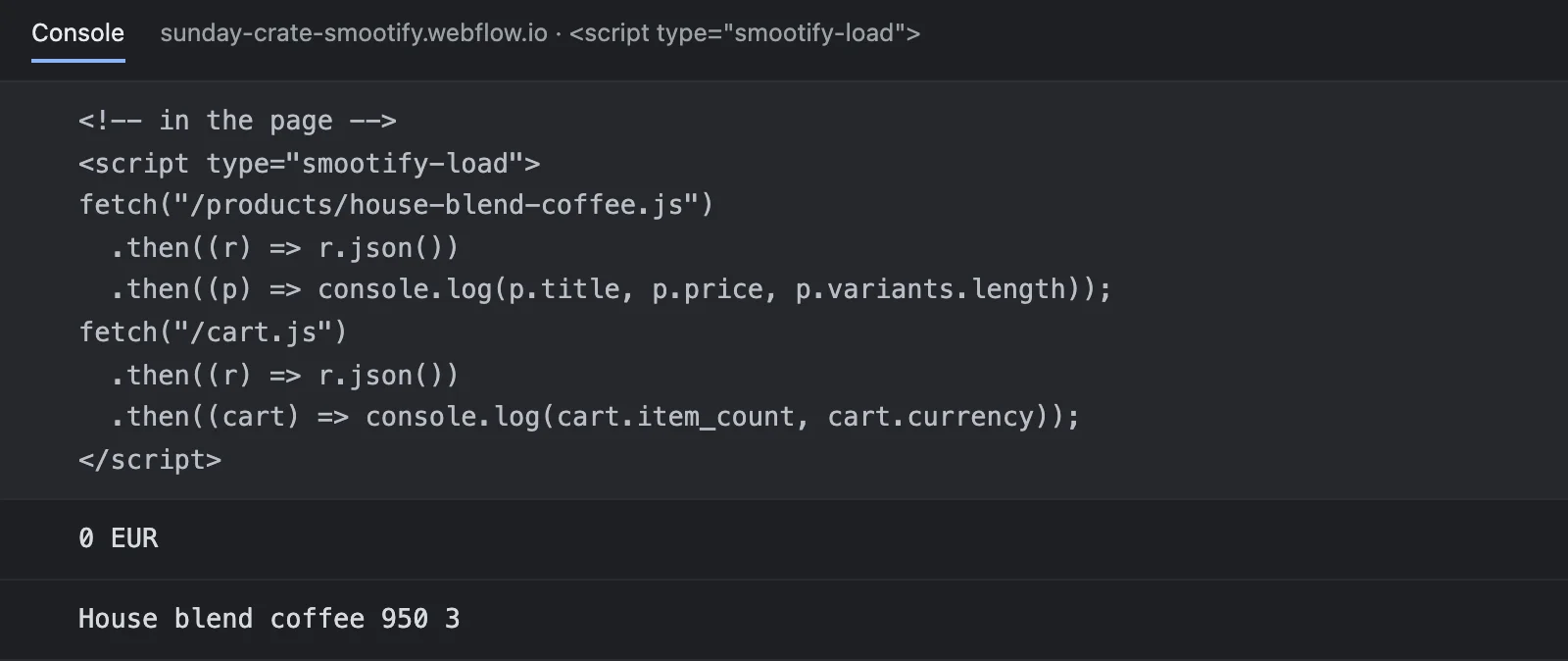
A snippet from a third-party app that calls /cart.js and does not use Smootify’s API needs only its type changed, <script type="smootify-load">, to run right after Smootify. Smootify answers Shopify’s theme AJAX endpoints on the page (/cart.js, /cart/add.js, /products/{handle}.js, recommendations, search suggestions and more), with the response a theme gets, on the same cart as the page. App proxy paths such as /apps/… are not among them: they need Shopify’s online store.
Change what Smootify does: filters
Methods ask Smootify for something. Events tell you something happened. Filters are the escape hatch: Smootify hands your function a value just before it uses it, and your function can change it or stop what is about to happen. There are four.
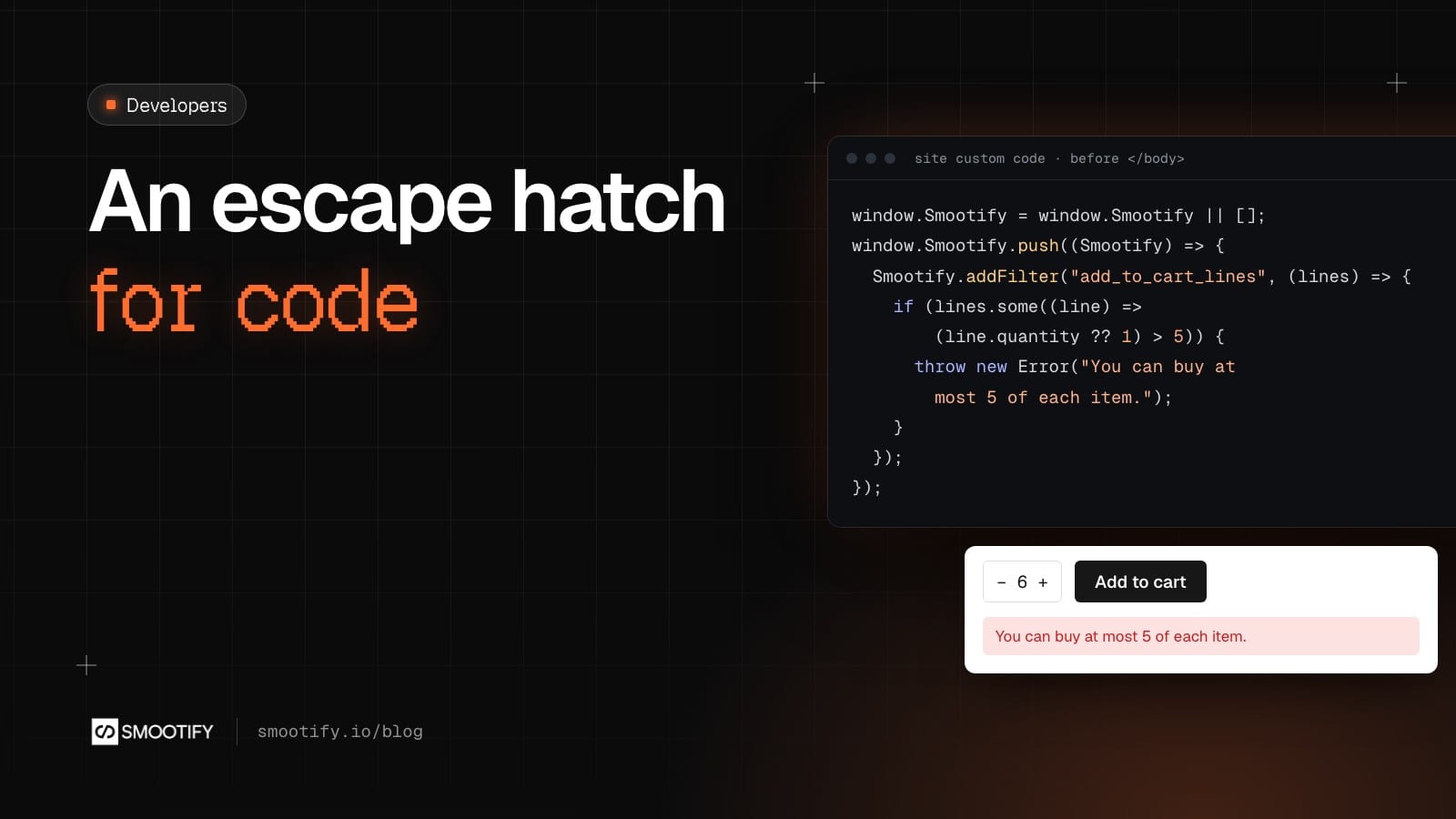
add_to_cart_lines gets every line about to enter the cart, from any form, button, Magic Box, buy again, script or theme app. Throw an error and nothing is added; the message shows in the form:
Smootify.addFilter("add_to_cart_lines", (lines) => {
  if (lines.some((line) => (line.quantity ?? 1) > 5)) {
    throw new Error("You can buy at most 5 of each item.");
  }
});
Or enrich the lines. This one labels where each addition came from, and the label shows on the line at checkout and on the order:
Smootify.addFilter("add_to_cart_lines", (lines, { element }) =>
  lines.map((line) => ({
    ...line,
    attributes: [...(line.attributes ?? []), { key: "Added from", value: element ? "Product page" : "Script" }],
  })),
);
checkout_url decides where the visitor goes to pay, from the cart’s button, a buy now or Smootify.checkout(). Add a parameter, or keep the visitor on the page until they tick the terms:
Smootify.addFilter("checkout_url", () => {
  const terms = document.querySelector("smootify-cart input[name=terms]");
  if (terms instanceof HTMLInputElement && !terms.checked) {
    throw new Error("Please accept the terms of sale.");
  }
});
draft_order_data changes a draft order before it is created: a quote, or a checkout with a custom price. metafield_definitions chooses which metafields the page asks Shopify for, so a script can read one no element shows, or a catalog with many metafields asks for fewer.
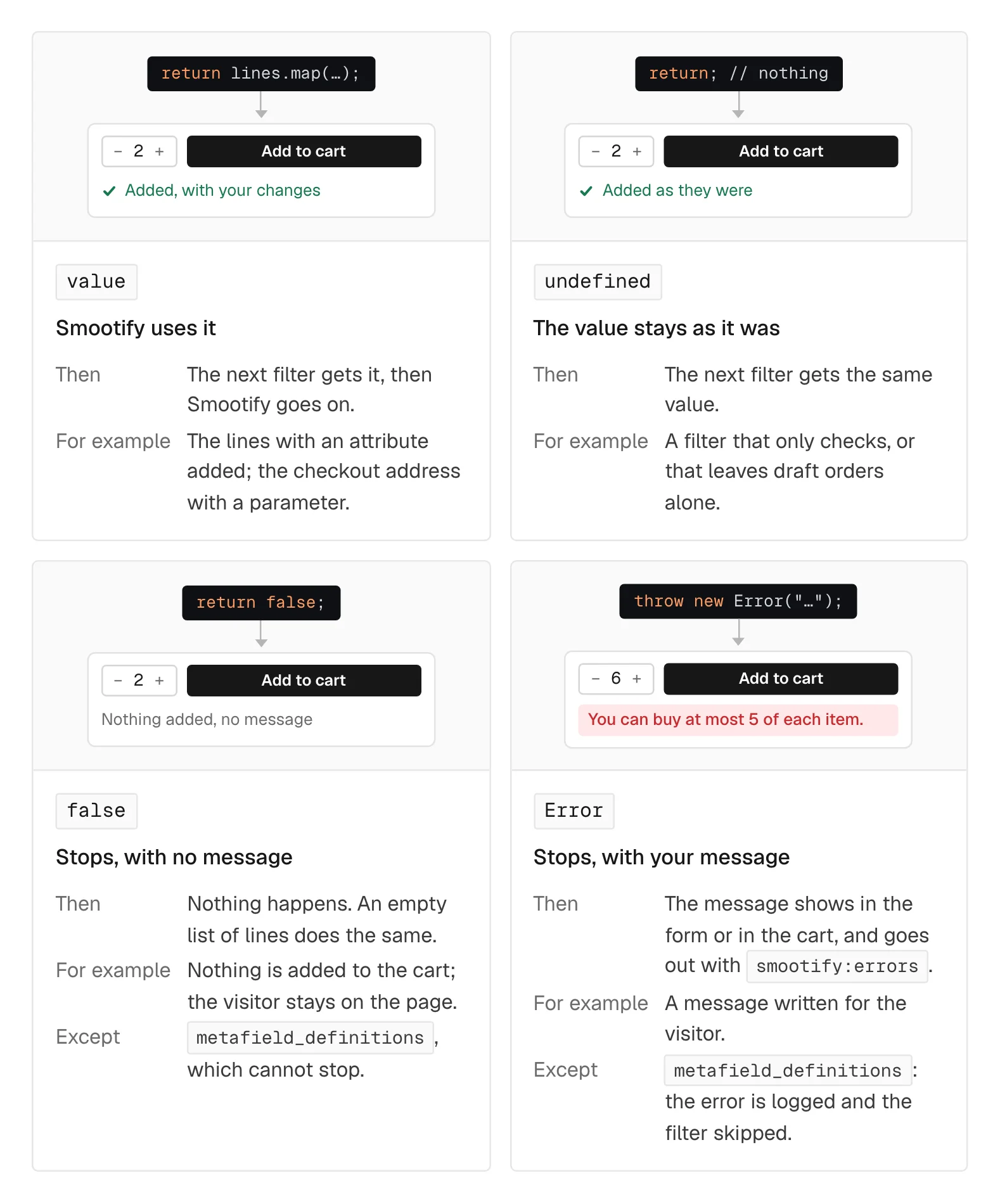
A filter answers the value changed, nothing to keep it, or false to stop silently. Throwing an Error stops too and shows its message to the visitor, which is almost always what you want. The one exception is metafield_definitions, which cannot stop anything: it only answers a list.
Read anything: methods and the Storefront API
window.Smootify has the cart (getCart, addToCart, updateCartLines, applyCouponCode, checkout, openCart…), products (getProductByHandle, getProductsById, selectVariant), the customer (getCustomer, queryCustomer), the market (getLocalization) and consent. Two habits save time: addToCart and applyCouponCode resolve with Shopify’s errors instead of throwing, so check the answer with Array.isArray; the other cart methods reject, so wrap them in try / catch.
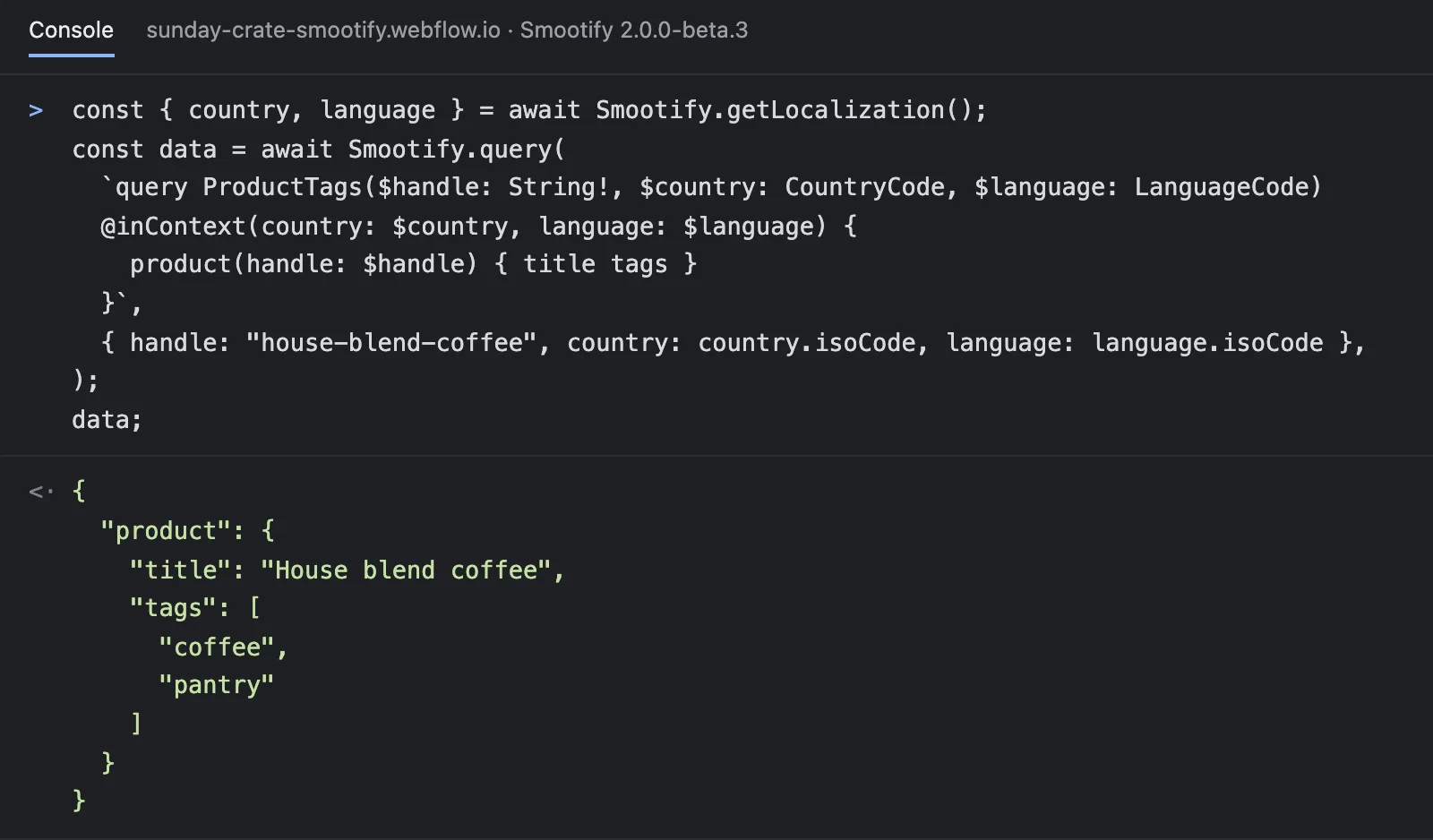
For data no attribute shows, Smootify.query sends a Storefront API query with the store’s access and answers its data. Add @inContext for the visitor’s prices and language:
const { country, language } = await Smootify.getLocalization();
const data = await Smootify.query(
  `query ProductTags($handle: String!, $country: CountryCode, $language: LanguageCode)
  @inContext(country: $country, language: $language) {
    product(handle: $handle) { title tags }
  }`,
  { handle: "house-blend-coffee", country: country.isoCode, language: language.isoCode },
);
Need your own message on screen? Smootify.toast("added-to-cart", { title: "Gift wrap" }) shows the designer’s toast template with your values in it.
Typed, so your editor knows
Each release publishes smootify.d.ts next to the script, at https://cdn.smootify.io/assets/v2/<version>/smootify.d.ts. Add it to a TypeScript project, or reference it from a plain script with // @ts-check, and window.Smootify, every event payload and every filter get autocomplete and type checks.
Coming from 1.x hooks
1.x read a few functions set on window, undocumented. They still run in 2.0 and are deprecated: _metafieldsDefsFilter becomes the metafield_definitions filter, _filterDraftOrderData becomes draft_order_data (which now covers every draft order, not only quotes), and the synchronous smootifyAddOnsBox gives way to window.smootifyAddonsBox. Mind the spelling: smootifyAddonsBox, lowercase o, can be async and is the current way to set the title and image of an add-ons box. It is not deprecated.
Where people get stuck
Check these first
window.Smootifyis undefined, or has no methods. The script ran first. Put the code in apushfunction.- A tag manager script never hears
loaded. It fired before the script arrived. Useon("loaded", fn, { replay: true }). - The first product ignores a filter. It was added outside
push, after the first request. - The checkout button does nothing. A
checkout_urlfilter answeredfalse. Throw anErrorto show a message. addToCartseems to work but adds nothing. It resolved with Shopify’s errors. CheckArray.isArray.
The methods by task are in the JavaScript API, with Filters, Events and Run your scripts with Smootify.