Everything before the cart is persuasion. The home page, the collection, the product photos: all of it works on someone who has not decided yet. The cart is the one place on the site where the visitor already has. They picked something, they want it, and they are one click from paying. A point of conversion gained here is worth more than anywhere else, and so is a point lost.
On a Shopify theme, the usual cart levers each come as an app: one for suggestions, one for a free shipping bar, one for a countdown. Three subscriptions, three scripts, three settings pages that do not know about each other. With Smootify they are parts of one element, smootify-cart, that you design in Webflow. The guides cover each part on its own. This post puts them together, on the cart of the demo store Sunday Crate.
The cart as a system
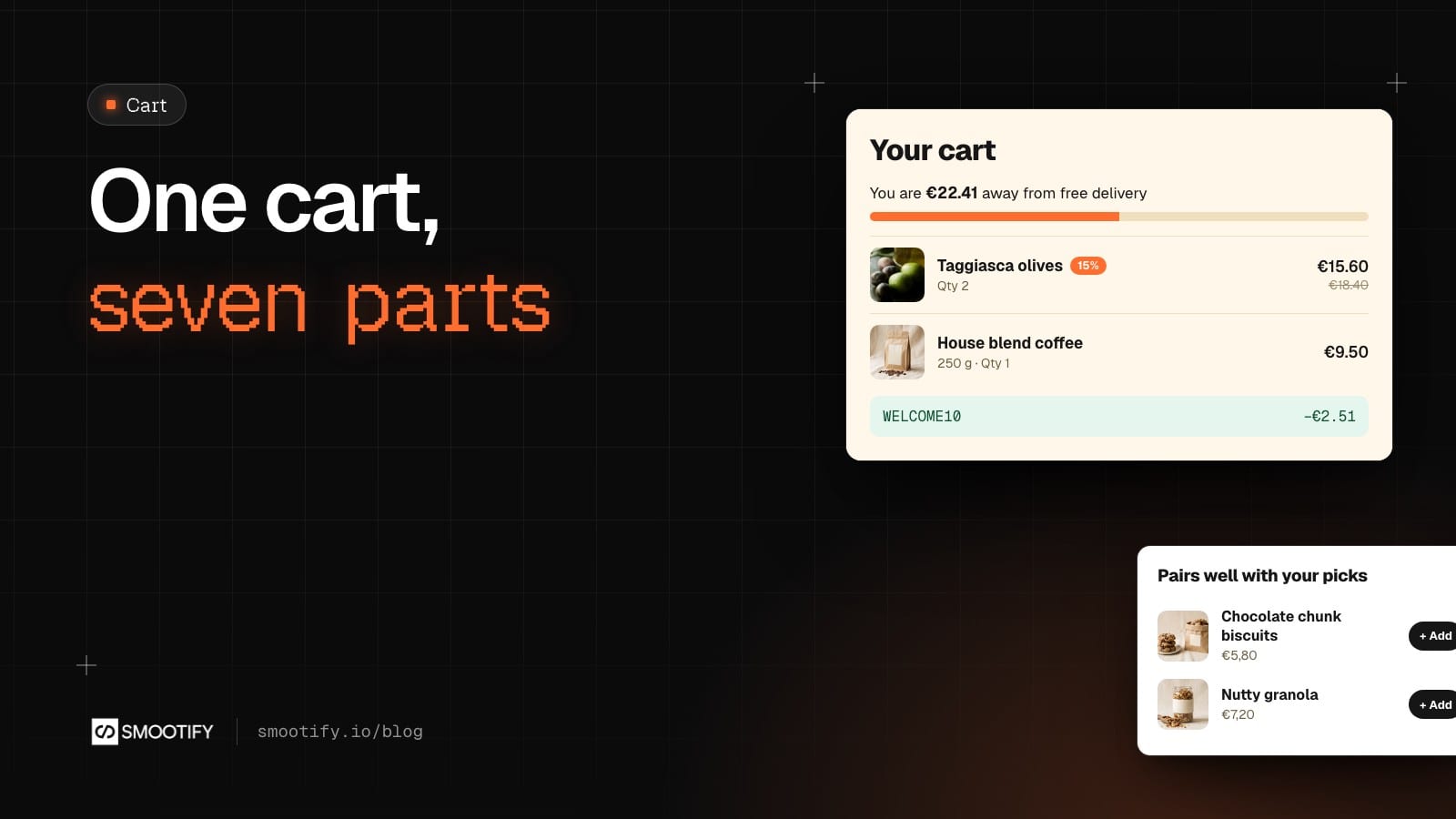
On 13 October we put two jars of Taggiasca olives and a 250 g bag of House blend coffee in Sunday Crate’s cart: €25.10. The drawer, on the right, does six things from top to bottom, and a seventh fits in the same cart.
1. It says how far free delivery is. Sunday Crate delivers free from €45. The bar near the top read “You are €22.41 away from free delivery”, and its fill sat just under half. That number is the cart total after discounts, so it moves when a code goes in. The element is free-shipping-bar with data-amount="45". A store that sells by the case can use data-quantity instead, counting items rather than euros.
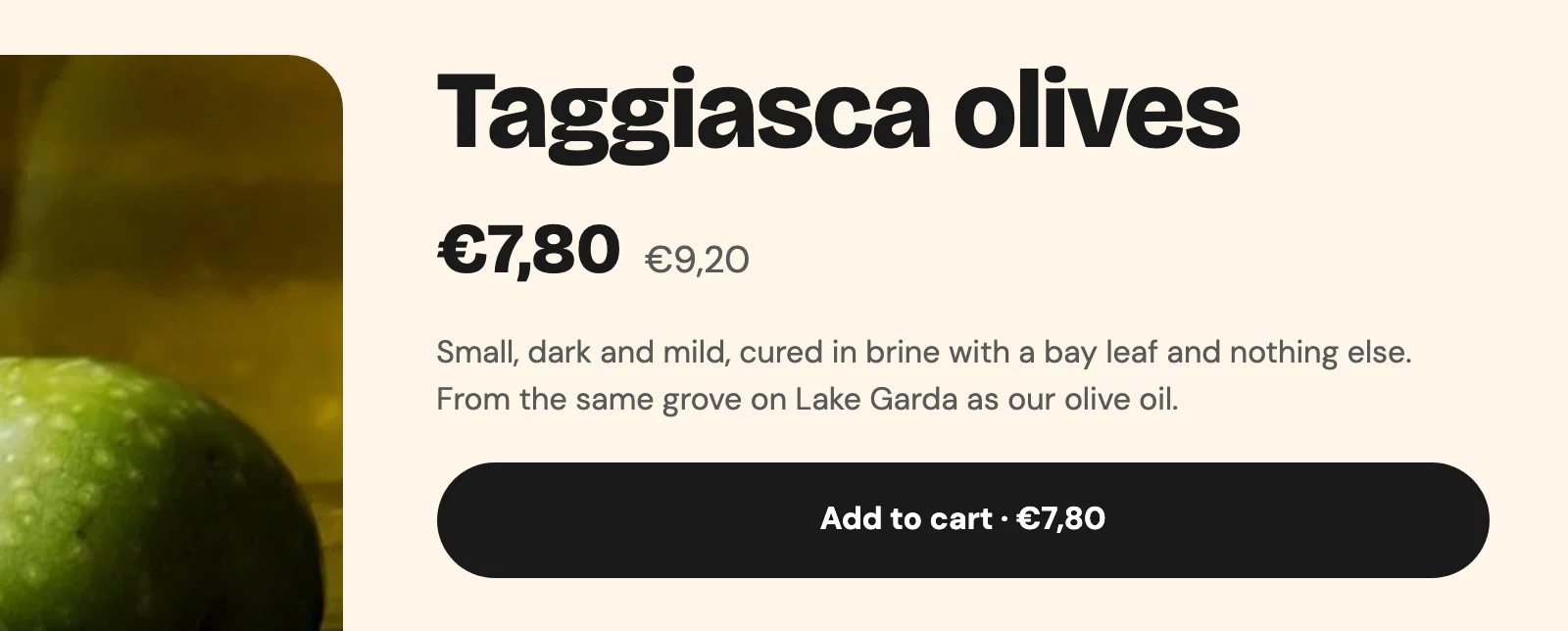
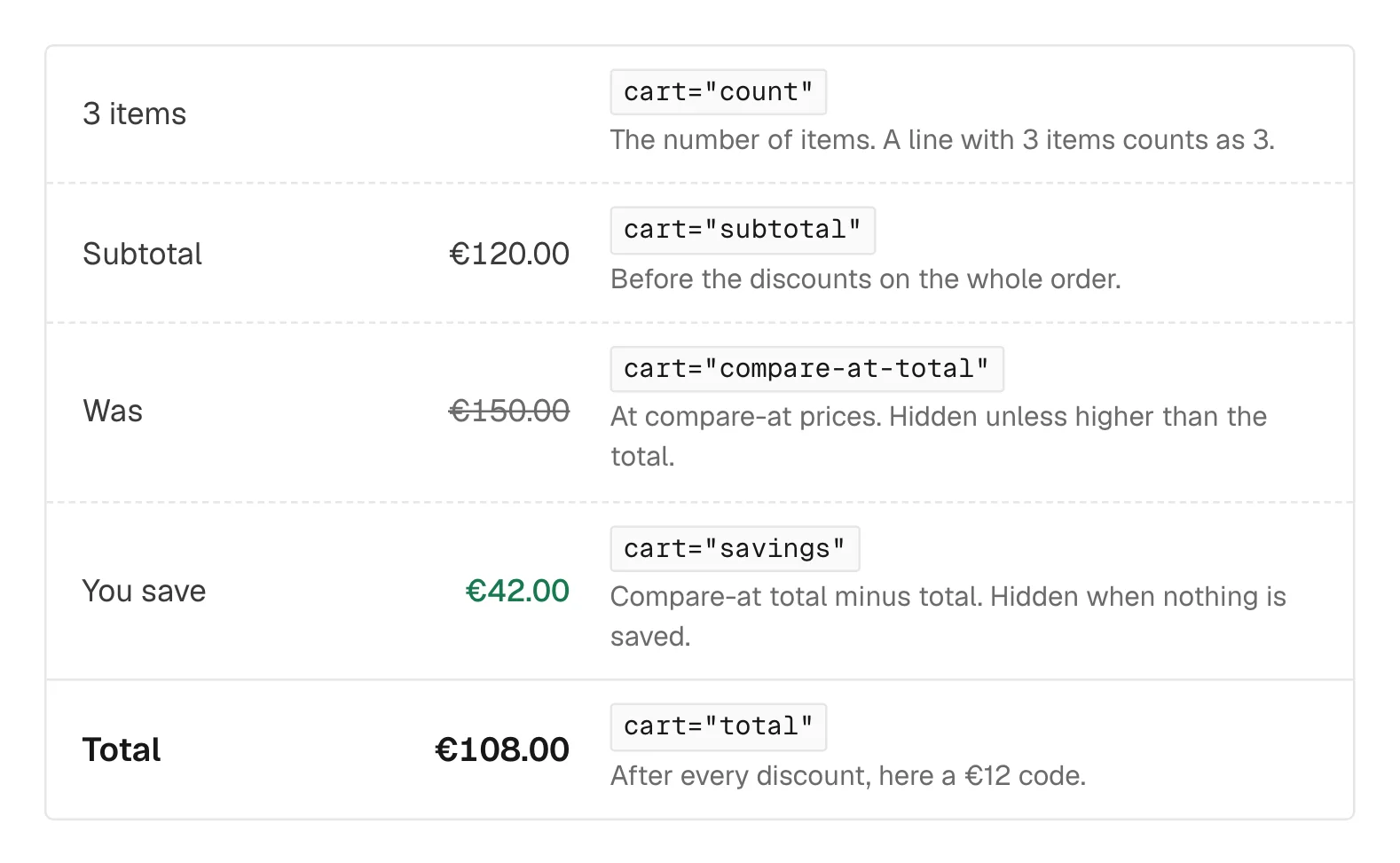
2. It shows what the visitor saves. The olives are on sale, so their line shows “15%” (cart-item="discount-percentage") and the crossed-out price next to the line total. New in 2.0, cart-item="savings" shows the amount saved on a line, and cart="savings" the amount saved on the whole cart: the compare-at total minus the total, so sale prices and codes together. Sunday Crate’s drawer has had a “You save” row under Subtotal since 14 October. Both hide themselves when nothing is saved.
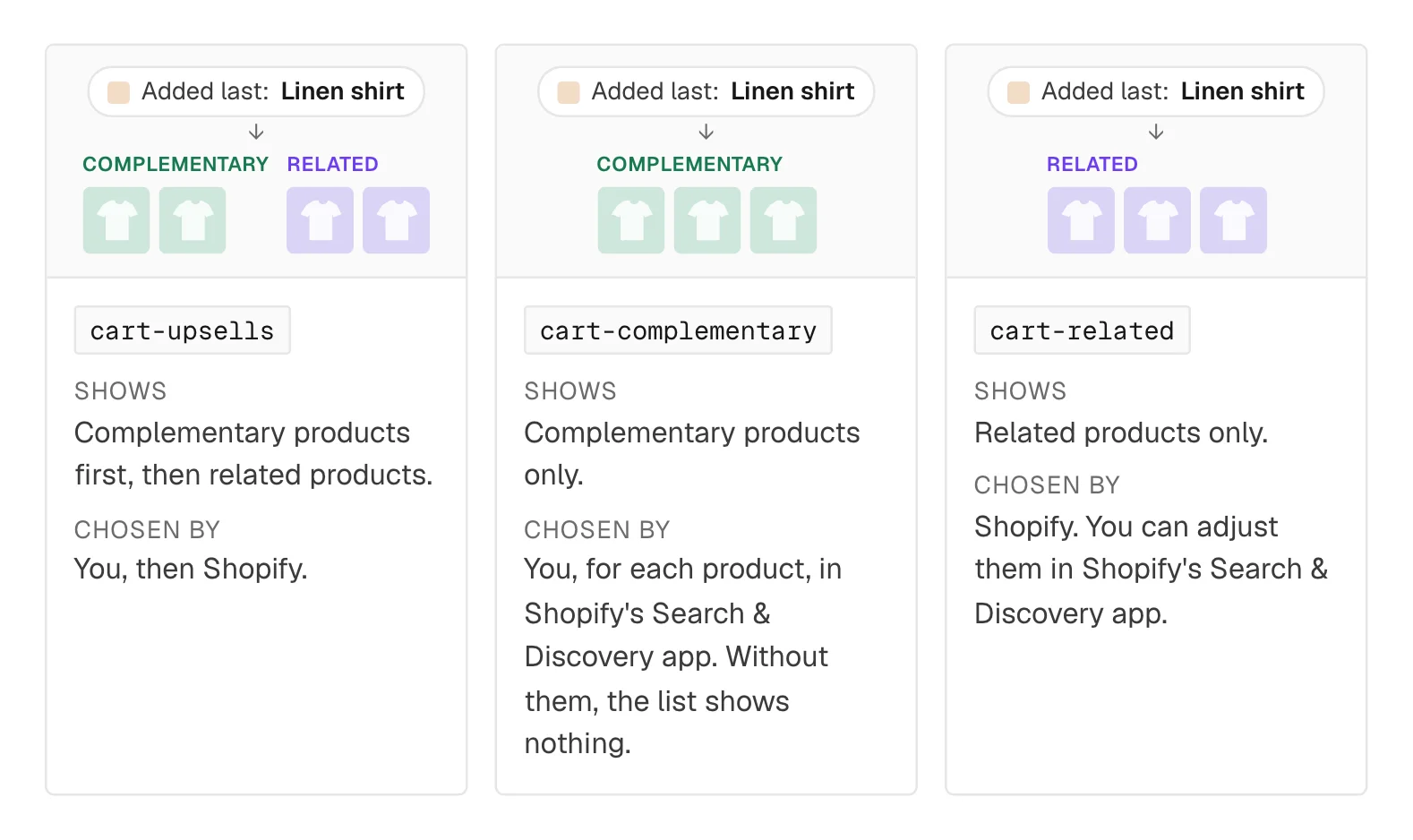
3. It suggests what goes with it. Under the lines, “Pairs well with your picks” shows two cards: Chocolate chunk biscuits and Nutty granola. These are not a fixed list. Smootify asks Shopify for the recommendations of the product added last and leaves out what is already in the cart. Each card has a one-click add button (data-is="direct-add-to-cart"), and the drawer stays open to show the new line. The wrapper has condition="has-cart-upsells", so when there is nothing to suggest the heading goes too, instead of sitting above an empty row.
4. It takes a code. Type WELCOME10 and the discount list shows “WELCOME10 −€2.51”, with a remove button. The list is a template: cart="discount" repeats once for each code and, in 2.0, once for each automatic discount on the order. Design one row, and a second code shows as a second row. A link with ?discount=WELCOME10 does the same without typing, from a newsletter or an ad.
5. It collects what the order needs. A “Gift message” text area for the packer. Any field in the cart’s form is saved on the order at checkout, under its Name. Sunday Crate also asks for a delivery window in Milan, with a booking calendar inside the cart that holds the slot only at checkout (that part is the Booking add-on of the Server plan).
6. It totals honestly. Subtotal, the savings, a delivery line that reads “€4,90 at checkout, free over €45” until the bar is full, and the total to pay on the checkout button.
7. It can add a gift by itself. Sunday Crate does not run one, but the same cart can: a free gift above an amount, such as a tote bag from €50. In the Shopify admin it is the Smootify discount “Gift above a threshold”, set as an Automatic discount, with the gift and one amount per currency (EUR 50, CHF 55). Put data-free-gift on smootify-cart, and the gift goes into the cart by itself when the cart reaches the amount, and comes out when it drops below. At checkout the discount makes it free. No plan needed: it works on the free one too. The set-up is in Free gift above a threshold.
None of these knows about the others, and none needs to. The bar and the countdown read the global cart, so they work anywhere on the page. The suggestions react to the last product added. The discount list reads what Shopify applied. You place them where they help, and the cart behaves as one thing.
The mini cart can be a popover now
Sunday Crate’s drawer is a Webflow Popover inside smootify-cart. Smootify finds it and opens the cart with it, as it does with a Dropdown, a dialog or a details element: you never declare a mode. The popover is new in 2.0, and it fixes an old annoyance. A Webflow Dropdown can close while the visitor types in the cart’s fields. A popover stays open while they write a gift message, and while the lines change.
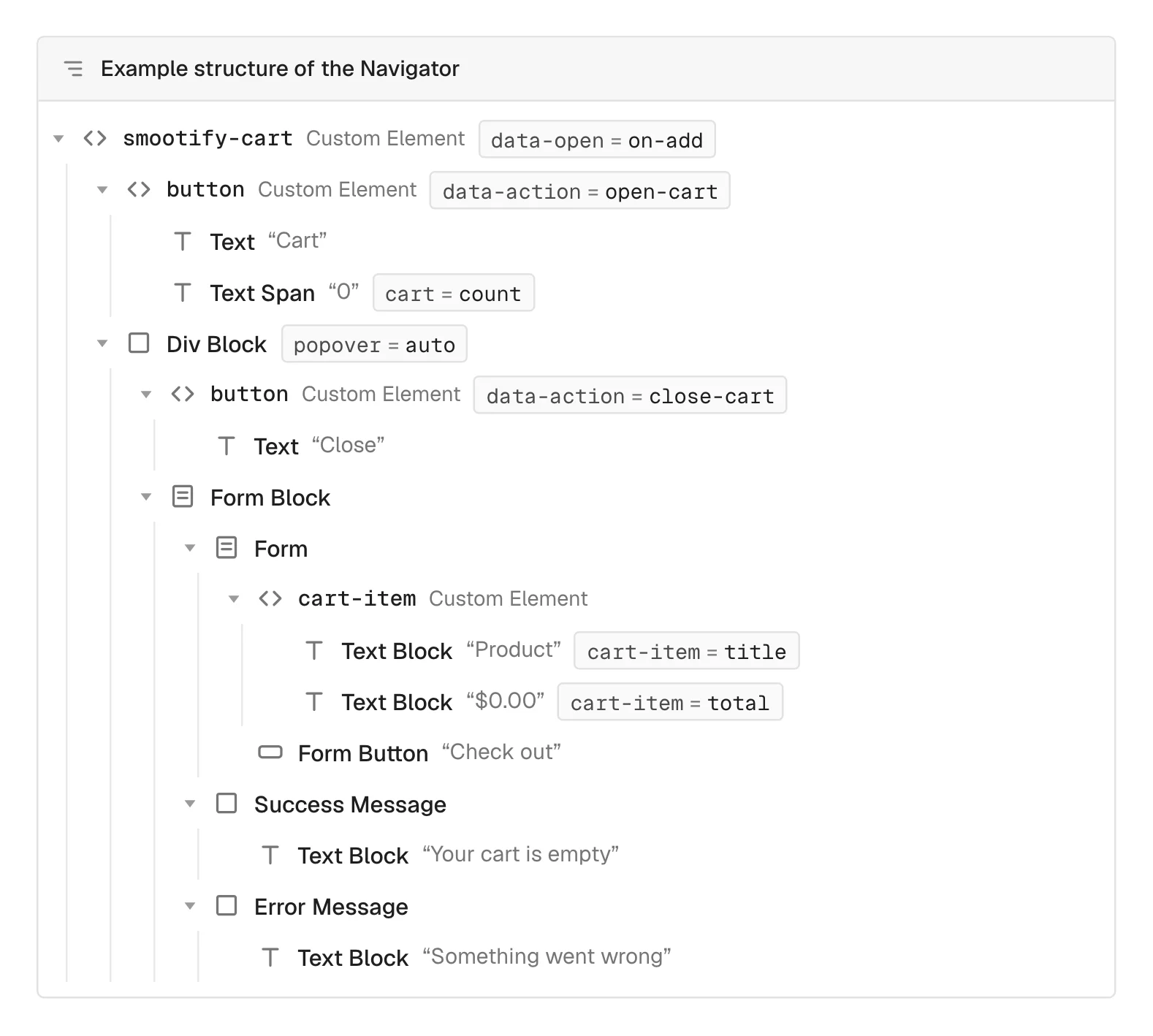
Sunday Crate’s cart carries data-open="on-add", so the drawer opens by itself after every add except Buy now. A store without a mini cart confirms the add with a toast instead. Spannbach, our industrial parts store, has a cart page and no drawer. Its smootify-toasts holds an added-to-cart template with the part’s picture, name, variant, quantity and price, filled through toast-item="image", "title", "variant-title", "quantity" and "price", and a “View cart” link with data-action="open-cart" and /cart as its address. For a buyer whose company has a customer number, the same template reads “Added to your quote list” and “View quote list”. On a site whose mini cart opens on add, Smootify skips the toast for that add, so the visitor never gets both.
Urgency, used honestly
urgent-cart-countdown starts when the cart has items and keeps running across pages. When it ends, the cart is really emptied (data-on-end="clear"), or emptied and the visitor sent to another page (redirect). Use it only for a real limit, such as tickets held for fifteen minutes. On Sunday Crate it sits at the top of the drawer, above the delivery bar, with data-time="30" and data-on-end="clear": “Your cart is saved for”, then the minutes and seconds left. At zero it really empties the cart, which is why the demo gives a generous half hour. A countdown that does nothing at zero is noise, and customers notice the second time.
What it costs
Suggestions need the Lite or Server plan, or the Cart Upsell extension. The free shipping bar, the free gift, the countdown, discount codes, gift cards and the order note need no plan at all.
Where carts quietly fail
Check these first
- Only one line shows. Only the first
cart-itemis the template. Design one; extra ones are removed. - The second discount code never shows. The discount row is a template repeated per code. Do not design a fixed slot.
- The crossed-out total is missing.
cart="compare-at-total"shows only when it is higher than the total: nothing in the cart is on sale or discounted. - A code is saved on the order instead of applied. The field’s Name is not
Coupon. - The heading “You may also like” sits alone. The wrapper has no
condition="has-cart-upsells". - The bar spills out of its track. Past the goal its width goes above 100%. Set the track to Overflow: hidden.
Build it once and every product page feeds it. The full set-up is in Build the cart, with the extras in Discounts, notes and progress bars and Cart upsells.