
Propose a Smootify storefront to a client, in Webflow or Astro, and the first objection arrives before the second slide: “Won’t it be slow?” It is a fair question. On a Webflow site the products, the prices and the cart come from Shopify at the moment the page opens, not from Webflow’s HTML. If that took a second on every page, the client would be right to say no.
Here is the honest answer: what Smootify does by itself to make a store fast, and the two or three things that depend on the designer. Those are where most slow stores come from.
What loads, and when
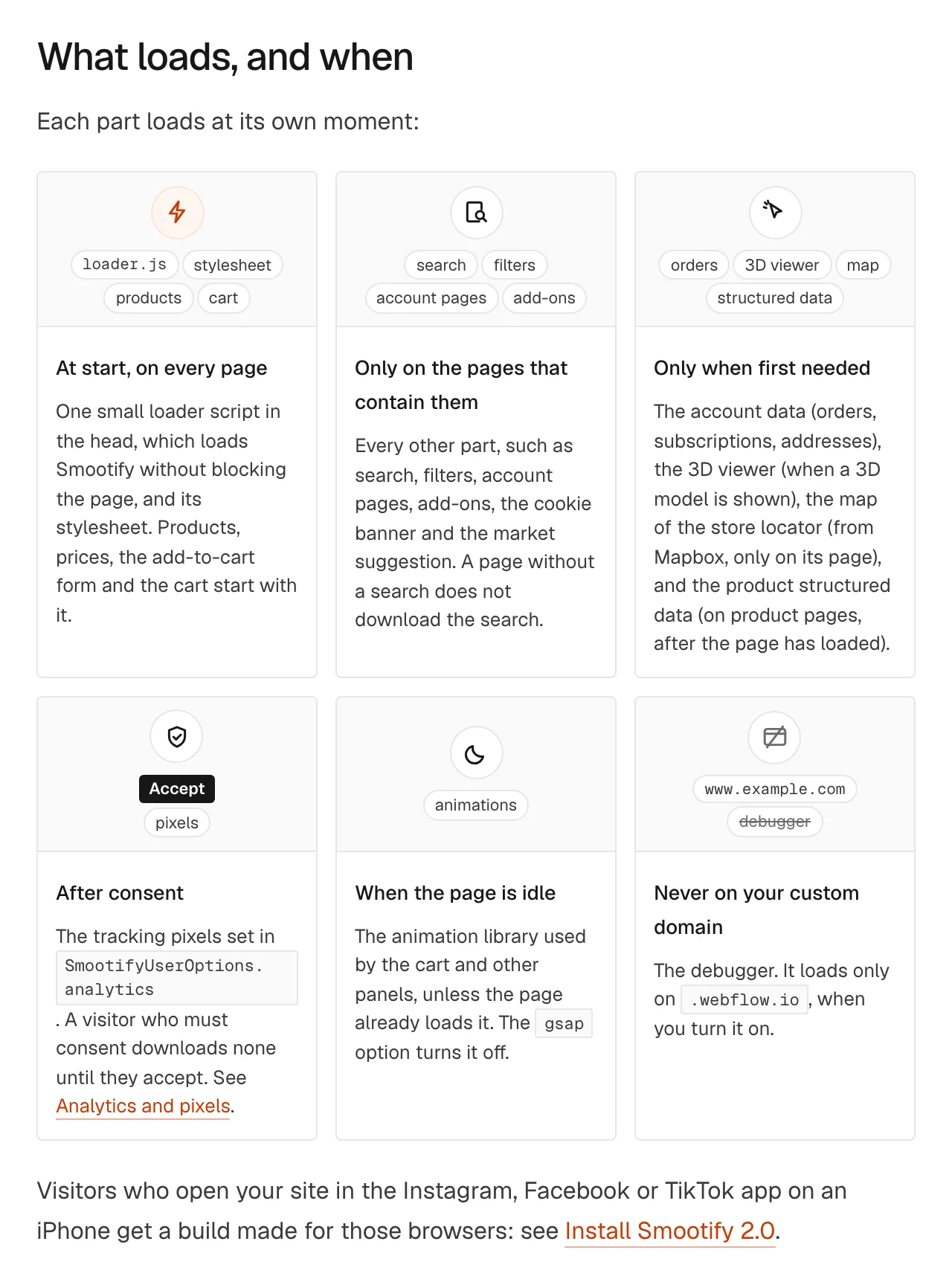
A Smootify page starts with one small loader in the head that does not block the page, and Smootify’s stylesheet. Products, prices, the add-to-cart form and the cart start with it. Everything else waits for a reason:
- Only on pages that use it: search, filters, account pages, add-ons, the cookie banner. A page without a search does not download the search.
- Only when first needed: account data, the 3D viewer when a 3D model shows, the store locator’s map, the product’s structured data after the page has loaded.
- When the page is idle: the animation library for the cart and panels, and not at all if the page already loads it.
- After consent: tracking pixels. Where the visitor must consent, as in the EU and the UK, no script from Meta, Google or TikTok downloads until they accept. Until then the page is lighter too.
- Never on your custom domain: the debugger.
The next page is already loading
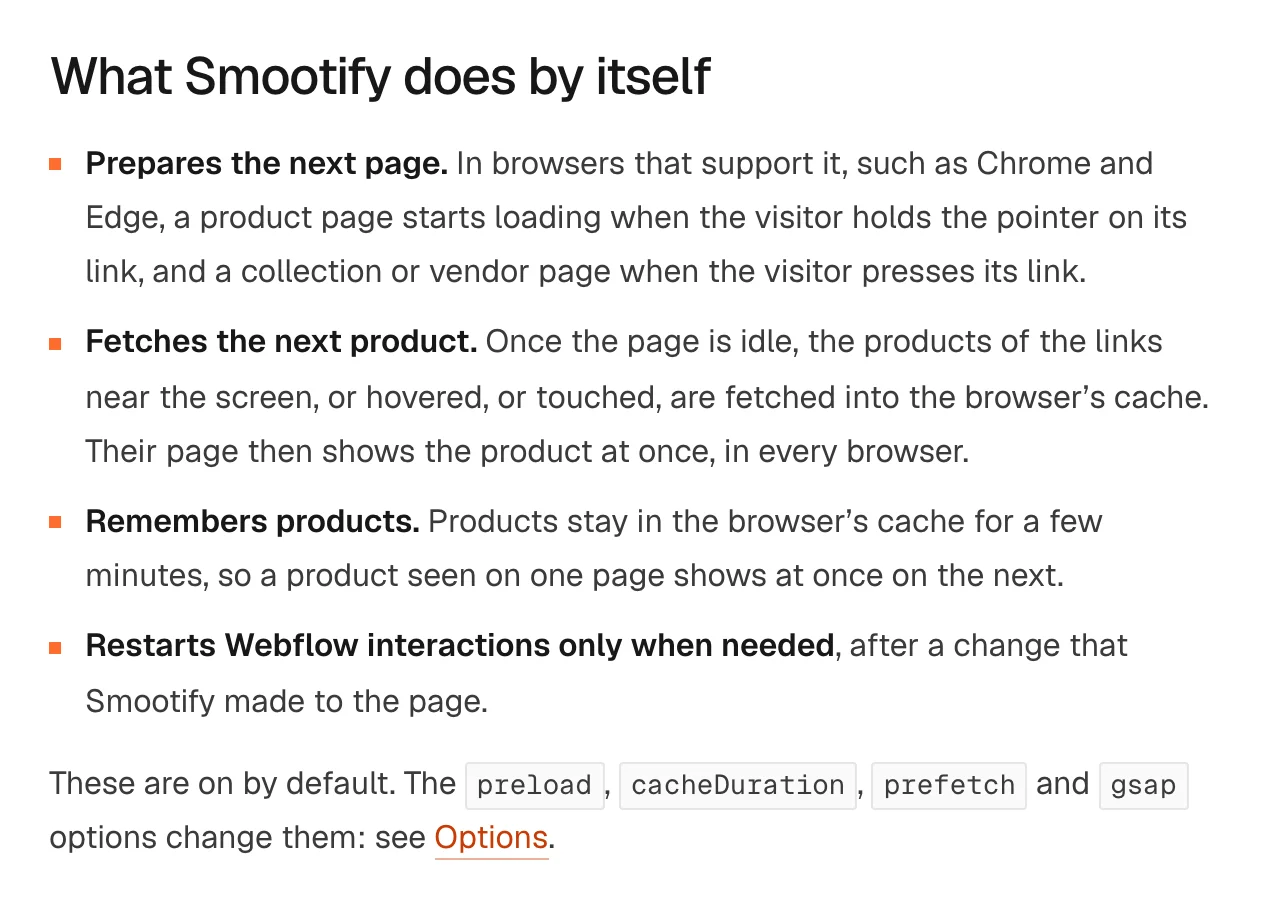
Most people with a Smootify store do not know this one: product pages are prepared before the click. In browsers that support it, such as Chrome and Edge, a product page starts loading when the visitor holds the pointer on its link, and a collection page when they press it. On Sunday Crate’s pantry you can see the rule in the page source: product links with moderate eagerness, collections and vendors with conservative.
In every browser, once the page is idle, the products of links near the screen, hovered or touched are fetched into the browser’s cache, so their page shows the product at once. Products stay cached for a few minutes, so a product seen on the collection page shows instantly on its own page. None of this needs setting up. A developer can turn it down with the preload and prefetch options, which is rarely a good idea.
The biggest lever is the images, and it is off until you turn it on
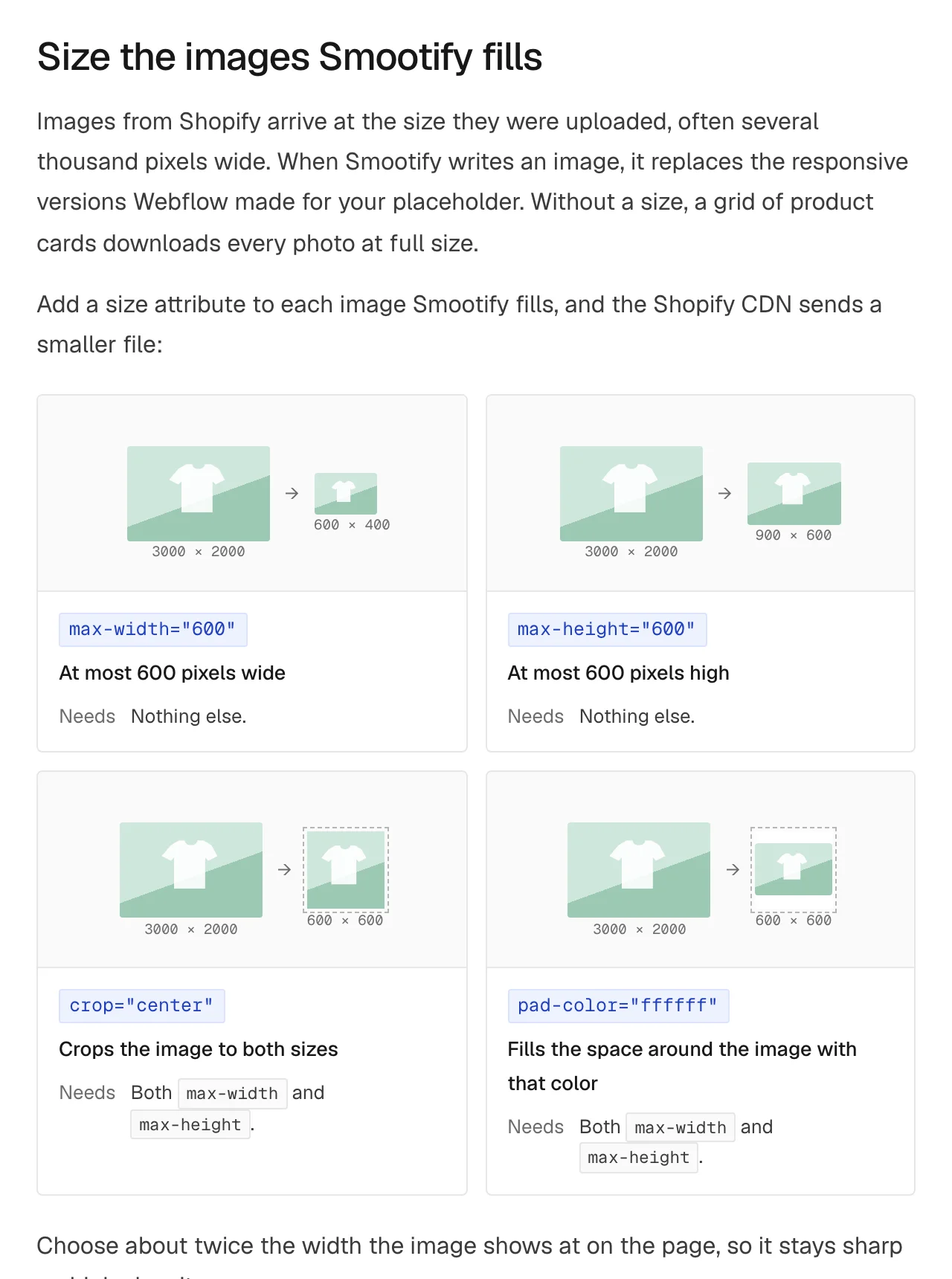
Shopify keeps photos at the size they were uploaded, often several thousand pixels wide. When Smootify fills an image, it replaces the responsive versions Webflow made for the placeholder. Without a size, a grid of product cards downloads every photo at full size.
One attribute fixes it. max-width="720" on the Image with variant="image" asks the Shopify CDN for a file at most 720 pixels wide. max-height, crop and pad-color do the rest when you need fixed shapes. Pick about twice the width the image shows at, so it stays sharp on high-density screens.
We measured it on Sunday Crate on 15 October 2026: the 12 pantry photos weigh 3,482 KB at their uploaded size and 1,168 KB at the 720 pixels its cards ask for. That is two thirds less, for one attribute per card. The photos that were already small barely change; the large ones shrink to between a fifth and a third of their weight. On a phone on a mobile connection, that is the difference between a grid that appears and one that fills in row by row.

The attribute goes on the element Smootify fills: the Image with variant="image" or product="specific-image", a cart line’s image, and in the gallery the Slider and the thumbnails, not each slide. An image bound only to a CMS field is Webflow’s, and Webflow sizes it already.
Keep the layout still while data arrives
Until Shopify answers, the page shows what you designed. Two habits keep it from jumping:
- Give placeholders their final size. Keep placeholder text in text elements, and give images a width and height, or an aspect ratio.
- Add
skeletonwhere you want a shimmer.skeleton="text","button","block"or"image"shows a loading shimmer until Smootify fills the element;skeleton="hide"hides it while keeping its space.
In 2.0 nothing shimmers by default. In 1.x some elements shimmered on their own; now the designer decides what is a placeholder. A skeleton does not make the page load faster, it keeps it still, and both visitors and Google’s Core Web Vitals notice.
Large catalogs
The heaviest page of most stores is a filtered collection with many cards. Show 24 products per page or fewer with limit, and use previous and next buttons instead of load more on long lists: every loaded page adds cards that a phone has to keep. A Collection list inside the search & discovery block is fine, and lets search engines see the products before the results arrive.
Visitors from Instagram and TikTok
Someone who taps your link in Instagram, Facebook or TikTok on an iPhone is not in Safari but in the app’s own browser. The loader recognises these browsers and gives them a build of Smootify made for them. You do not add anything. For stores that sell through social, this is the visit that matters most.
Measure it yourself
On your .webflow.io address, press Alt+Shift+D (Option+Shift+D on a Mac), or add ?smootify-debug on a phone. The debugger’s Performance tab shows the page’s Largest Contentful Paint, when Smootify was ready, and every Smootify file the page downloaded, with its size.
Where people get stuck
Check these first
- Product cards load slowly. The images have no size attribute. Add
max-width. - Size attributes do nothing on the gallery. Put them on the Slider, not on the slide.
- The page still jumps with a skeleton. The element has no size before it is filled.
- Nothing shimmers. Only elements with
skeletondo. - The collection page is slow on phones. Lower
limitand use previous and next.
The full list of what loads when, and every image attribute, is in Performance.