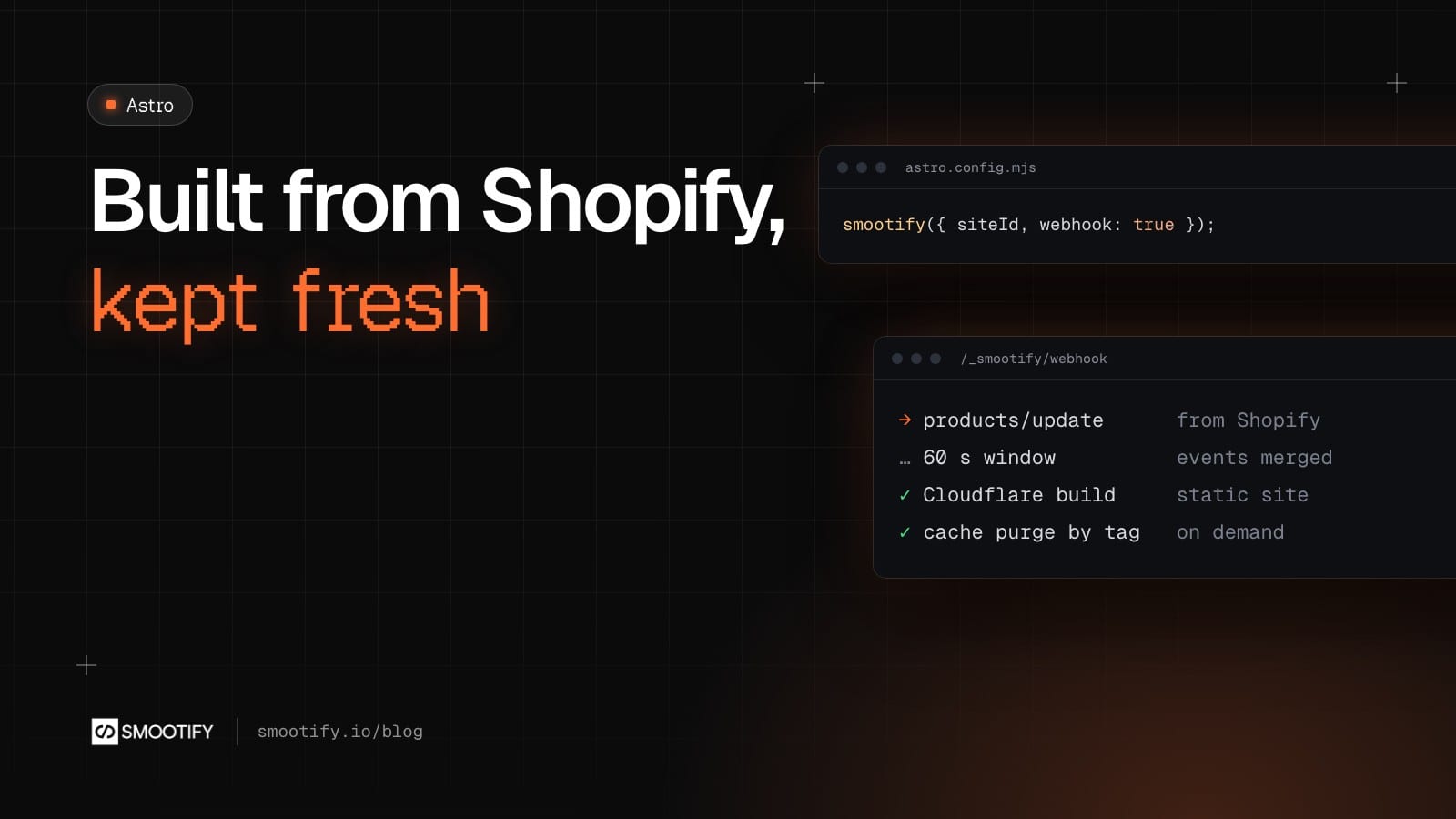
A store built in Astro reads Shopify when the site is built. That raises the first question every merchant asks: if I change a price at ten in the morning, when does the site show it? This post answers it, from the loader that reads the store to the webhook that tells the site something changed.
What is read at build time, and what is not
At build time, Smootify’s content loaders read the catalog into Astro content collections: products, collections and vendors by default, and blogs, articles, pages and metaobjects when a loader asks for them. Each product page is a file made ahead, with its title, images, description and price already in the HTML. So is each collection page, with its products in the collection’s order.
Not everything waits for a build. Smootify runs in the browser too, as on any Smootify site:
- Prices and stock are updated at load from Shopify, so what the visitor acts on comes from the store, not from yesterday’s HTML.
- The cart, the customer account, filters and search always talk to Shopify live.
What the build fixes is the HTML the server sends: what a search engine reads, what the visitor sees before any script runs, and the pages that exist. A new product needs a new page; a changed description needs new HTML.
Build collections or live collections
For each collection you choose how it is read. The docs put the two side by side:
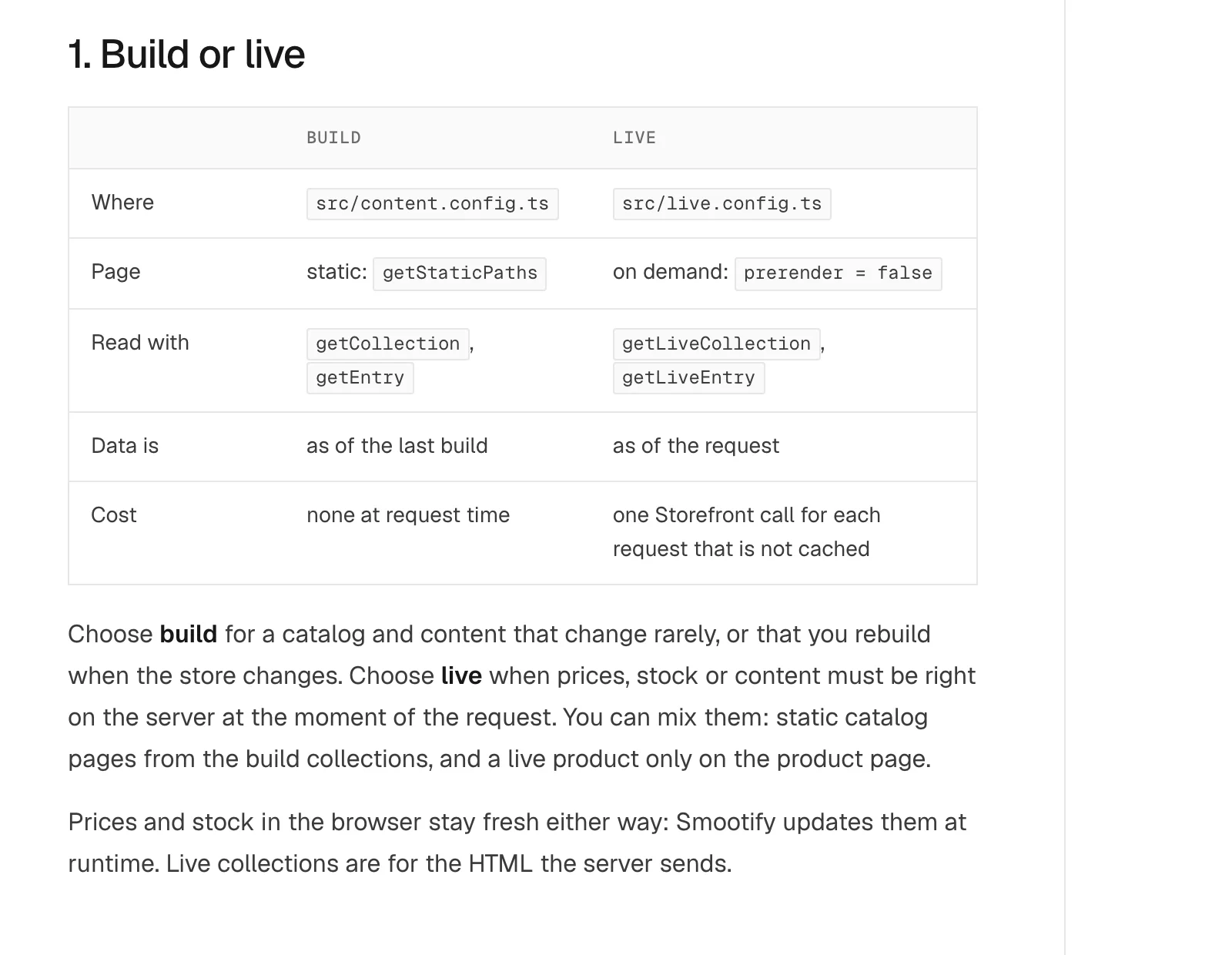
- Build collections live in
src/content.config.ts. Pages read them withgetCollectionandgetEntry, and usegetStaticPathsto make one page per product. The data is as of the last build, and a visit costs nothing. - Live collections live in
src/live.config.ts. Pages read them withgetLiveEntryon each request that is not cached, and set a cache with the hint the loader returns. The data is as of the request.
You can mix them: static catalog pages from the build collections, and a live product page where prices must be right on the server. Smootify Studio asks the question once, when it creates the project: Static, the default, or On demand, for large catalogs or ones that change often.
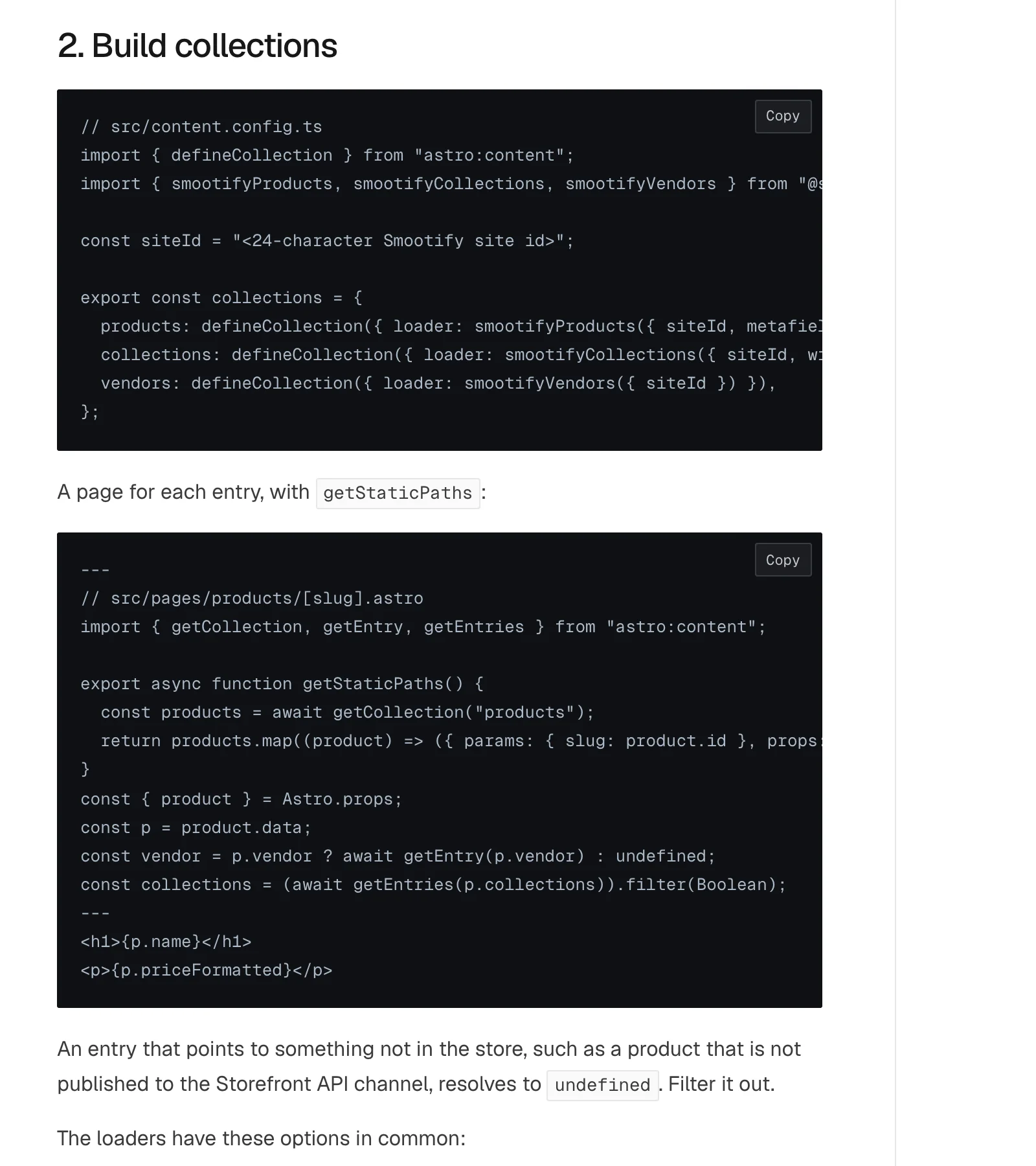
Here is a build collection and the product page that uses it:
Shopify tells the site when the store changes
The update itself is a Shopify webhook. Turn it on with one option:
smootify({ siteId, webhook: true });Shopify then calls your site directly, at /_smootify/webhook/<token>/. The Smootify server only registers the webhooks; it is not in the path of the update. What the route does depends on how the pages are served:
- On a static site, it asks Cloudflare to build the site again, through a deploy hook. This needs Cloudflare to build from GitHub.
- On an on-demand site, it purges the cache of the pages the change touches, by tag. A product change refreshes that product’s page and the pages that list products, and nothing else.
Events are merged. Everything that arrives in one window, 60 seconds by default, becomes one build or one purge, so a bulk edit of 200 products does not start 200 builds. The window is a Cloudflare Durable Object, which the Free plan includes.
So, the ten o’clock price change: on a static site built from GitHub, it is online in about two minutes, with no step on your side. The webhook arrives at once, the 60 second window closes, Cloudflare builds the site and publishes the new version. And the price in the browser was already right before that, because Smootify reads it live.
What Studio sets up
Studio’s Deploy tab does the wiring for you:
- the worker entry that hands requests to Astro and exports the debouncer;
- the Durable Object binding in
wrangler.jsonc; - the two secrets: the webhook token, and, for a static site, the deploy hook;
- only the webhooks the project needs: products and collections always, blogs, articles, pages and metaobject types only when a loader reads them.
Where people get stuck
Check these first
- A static site does not rebuild. The deploy hook secret is missing, or the site is not built from GitHub. The route answers, but does nothing.
- The webhook route answers 404. The token in the address is not the one in the Worker’s secret.
- An on-demand page shows old data. It reads a build collection. Use
getLiveEntryon pages that must be fresh. - Build minutes. On a static site, every store change is a Cloudflare build. If you want to build only on your own computer, use on-demand pages, or update the site by hand.
The loaders and their fields are in Content from Shopify, and the webhook set-up in Deploy to Cloudflare.