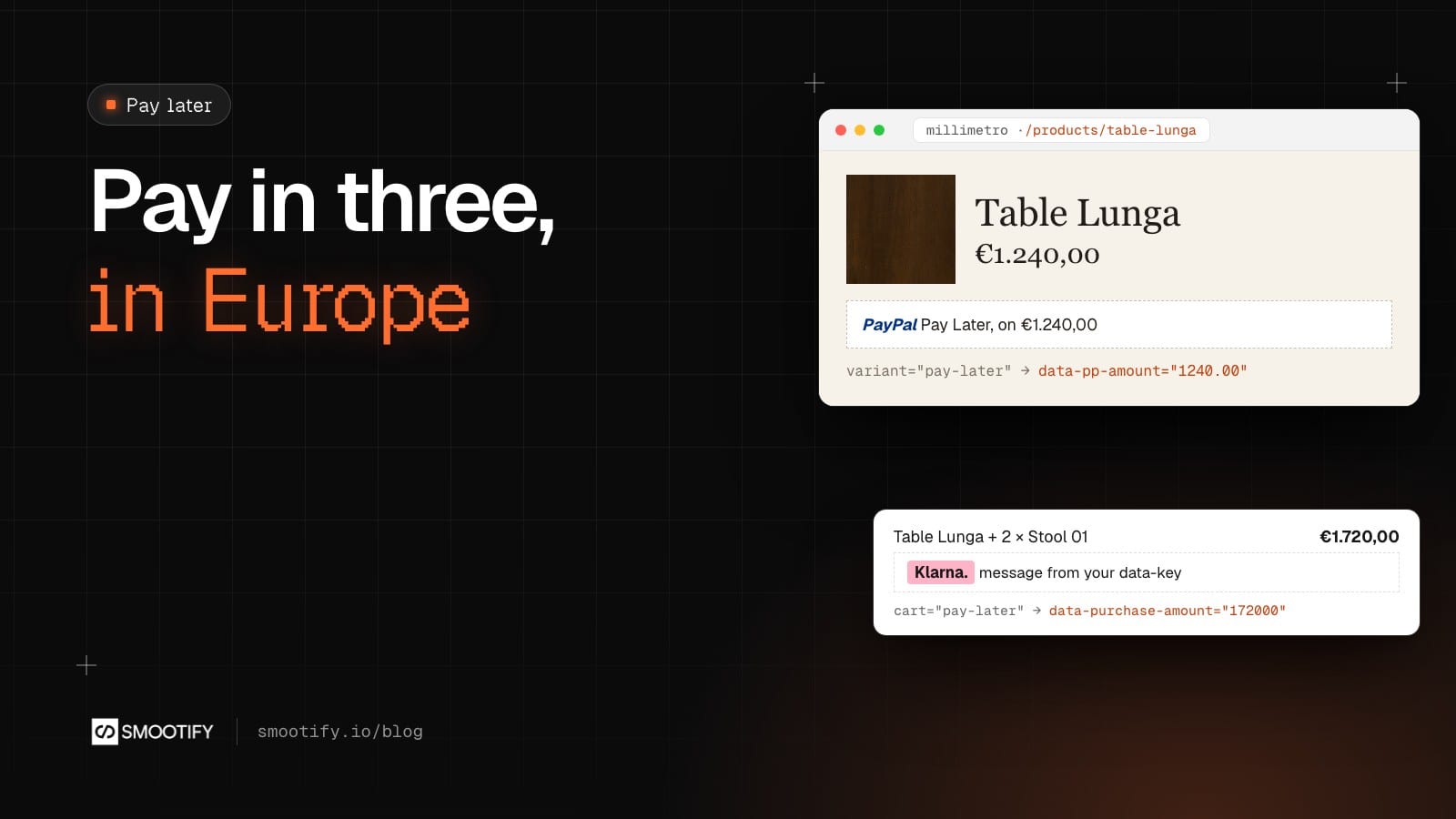
Millimetro’s Table Lunga costs €1,240. For a piece like that, a line under the price such as “3 interest-free payments” can matter as much as the photos.
Merchants in Europe usually look for Shopify’s own pay later first, Shop Pay Installments, and find it is not offered where they sell: Shopify offers it in the United States, Canada, the United Kingdom and Australia. Elsewhere the options are PayPal’s Pay Later and Klarna, and both draw their own message on the page with their own script.
The hard part is not the message. It is the amount. On a product page the amount changes with the variant, the quantity, a subscription plan or an add-on; in the cart it changes with every line. If the message shows the base price while the visitor has picked the walnut top and two pieces, it is wrong. Since Smootify 2.0 beta.3, Smootify keeps that amount up to date for PayPal and Klarna, on a site built in Webflow or in Astro.
One attribute around the placement
PayPal and Klarna each give you a placement, a small piece of code that becomes the message. You paste it in a Code Embed, and tell Smootify which amount it gets:
variant="pay-later"insidesmootify-product: the total of the product form, assmootify-priceshows it indata-prop="total", which is the price with the selling plan and the add-ons, times the quantity;cart="pay-later"insidesmootify-cart: the cart total, in the cart’s currency.
The attribute goes on the placement itself or on a Div block around it. Smootify writes only the amount, in the form each provider reads: data-pp-amount and data-pp-currency for PayPal’s data-pp-message (or amount and currency-code on the newer paypal-message), and data-purchase-amount in cents for a klarna-placement, after which it asks Klarna to draw again.
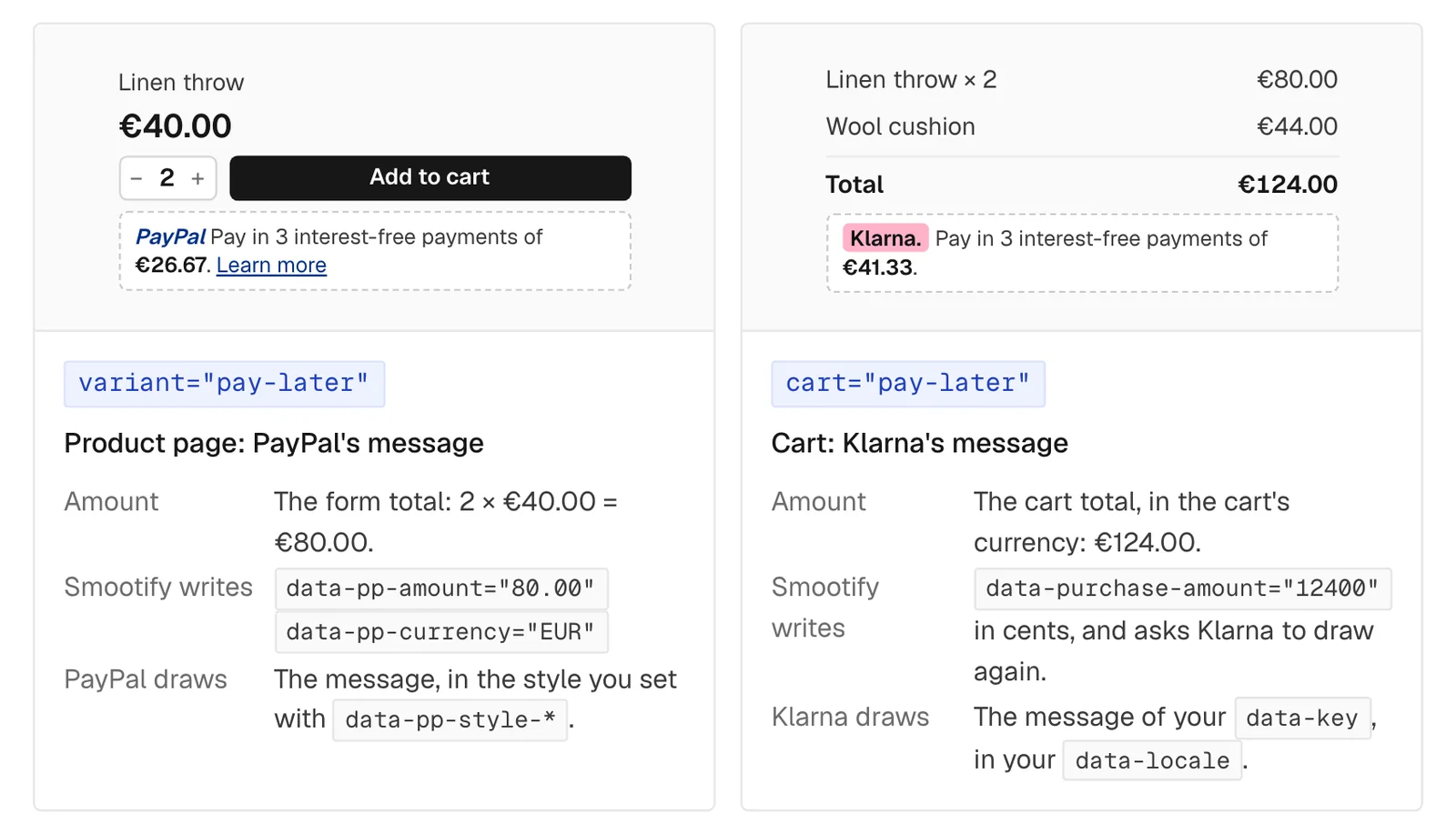
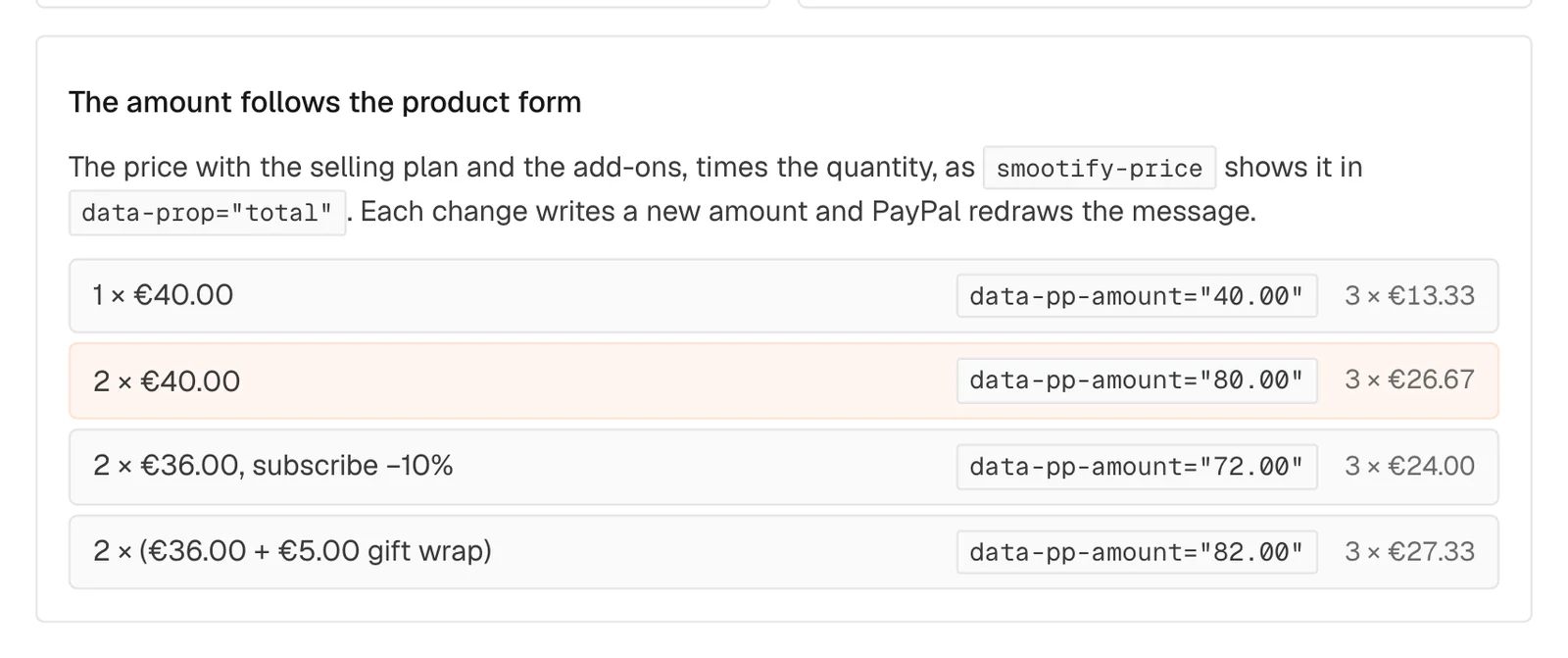
The product amount follows the form as the visitor changes it. One Linen throw at €40.00 writes 40.00; two write 80.00; two with a 10% subscription write 72.00; two with €5.00 gift wrap each write 82.00.
On Millimetro, a PayPal placement under the price of Table Lunga would get data-pp-amount="1240.00"; a Klarna placement in a cart with the table and two Stool 01 would get data-purchase-amount="172000". What the provider offers on those amounts is theirs to decide.
The script stays yours
Everything except the amount stays as you wrote it: the provider’s script, your client id or key, the style, the language.
- PayPal: the JavaScript SDK with
components=messagesand your client id, in Site settings → Custom code or on the pages that show the message. Style it with PayPal’sdata-pp-style-*attributes. - Klarna: the On-site messaging script from the Klarna merchant portal, and a
klarna-placementwith itsdata-keyanddata-locale.
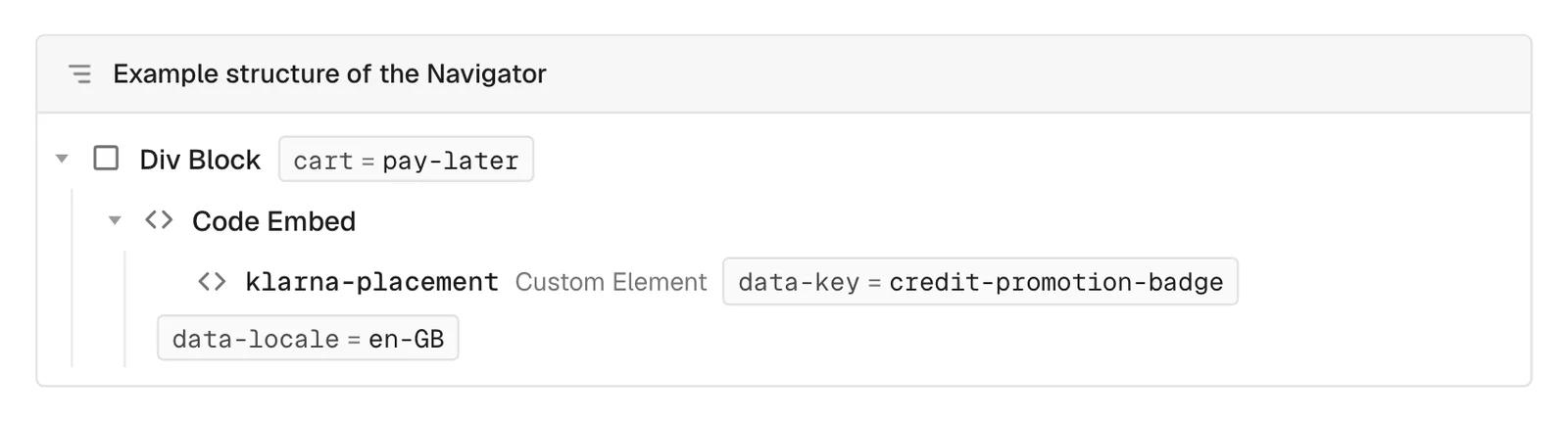
You can use both providers on the same site: PayPal on the product page and Klarna in the cart, or the other way round. In Astro the same attributes go on the elements around the placements: see pay later messages for Astro.
What we have not tried yet
None of our demo stores has a PayPal or Klarna account with pay later turned on, so the messages are not on them, and this post describes the feature from the guide. On a test site of ours, with a PayPal placement and the script still switched off, the placement received the amount from the product form; the message itself, drawn by PayPal or Klarna, is what a store with its own account will see.
Two things to keep in mind on your store:
- The message shows an offer, it does not take the payment. The visitor still pays at Shopify’s checkout with the payment methods your store has, so PayPal or Klarna must be one of them for the message to hold.
- Nothing shows at all when the script is missing from the page, or when your account does not offer pay later in the visitor’s country.
And the usual slips: variant="pay-later" outside smootify-product, cart="pay-later" outside smootify-cart, or a Klarna placement that is not a klarna-placement.
What it costs
No Smootify plan and no add-on: Smootify only writes the amount. You need a PayPal or Klarna account that offers pay later in your country. The setup is in Pay later messages.