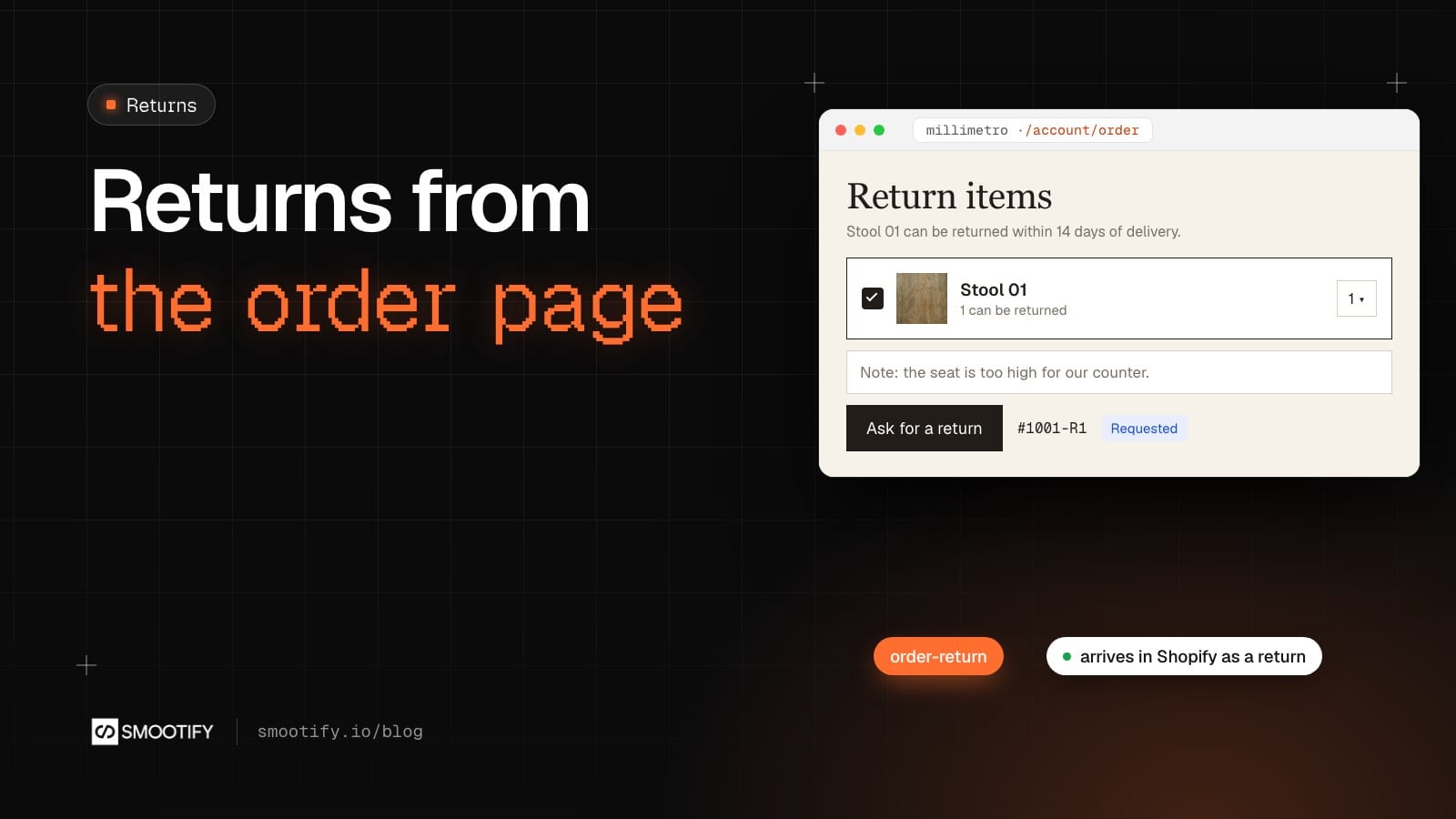
Millimetro makes furniture to measure in Brianza, and sells a few pieces in standard sizes, like Stool 01 at €240. Its refund policy is clear about what can come back: made to measure pieces cannot be returned for a change of mind, Stool 01 can within 14 days of delivery. And then: “Tell us by email.”
That email is where the work starts. Which order, which piece, how many, why. The shop rebuilds the request by hand from a message, then opens the order in Shopify and creates the return there.
On a Shopify theme the usual answer is a returns app with a portal and a monthly fee. Those portals live in the theme, so on a site built in Webflow or Astro they don’t apply. Shopify itself already has everything a return needs, though: return rules in Settings → Returns, return reasons suggested for each product category, and returns that arrive in the admin as requests to approve. What was missing was the form on your site. Smootify 2.0 beta.3 adds it to the order page.
The form on the order page
In the account, the page of one order is an order-page element. Inside it goes an order-return element with a Form Block, and inside the form a request-line-item: the template of one product that can be returned. Smootify repeats it for every product of the order that Shopify says can still be returned, with the usual line-item values (name, variant, image), and line-item="quantity" shows how many can still come back.
In each row, the fields are set by their Name, and all are optional:
quantity, a Number field or a Select: how many to return. A Select gets its options from Smootify.- A Checkbox, any name: the row is sent only while it is ticked.
reason, a Select: Smootify fills it with the reasons Shopify suggests for the product’s category. When there are some, one is required.note, a Text area: the customer’s words, up to 300 characters.
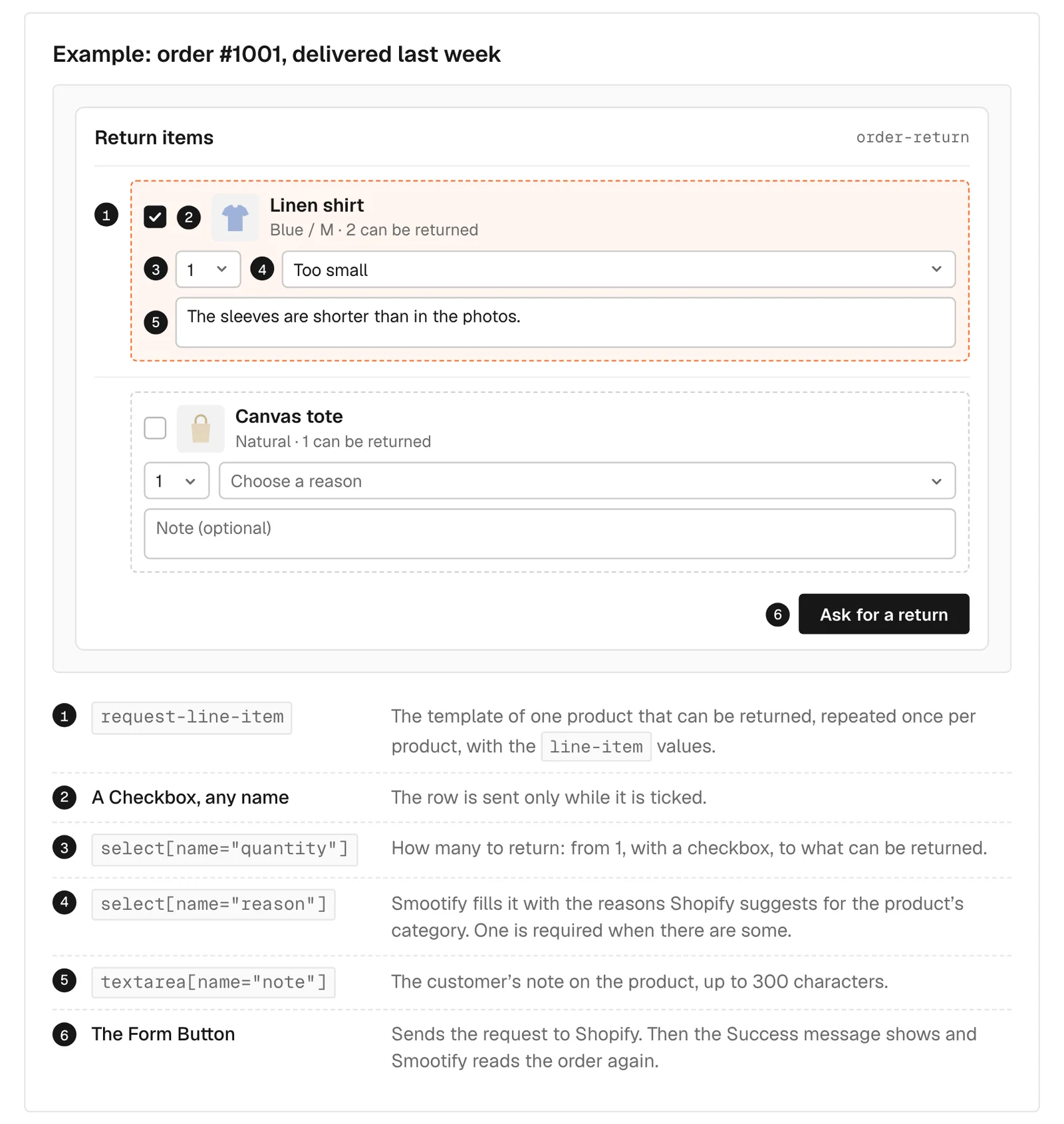
The Form Button sends the request to Shopify. The Success message shows, and Smootify reads the order again. In the admin the request is a return in the Requested state, with the products, the quantities, the reason and the customer’s note. You approve or decline it there, and refunds, labels and restocking follow Shopify’s own flow. Write the Success message accordingly: “Return requested, we’ll get back to you”, not “Refund on its way”.
What the customer sees after
Around the form, outside it, two values tell the customer where things stand:
order-return="request"wraps the last return, withorder-return="name"(#1001-R1),order-return="status"andorder-return="created-at". It is taken out when there is none.order-return="reason"says why nothing can be returned, such as “Return window expired”. The form hides in that case, so this text must sit outside it, or the customer sees nothing at all.
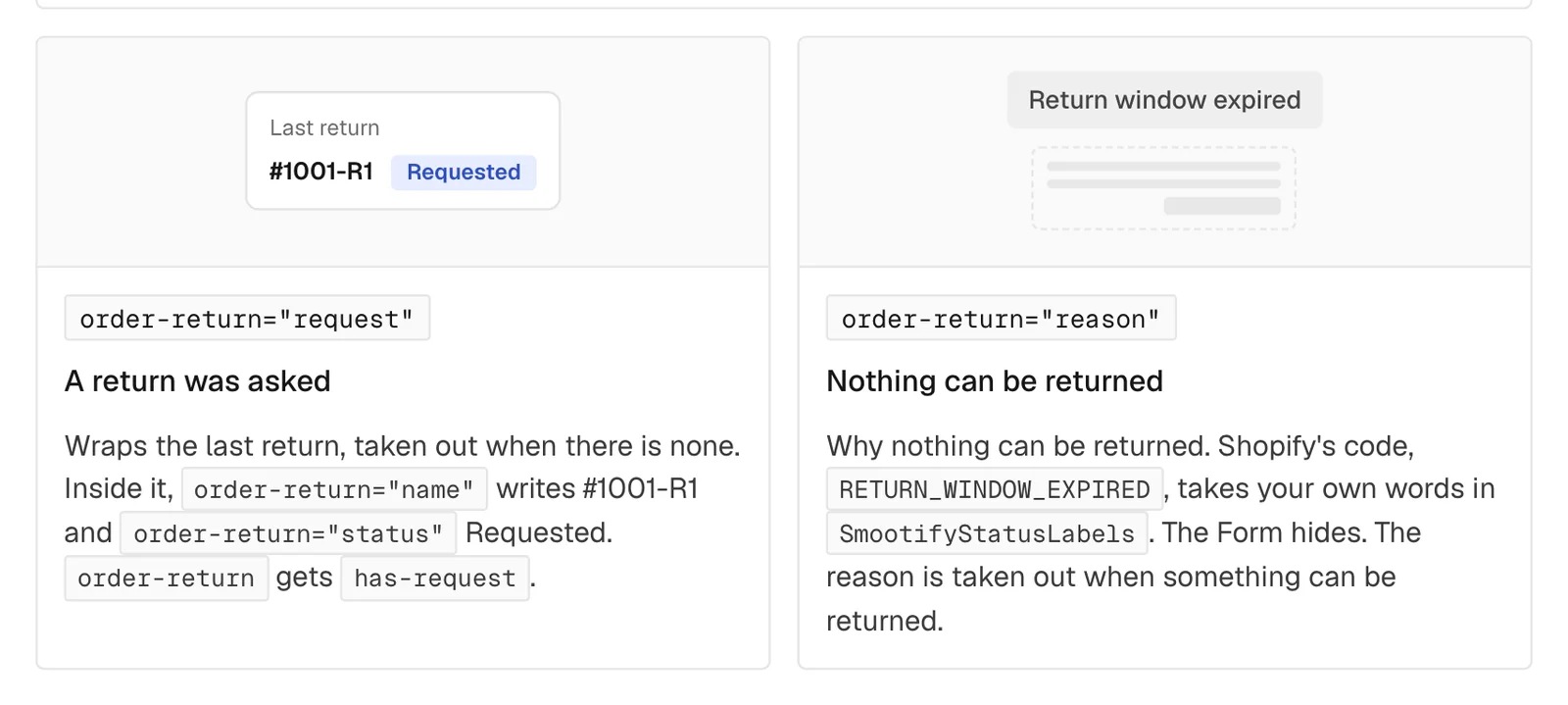
Shopify answers with codes, such as RETURN_WINDOW_EXPIRED or REQUESTED. The SmootifyStatusLabels script of the orders guide gives each one the store’s own words, in its own language. The element also gets classes for the design: is-requestable while something can be returned, has-request once a return was asked, loaded once the order is read.
Removing a piece before it ships
Millimetro builds to order: two to five weeks pass between the order and the delivery. A customer who ordered a desk and two stools may decide, a week later, that one stool is enough. order-edit-request is built the same way as the return form, for products not shipped yet, without reason and note. It asks Shopify to remove them from the order, and the shop resolves or declines the request in the admin. It only removes: no size changes, no additions. Its statuses are REQUESTED, RESOLVED and DECLINED.
What it needs, and what we have not tried on the demo
Both forms need Shopify’s new customer accounts, which Smootify 2.0 already uses for login, and return rules set in Shopify. No Smootify plan and no app.
Millimetro’s demo site has no customers and no account orders, so the forms are not on it, and this post describes them from the guide. Before putting them there, two things we found on the store:
- Stool 01 has no Shopify product category. The suggested reasons come from the category, so on Stool 01 the
reasonfield would hide. Set a category on the product to get them. - The policy text says “Tell us by email”. With the form in the account, the policy should say where to find it.
Whether Shopify emails the customer when the request is received and when it is approved depends on the store’s notifications. Check them before you promise anything on the page.
A return is not the EU withdrawal button
Since 19 June 2026, a store that sells online to consumers in the EU must offer a withdrawal function that is easy to find, has two steps and works without logging in. The return form asks for login and follows the store’s return rules, so on its own it is not that button. The two can live on the same site: the EU right of withdrawal guide shows a withdrawal page that works without an account. Which products are excluded from withdrawal, as Millimetro does for made to measure pieces, is the store’s decision with its lawyer.
Where it goes wrong
- The form never shows. The store has no return rules in Settings → Returns, or the order is not delivered yet. Nothing can be returned, so the form hides.
- “Choose a reason for …” and nothing is sent. Shopify suggests reasons for that product: keep the
reasonfield in the design. - The reason field is missing. Shopify suggests none, usually because the product has no category.
- “Choose at least one item”. No quantity and no ticked row.
- A row only shows the product. It has neither a
quantityfield nor a checkbox. - The fields are ignored. Smootify reads them by Name, and Webflow renames fields when a form is copied. Check every Name after pasting.
What it costs
Nothing extra: returns and removals are Shopify’s, and the form comes with Smootify 2.0 on every plan. In Webflow, the setup is section 5 of Orders and buy again. In Astro the same elements go in your order page: see Orders and buy again for Astro.