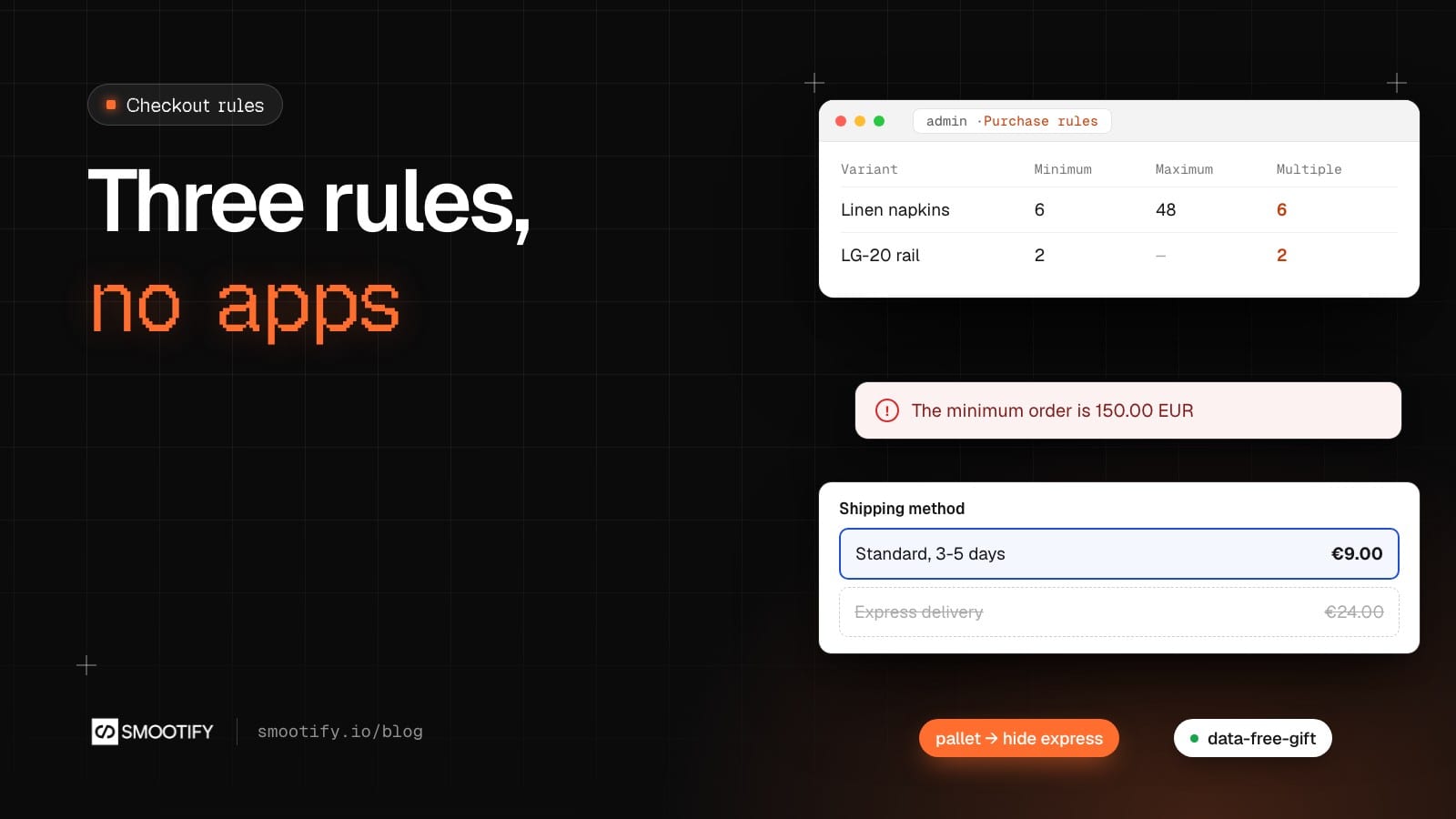
Three requests come up in almost every Shopify store sooner or later. “Sell these only in packs of six.” “No express delivery for the pieces that ship on a pallet.” “A free gift once the cart passes €50.” On Shopify each one is usually an app with its own monthly fee and its own settings page, and many merchants assume they need Shopify Plus, because the words checkout and Shopify Functions are involved.
They don’t. Since Smootify 2.0 beta.3 the Smootify app in Shopify carries three Shopify Functions: purchase rules, delivery rules and a gift discount. Shopify runs them on its own servers, at checkout, and Functions from a public app run on every Shopify plan. They come with the app on every Smootify plan, the free one included, with no add-on to turn on. Your site, built in Webflow or in Astro, follows them without new markup, except one attribute for the gift.
A word on what you see below: our demo stores don’t have these rules set up yet. The screenshots and examples come from the guides, made on a test store with the released app. Spannbach, the fastener and linear motion store, has the obvious cases, and we use it to say where each rule would go.
How many: a minimum, a maximum, a multiple
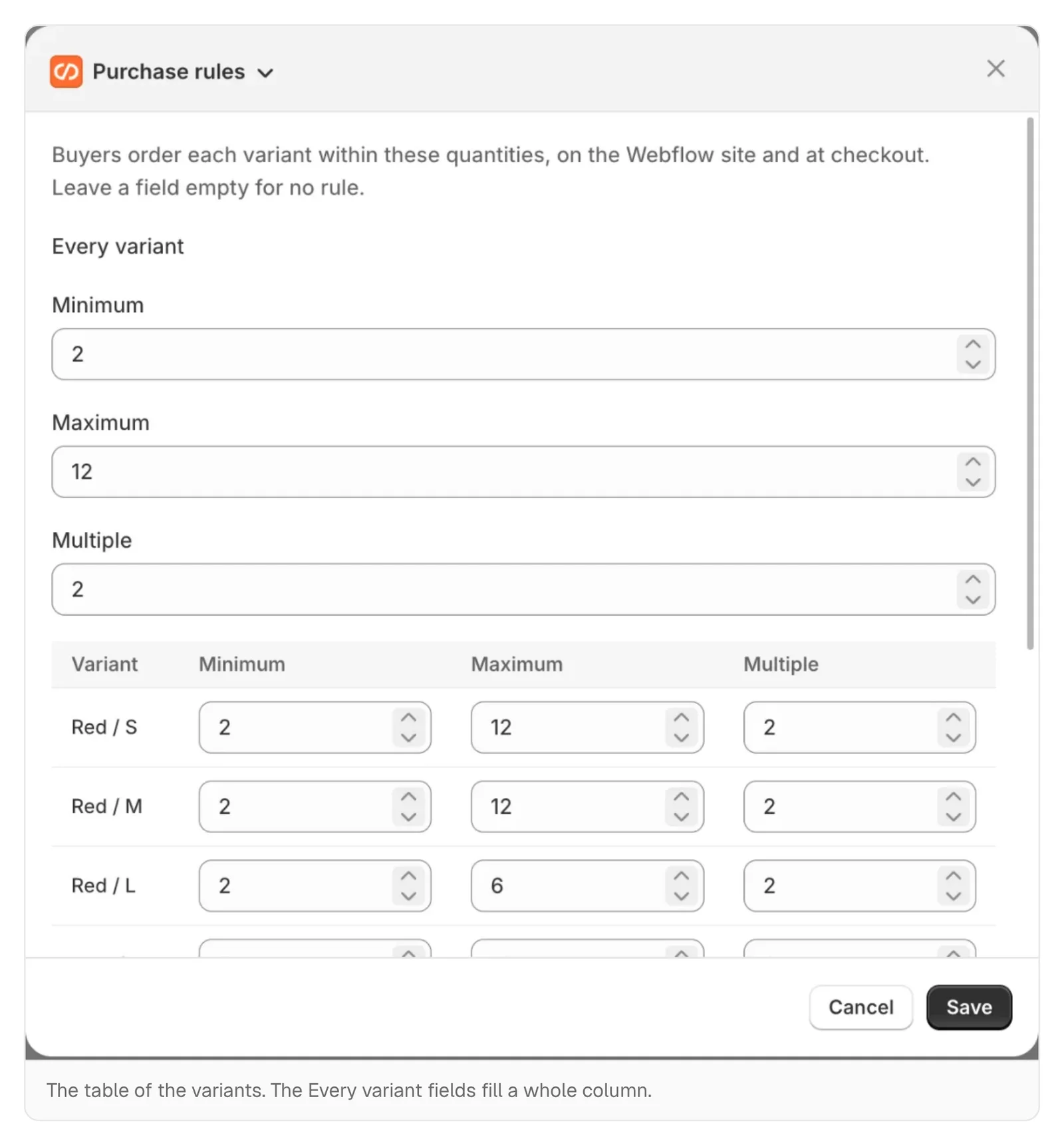
Purchase rules set how many pieces of a variant a customer can buy. You write them on the product in the Shopify admin: the Purchase rules block on the product page lists the variants that have rules, and More actions → Purchase rules opens a table with every variant and three columns. The Every variant fields at the top fill a whole column at once, which is the quick way on a product with twenty sizes.
Shopify checks the rules on every change to the cart and again at checkout, so they cannot be skipped by editing the page. On the site, the quantity fields you already built follow them. With linen napkins sold from 6, in sixes, up to 48:
- the product page quantity starts at 6, goes 6, 12, 18, and stops at 48 (without a maximum, at the stock);
- in the cart the line goes up and down by 6, and one step down from 6 removes it;
- a direct add-to-cart button adds the minimum, 6;
- if Shopify still refuses a quantity, your own message shows in the Error message of the Form Block, such as “Linen napkins: sold in packs of 6.”
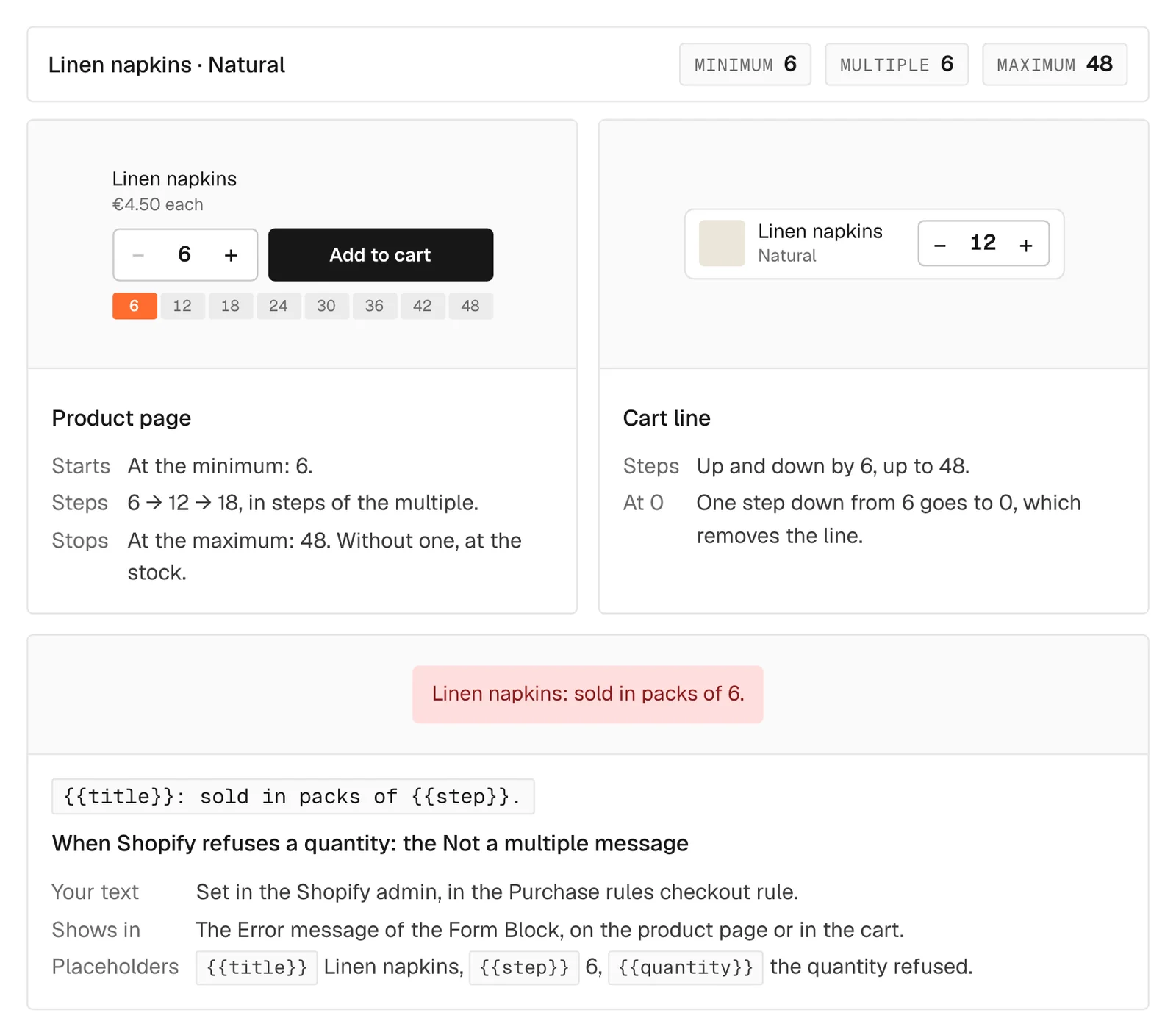
The messages are written on the checkout rule’s page, each with its placeholders: {{title}}, {{min}}, {{max}}, {{step}}, {{quantity}}. To say the rule on the product page before anyone tries, variant="quantity-min", variant="quantity-max" and variant="quantity-increment" write the numbers: “from 6, in packs of 6”.
On Spannbach, the screws sold by the box would get a minimum and a multiple, and the LG-20 guide rails, fitted in pairs, a multiple of 2. Spannbach also sells to companies through Shopify’s B2B catalogs, which can have their own quantity rules. When a variant has both, the stricter one wins: the higher minimum, the lower maximum, and a multiple of both.
How much: a minimum order per currency
The same function checks a minimum order. In Settings → Checkout → Checkout rules → Add rule → Purchase rules you write one currency per line, EUR 150, CHF 160, and the customer below it sees your message at checkout.
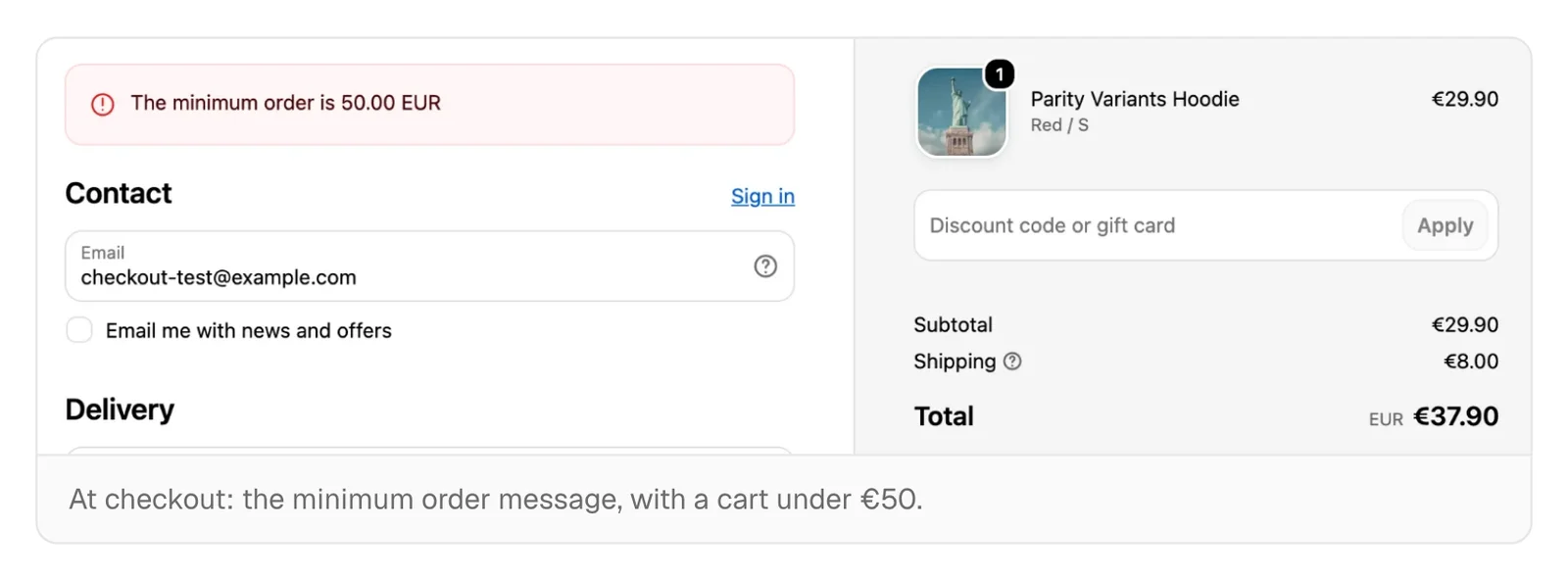
One step people miss: Shopify adds checkout rules turned off. After saving, turn Purchase rules on in the same list, or the minimum does nothing.
Which delivery: hide, keep, rename
Delivery rules change the delivery options the customer sees at checkout. They live in Products → More actions → Delivery rules. A rule has conditions, all of which must be true together:
- a product in the cart has a tag;
- the customer has a tag;
- the buyer buys for a company (B2B);
- the cart has a pickup or delivery window booked with Slot booking.
Turn it around applies the rule when the conditions are not true. The rule then hides options, keeps only some, or renames them, one per line as Old name -> New name. You name an option with part of its name, in any case (express finds “Express delivery”), or with its type: SHIPPING, LOCAL, PICK_UP, PICKUP_POINT.
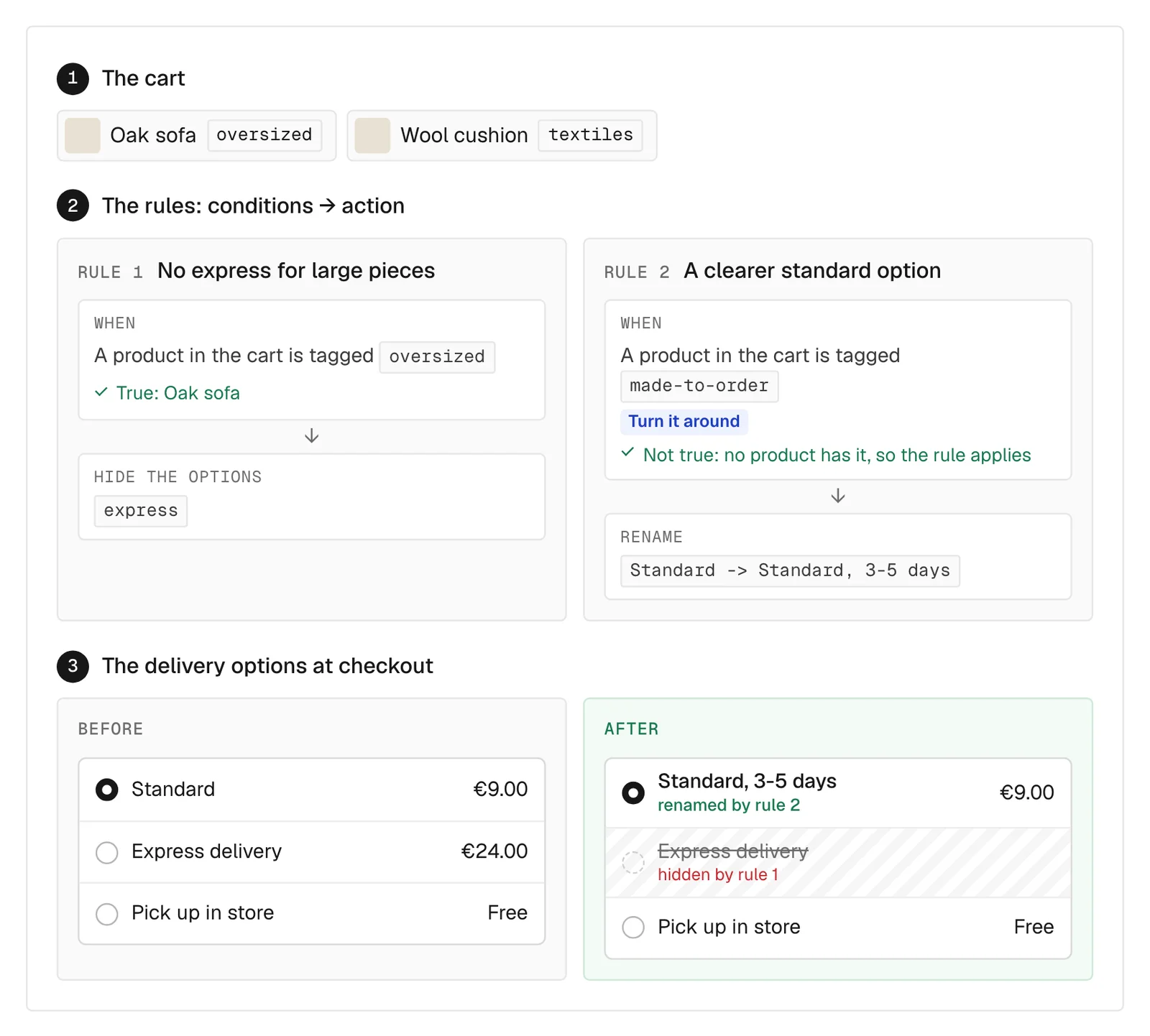
On Spannbach the 3,000 mm LG-20 rail already carries the tag pallet. A rule “a product in the cart is tagged pallet → hide express” would keep a courier option off an order that cannot travel by courier. A second one, “the buyer buys for a company”, turned around, would hide PICK_UP for private customers. A store can have up to 25 delivery rules. They have no attributes on the site: they are checkout only.
The gift above a threshold
The third function is a discount type. In Discounts → Create discount, under Smootify, choose Gift above a threshold, as an Automatic discount. You pick the gift variant, how many pieces are free, the threshold per currency (EUR 50, CHF 55) and the message at checkout. The threshold counts the rest of the cart, before discounts and without the gift.
Shopify makes the gift free at checkout, but it does not put it in the cart: on Shopify themes that is the job of an app. On your site it is one attribute on the cart that every page has, such as the mini cart in the navbar:
Smootify adds the gift as a normal line, at €0.00 and without a quantity field, when the cart reaches the threshold, and takes it out when the cart drops below. If the customer removes it, it stays out while the cart stays above the threshold, and comes back only after the cart drops below and reaches it again. No loops of a gift that keeps coming back.
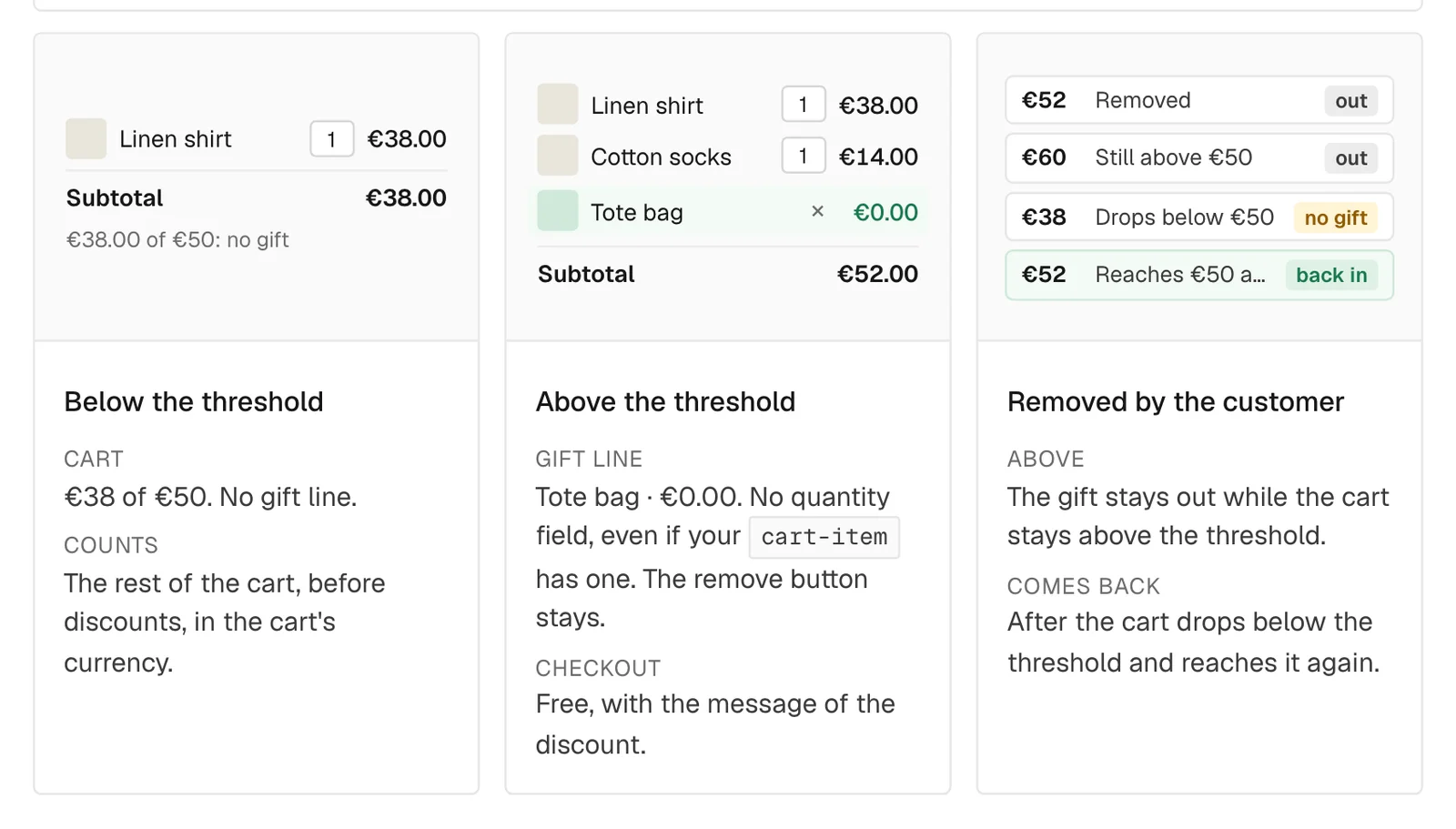
For Sunday Crate a Breakfast mug above a set amount is the natural case, but the store has no gift discount yet. Before setting one, check how it combines with the store’s other discounts, such as WELCOME10: if Shopify does not make the gift free, because the discount ended or does not combine with another one on the cart, the gift comes out and stays out.
data-free-gift="false" turns it off, which helps when the cart is a Webflow component with a true or false property. In Astro the attribute goes on the same smootify-cart element.
Before you count on them
- Approve the app’s new permissions. Stores that installed the Smootify app before beta.3 approve them once in the Shopify admin, or the rules cannot be saved.
- The minimum order does nothing. The checkout rule is still off.
- A quantity is refused and nothing shows. The Error message of the cart’s Form Block was removed from the design.
- A delivery rule does nothing. It is off, or not every condition is true for the cart you test.
- The gift never goes in. The discount was created as a code: make it an Automatic discount.
- No gift in one currency. The threshold has no line for that currency.
- You changed the discount and the site does not see it. Smootify reads the gift once per visit: check in a new private window.
What they cost
Nothing on top. The three functions come with the Smootify app on every Smootify plan, Free included, and run on every Shopify plan. The setup is in three guides: Purchase rules, Delivery rules and Free gift above a threshold. For Astro: purchase rules and free gift.