Delivery rules
Hide, keep or rename the delivery options at checkout, depending on the products in the cart, the customer's tags, a B2B buyer or a booked delivery window.
Delivery rules change the delivery options your customers see at checkout. A rule hides some options, keeps only some, or renames them, when its conditions are true: a product in the cart has a tag, the customer has a tag, the buyer buys for a company, or the cart has a booked pickup or delivery window. For example: no express delivery for oversized products, or “Standard, 3–5 days” instead of “Standard”.
Note
Delivery rules come with the Smootify app in Shopify, on every Smootify plan, the free one too, and on every Shopify plan: Shopify runs them on its own servers, at checkout. You set them in the Shopify admin: nothing changes on your Webflow site.
1. Open the rules
In the Shopify admin, open Products, then More actions → Delivery rules. The page lists your rules: from there you create, turn on and off, edit and delete them.
Shopify also lists them in Settings → Shipping and delivery, among the delivery customizations. A store can have up to 25.
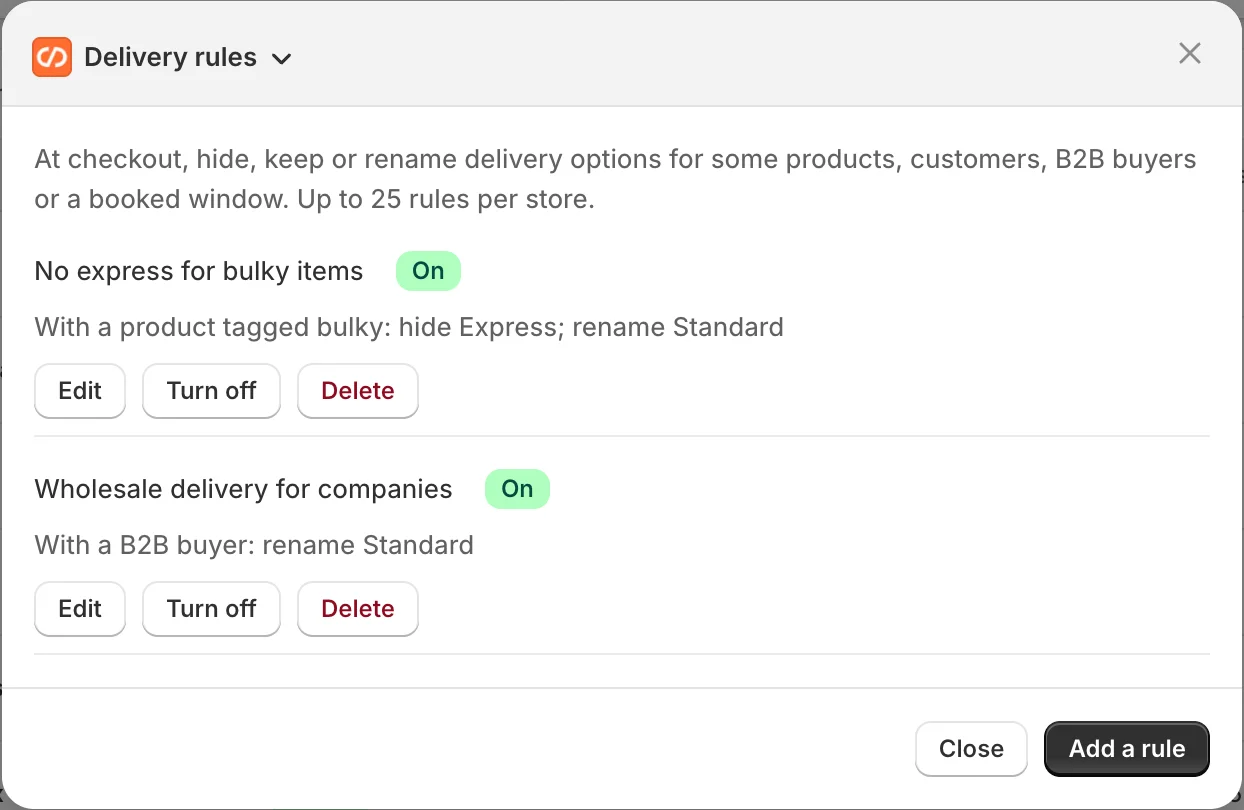
2. Choose when the rule applies
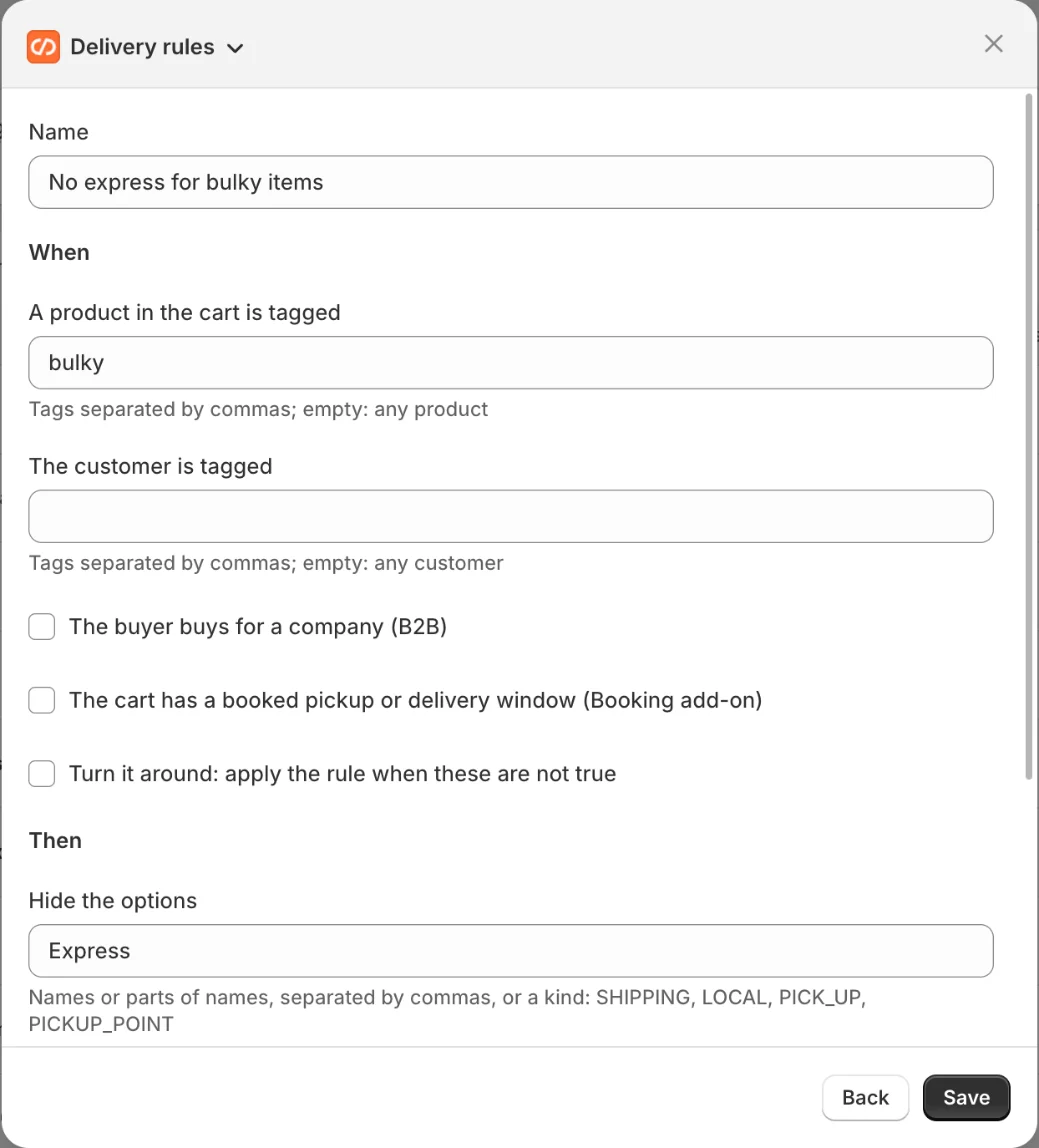
A rule has a Name and one or more conditions:
- A product in the cart is tagged: product tags, separated by commas.
- The customer is tagged: customer tags, separated by commas.
- The buyer buys for a company (B2B).
- The cart has a booked pickup or delivery window: a window chosen with Slot booking.
Every condition you set must be true at the same time. A rule without conditions always applies. Turn it around applies the rule when the conditions are not true.
3. Choose what it does
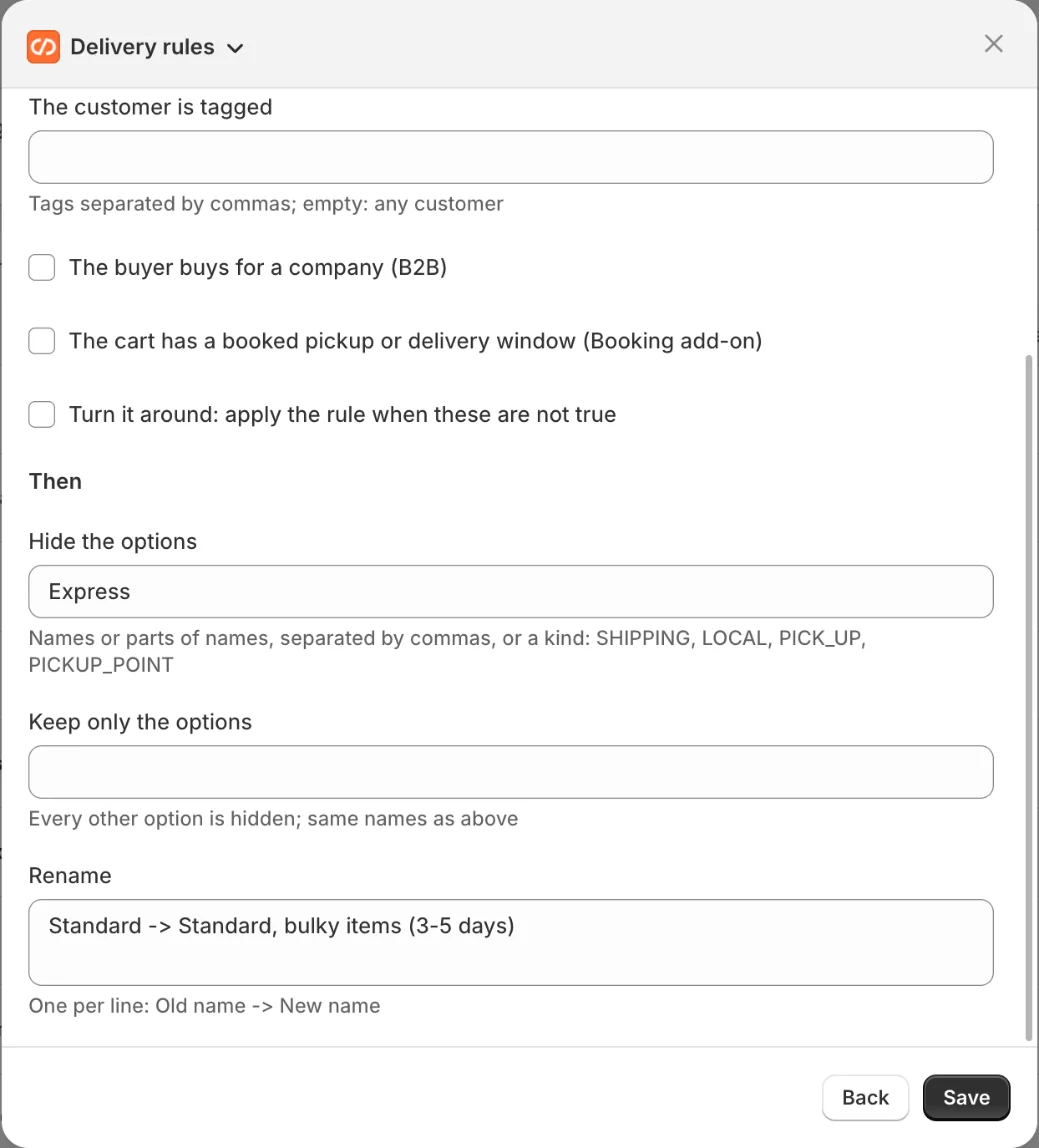
- Hide the options: the options you list disappear.
- Keep only the options: every other option disappears.
- Rename: one per line, as
Old name -> New name.
You name an option with part of its name, in any case (express finds “Express delivery”), or with its type: SHIPPING, LOCAL, PICK_UP or PICKUP_POINT.
Examples
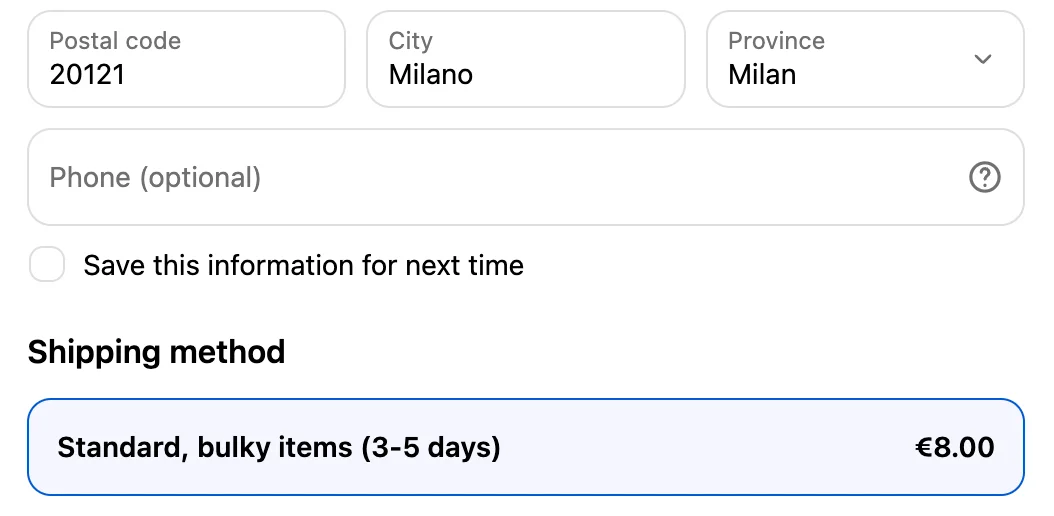
- No express for large pieces. Condition: a product in the cart is tagged
oversized. Action: hideexpress. - A clearer standard option. Condition: a product in the cart is tagged
made-to-order, turned around. Action: renameStandard -> Standard, 3-5 days.
Both rules can apply to the same cart: Shopify runs every rule that is on.
The two rules on a cart with an oversized sofa and nothing made to order:
1 The cart
oversizedWool cushiontextiles2 The rules: conditions → action
Rule 1No express for large pieces
oversizedTrue: Oak sofaexpressRule 2A clearer standard option
made-to-orderTurn it aroundNot true: no product has it, so the rule appliesStandard -> Standard, 3-5 days3 The delivery options at checkout
Before
After
Before you publish
Check these first
- The rule does nothing. Check that it is on in the list, and that every condition is true for the cart you test: they must all be true together.
- The option you name stays. Write a part of its name as it shows at checkout, or its type, such as
PICK_UP. - You cannot add a rule. Shopify allows up to 25 delivery customizations per store.