A wine shop wants customers to fill a case of 6 or 12. A coffee roaster wants a sampler of three single origins. A breakfast brand wants one coffee, one spread and one crunchy thing in the same box. None of these shops searches for “mix and match”. They search for how to let the customer fill the case themselves, and then for why the checkout shows nine separate lines and no discount.
Magic Box answers all three with one element. The customer picks products from lists you design, in Webflow or Astro, under rules you set, and the box goes to the cart as one line with its own title and image. At checkout it stays one line and can carry a discount. It is a real bundle all the way to Shopify’s checkout, not a group of lines that the cart pretends to merge.
It is included in every Smootify plan, the free one too. You turn it on once in the Smootify dashboard of the site.
Two boxes on Sunday Crate
Sunday Crate, our food crate demo store, runs two boxes on the same mechanism.
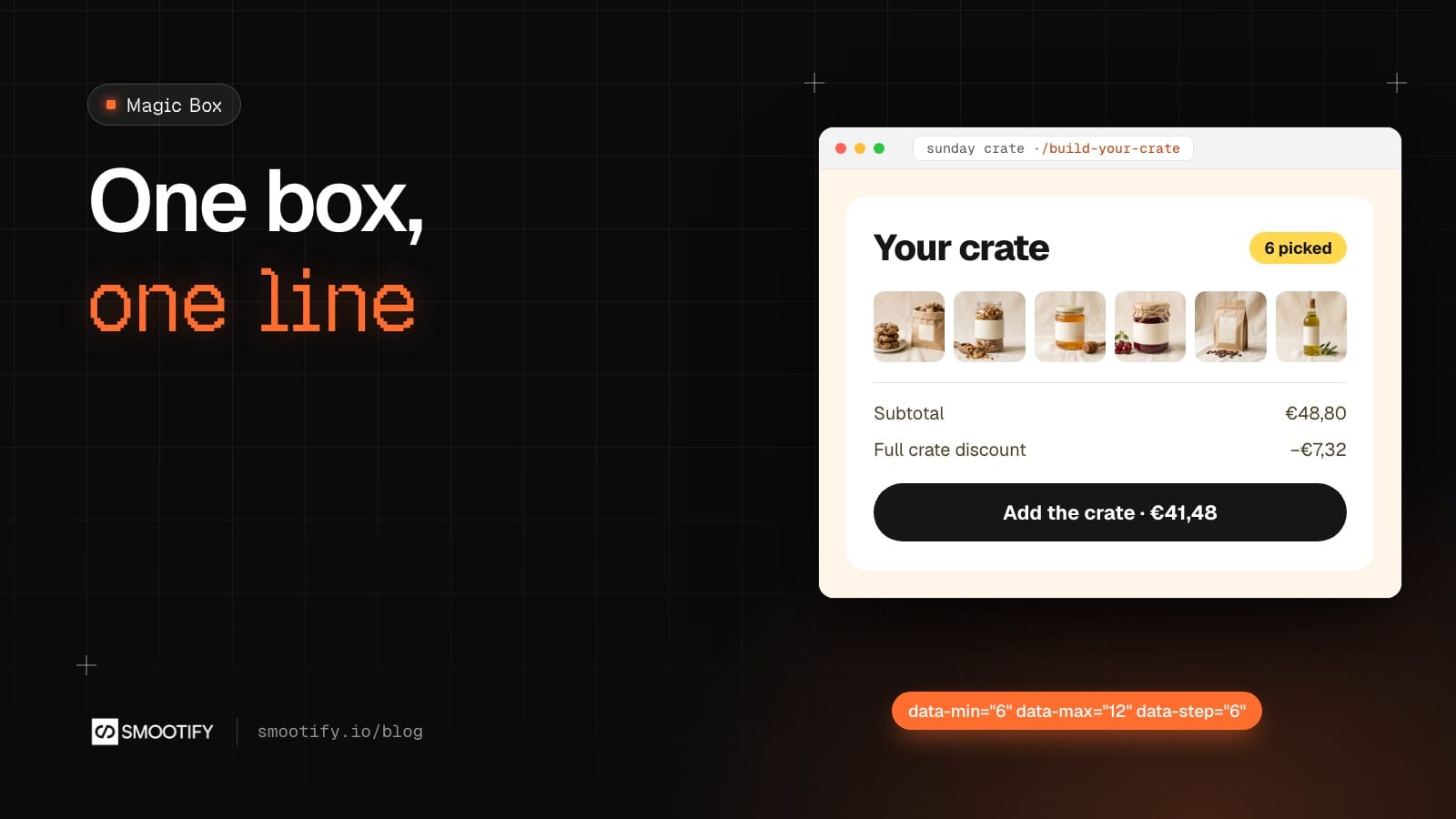
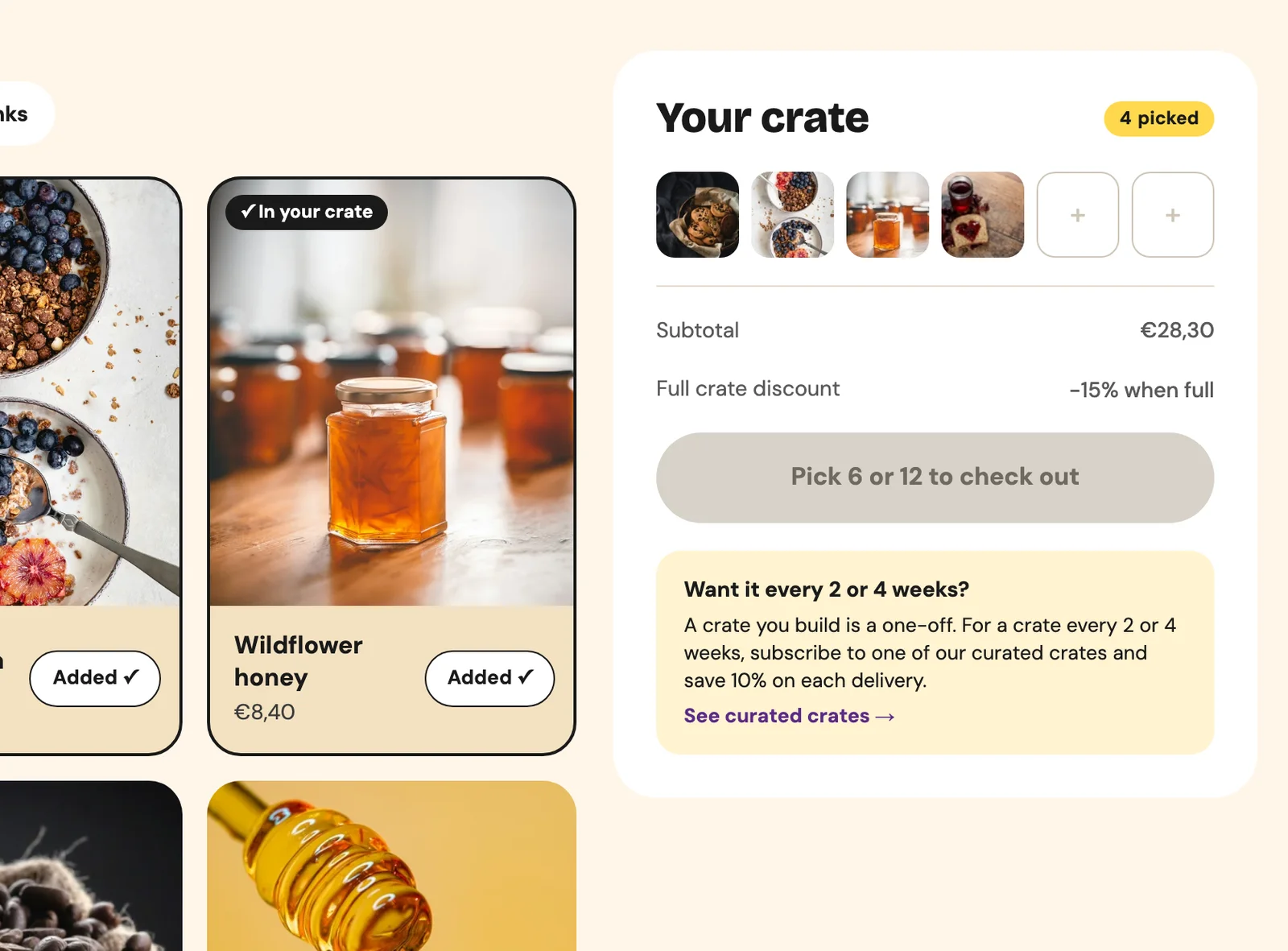
Build your crate (/build-your-crate) is a case of 6 or 12 pantry items. The customer browses tabs (All, Coffee, Sweet, Savoury, Drinks), adds with ”+ Add”, and each pick drops into a slot of the crate panel. Until there are 6 or 12 pieces, the button reads “Pick 6 or 12 to check out”. The rules are three attributes on the box: data-min="6", data-max="12", data-step="6". The box can be bought when the count is between the minimum and the maximum and a multiple of the step, so 7 to 11 never pass. data-unique keeps one of each, because the crate is for trying things.
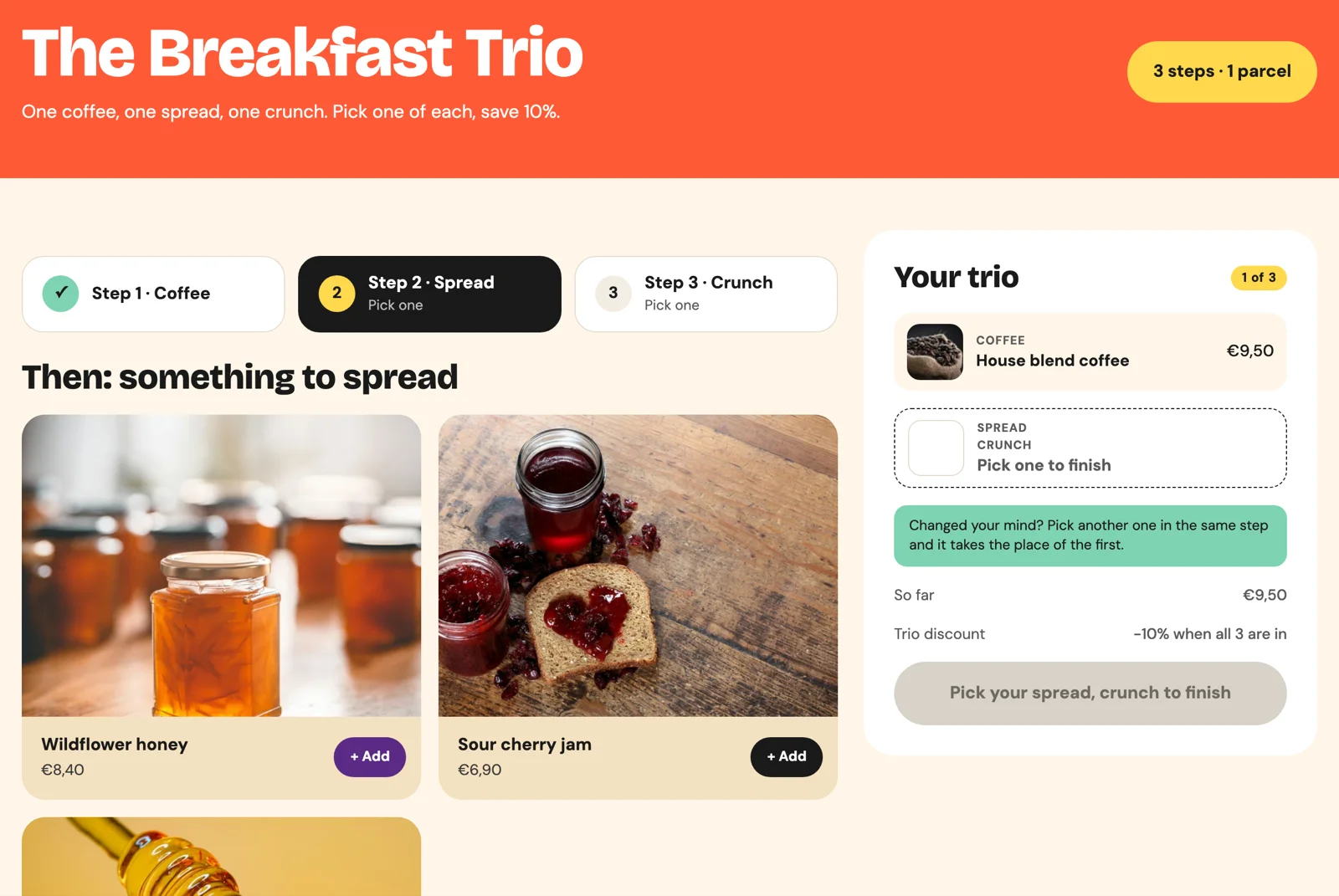
The Breakfast Trio (/breakfast-trio) is a configurator in three steps: Coffee, Spread, Crunch. Each step is a category, and the box can be bought only when every category has a piece (data-all-categories). The steps sit in Webflow Tabs: when the honey goes in, the Crunch tab opens by itself. No interactions to build. With data-auto-remove-category, picking a second spread replaces the first instead of showing an error, which is what people expect from a configurator.
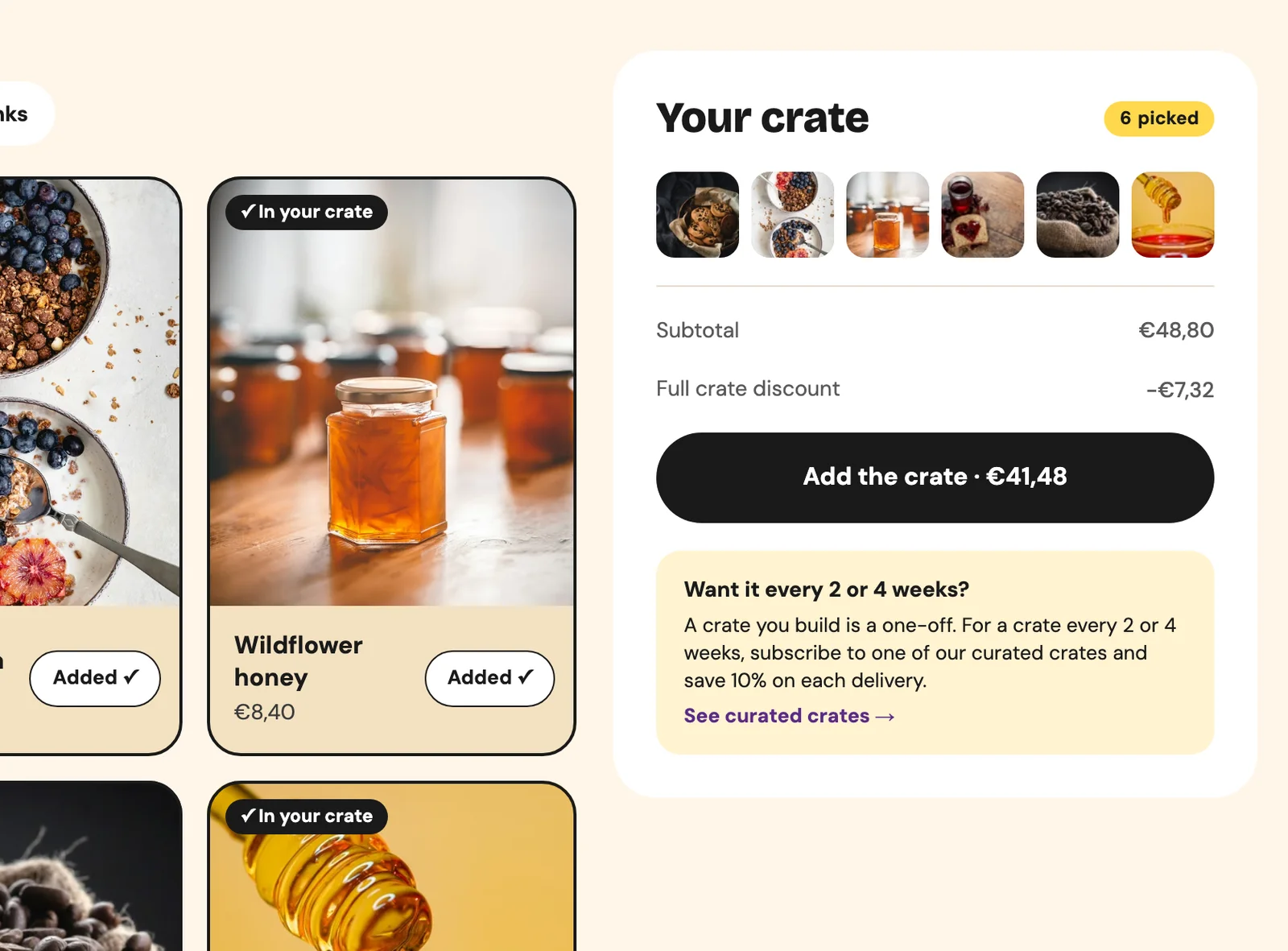
On both, the title, the image and the discount come from a Magic Box entry in Shopify (Content > Metaobjects > Magic Box): “Your crate” with 15% off, “The Breakfast Trio” with 10%. The merchant can change the Christmas title or the percentage in Shopify without touching the site.
Six ways to sell with the same element
The settings change, the element stays the same. Pick yours by mechanism, not by industry:
| Mechanism | Settings | Sells |
|---|---|---|
| Fixed size | data-min = data-max | a 3-coffee sampler, a 9-praline box |
| Sizes you choose | data-min, data-max, data-step | a case of 6 or 12, a 3-month or 6-month supply |
| One per category | smootify-box-category, data-all-categories | a PC, a meal kit, a skincare routine |
| Free mix with a limit | data-max alone | “fill the bag, up to 10”, 3 prints of your choice |
| Discount on the box | a Magic Box entry (data-handle) | “build the case, save 15%” |
| Add-ons as one line | use-magic-box="true" on the add-to-cart | a gift crate with its wrapping and card |
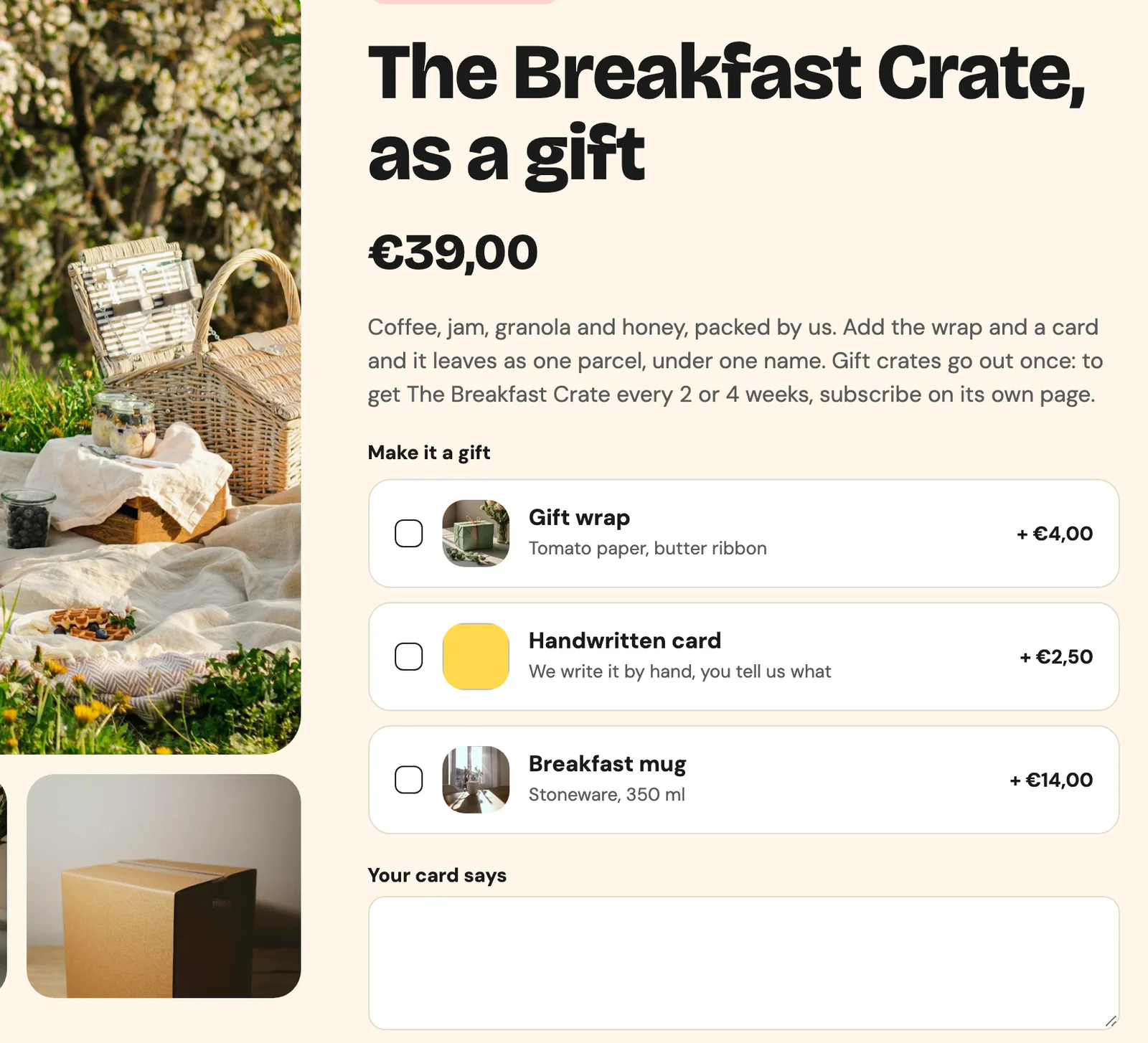
The last one is the least known. On Sunday Crate, “The Breakfast Crate, as a gift” offers a gift wrap (€4,00), a handwritten card (€2,50) and a breakfast mug (€14,00) as add-ons. In the cart, the crate and its add-ons are one line. With use-magic-box="true" on the add-to-cart, Smootify also reads the Combinations entries in Shopify: Sunday Crate has one for the wrap and the card together, titled “The Breakfast Crate, gift-wrapped”, with its own photo, and that title and photo go on the line when the customer picks exactly those two.
New in 2.0: the box remembers
Three things that 1.x did not do, and that customers notice:
- The box survives a reload. Pieces stay through a reload or a visit to another page until the box goes to the cart, up to a week. A customer who checks the jam’s page in the middle of filling a crate comes back to the same 4 pieces.
- Picked cards know they are picked. The card of a product in the box takes the class
is-in-box, so the ”+ Add” button can turn into “Added” with a combo class. - The box says what is missing. The Trio lists the steps still empty in its button: after the coffee it reads “Pick your spread, crunch to finish”. That is
data-prop="missingCategories", and a completed step takesis-complete, so its tab can show a tick.
Where it fails without telling you
Magic Box rarely throws an error you can see. These are the four places where people give up:
- Products go straight to the cart, one by one. Magic Box is not turned on in the Smootify dashboard. It needs to be on for the
.webflow.ioaddress too. - The whole box disappears. The box panel,
smootify-magic-box-cart, is missing, ordata-handledoes not match an entry in Shopify. Without the panel the box is removed from the page. - There is no discount. The box is static, with
data-titleanddata-imageset by hand. A discount only comes from a Magic Box entry. - The image is missing at checkout. A static box image must be a Shopify file (Content > Files). Checkout ignores an image hosted anywhere else.
The Smootify debugger on your .webflow.io address lists the Magic Box elements and tells you when they are not running.
Clone it
Sunday Crate is on the Templates page: clone the Webflow project and open /build-your-crate and /breakfast-trio in the Designer to see both boxes with their classes. The same store is online in Astro too, at sunday-crate-astro.smootify.io, with both boxes. The steps, every attribute and the box panel states are in the Magic Box guide, and the add-on route in Product add-ons.