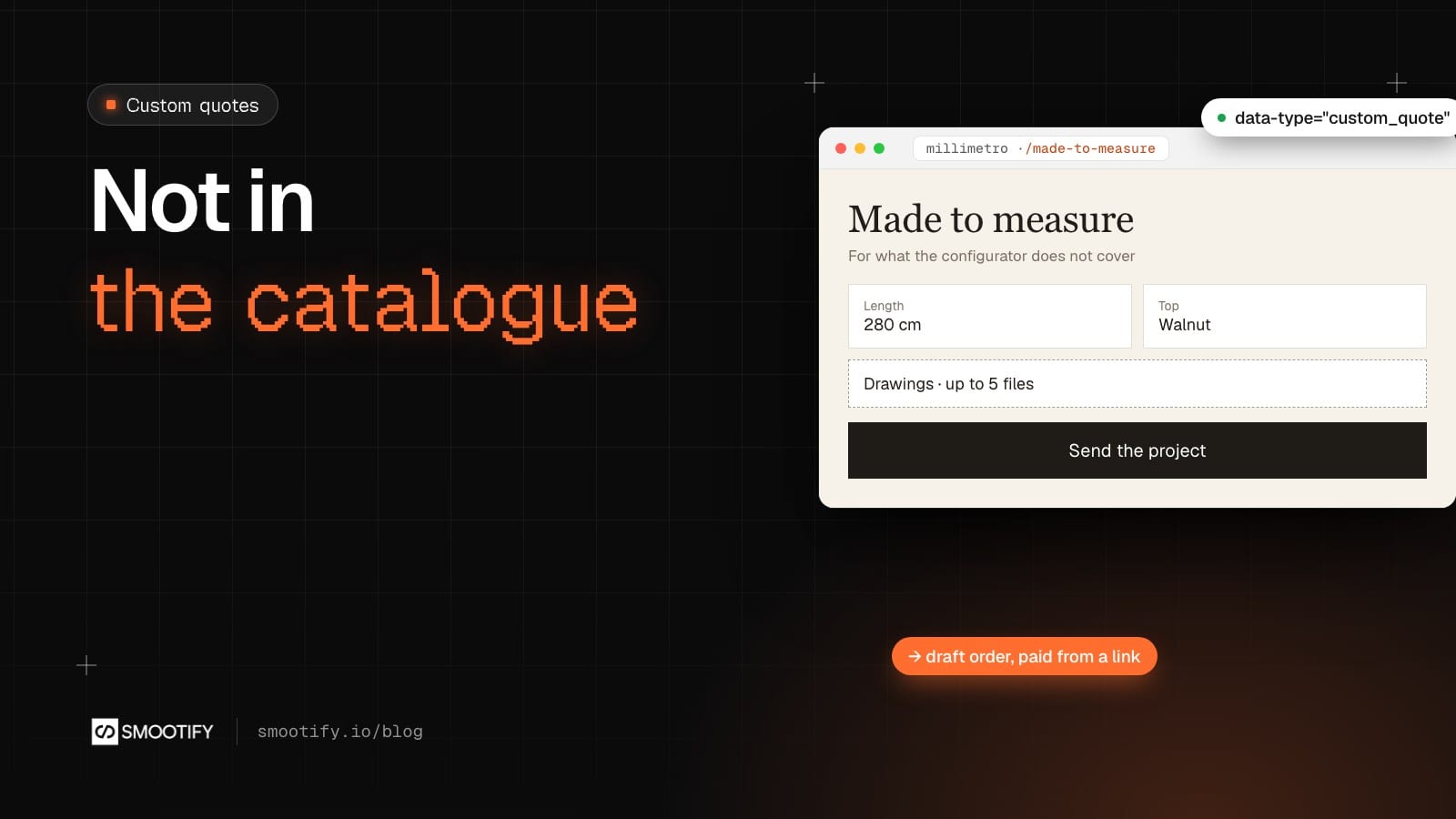
A couple in Monza have a niche in their living room, 143 cm wide and 260 cm high, and they want a bookcase that fills it. Millimetro, our made-to-measure furniture demo store, could build it. But there is no product for it. Desk No. 3 is sized to the centimetre, from 100 to 240 cm wide, and the configurator prices it with a formula. A bookcase for one niche has no formula and no product page. So the couple write an email, the workshop answers with questions, the drawing comes as an attachment two messages later, and the price goes back by email.
Every quote in Smootify so far starts from something in the catalogue: a cart turned into a request, or a product priced by a formula. Real made-to-measure work starts from a description. This post covers that case: the customer describes the piece on the site, Shopify Flow turns the description into a draft order, the workshop sets the price, and the customer pays the invoice in Shopify’s checkout, like any order. It works the same on a store built in Webflow or in Astro.
Where the catalogue ends today
Millimetro’s sizing guide already draws the line. Each product has its range, and the last row says what to do outside it.
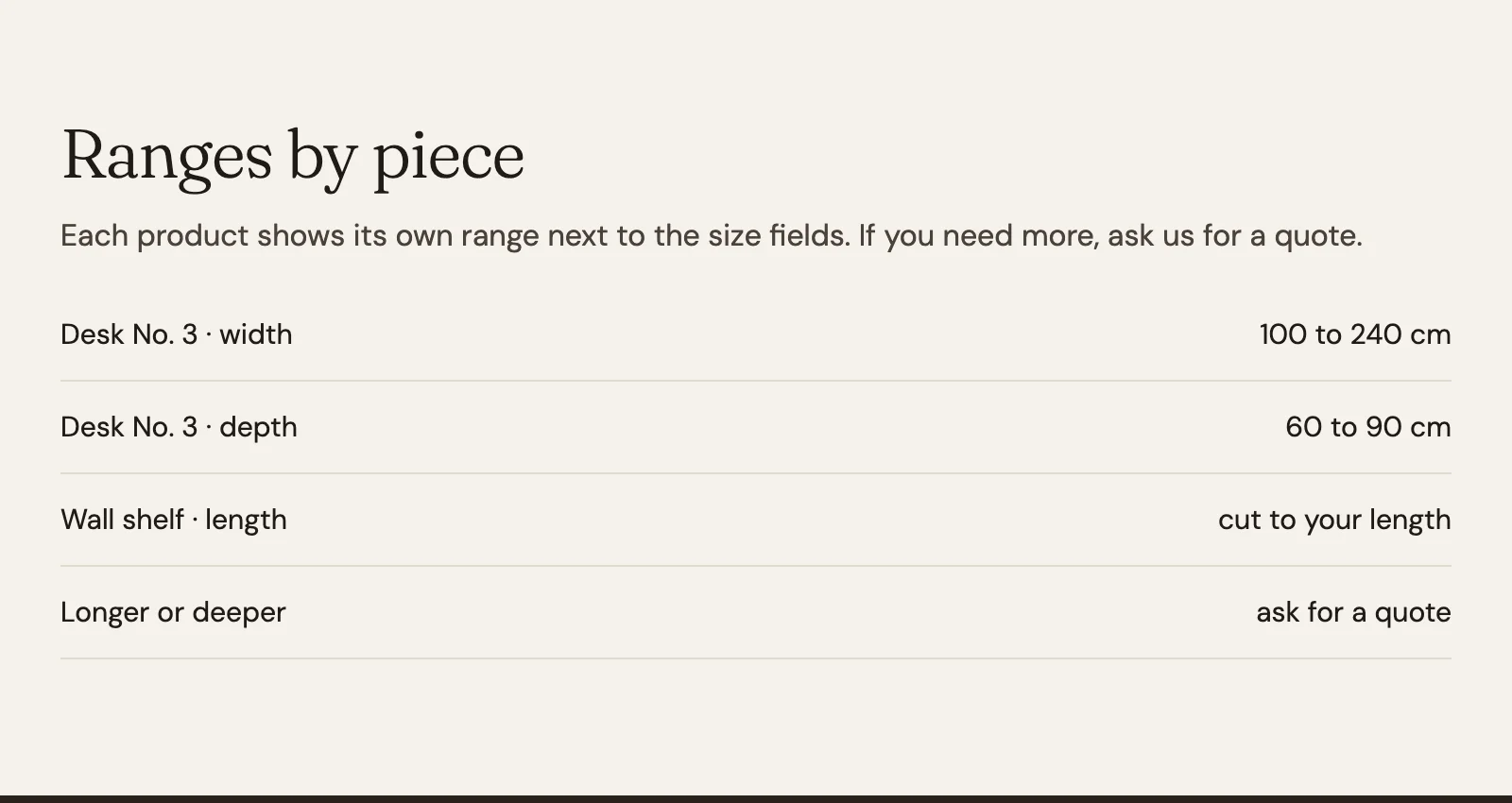
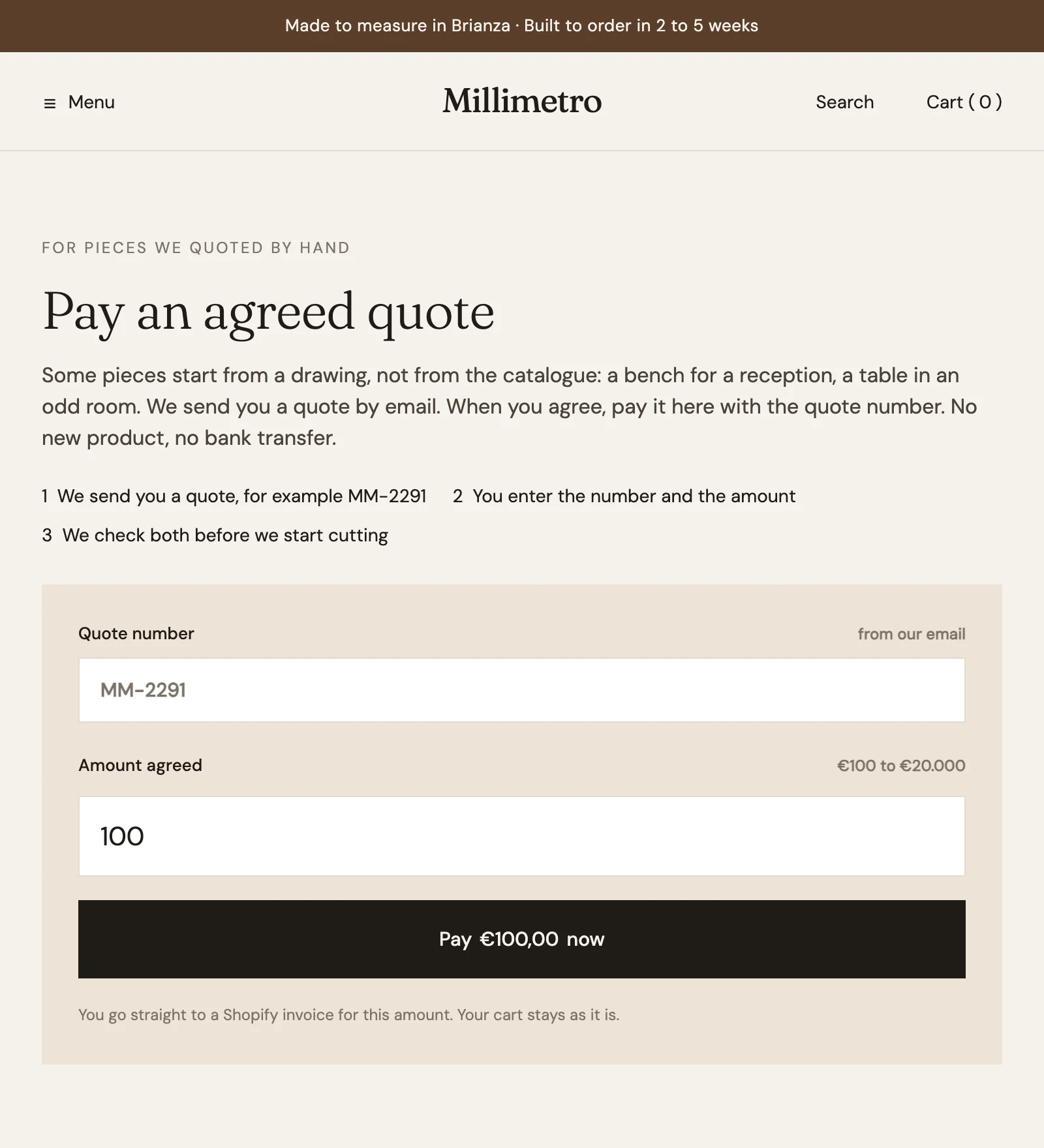
Today, “ask for a quote” means email. When the customer agrees, Millimetro’s Pay an agreed quote page lets them pay the amount with the quote number, through Name your price. That covers the end of the story. The made-to-measure form in this post covers the beginning: the request, with everything the workshop needs, already in Shopify.
No product to create
With the Flow library’s Custom quote to draft order, the draft order has a custom line, such as “Bookcase for a niche”, instead of a product. The workshop does not create a product for every quote, and the catalogue stays clean. When the customer pays, the order is an ordinary Shopify order, with taxes and the payment methods of the store’s checkout.
The project arrives complete
The form is a Webflow Form Block inside a Custom element with the tag metaobject-creator and data-type="custom_quote". Each request becomes an entry of the Shopify metaobject Custom quote:
- What they want, a Text field: “Bookcase for a niche”.
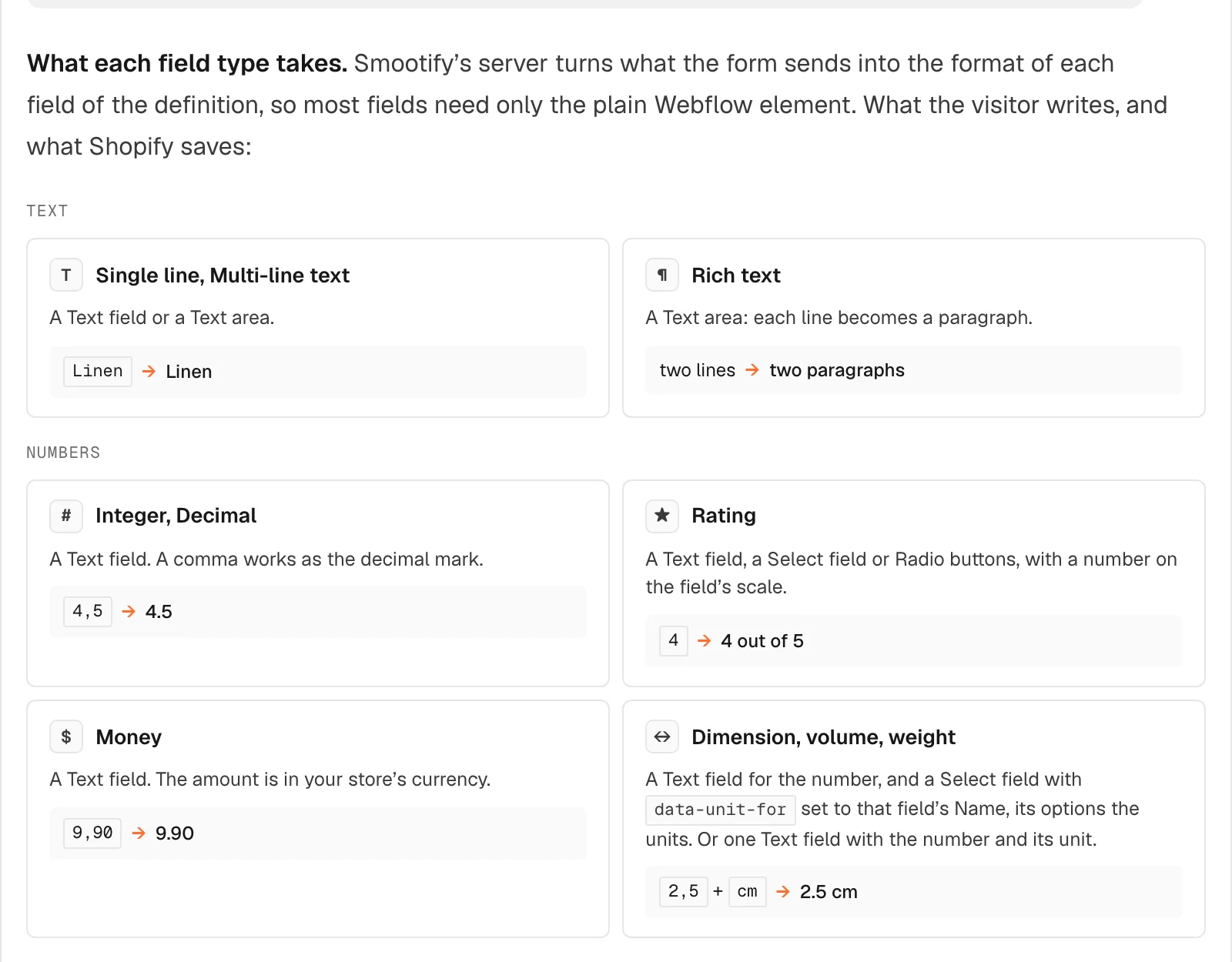
- The sizes, width, height and depth. Each is a Dimension field in Shopify. In the form, a Text field for the number and a Select field with
data-unit-forset to that field’s Name, whose option iscm. Smootify sends143andcmas 143 cm. A number without a unit is refused by Shopify. - The material, “Oak”, and an optional budget, a Money field written in the store’s currency.
- The drawings, a
file-inputnameddrawingswithdata-multiple: a photo of the niche with the tape measure in it, or a PDF. Up to 20 MB per file, Shopify’s limit. A heavy CAD file needs a link instead. - Notes, a Text area.
Height and depth repeat the width’s pair of fields. With customer-field="customer", Smootify’s server writes the logged-in customer into the entry. The form is for customers who have signed in, which is also what lets the workflow open the draft order in their name. In Astro the same metaobject-creator wraps a plain <form>: see the Astro guide to collecting data with forms.
Flow opens the draft order
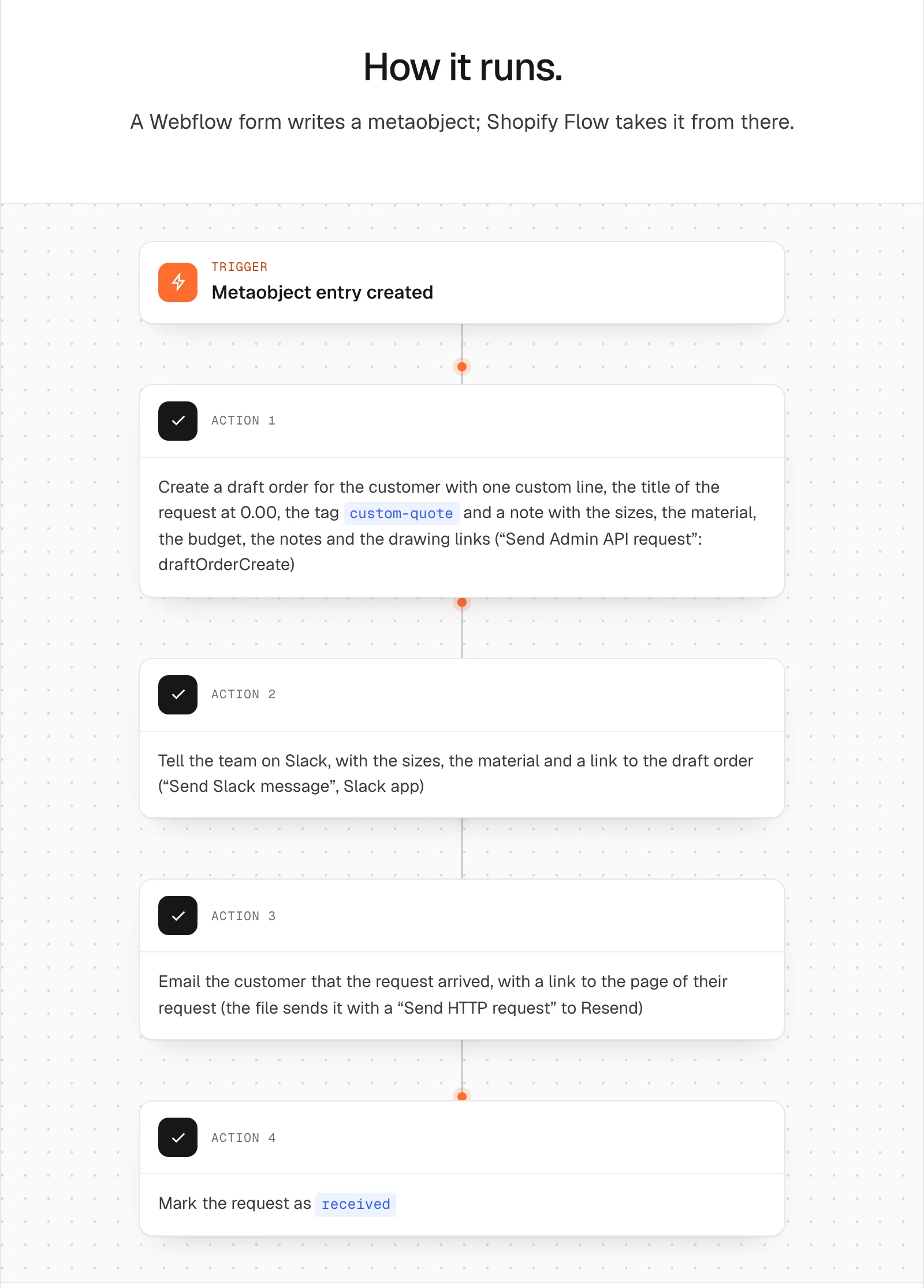
The Custom quote workflow starts when the entry is created. It creates a draft order for the customer with one custom line, the title of the request at 0.00, the tag custom-quote, and a note with the sizes, the material, the budget, the notes and the links to the drawings. It tells the workshop on Slack, with a link to the draft. It emails the customer that the request arrived, with a link to the page of their request, and sets the request’s status to received.
The line starts at zero on purpose. The workshop reads the note, opens the drawings, sets the line’s price, and sends the invoice from the draft order. Until someone does, the customer receives nothing more, so say on the page who answers and in how many days.
The customer follows it from a link
The email links to a page such as /your-request?q=<handle>. On that page, a smootify-metaobject with data-type="custom_quote" and data-handle-param="q" shows the request named in the link: the title, the sizes, the material and the status. One page shows every request, with no CMS item for each.
The status after received is the workshop’s to change in the admin, such as “in progress” and “quote sent”. The page shows what the entry says, and the customer does not have to write “any news?”.
Anyone with the link can read the entry, so it holds the project only: never an email, a phone number or an address. The customer is a reference the page does not show. Create the definition without a display name field: Shopify then gives each entry a random handle, and nobody can guess the link of another request. The request page also needs Storefronts access on the definition; without the page, keep it off and remove the button from the email.
Where the configurator stops
The two work together. Desk No. 3 keeps its configurator for every size from 100 to 240 cm. A customer who needs 280 cm, or a shape no formula describes, uses the made-to-measure form, and the sizing guide’s “ask for a quote” becomes a link to it. Two ways to get paid stay open: the draft order’s invoice for a request that came through the form, and Pay an agreed quote for a price agreed by email or on the phone.
Where it stops without a word
- Shopify refuses a size. The number has no unit: add the Select with
data-unit-for. - Nothing is saved, and the Error message names a field. A Name is not a key of the definition, often after copying a form.
- The drawings are missing. The
file-inputis not nameddrawings. - The request page is empty. The definition has no Storefronts access, or the link’s parameter is not the one
data-handle-paramreads. - The customer waits forever. Nobody priced the draft and sent the invoice.
- Store credit is refused. Store credit cannot be spent on a draft order invoice. A gift card can.
The form, the sizes and the share link are in Collect data with forms, the request page in Show metaobjects, the invoice in Quotes and B2B. The workflow, with the definition to create, is in the Flow library: Custom quote to draft order.