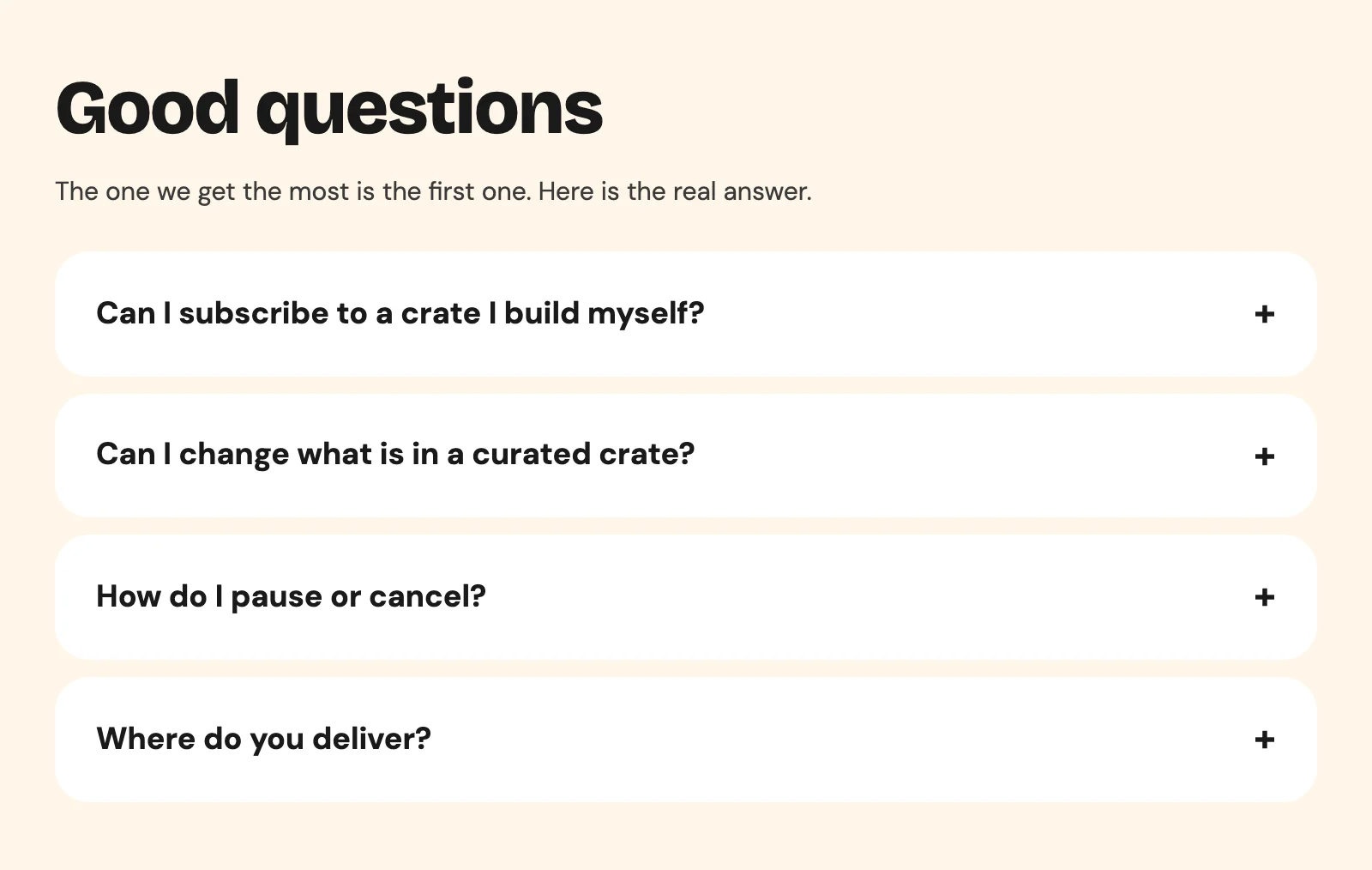
“Can I subscribe to a crate I build myself?” is the first question in the FAQ on Sunday Crate’s home page, under a line that says it is the one they get the most. Every subscription box store gets it. Customers want to choose what goes in, and they want it to arrive every two weeks without thinking about it. Merchants want the same thing, because it is the model that keeps customers longest.
It cannot be done in one product, and almost nobody explains why. The answer is one rule in Shopify’s checkout, and once you know it, the store you should build is obvious.
The rule
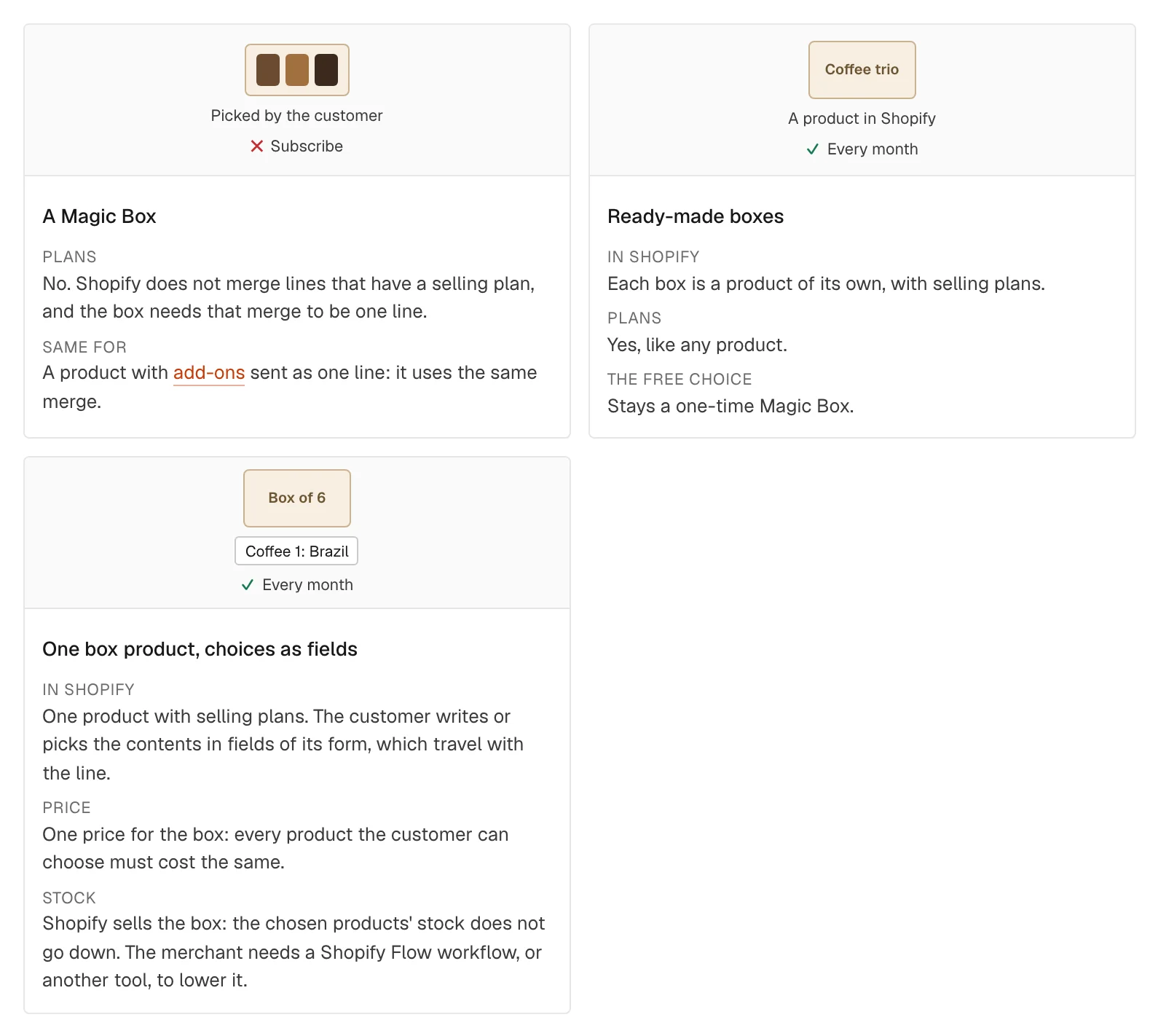
A box built with Magic Box reaches checkout as one line: “Your crate”, with its own picture and its own discount, instead of six separate jars. That is what makes it look like a product rather than a pile of items. The one line is made by a Shopify function, Cart Transform, which takes the six cart lines and merges them into one. The operation is called linesMerge.
Shopify’s Cart Transform does not merge lines that carry a selling plan. A selling plan is what makes a line a subscription: “Every 2 weeks, 10% off”. So the moment one item in the box is a subscription, the merge is refused, and there is no single box line to subscribe to. This is a Shopify limit on every store, not a setting in Smootify.
You might think: then skip the merge. But the merge is the reason Magic Box exists next to Shopify’s native bundles. Without it you lose the custom title and picture, and the customer’s crate turns back into six lines at checkout.
The same rule covers a product with add-ons sent as one line: add-ons go only with the one-time purchase. On a product page in Smootify 2.0, the moment a customer picks a plan, the add-on pickers get the class is-disabled and the add-ons stay out of the cart. Style that class, so the customer sees why.
The pattern that works
Sunday Crate shows the pattern most real subscription box stores end up with. It sells boxes two ways.
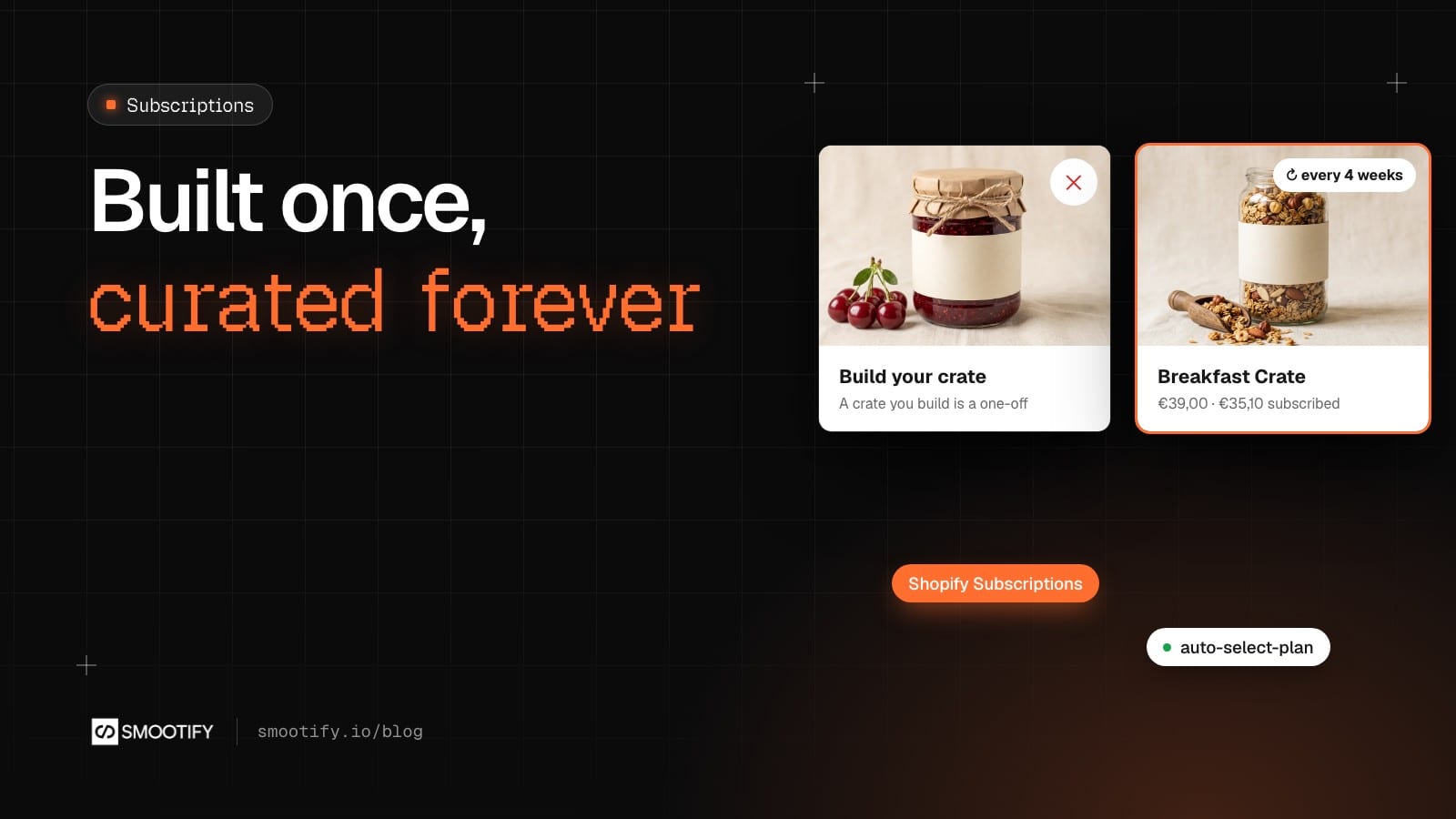
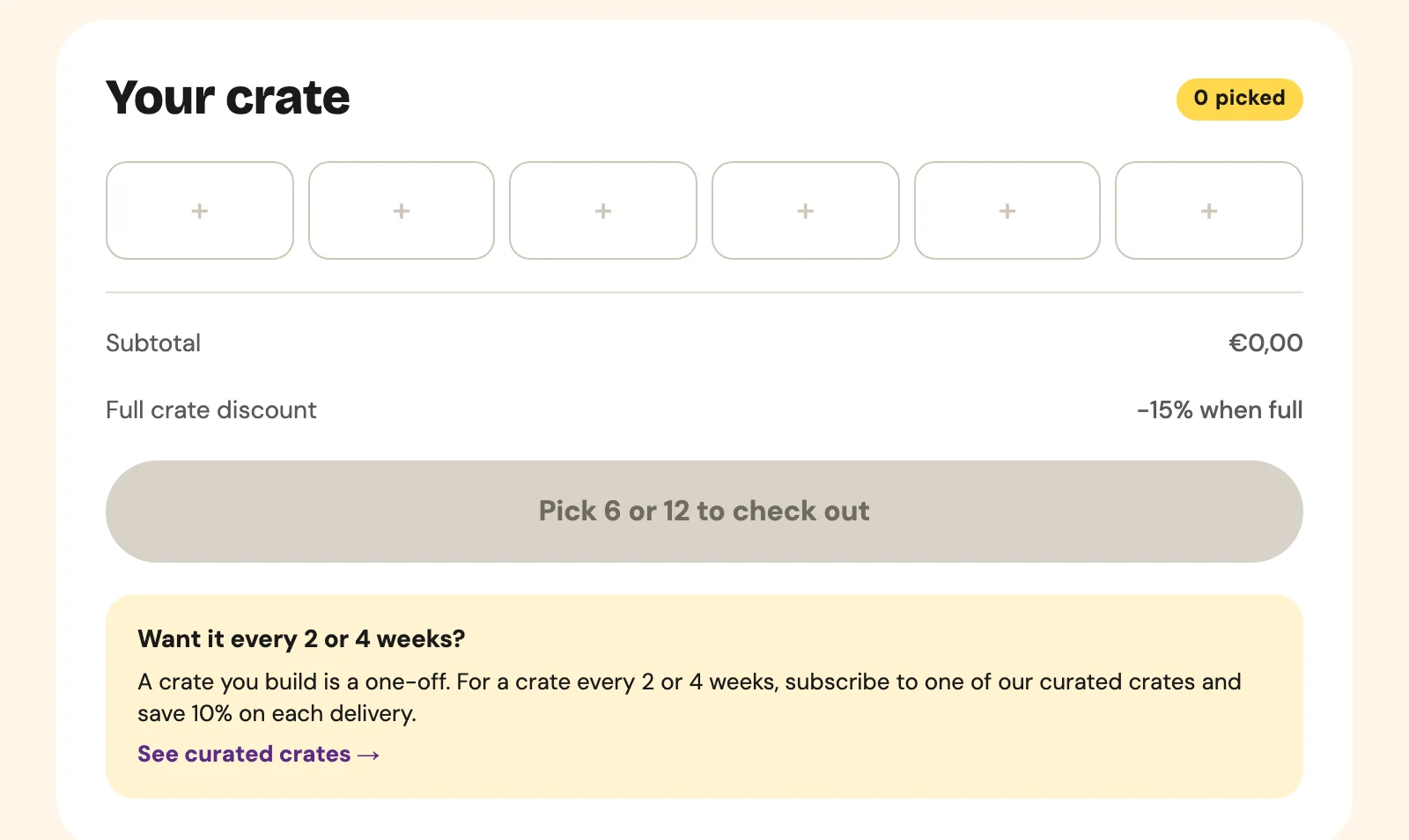
Build your crate, bought once. On /build-your-crate the customer picks 6 or 12 things from the pantry, gets 15% off when the crate is full, and checks out with one line. That is a Magic Box, and Magic Box is included in every Smootify plan, the free one too. Under the crate a note says it plainly: a crate you build is a one-off.
Curated crates, by subscription. The Breakfast Crate, the Sweet Crate and the Pantry Crate are ordinary products in Shopify, each with a selling plan group “Subscribe and save 10%” holding two plans, every 2 weeks and every 4 weeks. Because each crate is one simple product, it subscribes like any other product. On the product page, subscription-swatches sits in the add-to-cart form with two tabs, “One-off” and “Subscribe & save 10%”, and auto-select-plan="Subscribe and save 10%" with auto-select-index="1" opens the page on every 4 weeks. The price follows: €39.00 once, €35.10 on a plan. The same picker works in an Astro component: see Subscriptions for Astro.
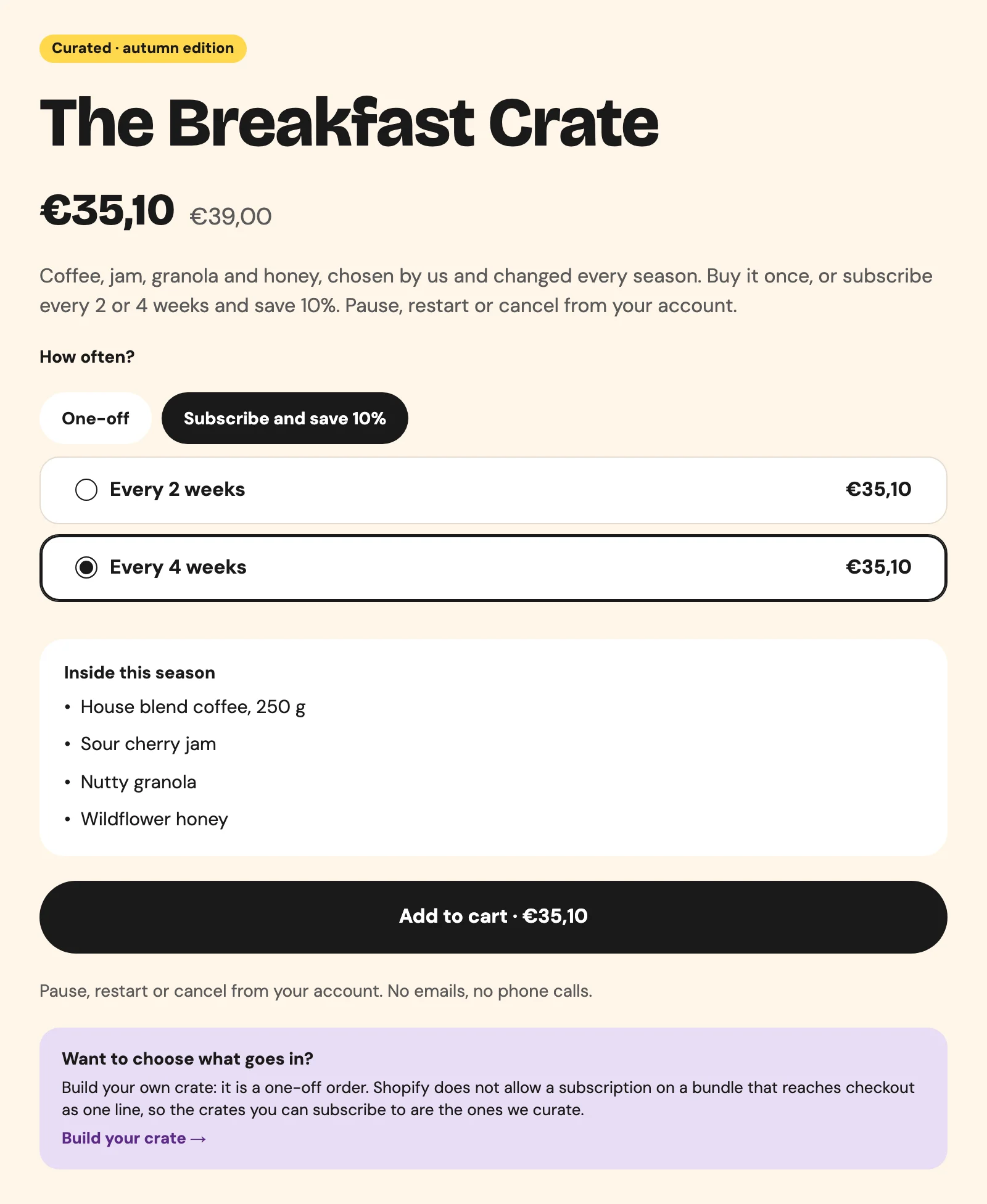
This is not a workaround. Free choice stays an impulse purchase; the recurring order sits on a stable product the merchant can plan stock for. The curated crate’s page even links back to the builder, inside an element with condition="subscription", for the customers who wanted to choose.
Then the customer manages it alone. In their account, customer-subscriptions lists the crates they receive, and the subscription page has pause, resume and cancel forms. Smootify keeps only the forms that fit the status: an active subscription shows pause and cancel, a paused one shows resume and cancel. “Paused for August from my account in ten seconds” is a review on Sunday Crate’s home page, and it is a support email that never got written.
If the box must be a subscription: the empty box
There is one more way, and it comes with a limit that decides whether you can use it at all: every product the customer can put in the box must cost the same.
You sell a product that stands for the places, not the contents: “Box of 6”. It is a simple product with selling plans, so it can be a subscription. The customer picks the contents in fields of its add-to-cart form, and the choices travel with the line: the names, visible in the cart and on the order, and the variant ids in a hidden property starting with _. Shopify sells the box, so the stock of the chosen products does not go down on its own. The free Shopify Flow app can do it. Our Empty box subscription inventory flow is the starting point: it reads the hidden property on every new order and lowers the stock of each variant. After you import it, put your box product’s id and the name of your hidden property in its steps, and place a test order before you turn it on.
It fits a case of six wines from one price band, a coffee box of three single origins at one price, supplements in matching sizes. It does not fit a box where a €4 jar sits next to a €12 jar. Check this before you build the catalog, not after.
Three more places where subscriptions stop
- Custom prices. A cart with a price from name your price or the product configurator checks out through a Shopify draft order. Subscription lines do not go into that order. Keep the two in separate orders.
- Buy again. The buy-again button on an order adds a subscription product back as a one-time purchase. Reordering does not restart the plan.
- No plans, no picker. Smootify shows and sells selling plans; a Shopify subscription app creates them. A product without a plan has no
subscription-swatchesat all, which looks like broken markup and is missing configuration.
Where people get stuck
Check these first
- A box sold with plans does not reach checkout as one line. Shopify does not merge lines that have a selling plan. Use curated box products.
- The plan picker disappears. The product, or the selected variant, has no selling plan.
- Only one plan shows and the tab changes nothing. The plan template is not a Webflow Radio Button.
- The add-ons are not added with a plan. They go only with the one-time purchase; style
is-disabled. - Stock is wrong after the first empty-box order. The Flow workflow is not installed or not turned on.
The plan picker, prices with plans and the box rules are in Subscriptions; the account side is in Subscriptions in the account.