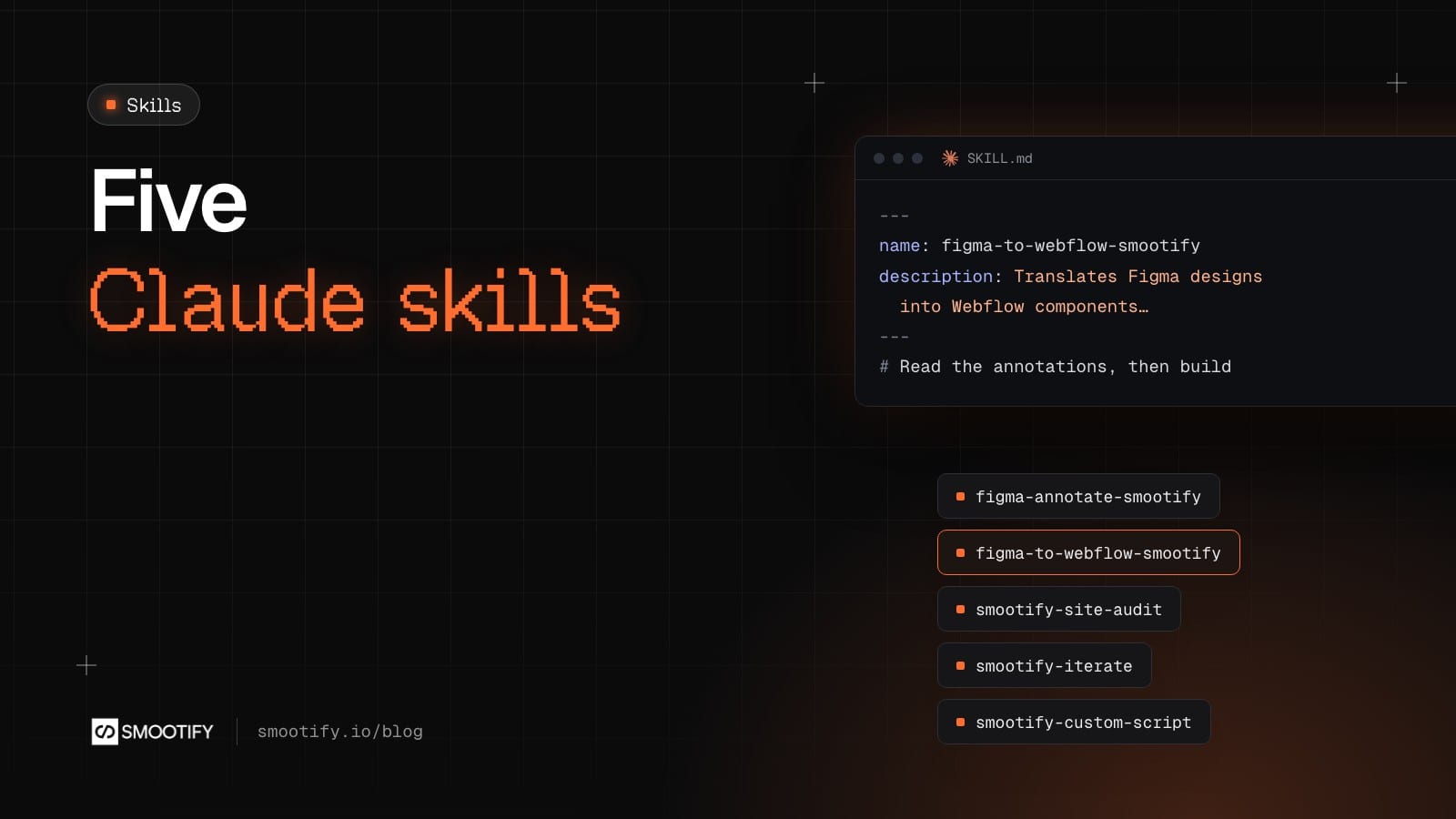
A Claude skill is a folder with a SKILL.md file and its references. Claude loads it when the task matches, and follows its rules instead of improvising. A Shopify store built in Webflow or Astro is full of rules that are easy to get wrong and hard to see: which Smootify element goes where, which values exist in 2.0, which Webflow MCP tool silently breaks custom tags.
We publish five skills, in the order of the work: annotate a Figma file, build it in Webflow or Astro, audit the site, answer review notes, write custom scripts. They are public, short enough for people to read, and in beta. Here is what each one does, a prompt that starts it, and what you get back.
1. Figma annotation skill
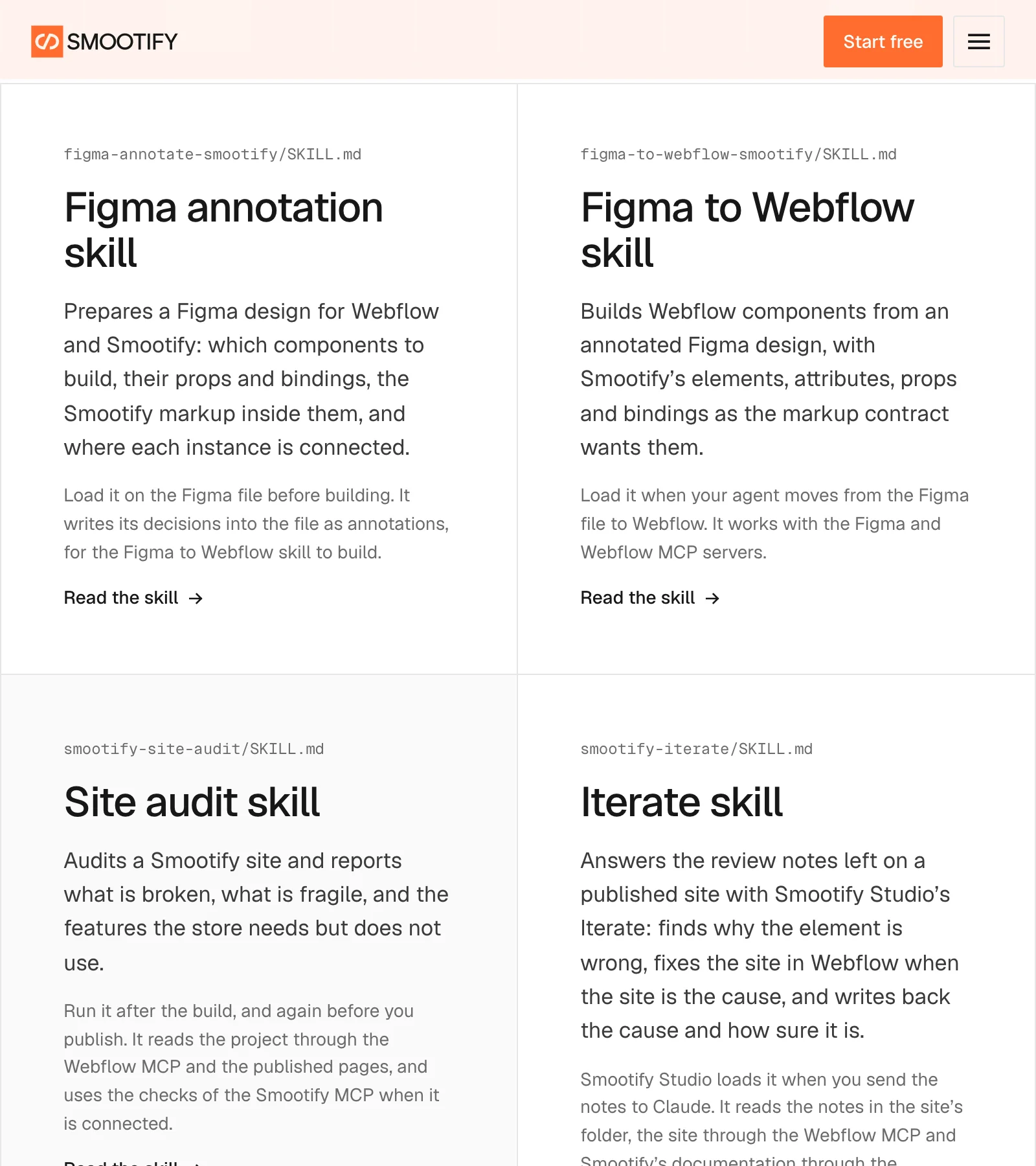
What it does. It reads a Figma design and decides what Webflow needs: which components, each built once, with which variants and props, what each prop is bound to, the Smootify markup inside them and where each instance is connected. Then it writes those decisions back into the file as Dev Mode annotations, one line per layer: @component, @prop, @bind, @tag, @attr. It never touches Webflow.
Its first rule is “ask, never guess”: a picker that could be a variant or an add-on, a CMS field it cannot see. If you do not know yet, it leaves an @ask on the layer, and the build skips that part.
A prompt. “Annotate this Figma file for Webflow and Smootify: [link to the frame].”
What comes out. Four questions first (product image, Webflow site, plan, how menus open), then an inventory to approve, then the plan to approve, then the annotations. The report lists the components to create, the open questions, the assumptions to confirm, the manual steps, usability suggestions the design lacks, and which glossary it used, with its date. One line in the skill sums up its attitude: never report a count as success.
2. Figma to Webflow skill
What it does. It reads the annotations and builds the components in Webflow through the Figma MCP and the Webflow MCP: the root, the props, the children, the classes, the custom attributes and the bindings. It stops on any annotation that is not finished. It never uses Webflow’s data_whtml_builder, because that tool deletes custom tags such as smootify-product and drops every attribute that does not start with data-. On an Astro project it writes .astro components into the project instead, and checks them with the Smootify MCP’s check_markup.
A prompt. “Build the annotated Product page frame in my Webflow site.”
What comes out. Before the first element, one message with everything it needs from you: the site with Smootify connected and the Designer open, the licence and add-ons, the store’s data synced, the Customer Account API client id if there are account pages. Then the components, checked on the published page at three widths, and a summary in two parts: what it built, and a checklist of what is left for a person, such as placeholders, form names and Webflow’s native Popover. It never publishes, never connects the store and never picks a plan.
3. Site audit skill
What it does. It audits a Smootify site and reports what is broken, what is fragile, and what the store needs but does not use. It checks first which Smootify the site loads, 1.x or 2.0, because the same markup means different things on each. It reads the project through the Webflow MCP and the published pages, and with the Smootify MCP connected it runs its checks there: audit_site, check_markup on the Designer tree, diagnose, probe_storefront.
Then it opens the published pages in a browser: console errors, which smootify:* events fire, and the page as a guest sees it, where two cookie banners or an empty block show up.
A prompt. “Audit sunday-crate-smootify.webflow.io before we publish.”
What comes out. The Smootify version and the mode first, then a score, errors worst first, warnings, the steps to 2.0 for a 1.x site, and opportunities: a hand-built related products list where smootify-product data-id="related" needs no CMS, add-ons that make separate cart lines where use-magic-box makes one, option forms copied across templates where dynamic-property lets the merchant define them in Shopify. A “Not checked” section lists every check that could not run, so none reads as a pass.
4. Iterate skill
What it does. It answers the review notes collected with Iterate in Smootify Studio, our desktop app. You click an element of the published site and write what is wrong. Studio saves the note with screenshots, the element, the Smootify markup around it and the page’s errors. The skill takes the notes one at a time, finds the cause, fixes the site in Webflow when the site is the cause, and answers inside the note.
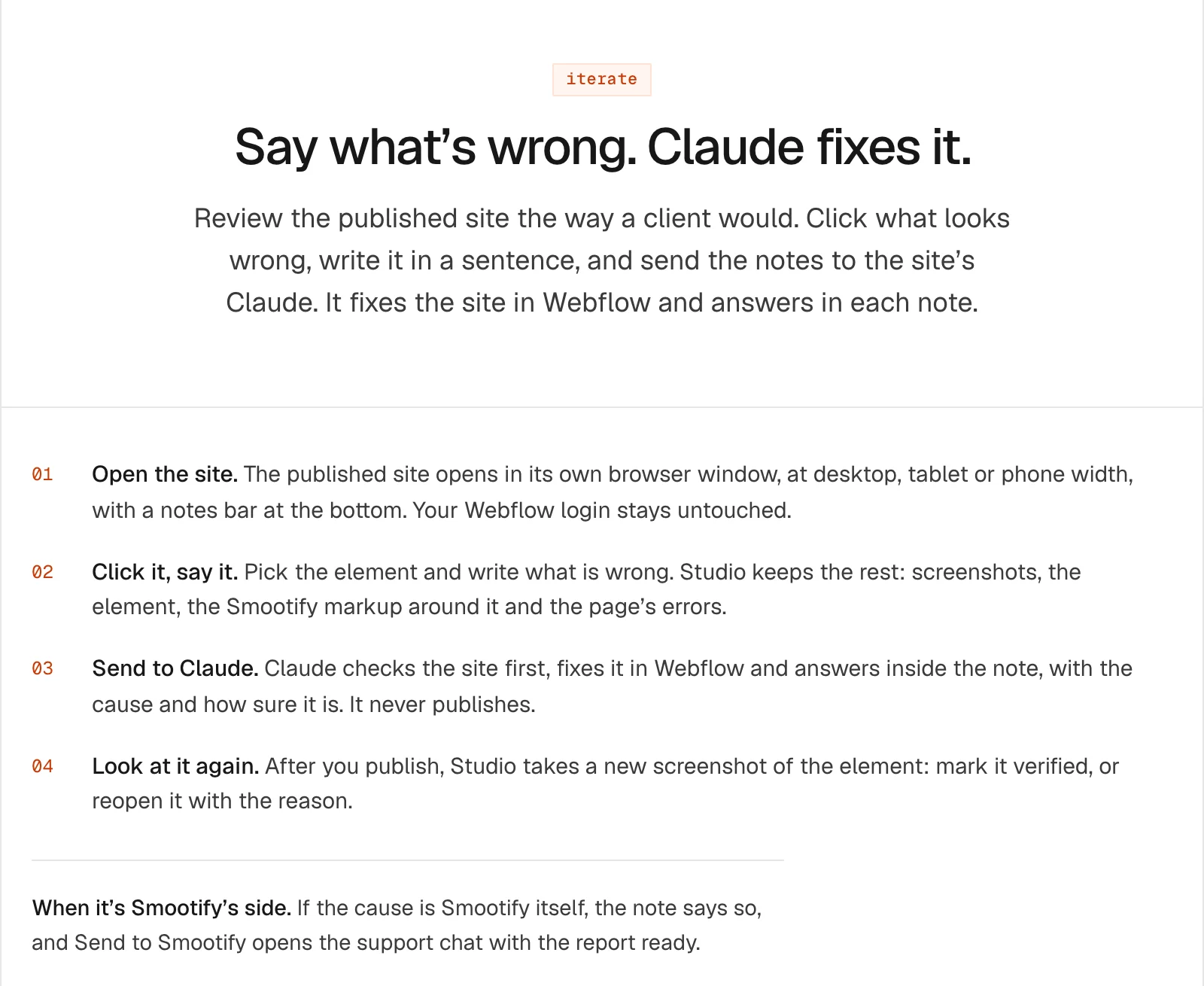
A prompt. Studio sends it for you: “Use the smootify-iterate skill.” It also works on any site folder with a notes/ folder.
What comes out. Every answer names one cause and a confidence from 0 to 1. The cause is one of six: site, runtime, annotate-skill, build-skill, store or missing-feature. It is told to be careful before blaming Smootify: most notes are configuration, such as a 1.x script under 2.0 markup or an unstyled is-active state. When the cause really is Smootify’s, the answer is written for support to act on. It never publishes, and never works around a Smootify bug on the site.
5. Custom script skill
What it does. It writes and changes a site’s own scripts, in a Vite and TypeScript starter, using only Smootify’s public API: window.Smootify, its events and its filters, as typed in smootify.d.ts. Every script starts inside Smootify.push(...), so it gets every event from the first cart load, wherever the script loads. Filters change what Smootify does before it does it: add_to_cart_lines can refuse an add with a message, checkout_url can stop checkout for terms or a minimum order.
A prompt. “Show a note in the cart when the total is under €80.”
What comes out. A strict TypeScript script built into one module, its length, and where it goes: inline up to 10,000 characters, otherwise hosted. Plus the attributes and classes the designer adds in Webflow. Here is the difference it makes, checked with the Smootify MCP’s check_custom_code:
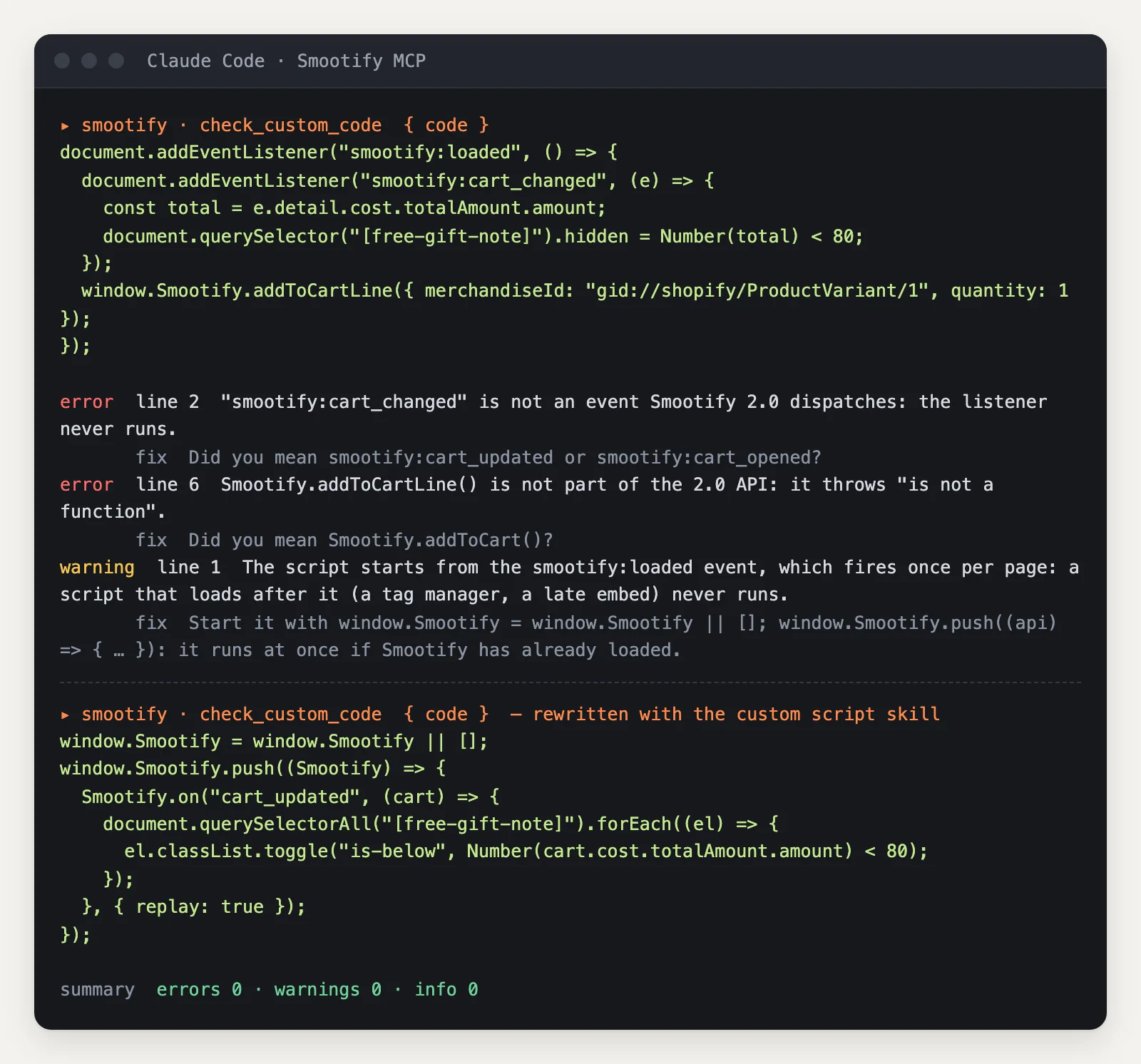
The first version listens to an event and calls a method that do not exist, and the check names the real ones: smootify:cart_updated and Smootify.addToCart(). It also starts from smootify:loaded, which fires once per page, so a late script never sees it. The check warns about that too, and the skill does not write it in the first place.
Install them
The five skills come as one Claude Code plugin from Smootify’s marketplace, and Claude Code updates it with each version:
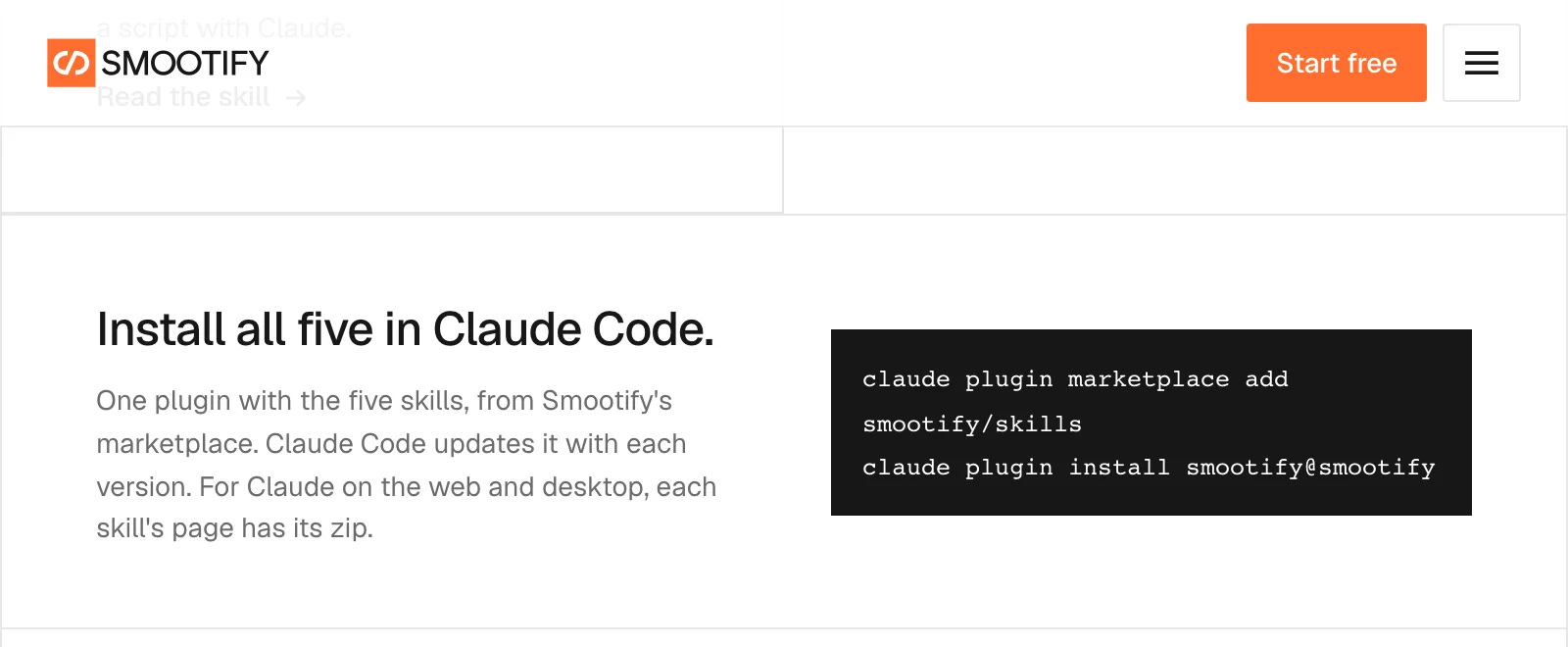
claude plugin marketplace add smootify/skills
claude plugin install smootify@smootify
The source is on GitHub.
Before you load them
Check these first
- Fewer checks than this post shows. The Smootify MCP is not connected, so the audit applies its rules by hand and the build skill skips
check_markup. Connect it before you start. - The build skill stops halfway. It reached an
@askor an unfinished annotation. That is on purpose: answer it in Figma. - The audit says little about runtime. It had no published URL. Give it one; the browser checks need it.
- Iterate answers about an old version. The note was taken before the last publish. Publish, then look again.
The skills are free to read and use. Smootify is one Shopify app with 17 add-ons, billed on the Shopify invoice, and the Figma to store page shows how the five fit together.