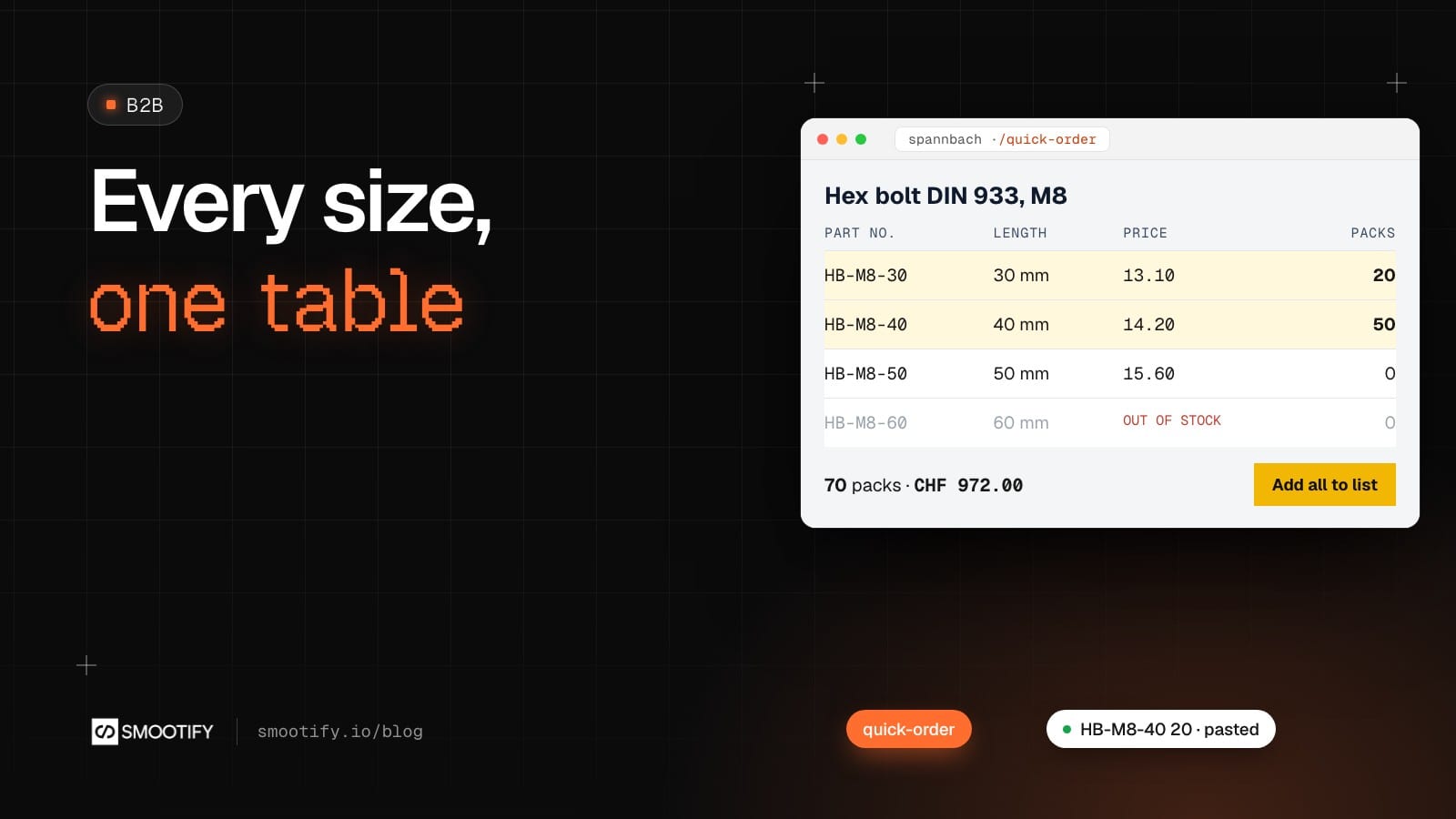
A buyer at a machine builder does not shop for “a bolt”. They need twenty packs of the 30 mm and fifty of the 40 mm, today, and they already know the part numbers. A product page with a length dropdown and a quantity field makes them pick a length, add it, pick the next one, add it again. On a store that sells in sizes, that is the moment B2B buyers decide your site is for consumers and pick up the phone.
Smootify 2.0 has a quick order list for them: every variant of a product as a row of a table, each with its own quantity, all added in one click. Buyers who order by code can paste a list of part numbers instead. It works on every Smootify plan, the free one included, with no add-on, and it follows Shopify’s B2B prices and quantity rules on its own. Everything below is Spannbach, our fasteners and linear motion demo, on its quick order page.
One row per variant
The table is the Hex bolt DIN 933, M8, sold in packs of 100. Each length is a variant, and each variant is a row with its part number, its price per pack, a quantity and a line total.
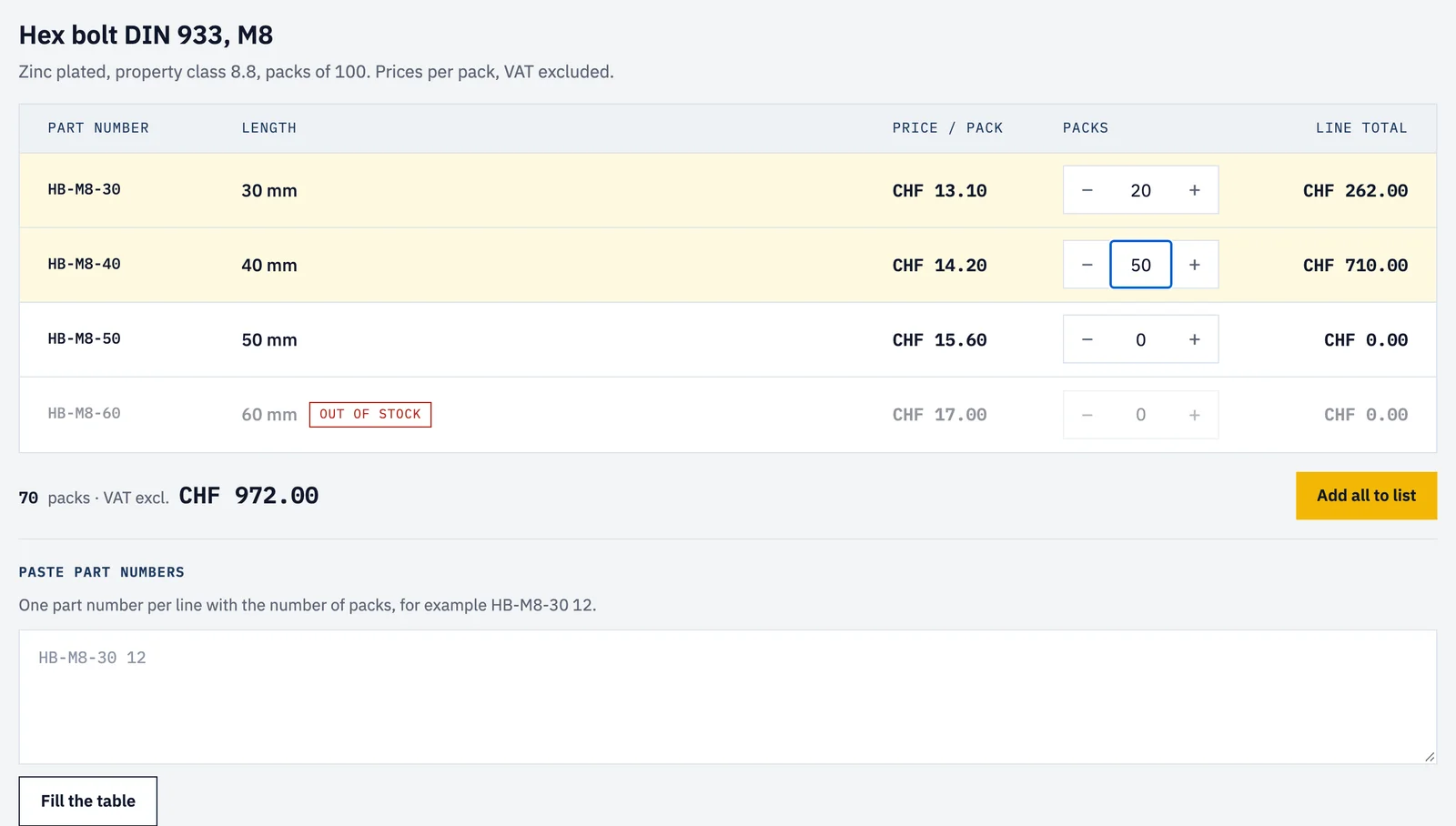
What the table does without a line of code:
- Every row starts at 0. Plus from 0 jumps to the minimum the store accepts; minus below it empties the row.
- A sold-out size stays at 0. The 60 mm row is out of stock: its buttons are off, and the “Out of stock” label inside the row shows only there, because conditions inside a row follow the row’s variant, not the product.
- The rows add up.
quick-order="pieces"andquick-order="total"count the whole table, here 70 packs and CHF 972.00. - One click adds everything. The add button puts every row with a quantity in the cart in a single addition, then empties the table. While every row is at 0 it is disabled.
The company’s price, at the row’s quantity
Here is the part a generic B2B plugin gets wrong. On Spannbach, Acme Automation is a Shopify B2B company with its own catalog and volume prices. Signed in as one of its buyers, the 40 mm row costs CHF 14.20 a pack for a few packs, CHF 12.78 from 10, and CHF 11.36 from 50. The row’s price follows its own quantity: type 50 and the price per pack drops before anything reaches the cart.
The quantities follow the same rules as everywhere else. A row holds 0 or a quantity the store accepts: the purchase rules on the product, the company’s own quantity rules in its B2B catalog, and the stock. A pack sold in tens moves in tens.
(These are B2B companies, a feature of every Shopify plan. They are not Shopify Plus.)
Paste the list they already have
Buyers who reorder copy part numbers out of their ERP or last month’s invoice. Give them a text area: one part number per line, the number of packs after it.
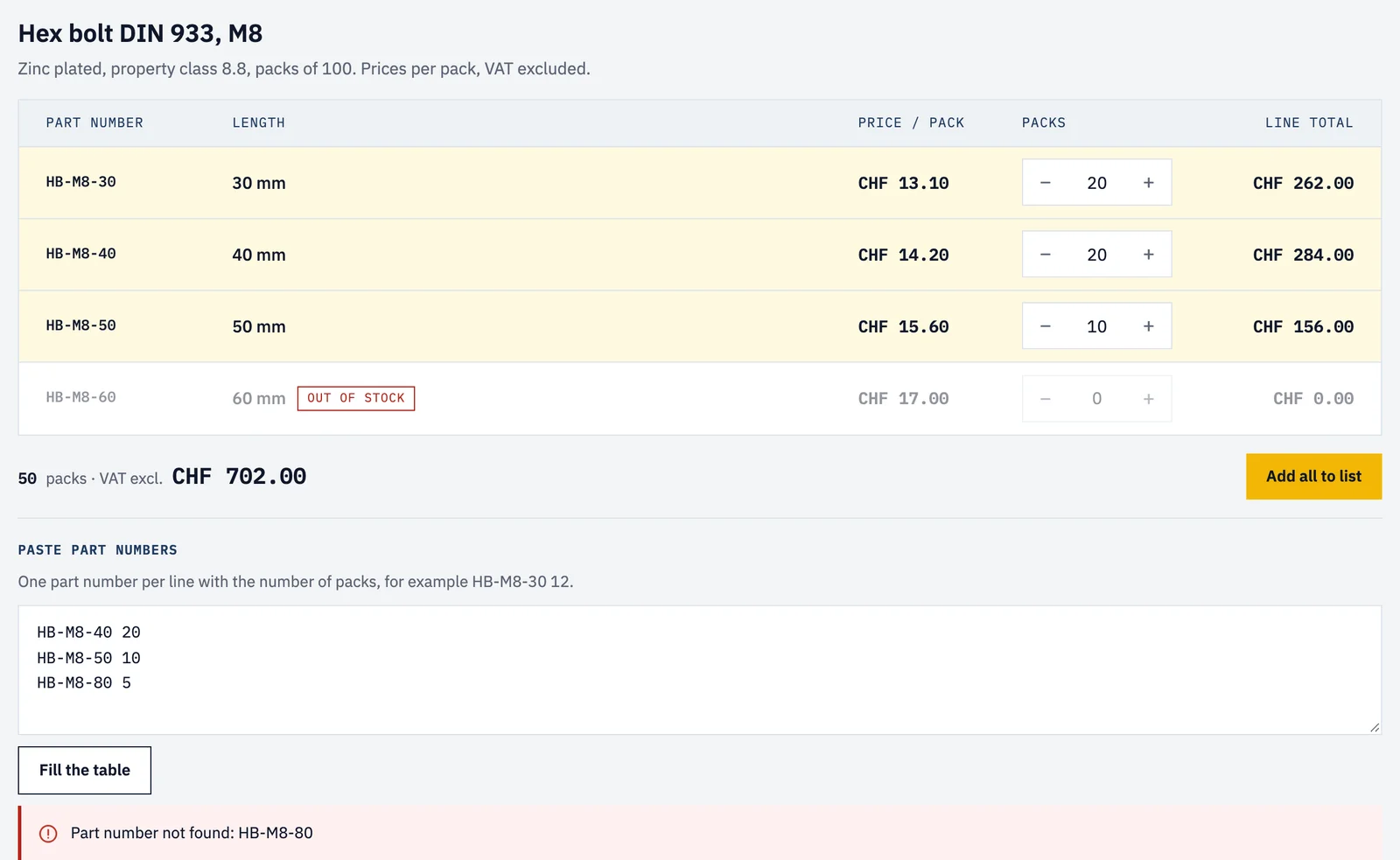
The lines fill their rows and leave the rest as they are. A code the product does not have is named in the error, so the buyer sees which line to fix instead of guessing. The field’s Name does not matter: Smootify reads the first field filled.
Or keep the table in step with the cart
For buyers who come back to the same page all day, data-sync turns the table into a live view of the cart: each row shows what the cart already holds of its variant, every change goes to the cart at once, and a row set to 0 takes its line out. No add button needed.
The markup
A quick-order element inside the product, one smootify-variant as the row, and the totals and the button outside the row:
Keep it outside the product’s add-to-cart form: the rows have their own quantities and never touch the form’s. Since beta.10 the table can also live outside a product, as on Spannbach’s own page: give it data-product-id with the product’s id.
Where it fits
A product sold in many sizes or colours at once: fasteners, cables, packaging, workwear, a T-shirt ordered for a team. With quotes as draft orders, the filled table becomes a quote request the sales team prices and sends back as an invoice: the B2B quotes video shows that flow on the same store. The setup is in the Quick order list guide, and for Astro, quick order list.