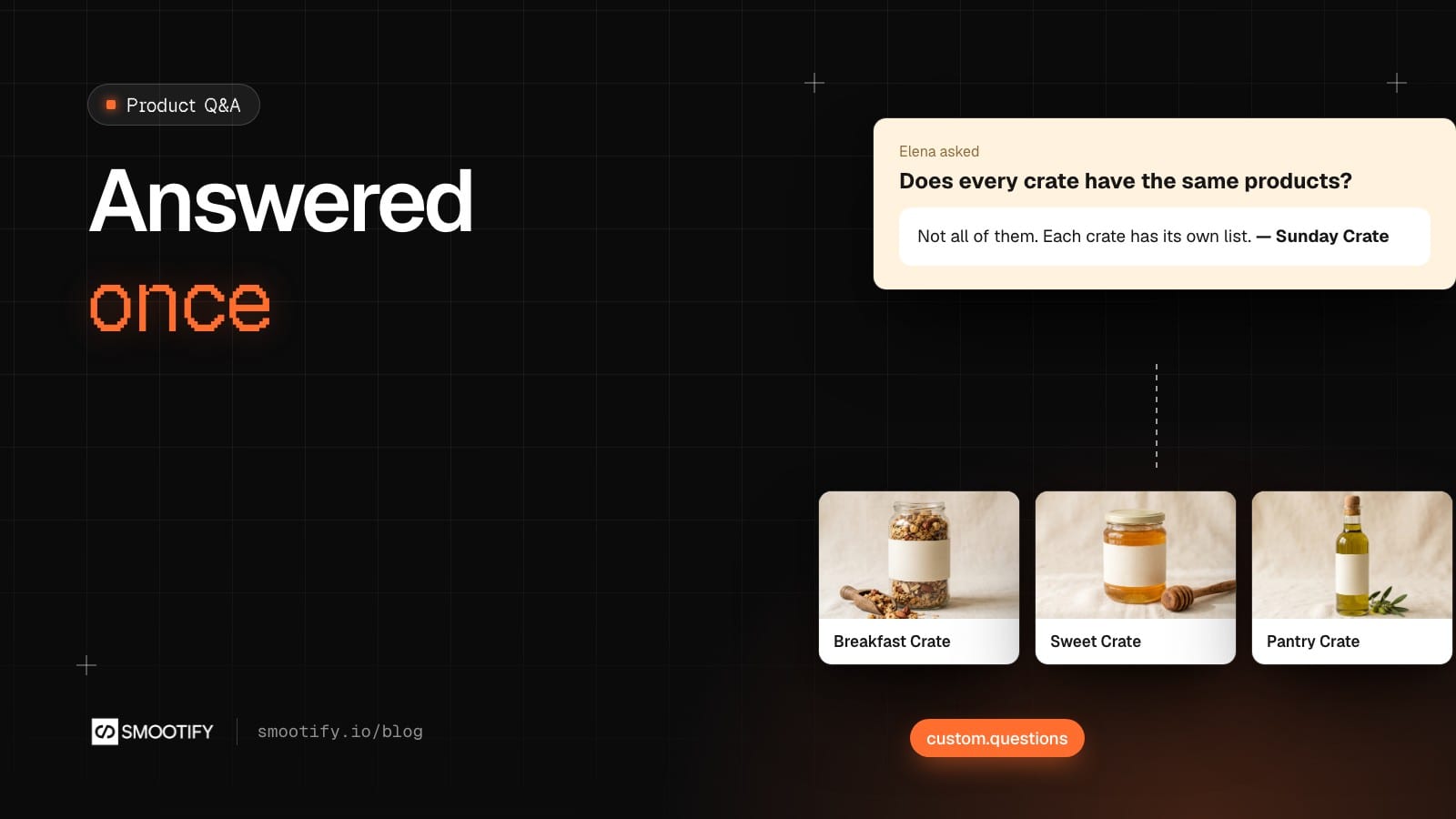
Every food shop has its list. Does the crate have nuts? Is the coffee ground or in beans? Can I skip a week when we’re on holiday? The questions come in by email, through the contact form, in Instagram messages. Someone answers each one, and the answer stays in that inbox. Next week another customer asks the same thing, and the next visitor who wonders about nuts leaves the product page without asking anyone.
The answer belongs under the product, where the next person looks for it. That is what a product Q&A does. On Shopify it usually comes as part of a review app: Judge.me, one of the best-known review apps, includes questions only on its paid plan, 15 dollars a month (checked on 6 October 2026).
With Smootify 2.0, a question is a metaobject: a small record in your Shopify store with a text, a name, the product it is about and an answer. A form on your site creates it, you answer it in Shopify, and the product page lists the answered ones.
The question, as a definition
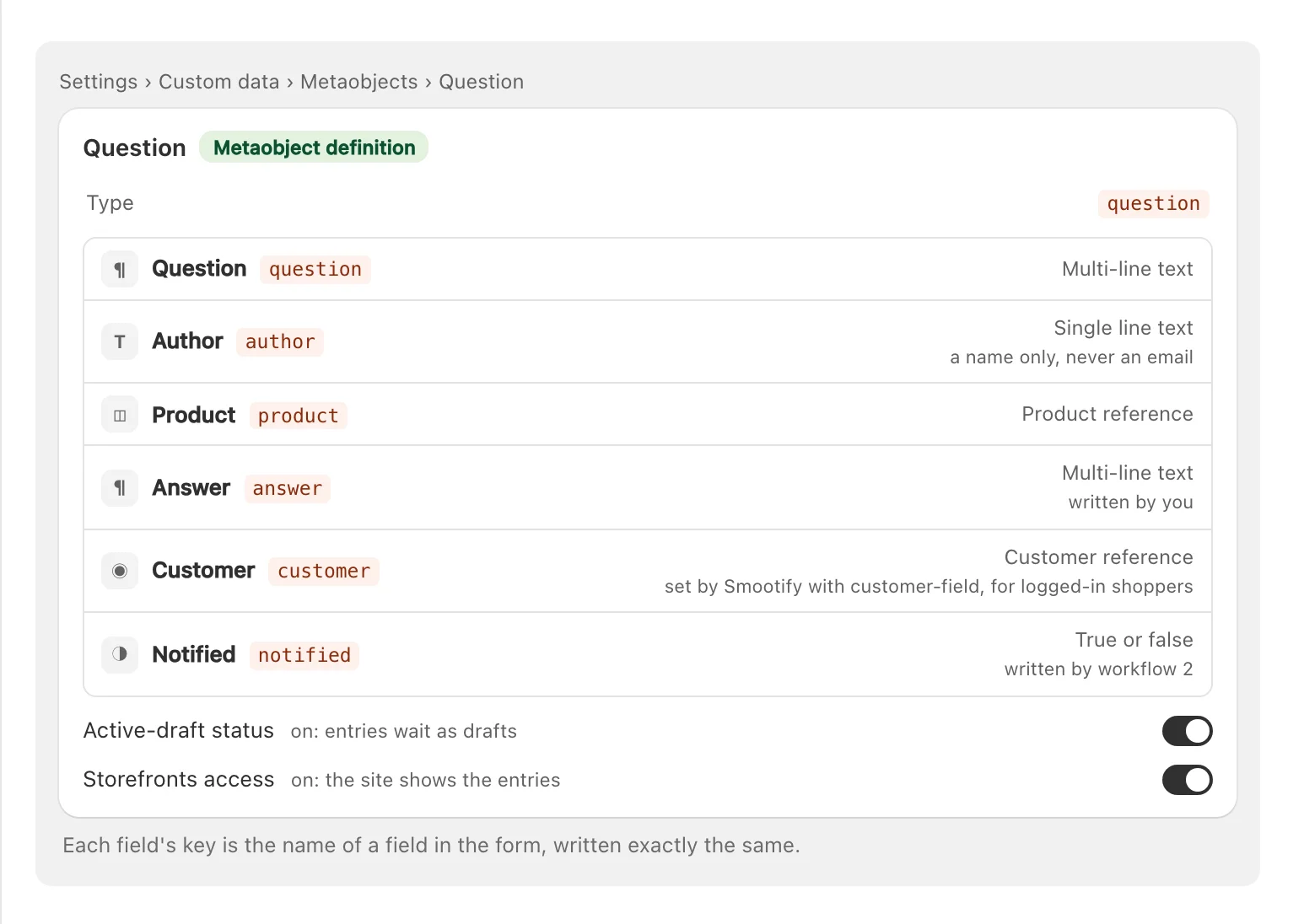
The Product questions and answers page of our Flow library starts from the definition. A question has the question, the author’s name, the product, your answer, the customer who asked and a notified flag that a workflow writes. Turn on Active-draft status, so questions wait as drafts, and Storefronts access, so the site can show the answered ones.
Our demo store Sunday Crate already has the data: two answered questions on the Breakfast Crate, sitting in its Shopify store with Storefront access. Elena asked whether every crate has the same products (“Not all of them. The coffee and the granola stay, the jam and the honey change with the season”). Paolo asked whether he can skip a delivery while away (“Yes. Pause the subscription from your account and restart it when you are back”). They are what the Q&A block in this post lists under a product, once workflow 1 has added them to its custom.questions.
The answer is the moderation
The form is a Form Block inside a Custom element with the tag metaobject-creator, with data-type="question" and data-draft="true":
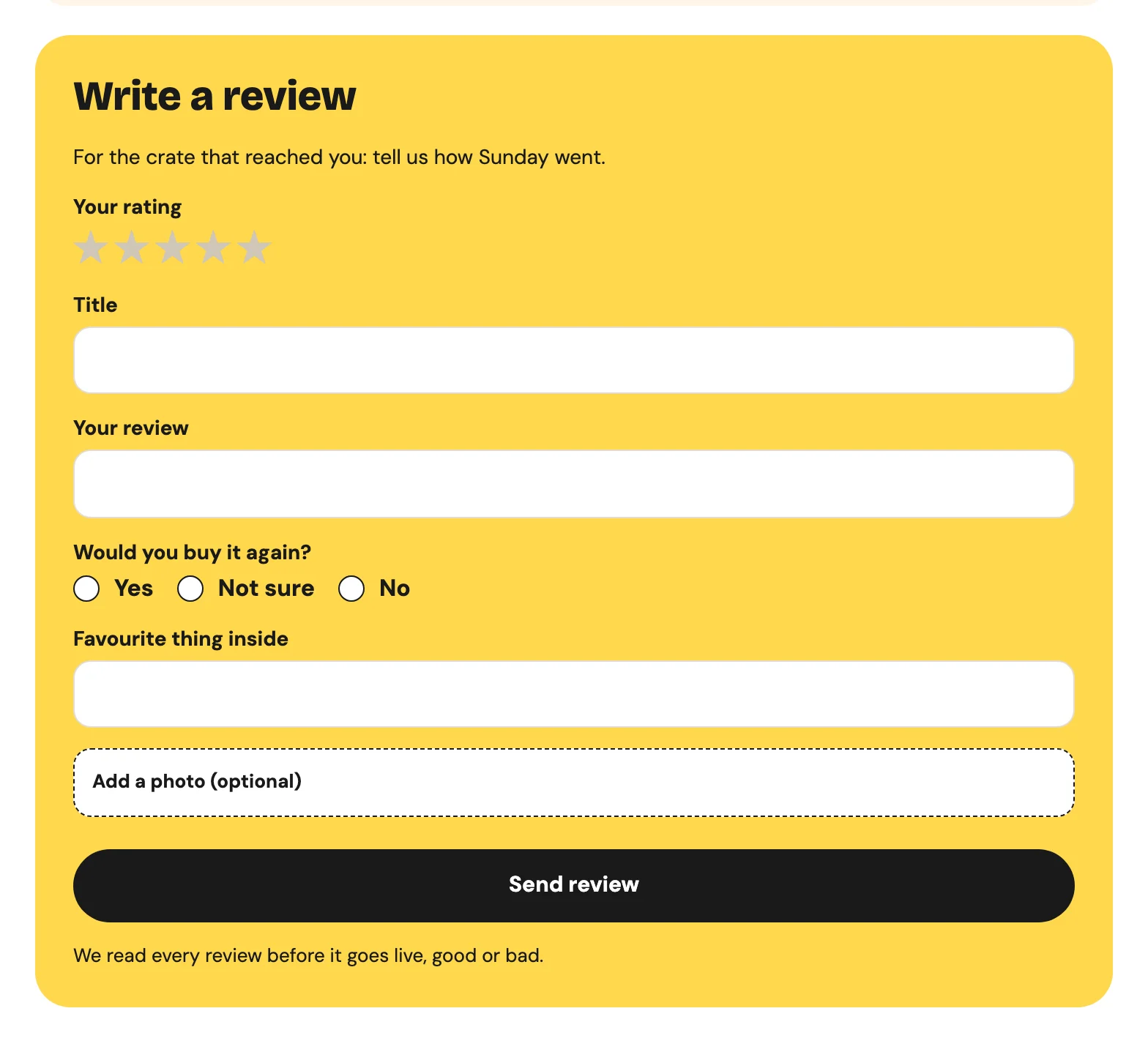
It is the same build as the review form already on Sunday Crate’s Breakfast Crate page, which saves each review as a draft. In Astro, the same metaobject-creator wraps a plain <form>: see the metaobject creator for Astro.
Each question arrives in Content › Metaobjects › Question as a draft. Nothing goes online yet: not the question, not the spam. When someone at the shop writes the answer and makes the entry active, the question shows on the product page with its answer. There is no separate approval step to forget, because answering and publishing are the same action. A question without an answer never goes online.
One answer, many products
Paolo’s question is not really about the Breakfast Crate. The Sweet Crate and the Pantry Crate have the same subscription, and the same answer. The product page shows the questions listed in the product’s metafield custom.questions, a list of Question entries, so the shop adds the same entry to all three crates. When the pause rules change, it edits one answer, and every crate shows the new one.
The list itself is a smootify-metaobjects with data-type="metafield.custom.questions" and data-product-id bound to the Shopify ID of the product. Inside it, one smootify-metaobject is the template of a question, with metaobject="question", metaobject="author" and metaobject="answer". The same idea works for shipping, warranty or care questions shared by a whole product line.
An answer can carry a product
“Is there a crate without the granola?” The honest answer on Sunday Crate is: the Breakfast and Pantry crates have it, the Sweet Crate does not. Give the Question definition a product reference field, such as suggested_product, pick the Sweet Crate in it, and the answer can show the crate’s card with its price and its add to cart button. Inside the question template, a smootify-product with data-id="metaobject.suggested_product" renders the full card, wrapped in an element with if-metaobject="suggested_product" so answers without a product show nothing extra.
The field is not in the library’s definition: add it if your answers often point to another product. The same works for “do I need the cable too?” in an electronics shop, or “what if it’s sold out?” for a seasonal product.
The boring part, done by Shopify Flow
The Flow library has two workflows for this, free with Shopify Flow:
- When a question arrives: the shop gets an email with the question and a link to the entry in the admin, and the question is added to its product’s
custom.questions. Drafts stay off the page, so adding it early is safe. - Every day: Flow has no trigger for “an entry became active”. So once a day the second workflow looks for active questions with an answer that were not notified yet, emails the customer who asked, with the answer and a button back to the product, and marks the question
notified.
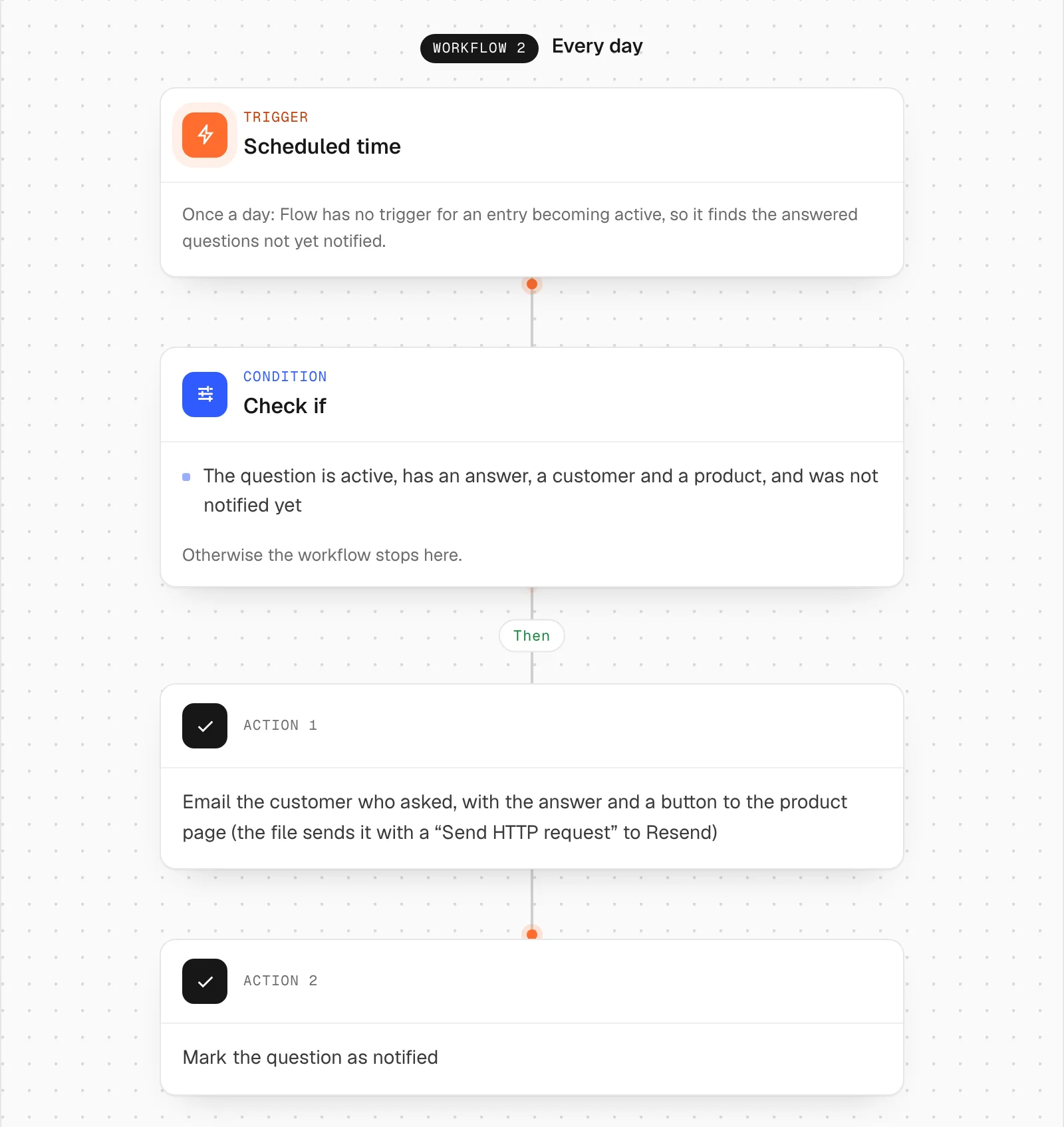
The library’s file sends that email with Flow’s “Send HTTP request” to Resend, which runs on the Grow, Advanced and Plus plans. On Basic, swap that step for an app that sends transactional emails from Flow, such as Workflow Email. The rest of the workflow stays as it is.
That second email goes only to customers who were logged in when they asked. With customer-field="customer" on the form, Smootify’s server writes the logged-in customer into the entry, and guests never see the form. That choice is deliberate: never put an email field in a definition with Storefront access, because every field of an active entry can be read from Shopify’s public API.
Where it goes wrong
These fail without an error, which is why people give up:
- The question never shows. The answer is written but the entry is still a draft. Make it active.
- The product page stays empty. The
productfield says which product a question is about, but the list readscustom.questions, not that field. If workflow 1 is off, add the entry to the product by hand. - Every question is online at once.
data-draft="true"is missing, or the definition has no Active-draft status. - The form sends nothing. A field’s Name does not match the key in Shopify. Webflow renames fields when you copy a form, and the form’s Error message names the field.
- The customer hears back a day late. Workflow 2 runs once a day. Say so in the success message.
And a promise not to make: the list is filled in the browser, so do not expect Google to show your questions as rich results.
What you need
The form needs the Server plan with the Metaobject creator add-on turned on. The list needs only Smootify and Storefront access on the definition. The metaobjects, the admin and Shopify Flow are free in Shopify. The questions stay in your store if you ever change your site or your agency.
The steps are in the guide: Collect data with forms, with the list in Show metaobjects.