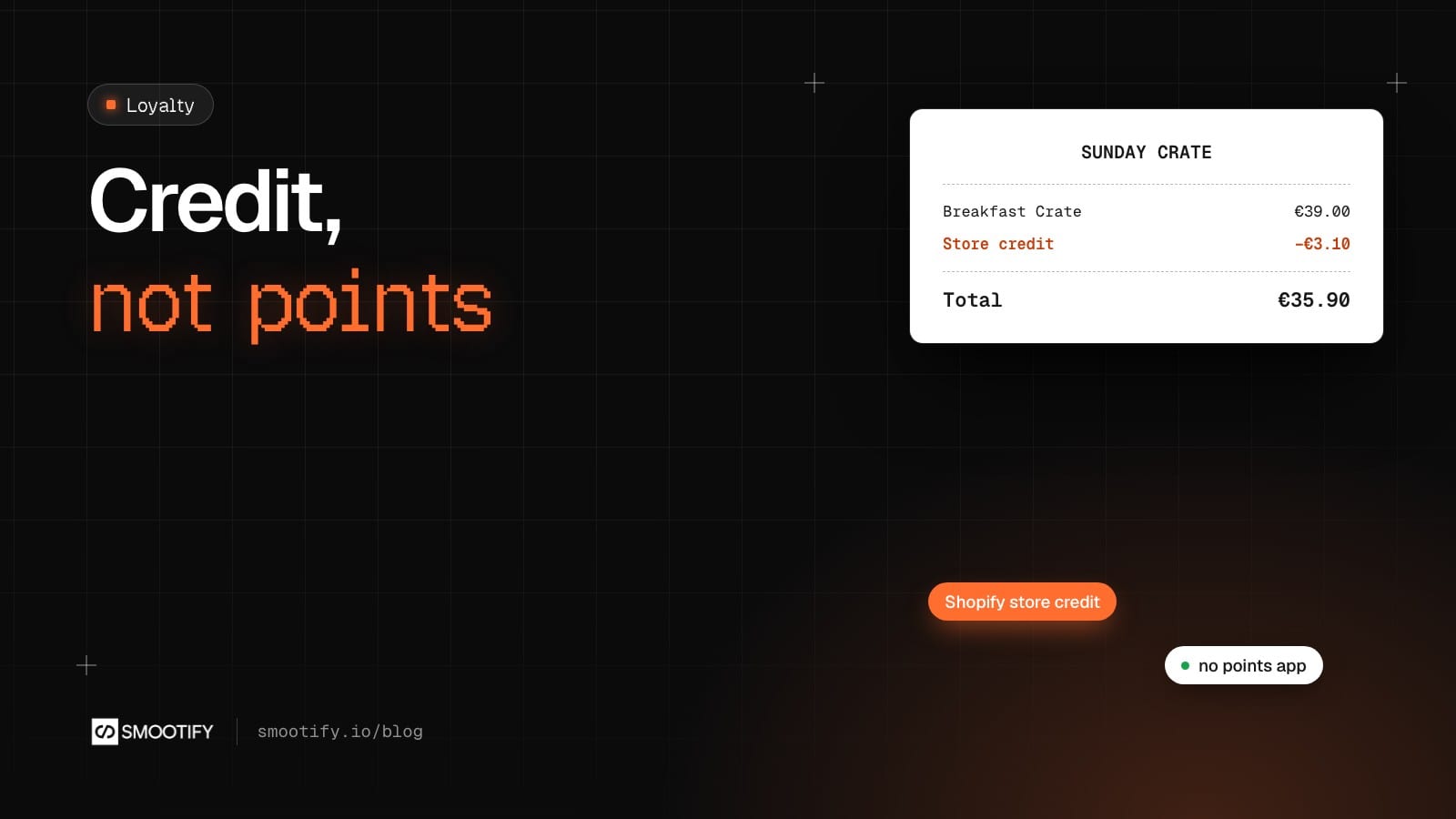
A customer orders a breakfast crate, likes it, and never comes back. The coffee was fine, but nothing gave them a reason to order again this month instead of next.
Most Shopify stores answer with a points app. Points per euro, a conversion table, a widget in the corner, codes to copy at checkout, and a monthly fee, often higher once you want customer tiers. Plus a second dashboard to learn, and customer data that lives in someone else’s database.
Shopify already has the piece most of those apps rebuild: store credit. It is money on the customer’s account. They see it at checkout and pay with it, like a gift card that is already in their name. No points to convert, no code to paste.
What is missing is the loyalty program around it: something that gives the credit, and a place where the customer sees it. That is a Shopify Flow workflow and one element on your account page, whether the site is built in Webflow or in Astro.
The three pieces
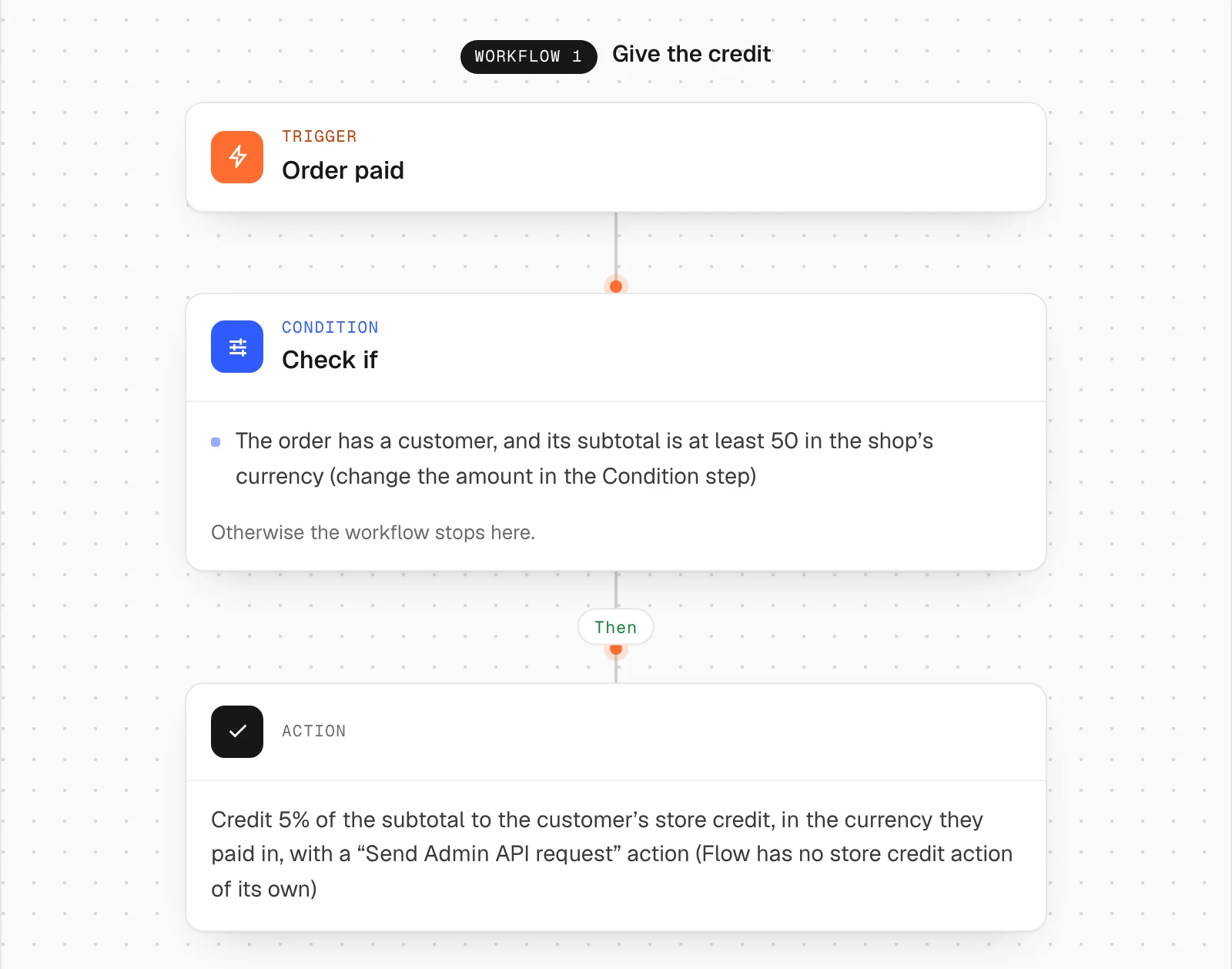
Shopify Flow gives the credit. The Flow library has Store credit on a paid order. When an order is paid and its subtotal is at least 50 in the shop’s currency, it credits 5% of the subtotal to the customer, in the currency they paid in. Both numbers are in the workflow, where the merchant can read and change them. Shopify Flow is free in Shopify, on every plan.
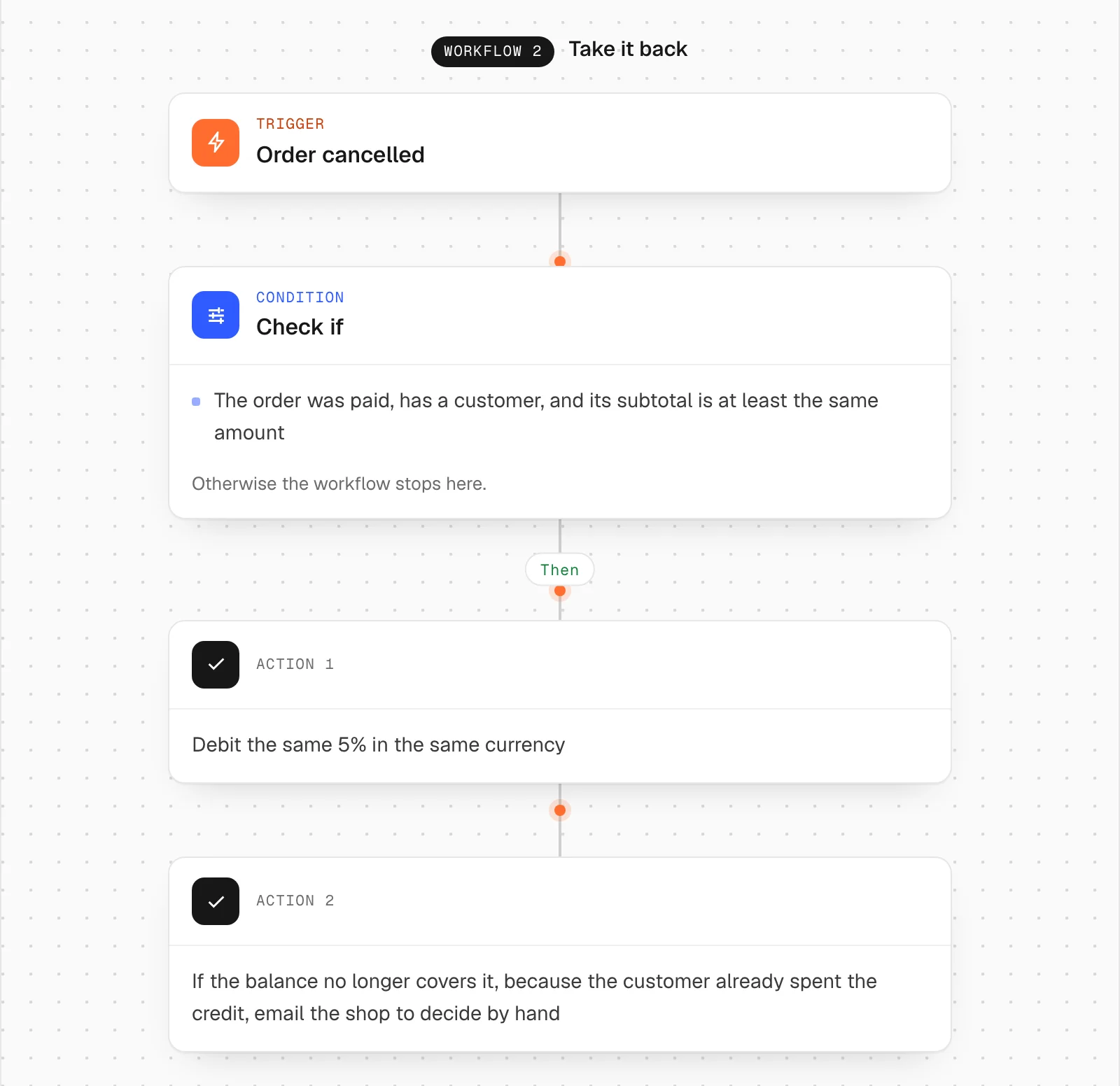
A second workflow in the same file takes the credit back when the order is cancelled. If the customer has already spent it, the workflow emails the shop to decide by hand.
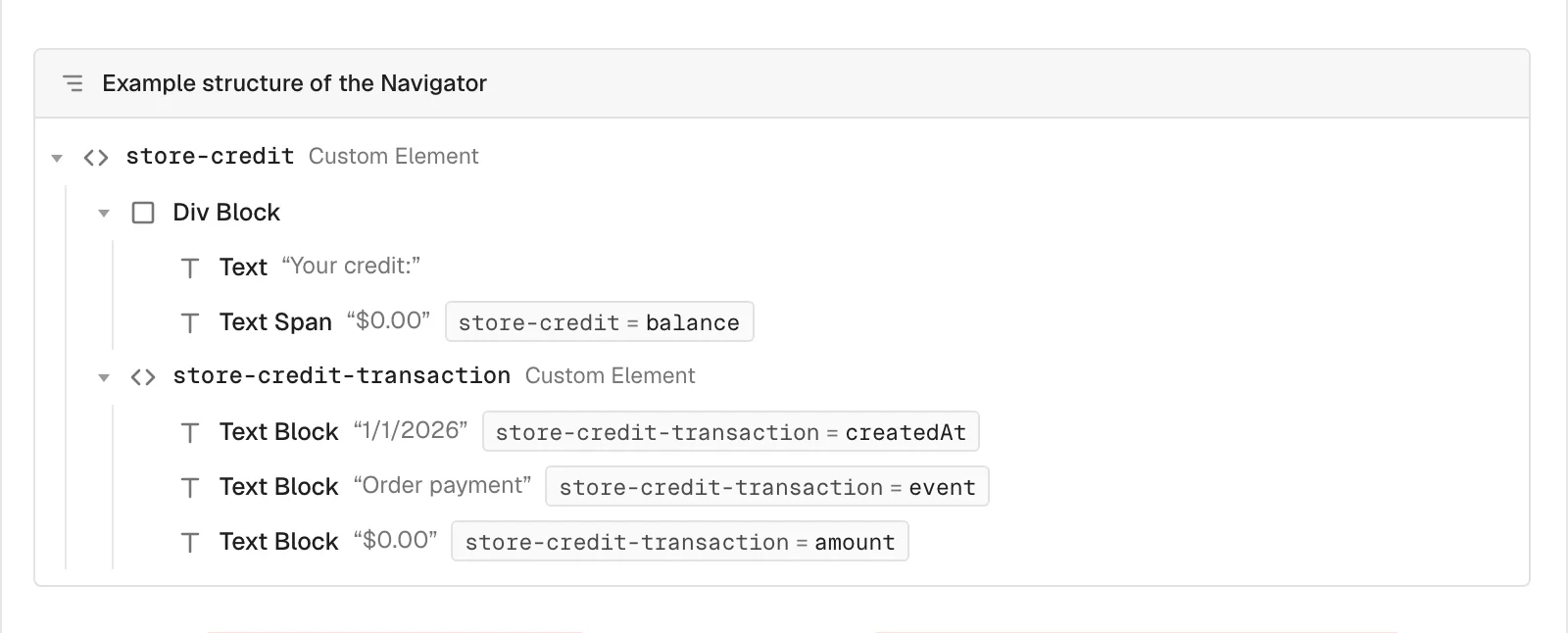
The account shows it. On the site, a store-credit element on the account page shows the balance with store-credit="balance", and repeats a store-credit-transaction template for each movement: the date, what happened, the amount. A customer with no credit yet sees a balance of zero, and customer-condition="no-store-credit" lets you show a line like “No credit yet. Your first order over €50 earns 5% back.” instead of an empty card.
In Astro the same elements go in your account page: see customer data for Astro.
The checkout spends it. Nothing to build. When a logged-in customer reaches Shopify’s checkout, their credit is there as a way to pay. Say that next to the balance: credit is spent only when the customer is logged in.
The part that expires
Credit with an end date brings people back before that date. Shopify lets a workflow give credit that expires, and Smootify shows that part on its own: store-credit="expirableBalance" inside an element with if-credit="expires", which is removed when nothing expires.
On a breakfast store that reads “€6.20 of your credit expires on 30 November”. In the movements, store-credit-transaction="expiresAt" shows the date, and if-credit-transaction="expires" keeps it only on the lines that expire. The workflow that gives the credit is where the end date is set.
Beyond the order
The workflow is the program, so the program can reward anything Shopify Flow can see:
- Birthdays. The customer saves their birthday in a customer metafield with
customer-metafields-editor. A daily workflow credits the customers whose birthday it is. - Approved reviews and photos. Flow has no trigger for an entry becoming active, so a daily workflow credits the authors of the entries approved since the last run. The library’s Customer photos, approved works that way. It is not part of the paid-order file.
- Tiers. A workflow tags customers above a spending threshold, say
gold. The account page shows the gold perks withcustomer-tagged="gold", and the cashback workflow reads the same tag for a higher percentage. - Returns kept in the store. Shopify can refund a return as store credit. The movement shows in the account like any other.
“This order earns you €3.10”
Some stores want the cart to say what an order will earn before payment. Smootify has no attribute for it on purpose: the rule belongs to each store, with its percentage, its minimum, its tiers and its promotions. The developers guide has a short script that reads the cart subtotal and writes the estimate next to it, with the same numbers as the workflow: the store credit a cart earns.
Call it an estimate on the page. The real amount is what the workflow gives when the order is paid.
Where it goes wrong, quietly
- Nothing shows.
store-creditneeds Shopify’s new customer accounts and a logged-in customer. Without them the element is removed. - The credit stays after a cancellation. Only workflow 2 takes it back, and only on a cancellation. A partial refund does not start it.
- The amount is in the wrong currency. Flow has no store credit action of its own: the library workflow uses a “Send Admin API request” with the order’s currency. A workflow rebuilt by hand often gets this wrong.
- Several currencies. Shopify keeps one credit account per currency. The
store-creditelement shows one account, the first Shopify returns, so do not promise a balance per currency. - Where credit does not apply. Shopify does not take store credit on draft orders, so not on quotes, the product configurator or name your price, which pay through a draft order invoice. Do not write “use it on any invoice” next to the balance. It does not apply to subscription renewals either, only to the first purchase.
- Event names in English. “Order payment”, “Order refund”: on a site in another language, set
SmootifyStoreCreditEventsLabelwith your own words.
What it costs
The credit, the checkout and Shopify Flow are free in Shopify. Showing the balance needs customer accounts on the site and the store-credit element, with no Smootify add-on. No points app, no second subscription, and the balance stays in Shopify if you ever change your site.
Start with the account card: Customer data › Store credit.