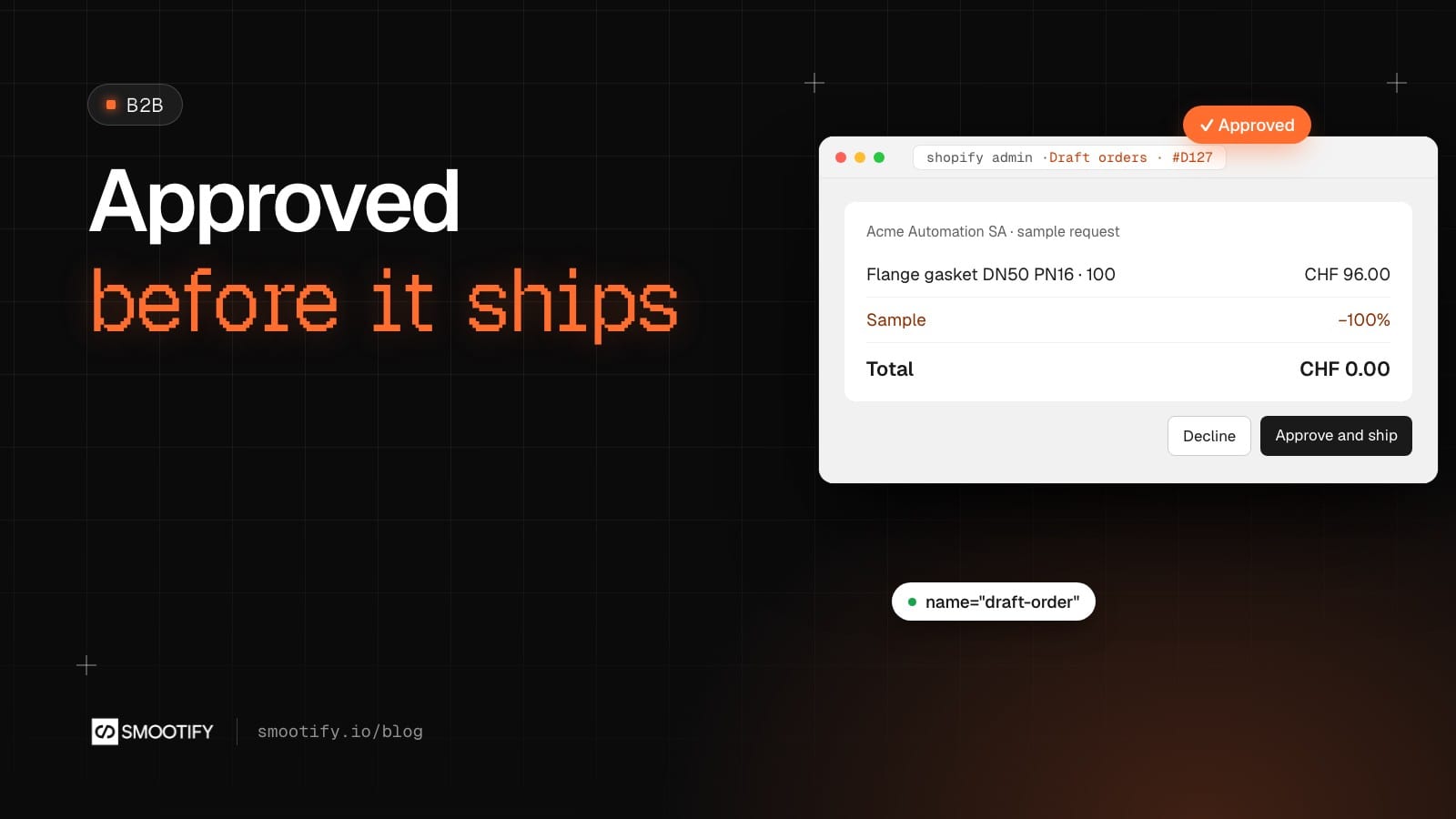
A buyer at a packaging plant needs a new gasket for a flange that keeps leaking. Before she orders a pack of a hundred, she wants three to try on the machine. On most Shopify stores she has two options. Add a “sample” product at zero, which anyone can order as many times as they like, with shipping charged as on any order. Or go through a sample app, with its widget and its fee.
Neither is what a supplier wants. A component supplier wants a request: someone in sales looks at it, sees who is asking and for what project, and ships only if it makes sense. If it does, the sample should leave the warehouse like any other order, with stock, picking and a label, and show up in the customer’s history.
With Smootify 2.0 that request is a form, a metaobject and one Shopify Flow workflow. Our demo store Spannbach, which sells industrial components, is where it fits.
Where the request goes
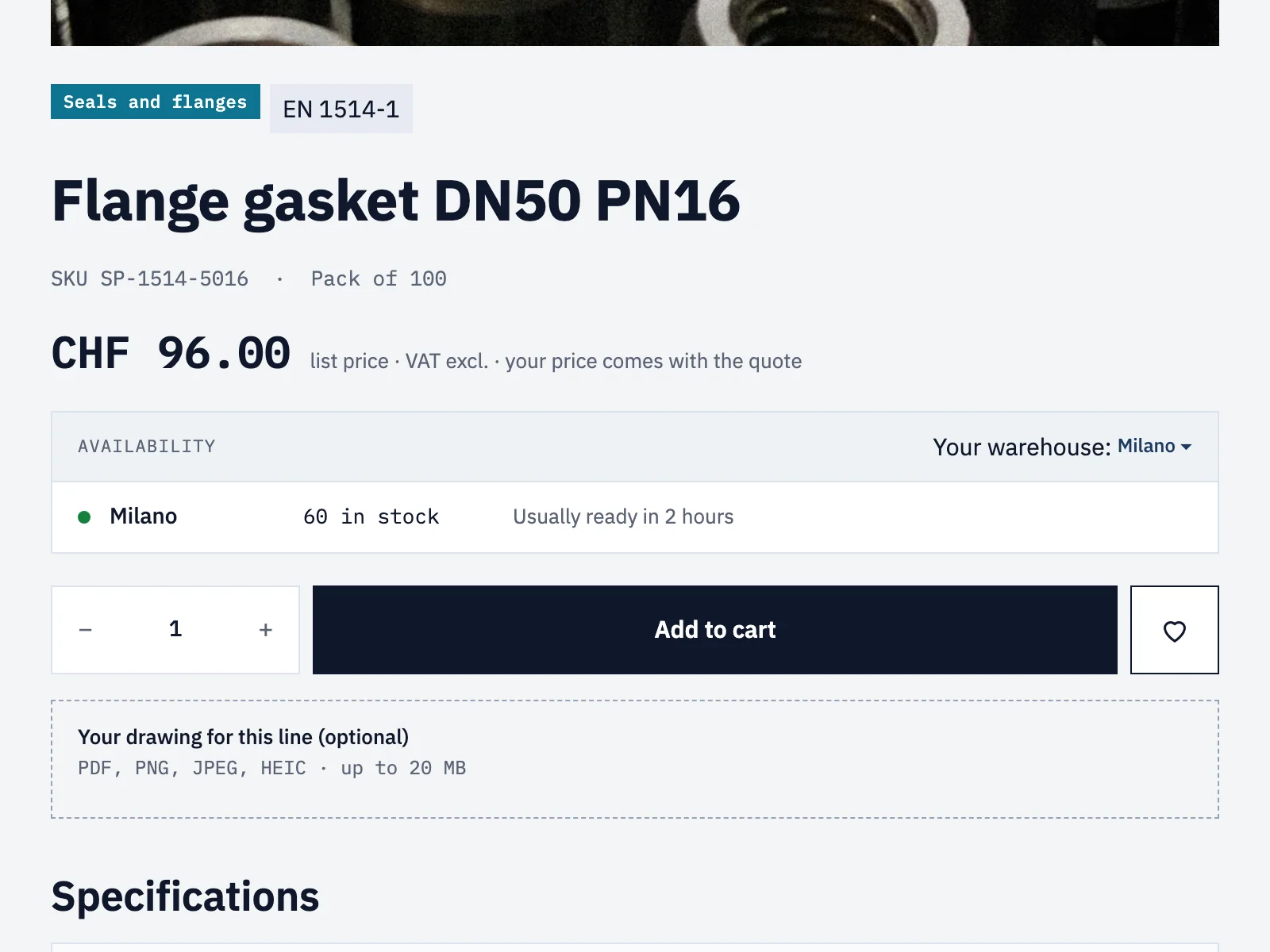
The Flange gasket DN50 PN16 is sold in packs of 100, at a list price, with “your price comes with the quote”. Under the add to cart there is already one optional field, a drawing for the line. A small “Need a sample first?” block goes right there. What follows is how it is built, with the Flow library’s Sample request to draft order.
A request that knows who is asking
For a logged-in buyer, the block can name the company she buys for, with company="name", and show a short form: where the part will be used, the expected yearly quantity, the project date, a note.
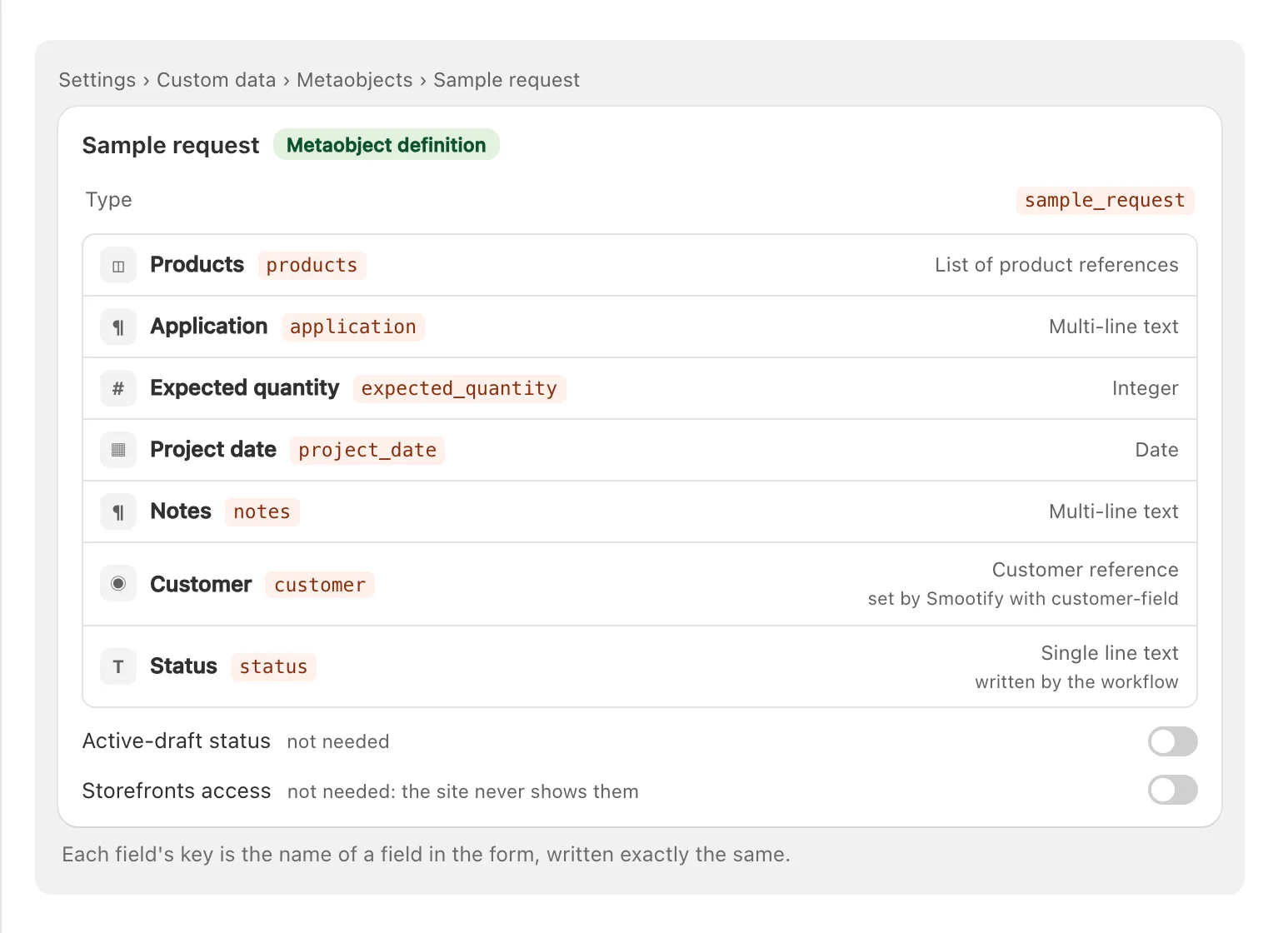
customer-field="customer" does two things. Only logged-in customers see the form, so anonymous requests never arrive. And Smootify’s server writes the customer into the request, from the login itself, never from the form, so nobody can ask in someone else’s name. Spannbach’s warranty and defect forms already work this way.
The products field is a list of product references, and the guide’s rule for those fields is simple: a hidden field holds one id, or several separated by commas, and a list takes either. For buyers who want several parts at once, a samples page lists the parts in a Collection list, each with a checkbox named products and the Shopify ID as its value. The same definition receives both.
The fields are the shop’s choice: the application and the expected quantity are what a salesperson needs to judge whether a sample will turn into an order. A tile shop would ask for the room and the square metres instead.
In Astro, the same metaobject-creator wraps a plain <form>: see the metaobject creator for Astro.
A draft order, ready for review
The request is saved in Content › Metaobjects › Sample request. The definition has no Storefront access: it holds a company’s project data, and the site never shows it.
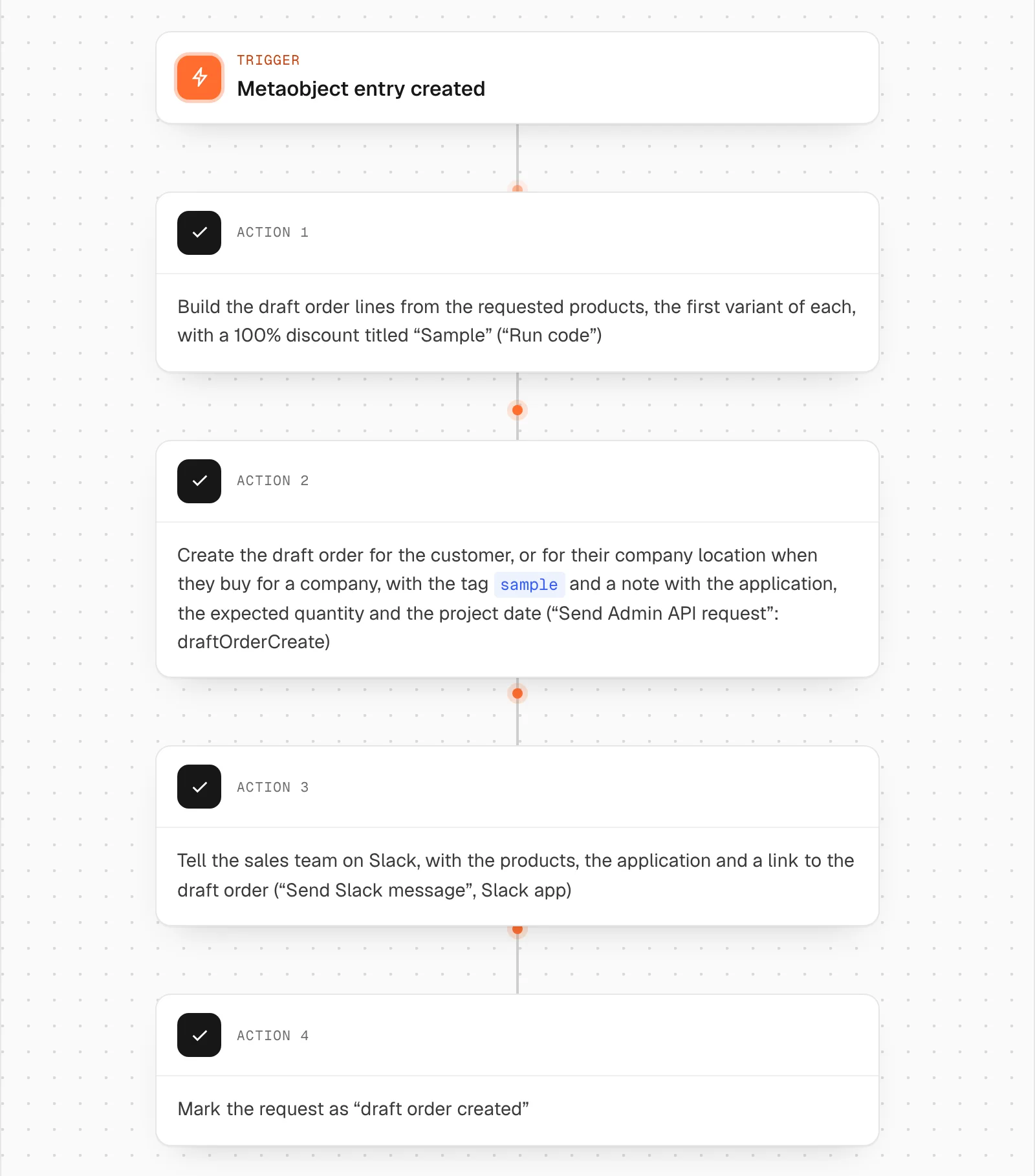
Then the Sample request to draft order workflow takes over. When the entry is created, it:
- builds draft order lines from the requested products, the first variant of each, with a 100% discount titled “Sample”;
- creates the draft order for the customer, or for their company location when they buy for a company, with the tag
sampleand a note with the application, quantity and project date; - posts in the sales channel on Slack, with the products and a link to the draft;
- marks the request “draft order created”.
The draft is not completed by the workflow. A salesperson opens it, checks the customer and the project, removes a line if three sizes is one too many, and completes it as a free order. From there it is an ordinary Shopify order: stock goes down at the right warehouse, it is packed and shipped like the rest, and the company’s history shows it.
Two other shapes
Not every shop sells only to companies with a sales team.
- A sample kit. For samples sold to anyone, at a small price, a Magic Box with
data-min,data-maxanddata-uniquemakes “pick five different washers” one cart line with a fixed price, through the normal checkout. Magic Box is included in every Smootify plan, the free one too. - Samples inside a quote. Spannbach’s cart already has a “Request a quote” button (
name="draft-order", with anemailfield). A buyer can put the sample and the first supply in the same cart, and sales prices both in one draft order. That needs the Draft Orders add-on.
Where it goes wrong
These fail quietly:
- The form is not on the page. It has
customer-fieldand the visitor is not logged in. Put a “Sign in to request samples” link next to it, or offer a second form withoutcustomer-fieldfor new contacts, with the company typed by hand. - The draft order has the wrong item. The workflow uses the first variant of each product. If you sell samples as their own variant, change the Run code step that picks it.
- The company is missing. The form writes the customer, and the workflow reads the company from the customer. A buyer in several companies needs a salesperson to pick one.
- The same customer asks ten times. The form does not count. Add a condition in the workflow, such as a tag or the last month’s requests, or leave it to the review.
- Nothing is saved. A field’s Name is not the key in Shopify, or the checkboxes don’t all share the Name of the products field.
- No “my requests” page. Without Storefront access, the site cannot list the requests. That is the right trade for company data.
- Store credit doesn’t apply. If a sample is paid through a draft order invoice, Shopify does not take store credit on it.
What you need
The form needs the Server plan with the Metaobject creator add-on; the quote button needs Draft Orders, on the same plan. The company location step needs Shopify’s B2B companies; without them, the draft goes to the customer. The metaobjects, draft orders, Shopify Flow and its Slack step are Shopify’s.
The steps are in the guide: Collect data with forms, with the quote cart in Quotes and B2B.