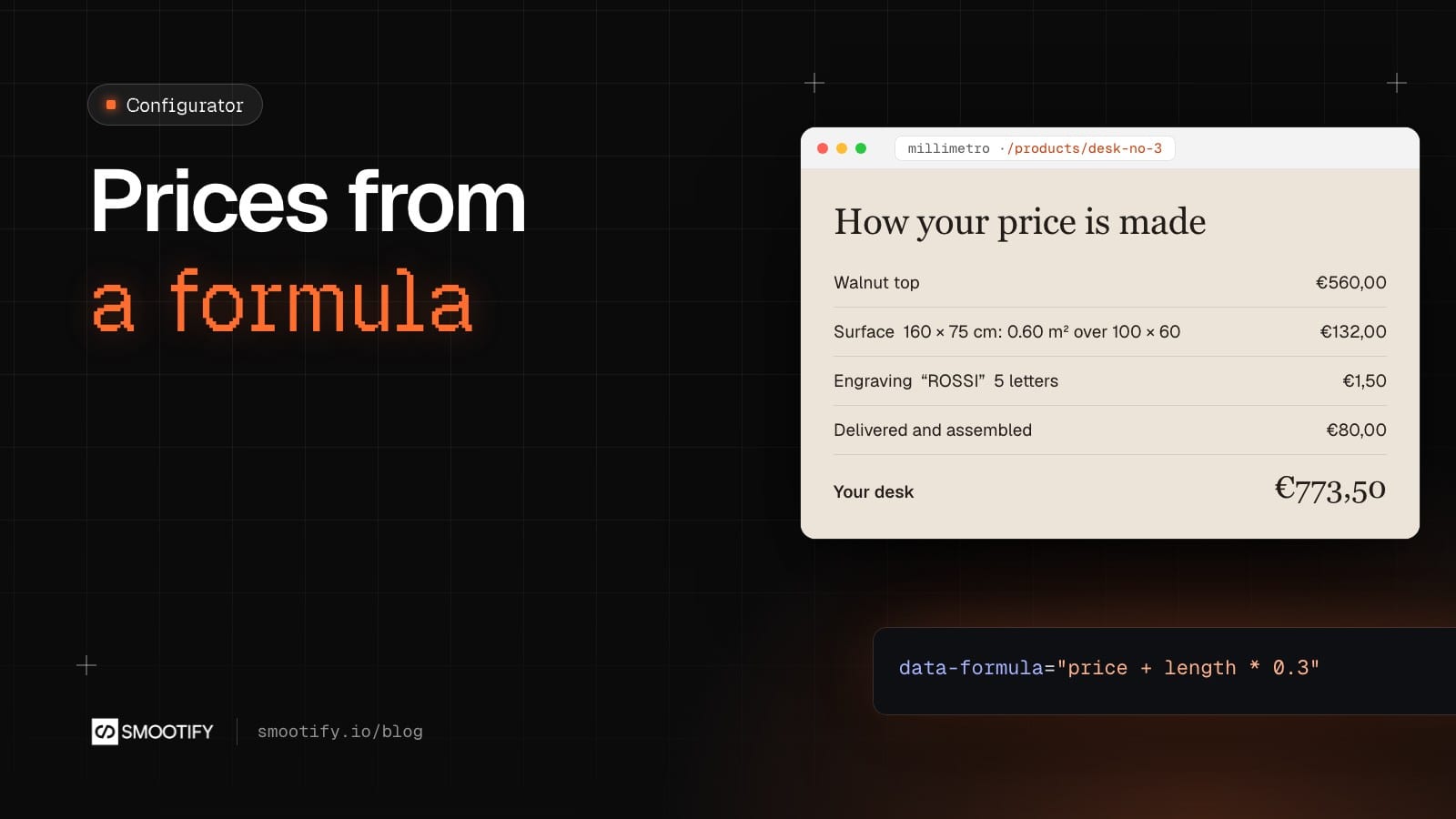
Here is a formula: price + length * 0.3.
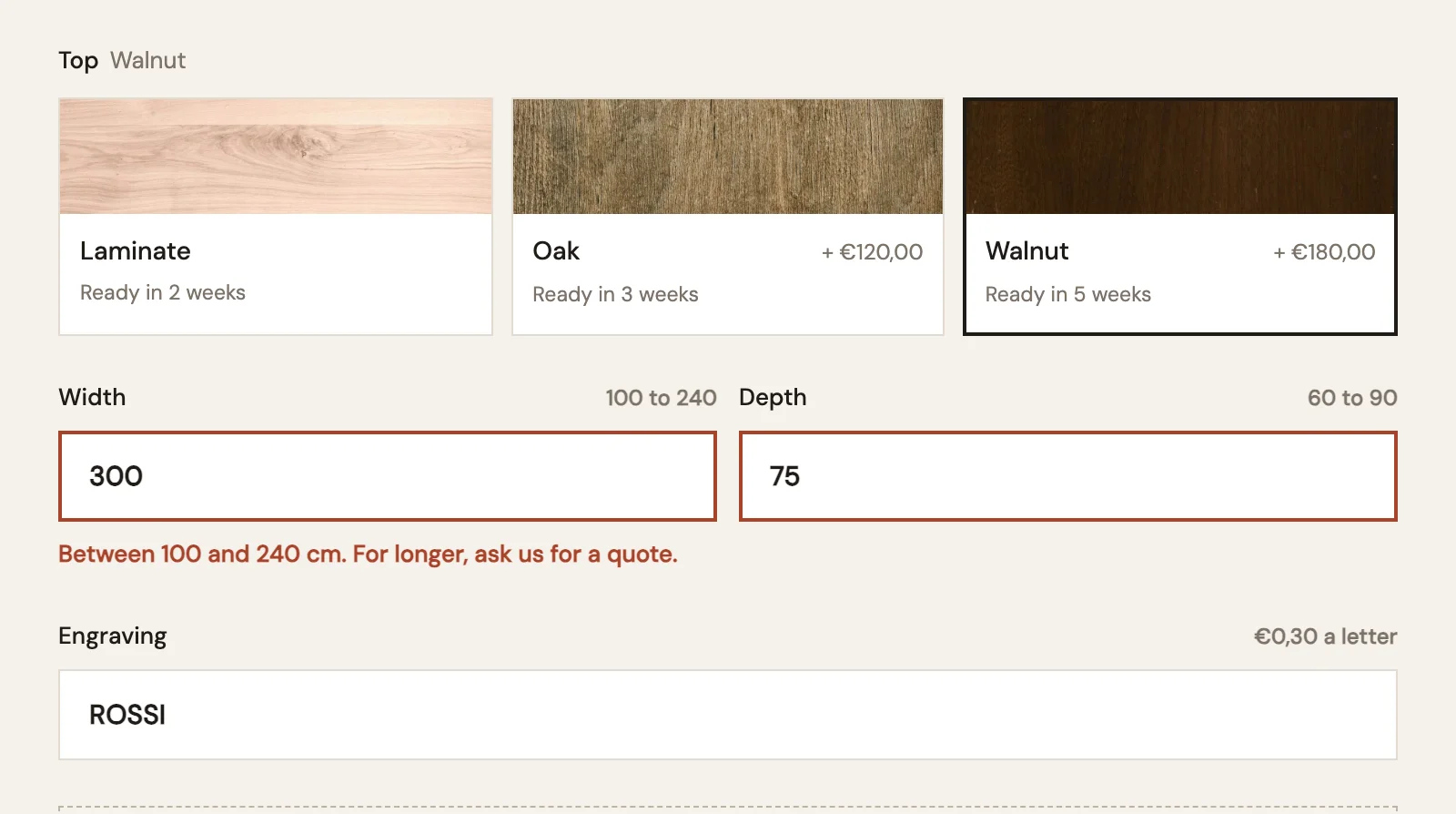
It is the whole pricing rule for an engraving like the one on Millimetro’s Desk No. 3: thirty cents for every character typed. “ROSSI” adds €1.50. A customer who types “Anna” pays €1.20. Nobody had to create a product, a variant or a price list for it.
The problem with selling things made to measure
Shopify describes a product with up to three options, and every combination is a variant with its own price. That works for a T-shirt in four sizes and three colours. It stops working the moment the customer decides a number.
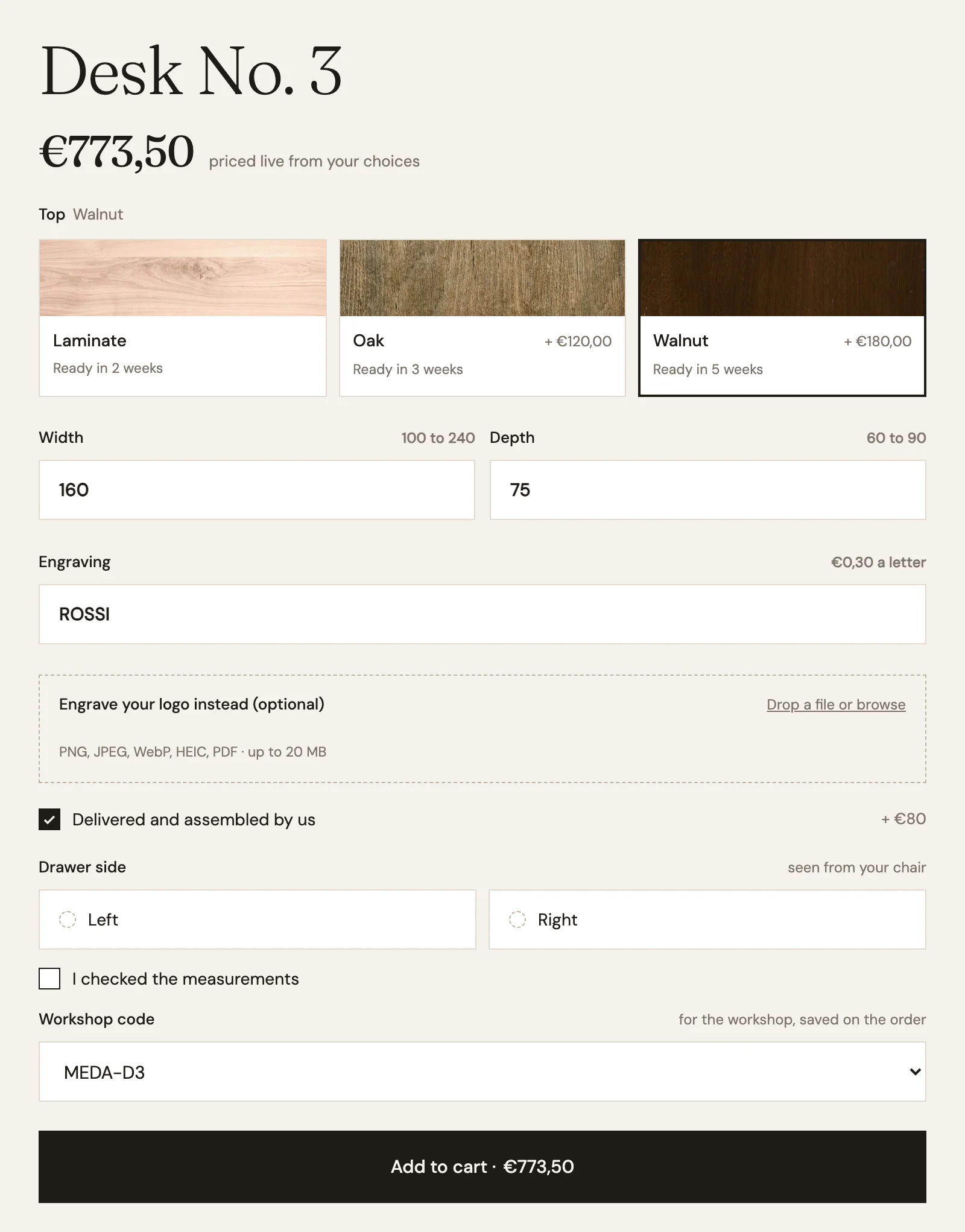
Desk No. 3 is a made-to-order desk. The customer picks the top (Laminate €380, Oak €500, Walnut €560), types a width from 100 to 240 cm and a depth from 60 to 90 cm, can add an engraving or a logo, and can ask for delivery and assembly. Even rounding the sizes to whole centimetres, that is tens of thousands of combinations before the engraving text. You cannot make variants for that. Most shops end up with a fixed list of three sizes and an email address for everything else.
The price is a formula
With the product configurator, the price starts from the variant the customer chose and passes through one formula per field. Each field is a Smootify element around a normal form field, a Webflow form field or an input in an Astro component, and each formula is an attribute, data-formula. Here is how Desk No. 3 is priced:
| Field | Element | Formula |
|---|---|---|
| Top | variant (variant-swatches) | the variant price: €380, €500 or €560 |
| Width × depth | configurator-dimension | price + (Width * Depth - 6000) / 10000 * 220 |
| Engraving | configurator-input | price + length * 0.3, where length is the number of characters |
| Delivered and assembled | configurator-checkbox | price + 80 |
The size formula reads the two number fields by their Name. The base price covers 100 × 60 cm, and every extra square metre adds €220. A Walnut desk at 160 × 75 cm with “ROSSI” engraved and assembly comes to €560 + €132 + €1.50 + €80 = €773.50. The smootify-price in the Add to cart button follows every keystroke.
Formulas read like arithmetic. In 2.0 the square brackets from 1.x are optional: price + 1 and [price] + 1 give the same result. A name that does not exist counts as 0 instead of breaking the calculation. For radios, selects and dropdowns, the formula goes in the value of each choice after a |, so Walnut|price * 1.4 is a wood that costs 40% more at any size. The customer and the order only see “Walnut”.
Formulas also take functions such as round(…), min(…) and max(…), so a minimum price is max(price * width * height, 50).
There are fields for most things a configurator needs: a text field (configurator-input), a checkbox, radios, a select, a Webflow Dropdown, a popover, sizes (configurator-dimension) and file uploads (configurator-file-input, where file is the number of files). Millimetro uses the last one for “Engrave your logo instead”.
The customer sees how the price is made
Under the desk’s options, Millimetro shows a small summary that updates as you type: the top, the surface in square metres, what the engraving adds, the total. It is built with attributes, not code. form-value shows what the customer typed, configurator-price="Engraving" shows what that field adds, and configurator-formula="(Width * Depth - 6000) / 10000" calculates the extra surface with the same names as the formulas. If the customer clears the engraving, its row disappears with if-configurator.
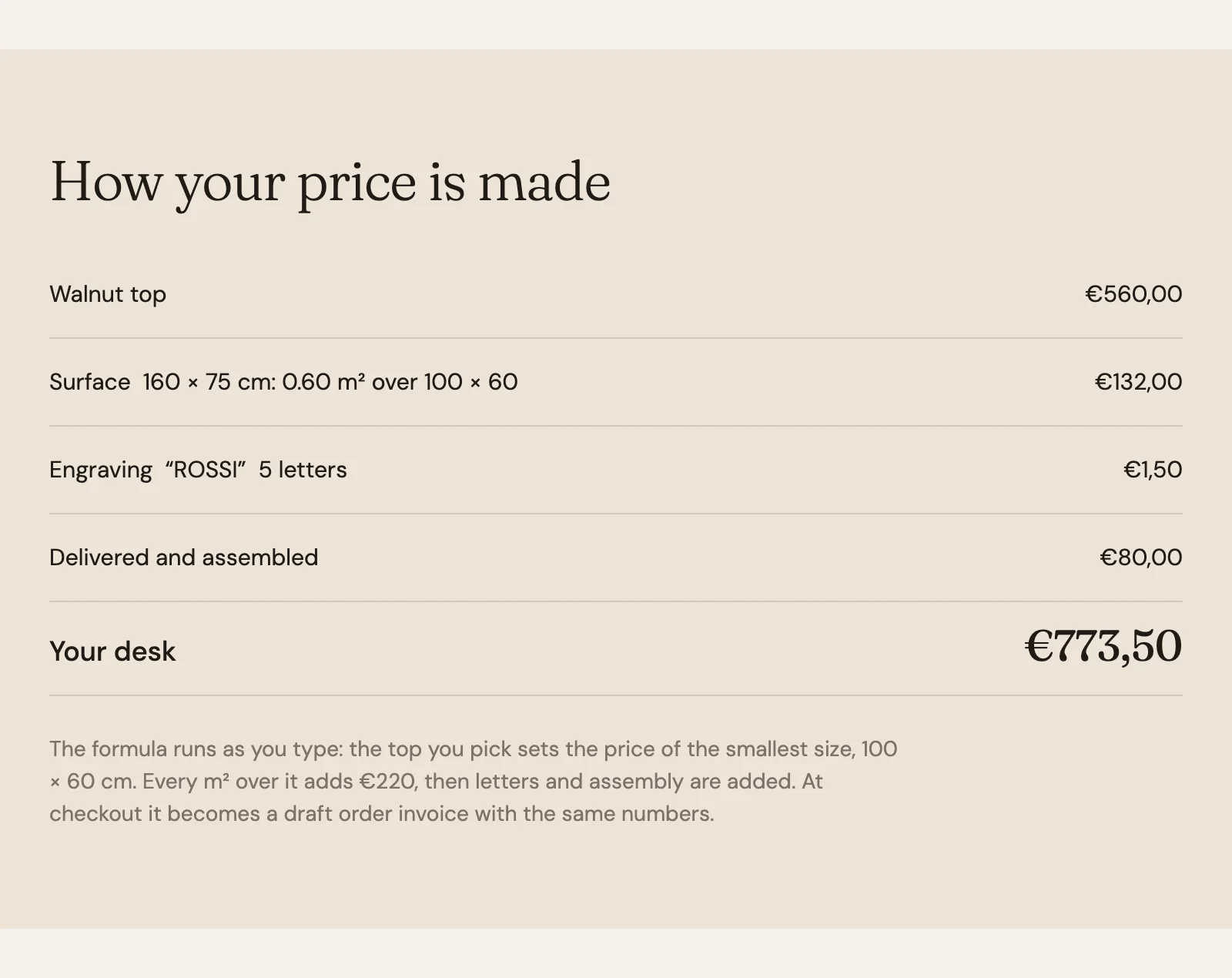
That summary is what makes a configured price feel fair. The customer can see why the number moved.
Send the desk to someone else
Few people order a €775 desk on their first visit. In 2.0, a configurator-share element with a button inside builds a link to the page with every choice in it, one parameter per field. On a phone it opens the share sheet; elsewhere it copies the link. Whoever opens it finds the configurator already filled in, as if they had typed it, and the same price. A value the field would refuse, such as a width over 240, stays off. An uploaded logo is not in the link. On Millimetro the button is “Save this configuration”.
At checkout
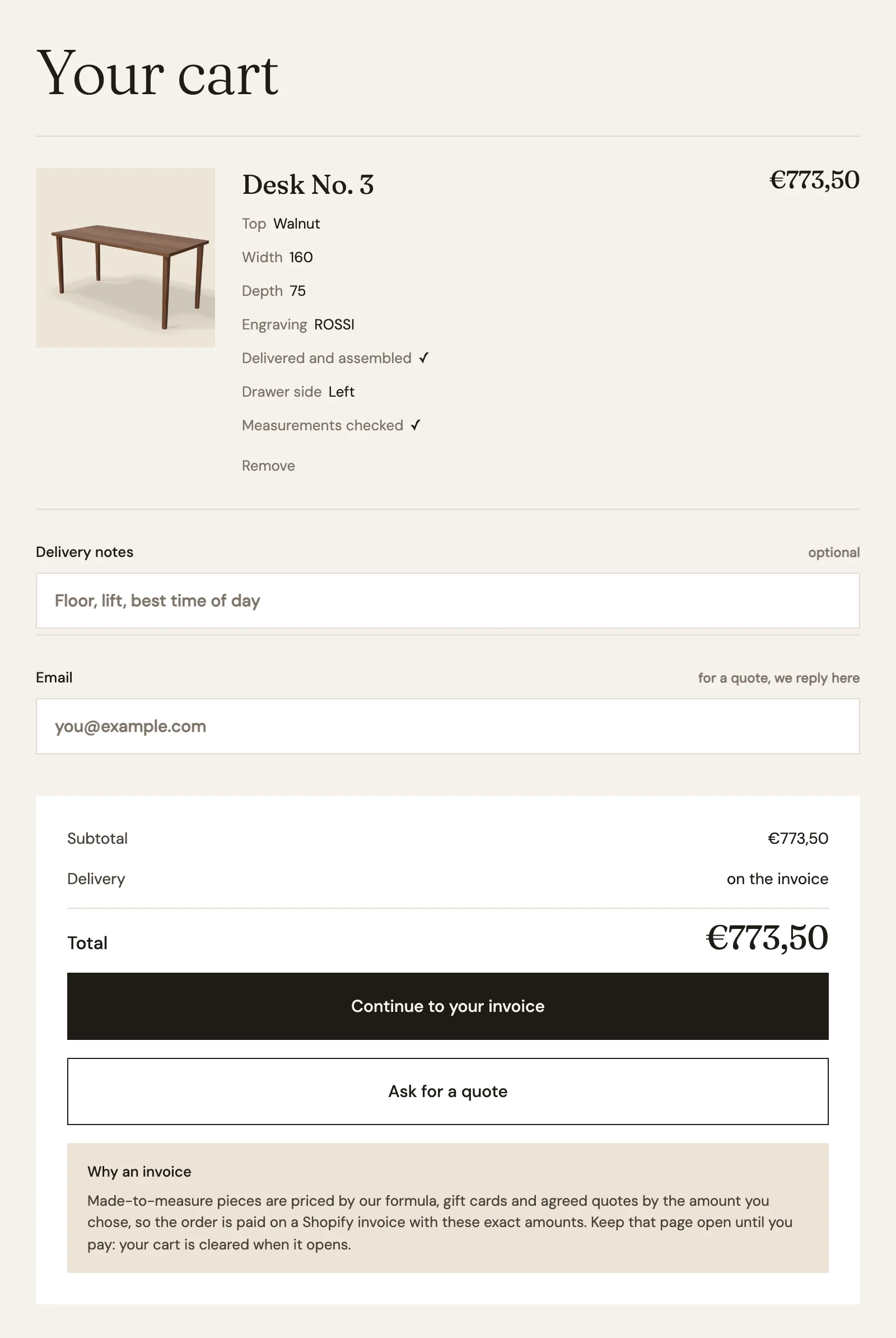
A cart with a configured price checks out through a Shopify draft order: the customer pays on the draft order’s invoice page, not the usual checkout. The whole cart goes into that order, except subscription lines, and the cart is emptied when the customer leaves for the invoice. A Buy now button skips the cart and leaves it as it was. This is the same checkout that Name your price uses.
Each choice is also saved on the cart line under the field’s Name, so the workshop sees what to build.
The configurator needs the server plan and the Product configurator add-on turned on in the Smootify dashboard. The Draft Orders add-on is not needed.
Where people get stuck
Most configurator failures are silent. Nothing shows an error; the price just does not move.
- The formula is on
configurator-field. That element only groups fields. Adata-formulaon it is never read. Put the formula on the field element itself. %used as a percentage. In a formula%is the remainder of a division, and a%after a number is ignored, soprice * 10%multiplies by 10. For 10% more, writeprice * 1.1.- No
error-message. If a width is out of range, Add to cart stops. Without anerror-messageelement or anis-invalidstyle, the customer has no idea why. Millimetro’s says “Between 100 and 240 cm. For longer, ask us for a quote.” - Decimals without
step. A number field with decimals and nostepis never valid. - Two fields with the same Name count as one.
- Testing on
.webflow.ioduring a Webflow trial. Server add-ons run on the licensed domain until the site is paid.
Before you publish, place a test order on the licensed domain all the way to the invoice page, and check the payment methods the customer sees there.
The full setup, with a formula builder and the price-by-quantity tool, is on the Product configurator page.