Spannbach, our industrial parts demo store, sells bearings, bolts and linear guides from warehouses in Milano, Zürich and München. Its primary market is Switzerland, in Swiss francs, with Liechtenstein; it also sells to Italy, and to Germany and Austria, in euros. A workshop near Milan lands on a product page. What does it see?
Most explanations of multi-market selling stop at “localize your site, it is good for conversion”. That is not the question a designer has. The question is what actually happens, in which order, and what they have to build. Here is the sequence in Smootify 2.0.
First, Smootify decides the country
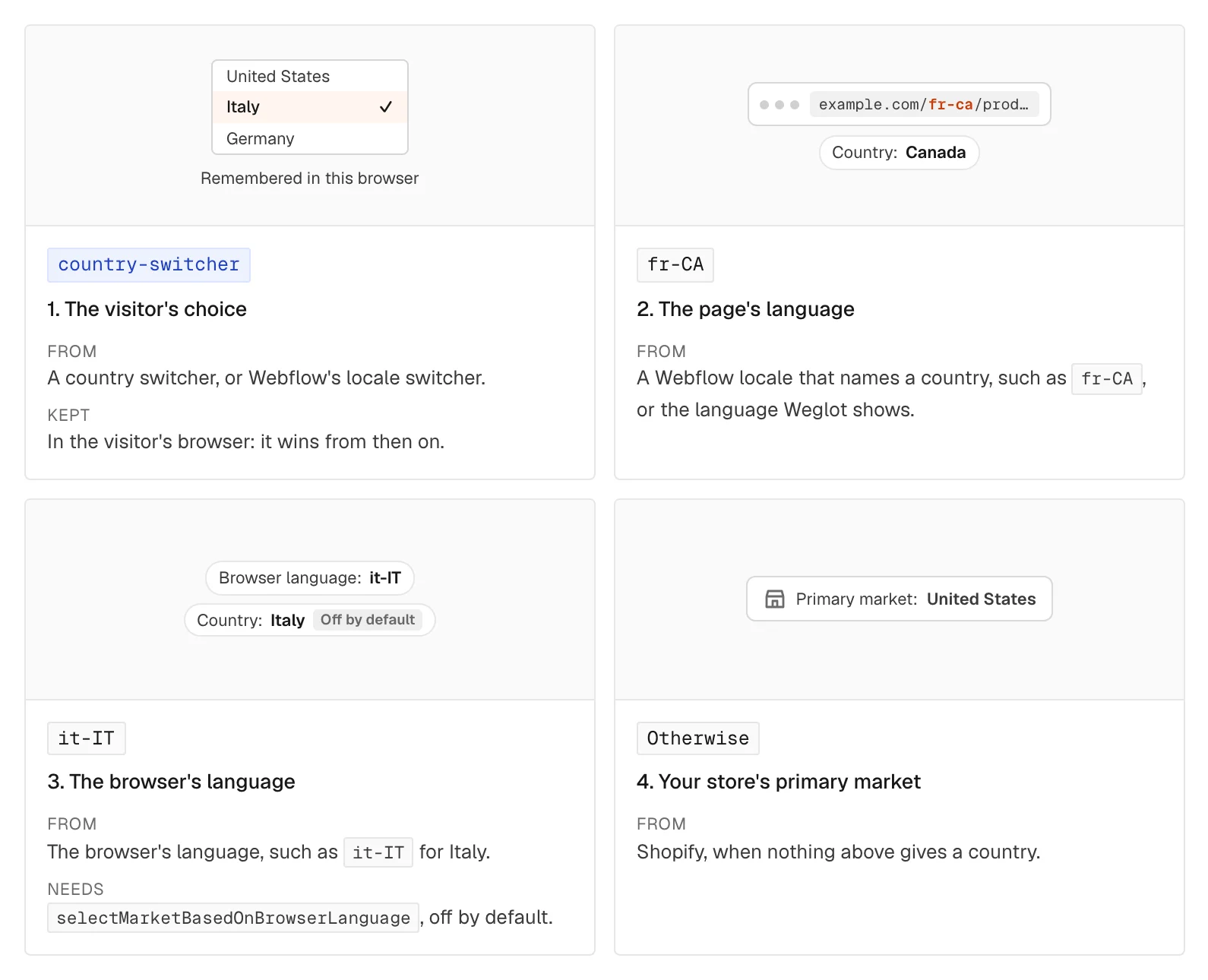
It takes the first of these that gives an answer:
- The visitor’s own choice, made earlier in a country switcher or with Webflow’s locale switcher. It is remembered in their browser and wins from then on.
- The page’s language, when it names a country, such as a Webflow locale
de-AT, or the language Weglot shows. - The browser’s language, such as
de-DE, if the site turns onselectMarketBasedOnBrowserLanguage. It is off by default. - Otherwise, the store’s primary market. For Spannbach, Switzerland.
Our visitor from Milan has never chosen, and the English page names no country, so they start on Switzerland and Swiss francs. That is where the market suggestion comes in.
Then it waits for the language
This is the part almost nobody notices. Smootify asks Shopify for products in the language of the page, so it needs to know that language first. With Weglot, it waits until Weglot has translated the page. With Webflow Localization, the locale is already in the page, and it reads it.
Then it requests products, prices and the cart, in that language and for that market. The result is that a German page gets the German product titles from Shopify and the right prices on the first request, instead of English texts replaced a moment later.
It works with both Webflow’s native localization and Weglot. A store that already pays for Weglot does not have to rebuild its languages to use Smootify. On a store built in Astro, locales in the integration builds one page per market and language from Shopify, with no translation service: see Markets for Astro.
Spannbach itself is in English only today, so the language part of this post is how it works on a store with languages, not something you can try there.
A suggestion, once
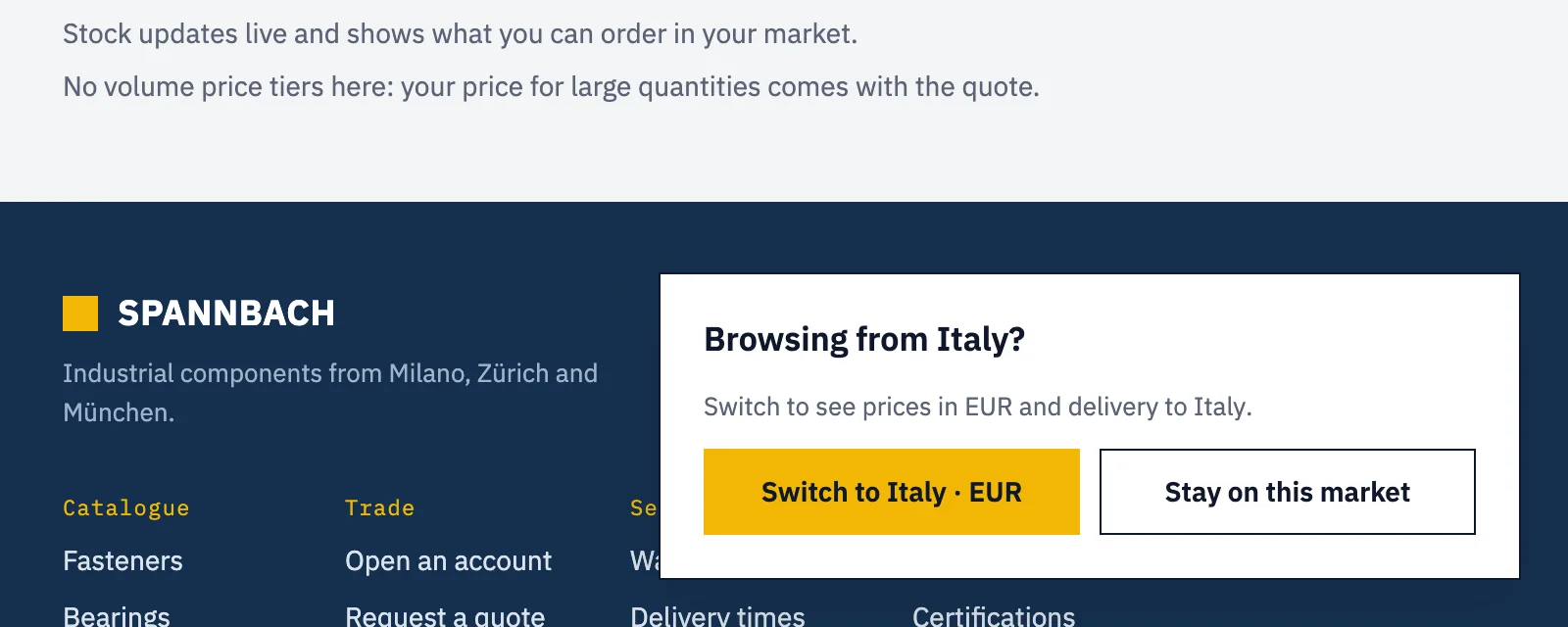
New in 2.0: a popover that tells a visitor the store has a market for them. Opened from Italy, Spannbach’s says “Browsing from Italy? Switch to see prices in EUR and delivery to Italy”, with two buttons: “Switch to Italy · EUR” and “Stay on this market”.
It is a Webflow Popover, or any Div block with popover, carrying data-is="market-dialog". Smootify opens it by itself:
- once per browser. Close it any way, with a button, Escape or a click outside, and it does not come back;
- after a delay, 3 seconds by default, set with
delay; - after the cookie banner, if Smootify’s banner is open, then the delay again;
- only when the store sells in more than one country. A single-market store never sees it.
Inside, market-dialog="country", "flag", "language", "currency", "currency-symbol" and "currency-name" fill in the visitor’s market. A Custom element with the tag button and data-action="continue" switches to it. animation-name, animation-duration and disable-blur style how it opens.
Where the country comes from. Smootify asks the site’s own domain. Webflow hosting sits behind Cloudflare, which knows the visitor’s country, so the visitor’s IP address does not go to any other service. Only on a site hosted elsewhere, where that answer is missing, does it ask the geolocation service country.is. If neither knows the country, nothing opens, and the next page tries again.
What changes when the country changes
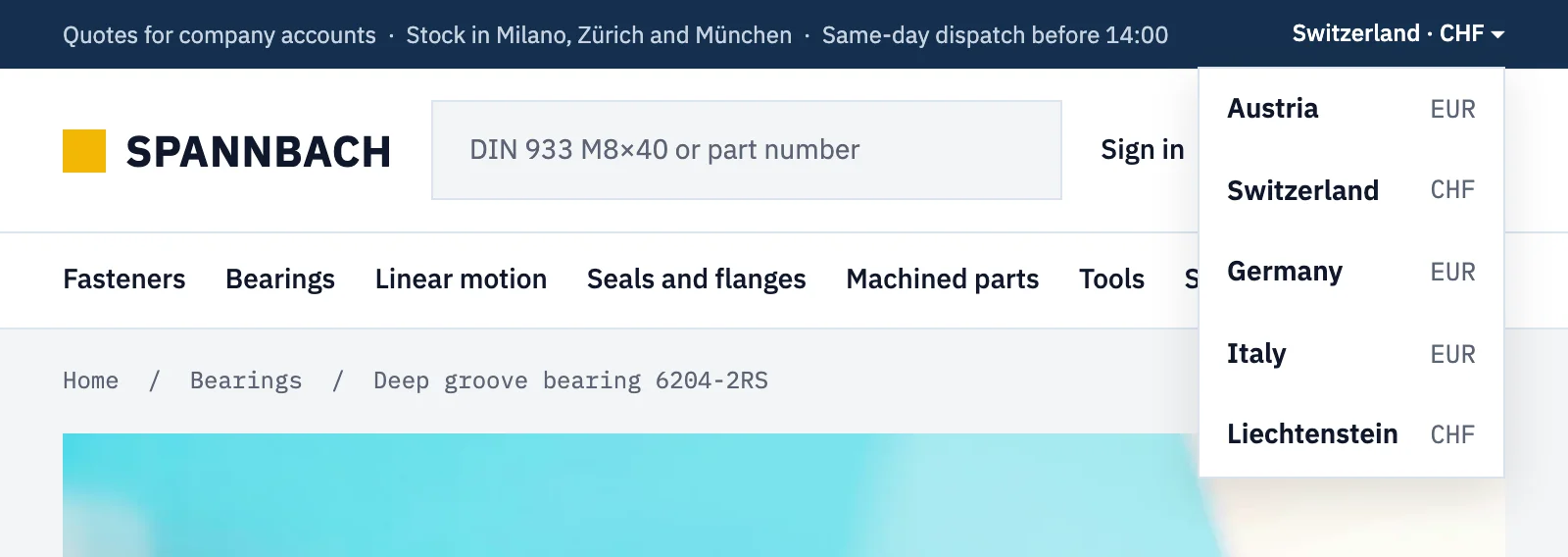
The visitor clicks “Switch to Italy · EUR”, or picks a country in the switcher in Spannbach’s top bar. Without reloading the page:
- prices and currency on every product, card and in the cart become the ones Shopify has for that market;
- the cart moves to the new country;
currency-codeelements, such as the one in Spannbach’s header, show the new currency;- products the market does not sell keep an empty
smootify-productwith the classw-dyn-bind-empty. Smootify does not redirect: you decide how that looks; - the product’s structured data for search engines carries the new price and currency.
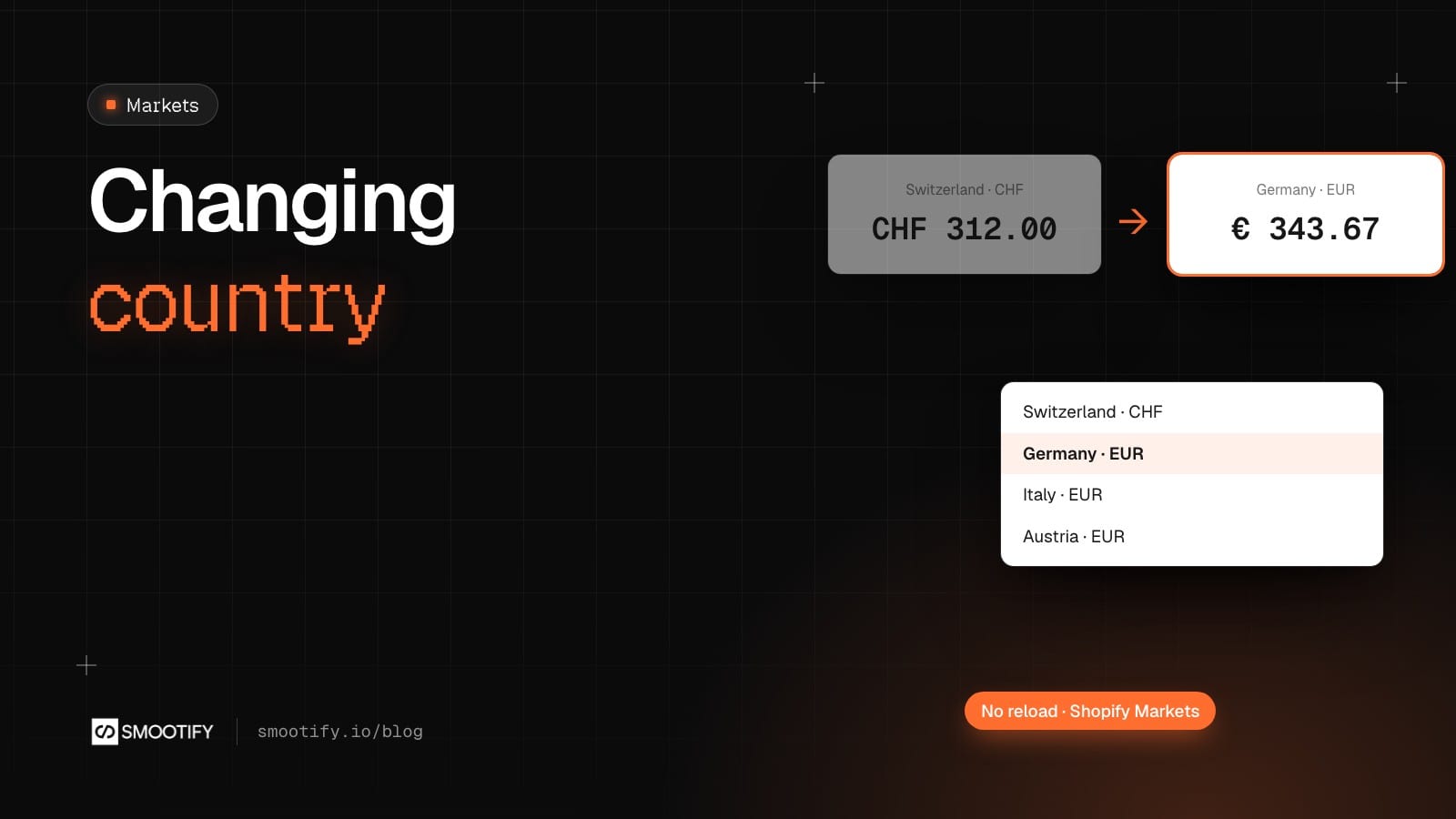
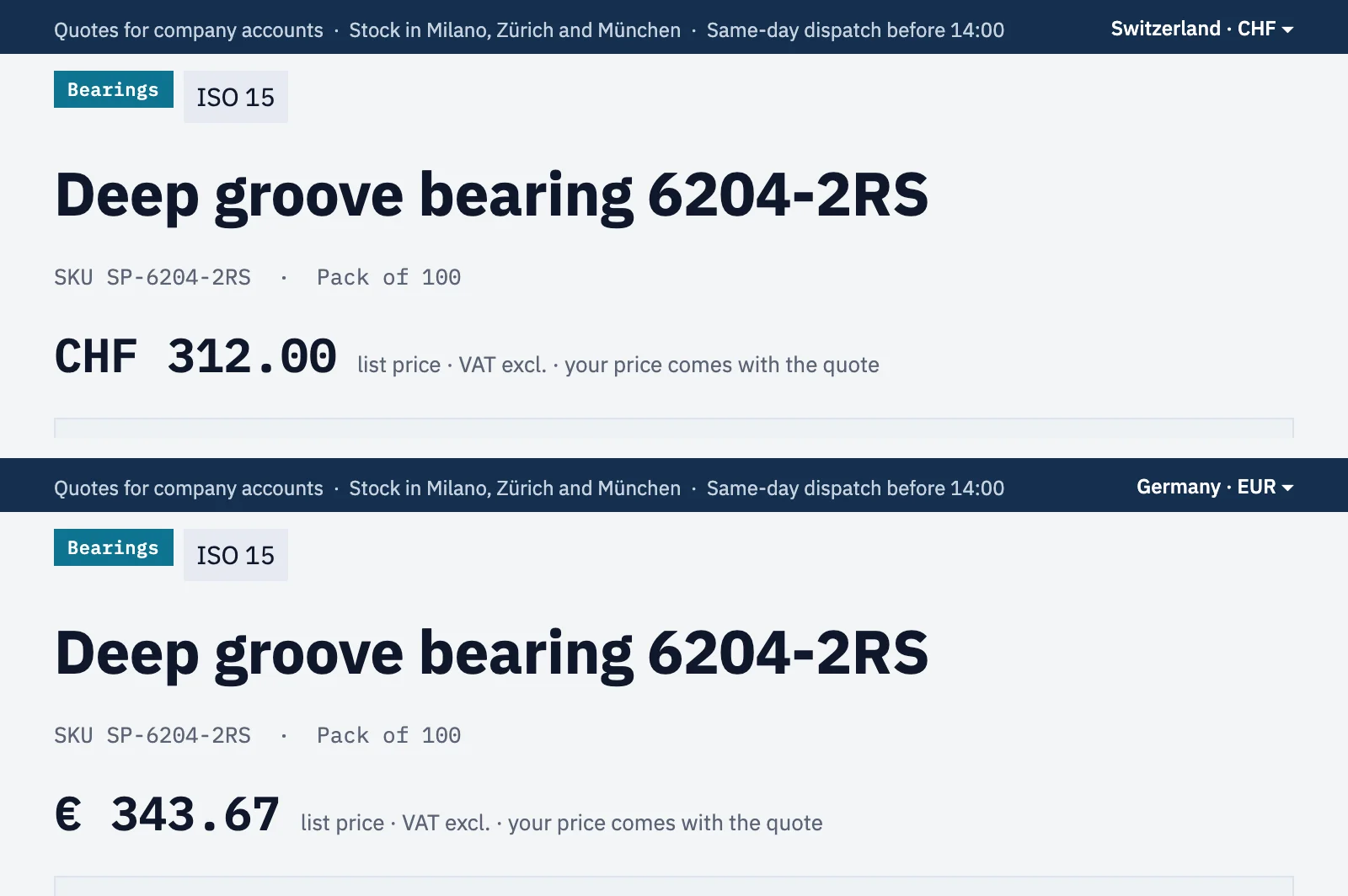
On Spannbach’s bearing 6204-2RS, CHF 312.00 became €343.67, the euro price Shopify Markets gives for Germany, and the top bar went from Switzerland · CHF to Germany · EUR.
The country can change the language. When the country’s code is also one of the store’s languages, the language follows: on a store with Italian, picking Italy switches to Italian. With Webflow Localization, the switcher goes through Webflow and opens the page of that locale, landing on the same product. A country whose code is no language, such as Switzerland (CH), changes only the country. Spannbach has no other language, so there only the country changes.
Where you pick the store, not just the country
A market is also where a part can be collected. Spannbach’s location-switcher lets a buyer pick Milano, Zürich or München once, for the whole site, with location="name" and location="address". The choice is sent to Shopify as their preferred location, and the pickup block on product pages lists the other warehouses after it.
Where it goes wrong, quietly
- The switcher is missing or empty. The store sells in one country only, so there is nothing to switch. Add markets in Shopify under Settings › Markets first.
- The footer currency never changes.
currency-codeis filled only while the page has acountry-switcher. - Sales vanish in Europe. When the primary market is outside the EEA, Shopify hides converted compare-at prices from EEA countries by default, because they lack the lowest price of the last 30 days.
- Everything is sold out in one country. No shipping zone covers it.
- The language changes with the country. The country shares its code with one of your languages. It is expected, so plan the locales for it.
- No locale switcher. Webflow Localization needs a Webflow site plan that includes it. Without it, use Weglot.
- Page and products in different languages. With Webflow Localization, change the language only with Webflow’s locale switcher, never a picker of your own.
The switchers, the languages and the suggestion are in two guides: Markets, currencies and languages and Market suggestion.