
A food crate shop gets the same question every week: “is it any good?” The honest answer is the people who already bought it, so sooner or later the shop installs a review app. Then the app sends its first invoice, its widget arrives with its own fonts and its own idea of a star, and the reviews live on someone else’s server. The day you change app, you export a CSV and hope the photos come with it.
Most of what a review app does, your Shopify store already does. A review is a small record with a few fields: a rating, some text, a name, the product it belongs to, maybe a photo. Shopify calls that a metaobject. With Smootify 2.0, a form on your site, built in Webflow or in Astro, saves each review as a metaobject entry in your store, you approve it in the Shopify admin, and the product page lists the approved ones with their stars. No review app, and no monthly fee for it.
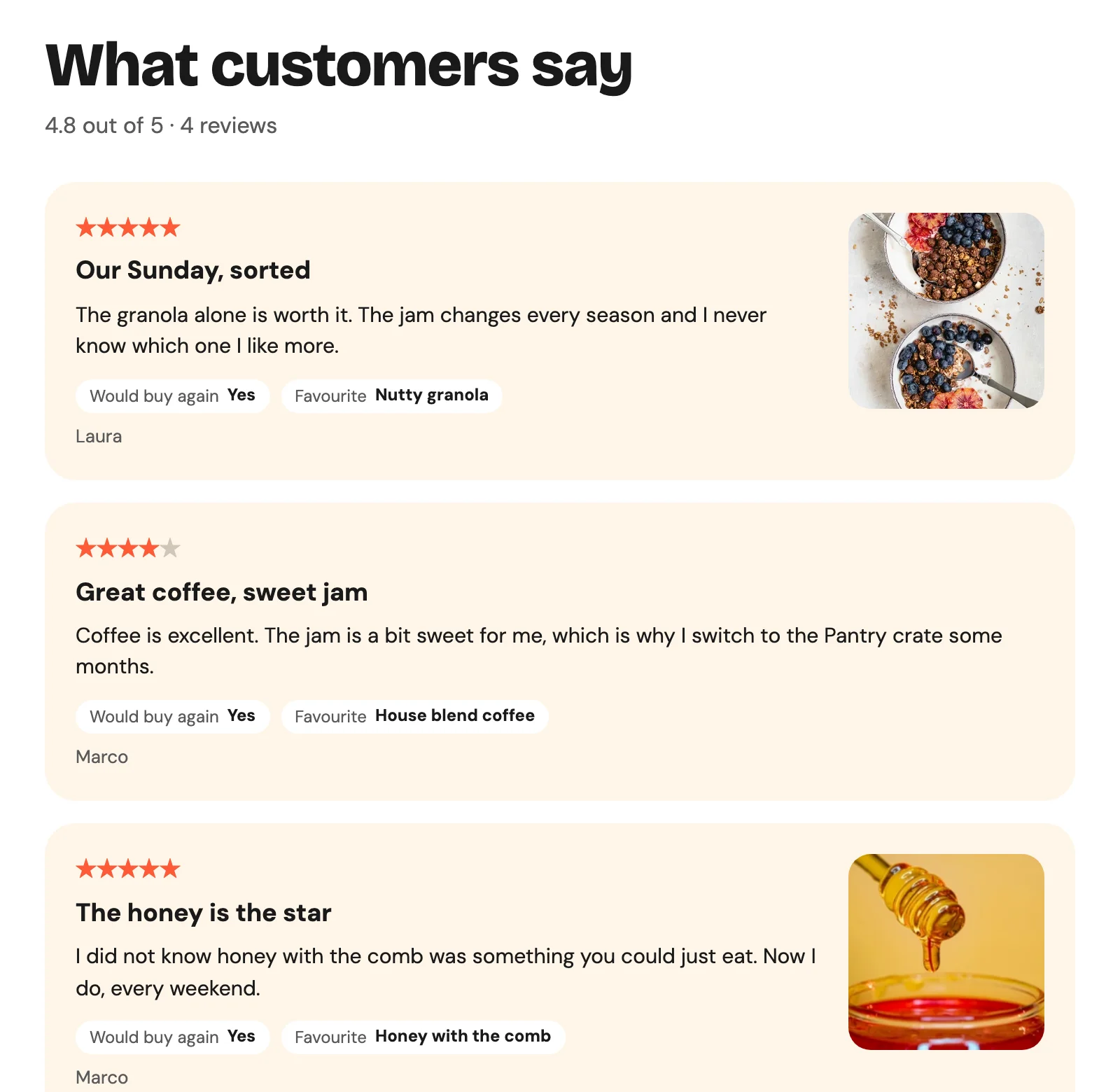
The example is Sunday Crate, our demo store: a crate shop with its kitchen in Milan. Open the Breakfast Crate and scroll to “What customers say”.
You design the review, field by field
A review app gives every shop the same form: five stars and a text box. A metaobject has the fields you give it. Sunday Crate’s review definition has a rating on a scale of 1 to 5, a title, the text, the author, the crate reviewed and an optional photo. It also has two fields no app would offer a food shop: Would buy again (Yes, Not sure, No) and Favourite item in the crate.
“Would buy again: Yes, favourite: Nutty granola” tells the next visitor more than half a star would. A clothing store would ask for the fit instead (small, true to size, large) and the size bought. A cosmetics brand would ask for skin type. You decide in Settings › Custom data › Metaobjects, and the form on the site follows.
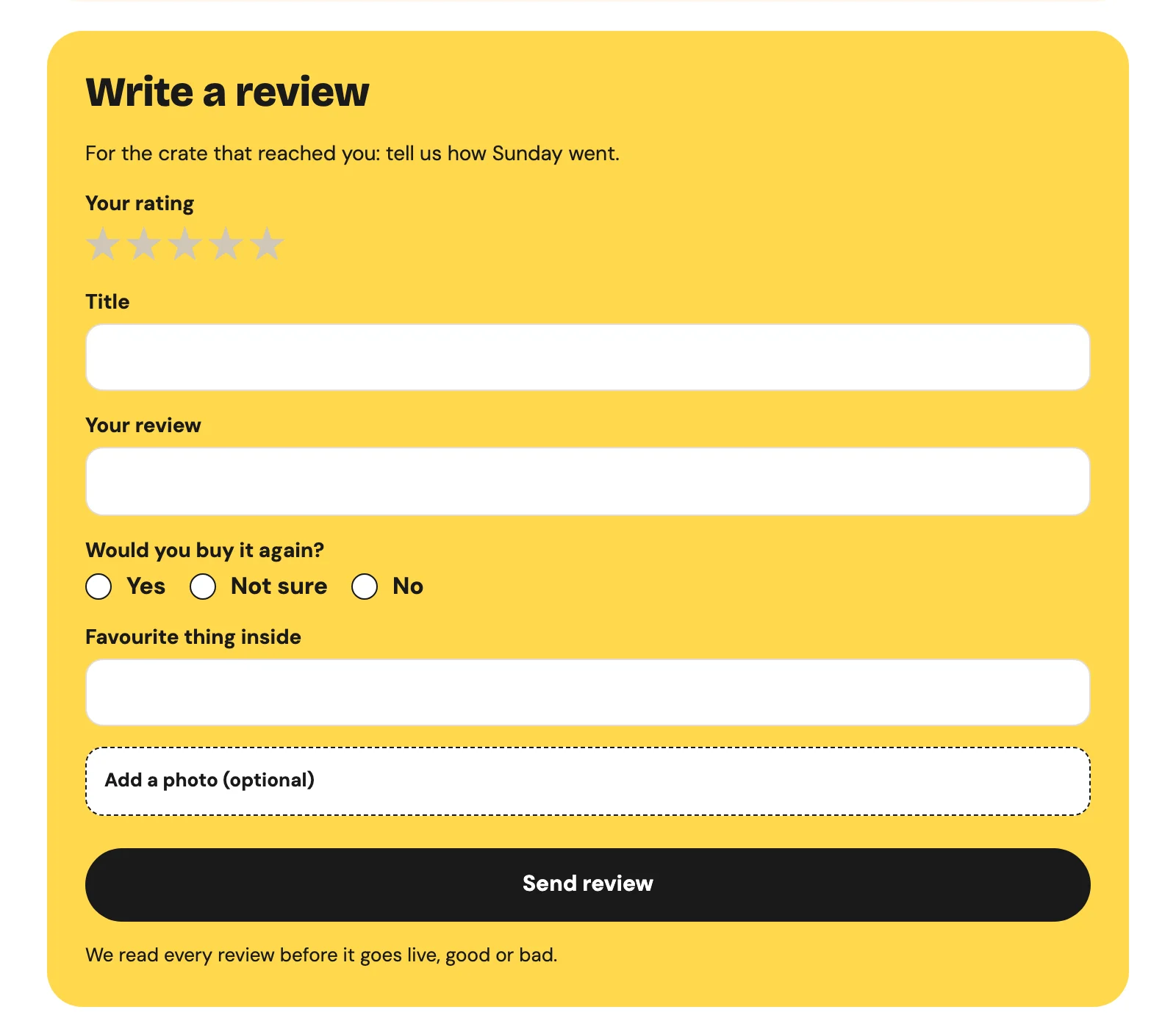
In Webflow the form is a normal Form Block inside a Custom element with the tag metaobject-creator. Each field’s Name is the key of a field in Shopify:
The radio buttons send a plain number and Smootify’s server writes it on the rating field’s scale. The photo goes to your store’s Shopify Files. The hidden product field, bound to the Shopify ID field on the product template, ties the review to the crate. The form needs the Server plan and the Metaobject creator add-on.
In Astro the same metaobject-creator wraps a plain <form>, with form-done and form-fail elements for the messages: the Astro reviews guide has the component.
Nothing goes live until you say so
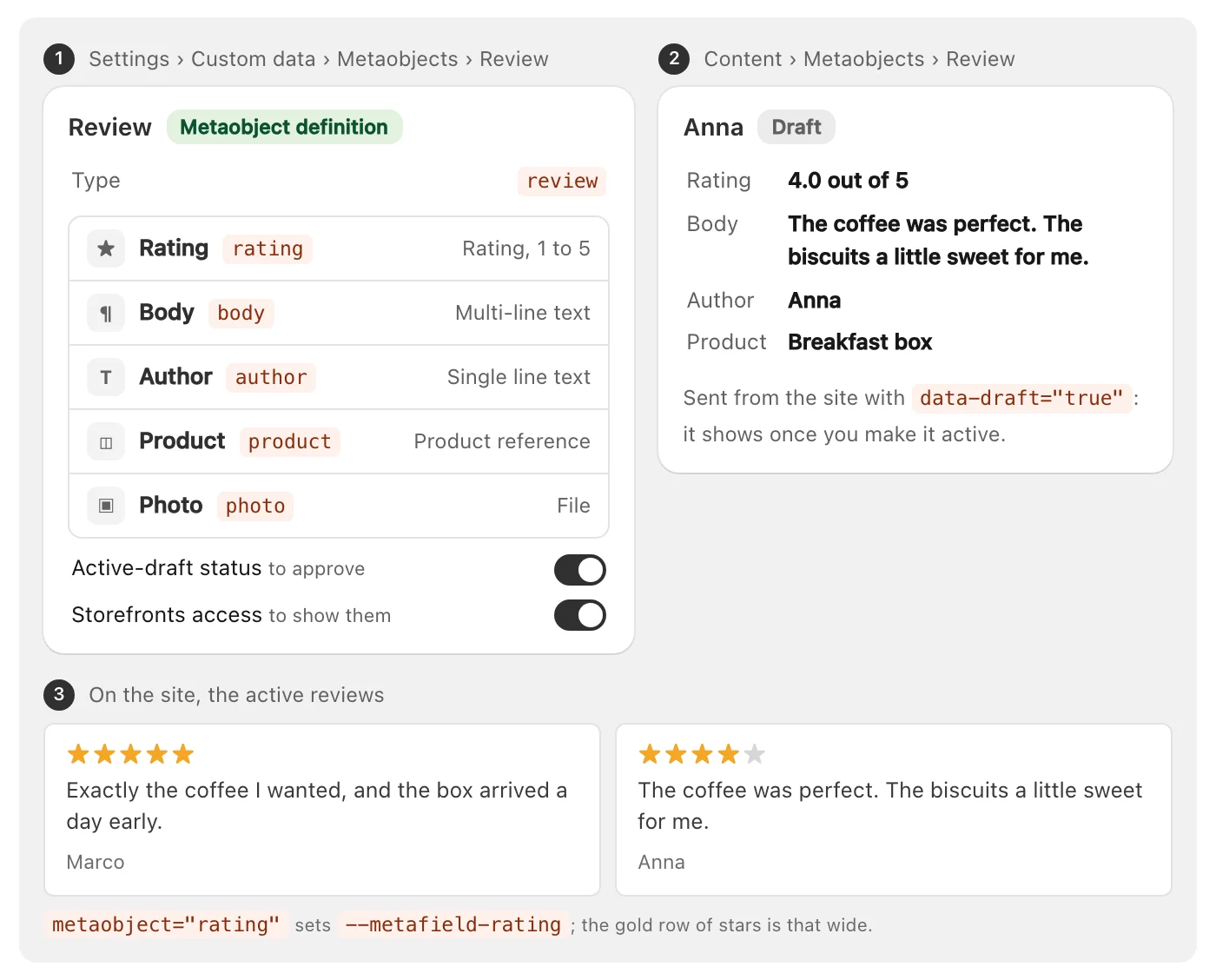
data-draft="true" is the moderation. Each review arrives as a draft under Content › Metaobjects › Review, and it shows on the site only when you make it active. Without that attribute, every review is live the moment it is sent, including the first rude one. The definition also needs Active-draft status, or there is no draft to save. On the Breakfast Crate, Marco’s four stars (“The jam is a bit sweet for me”) sit next to the five-star reviews: approved because someone read it, not hidden because it is not perfect.
The stars draw themselves
On the product page, each crate keeps its reviews in a product metafield, custom.reviews, a list of review entries. smootify-metaobjects with data-type="metafield.custom.reviews" lists them. This matters: a list of data-type="review" shows every review of the store, because it does not filter by the product field.
For the stars there is no script to write. In 2.0, a rating field sets the CSS variable --metafield-rating: the rating as a share of its scale, so 80% for 4 out of 5. Put a row of stars inside the element with the rating, give a fill a width of var(--metafield-rating), hide its overflow, and the fill covers exactly that share. data-attr="aria-label" gives the number to screen readers. If you built stars by hand in 1.x, with a script or five conditional images, you can delete them.
The same trick works for the product’s average. Shopify has two standard metafields for it, reviews.rating and reviews.rating_count. Inside a smootify-product, metafield="rating" with namespace="reviews" writes “4.8” and sets --metafield-rating to 96%. On Sunday Crate the Breakfast Crate shows 4.8 out of 5 from 4 reviews.
Flow keeps the average up to date
Three Shopify Flow workflows from our Flow library close the loop, ready to import:
- Review request after delivery emails the customer five days after the order is fulfilled, with a button per product that opens its page at
#reviews: give the section that holds your reviews the IDreviews. - Review moderation notice emails you when a draft is waiting.
- Product rating from your reviews runs every night, adds the newly approved reviews to each product’s
reviews.ratingandreviews.rating_count, and marks them as counted.
The rating reaches Google
On a product page, Smootify adds the product’s structured data for Google, and it includes the rating when the page shows both reviews.rating and reviews.rating_count. Google wants a marked-up rating to be visible, so that is the rule. The nightly workflow keeps the two numbers current, and Google decides whether to show stars in its results.
Where it goes quiet
These fail without an error, which is why people give up:
- Reviews are saved but never show. The definition has no Storefronts access, or they are still drafts.
- Every review of the store shows on every product. The list uses
data-type="review"instead of the product’s metafield. - The rating stays empty. The element lacks
namespace="reviews", so Smootify readscustom.rating. - The stars do not fill. The fill is not inside the element with the rating.
- No rating on Google. The page shows only one of the two metafields, or the count is zero.
The reviews stay in your store if you change theme or agency. The full setup, from the definition to the page, is in the guide: Product reviews.