Telaio Nove
Linen and cotton clothing woven in Biella, with a small line of recycled silver.
Running on Smootify 2.0, for Webflow and Astro. The Webflow project and the Figma file are both free.
A photo for every colour, size charts from Shopify, alternatives for a sold-out size and engravings priced per letter.
Lite for the catalog and the cart, Server for engravings and the showroom
- The Webflow project, ready to clone
- The Figma file: desktop, tablet and mobile
- No repo to clone in Astro: rebuild it in Studio from the Figma file
- A teardown of every mechanic
Go all the way to checkout.
Telaio Nove runs on a Shopify development store: you can place a test order end to end. Nothing is charged and nothing ships.
- 01
Fill the cart
Open the live store and add anything to the cart, the way a customer would.
- 02
Enter the store password
At checkout Shopify asks for the store password of the development store:
telaio - 03
Place the order
The checkout takes test payments: Shopify shows the test card to use right there. Your order reaches the store like a real one.
How Telaio Nove is built.
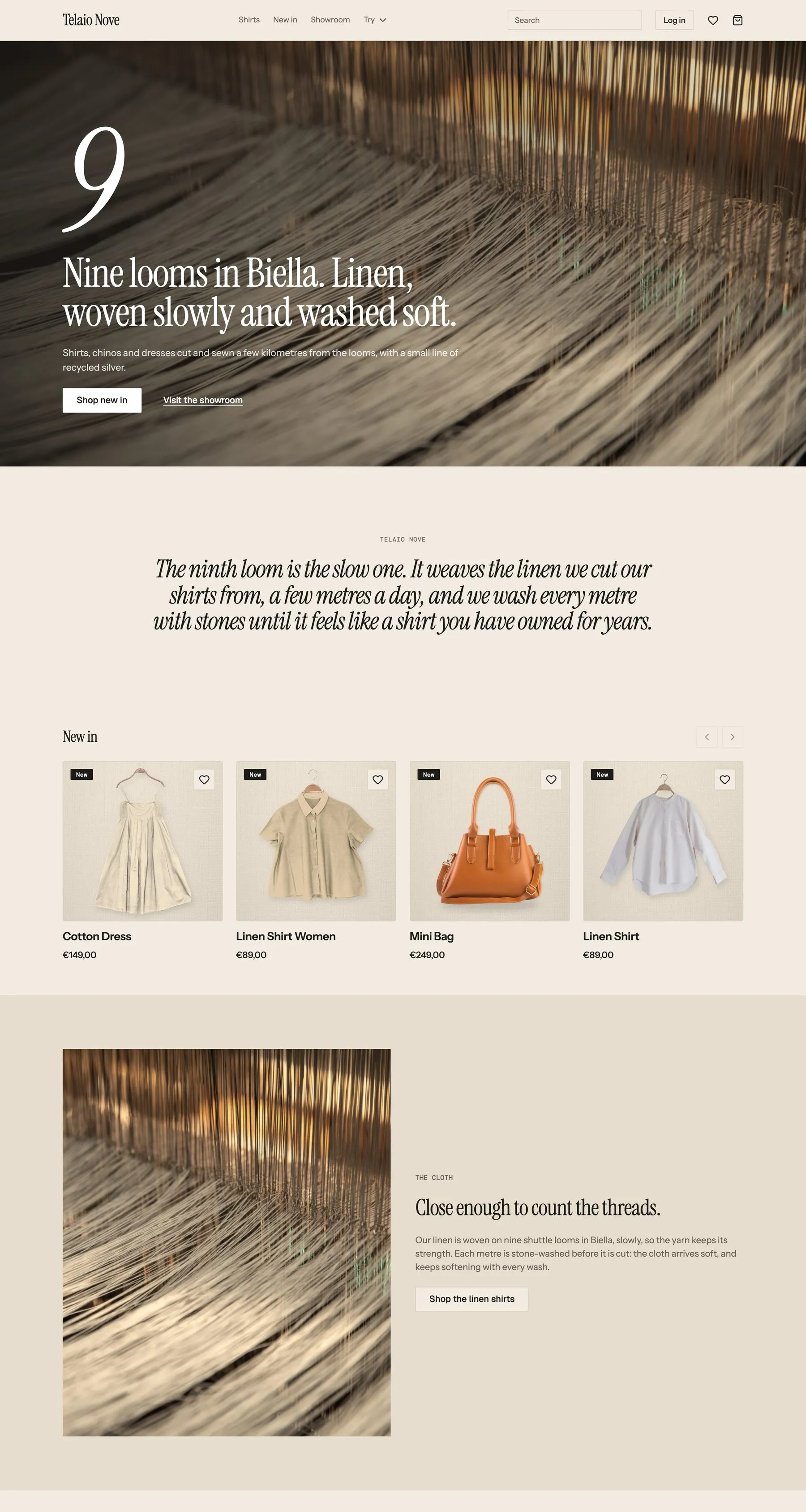
Telaio Nove sells linen and cotton clothing woven in Biella, with a small line of recycled silver. Every colour shows its own photo, the size chart comes from Shopify, a sold-out size points to what is still in stock, and the pieces made for you are priced as the shopper types. No app for swatches, filters, size charts or the free gift.
Each colour, its own photo
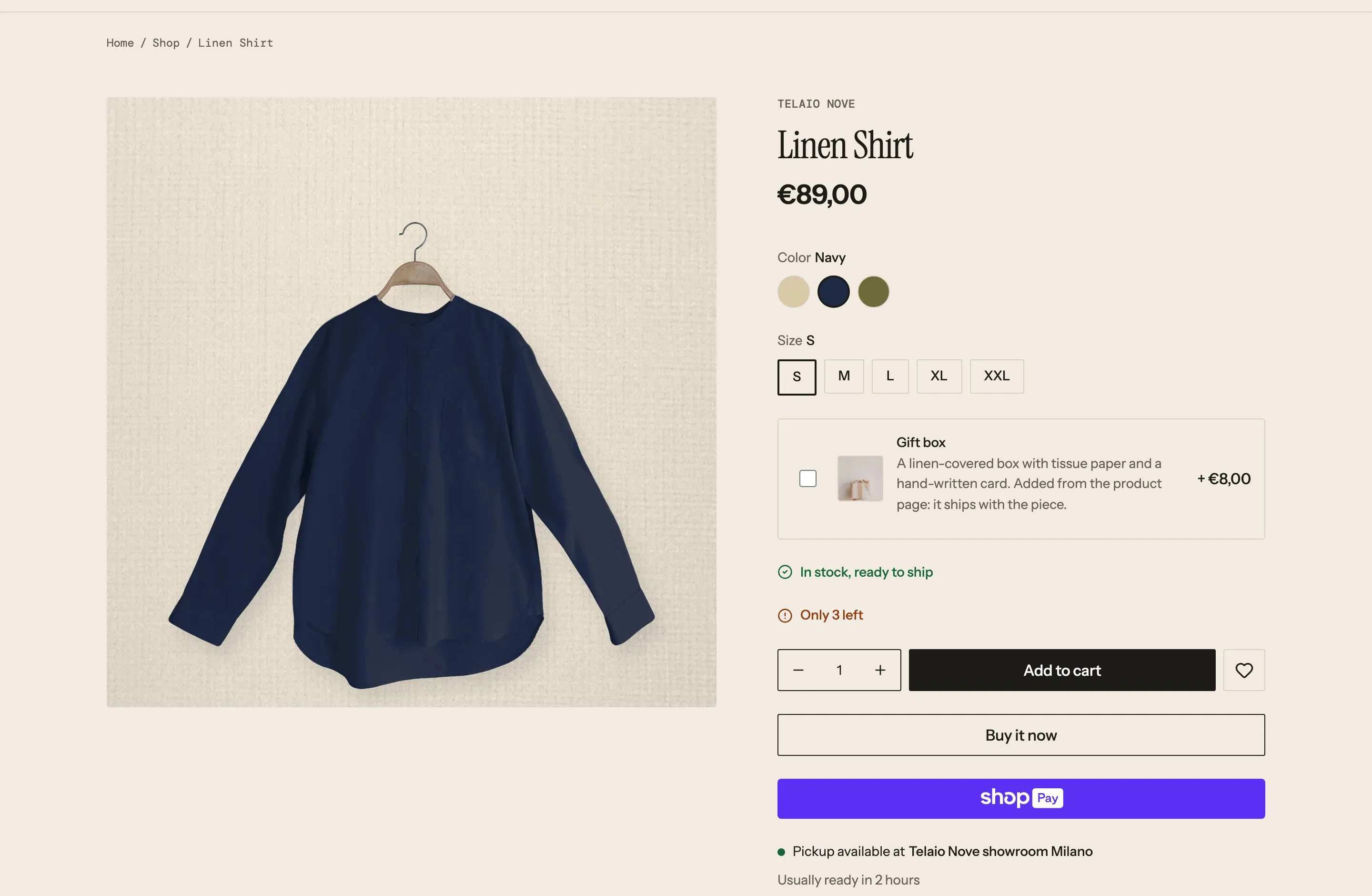
The shopper taps Navy and the gallery shows only the navy shirt, the swatch colour set once in Shopify.
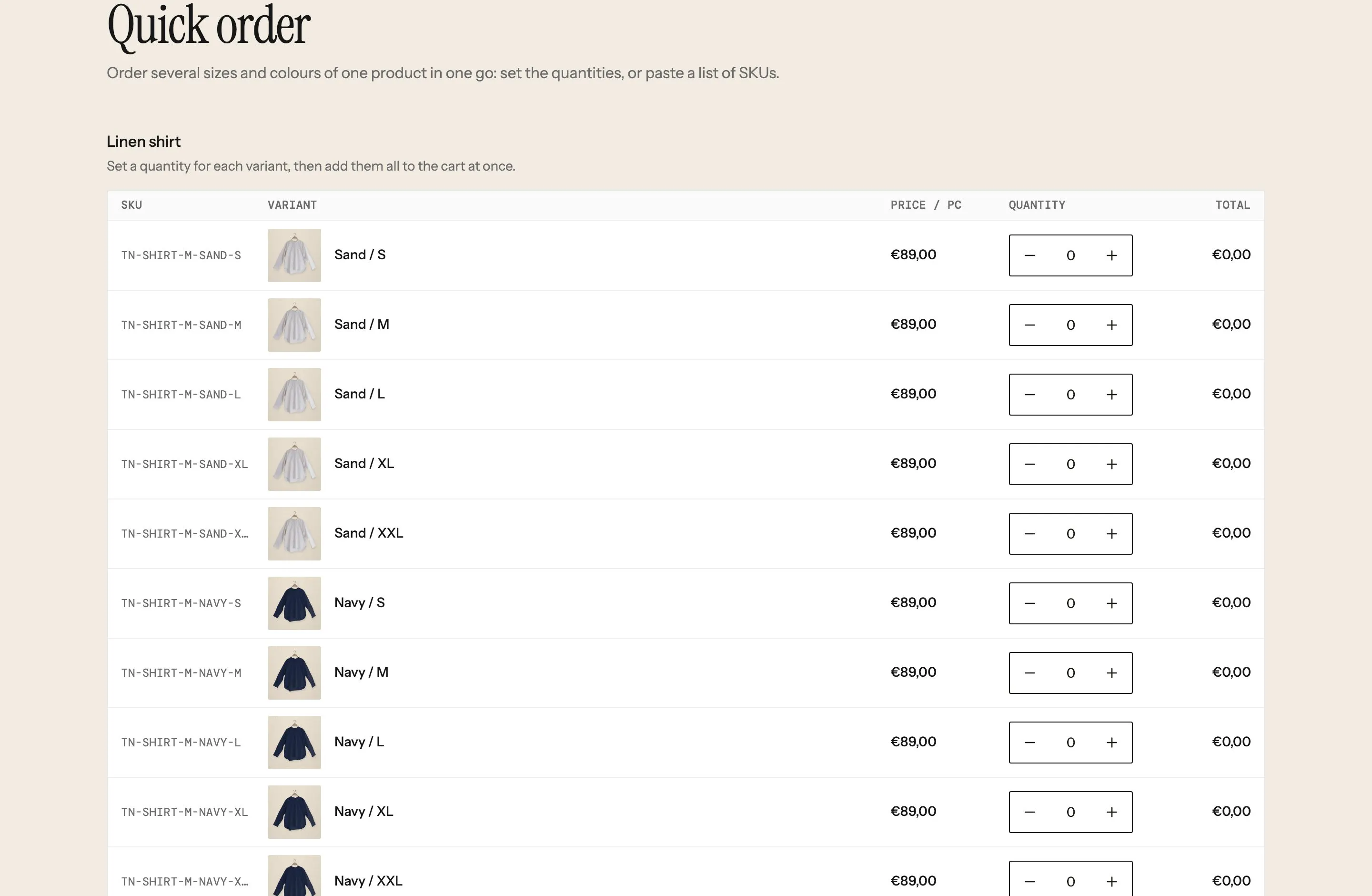
The shirt comes in Sand, Navy and Olive. Each dot shows its real colour, and a tap changes the main photo and the thumbnails to that colour only. The detail and cloth shots belong to the colour they were taken in, so a colour never borrows another colour’s picture. In the cart and in the quick order table each line shows the photo of its own colour.
The colour picker reads its dots straight from Shopify, so a new colour needs no work in Webflow. The gallery is told to follow the chosen colour: each photo says in its description which colour it belongs to, and the gallery keeps only those. Photos without a colour would show for all of them.
The Color option is linked to the category’s Color metafield, so each value has a colour entry (Sand #d8c8a8, Navy #1f2a44, Olive #6b6a3a…). Each photo’s alt text ends with its colour, “Linen Shirt, front #Navy”, and each variant points to the front photo of its colour.
A size chart kept once, shown on every product
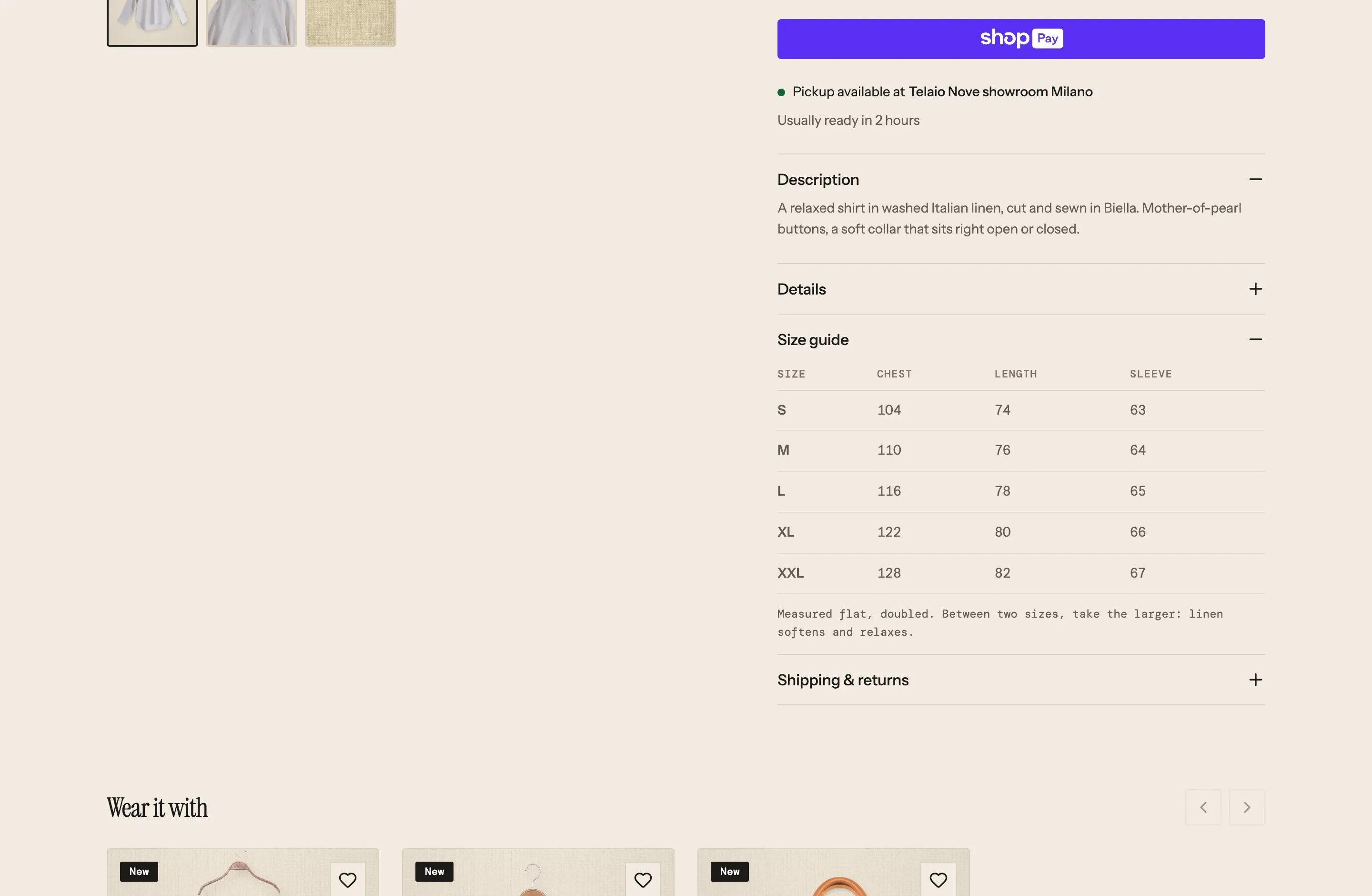
One chart per kind of garment lives in Shopify, and the product page draws it as a table.
Under the description the shopper opens “Size guide” and reads the chart for that garment: chest, length and sleeve for each size, in centimetres, then a note on how it is measured and which size to take between two. Shoes, trousers and rings have charts of their own. A product without a chart shows no Size guide at all.
The Size guide is one more item of the product page’s accordion, shown only when the product has a chart. Inside, a table designed once with one heading cell and one row: Smootify repeats the heading for every column and the row for every size, with the store’s fonts and lines.
A size_chart metaobject per kind of garment (men’s shirts, women’s shirts and dresses, trousers, shoes, rings) with a title, a unit, the chart as JSON with its headers and rows, and a note. Each product picks its chart in the custom.size_chart metafield.
When the size is gone
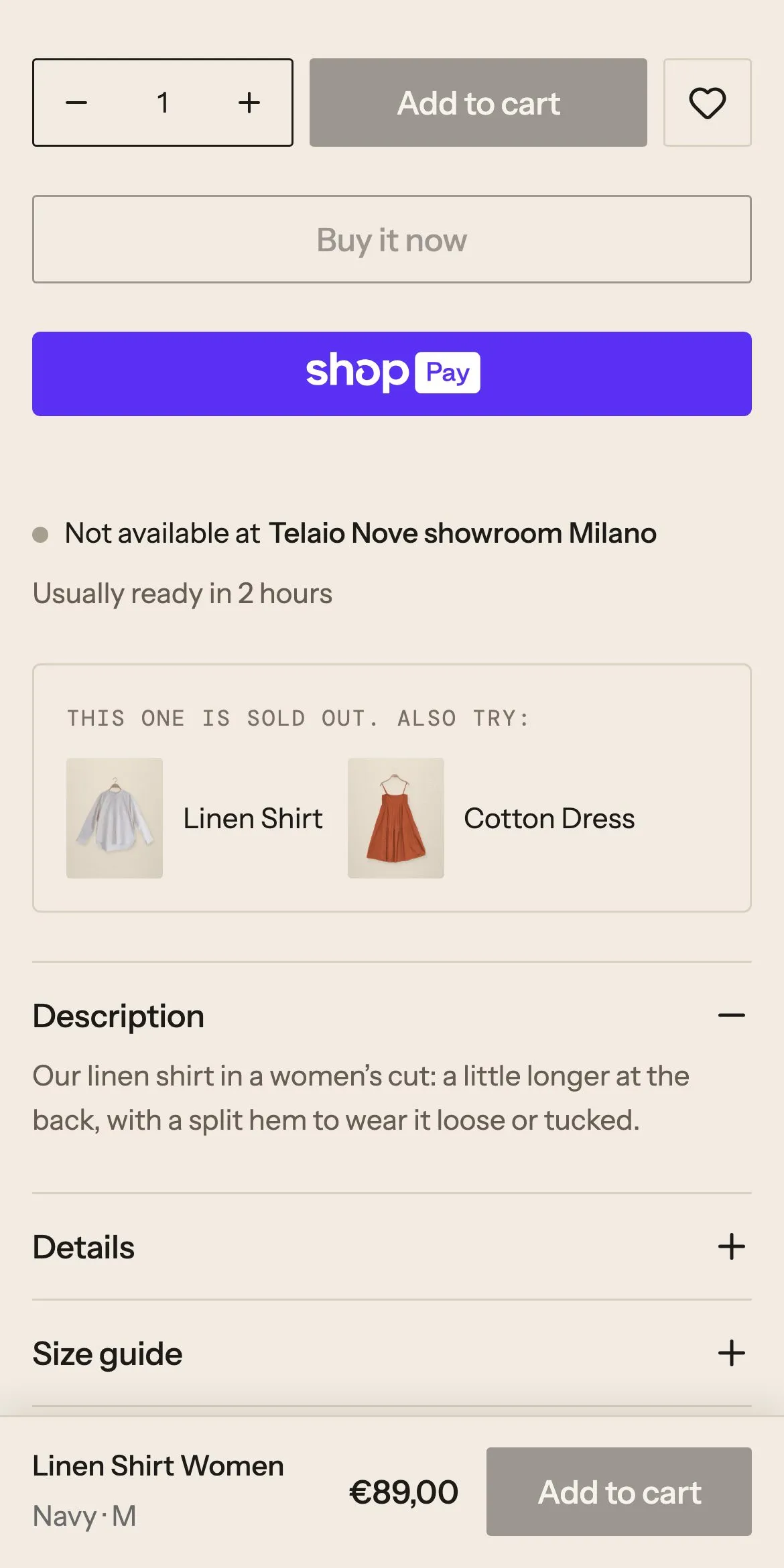
A sold-out size does not end the visit: two pieces that are still in stock appear under the button.
The women’s linen shirt is out of stock in Navy, size M. When the shopper picks it, the buttons turn grey and a box under them says the piece is sold out and suggests the men’s linen shirt and the cotton dress, with a photo each. Any other size or colour shows no box.
The box sits in the buy column and shows only for a variant that has alternatives. Each suggestion is a card designed once, a photo and a title linking to the product, repeated for every product the variant lists.
The custom.alternatives variant metafield, a list of products, set on Navy / M only. Nothing to keep in the Webflow CMS.
Made for you, priced as they type
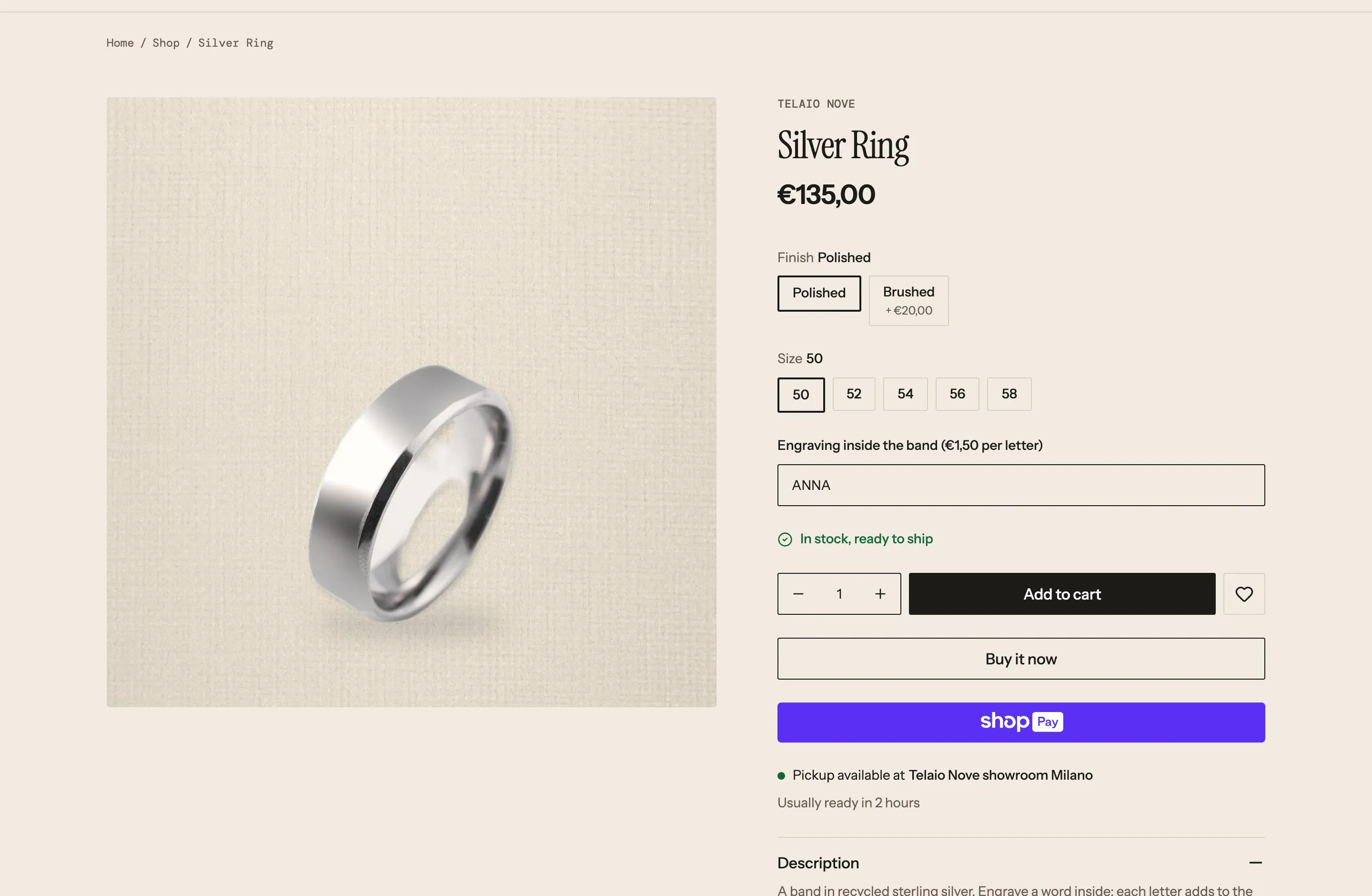
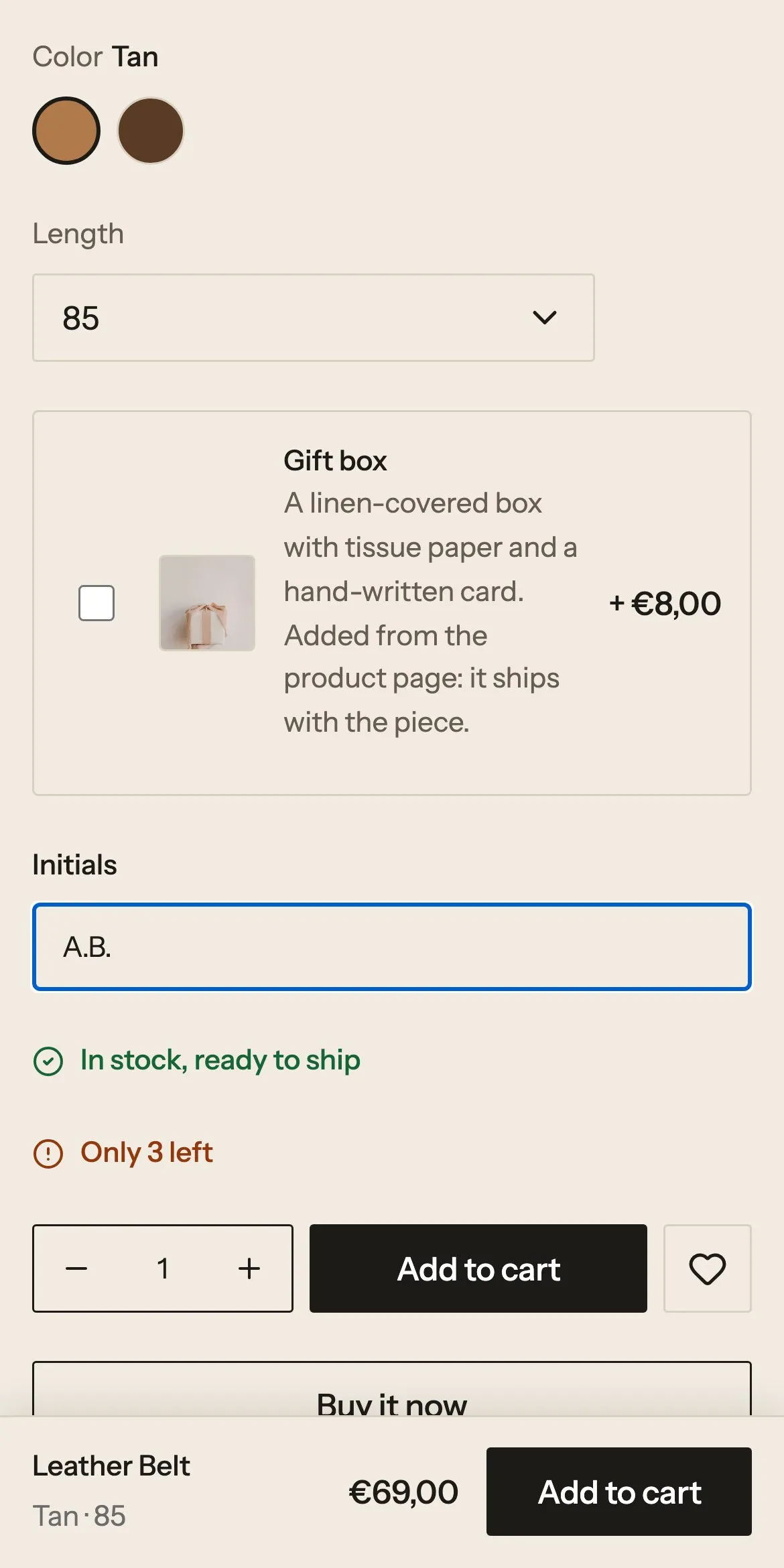
An engraving costs €1.50 a letter and the price climbs with each one; the belt takes your initials.
On the silver ring the shopper picks Polished or Brushed (the brushed finish costs €20 more), the size, and types a word to engrave inside the band. Each letter adds €1.50 to the price on the page; spaces are free. On the belt they type their initials. Both reach the cart and the order with what was typed.
The engraving is a field of the product configurator with a formula: the price plus €1.50 for every letter. The belt’s Initials is a question defined in Shopify and drawn by one field on the page, so the merchant can change its label, placeholder or length without touching Webflow.
The ring has custom.configurator set to true, which shows the configurator only on it. The belt lists an Initials entry of the dynamic_property metaobject in custom.properties (text, placeholder “A.B.”, at most 4 characters). The configurator needs the Server plan.
A gift box over €150, one pair per order
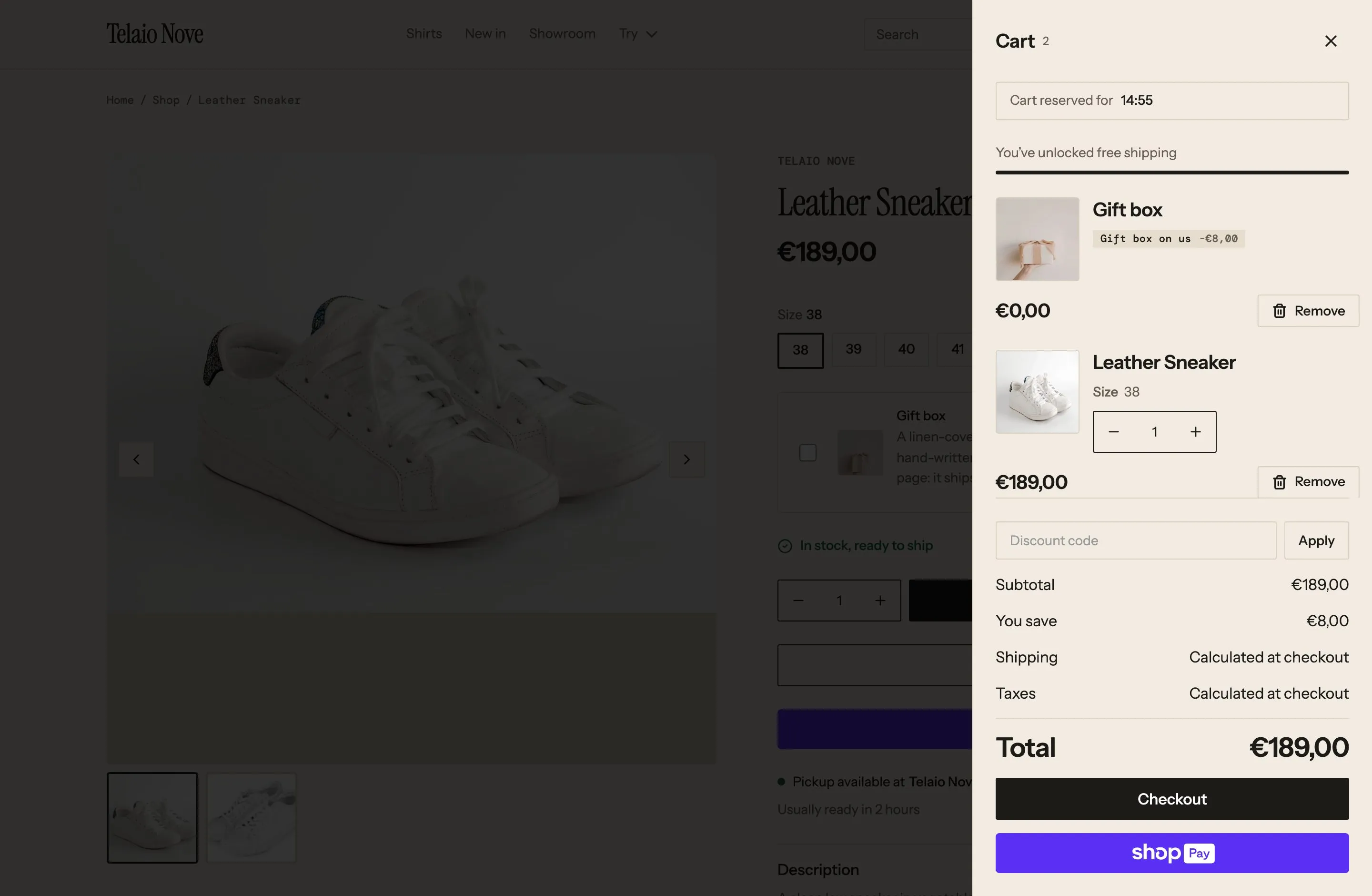
The gift box drops into the cart at €0 as the cart passes €150, and the limited sneaker stops at one.
The cart opens on a bar that counts down to free delivery in Italy, from €120. Past €150 the linen gift box joins the cart by itself at €0, and leaves if the cart drops below. The leather sneaker is a small run: its quantity stops at one per size, on the page, in the cart and at checkout. A gift box can also be added from any product page for €8.
The cart is told to manage the free gift, and the free-shipping bar counts to the same €120 as the shipping rate. The sneaker’s limit needs nothing in Webflow: the quantity fields follow the rule Shopify holds, and Shopify refuses a second pair at checkout.
A “Gift above a threshold” discount from the Smootify app: automatic, the Gift box, EUR 150, combinable with the other discounts. Italy ships at €6.90, free from €120. The sneaker has a purchase rule of at most 1 per variant, enforced by the Purchase rules checkout rule. Both run on every Shopify and Smootify plan.
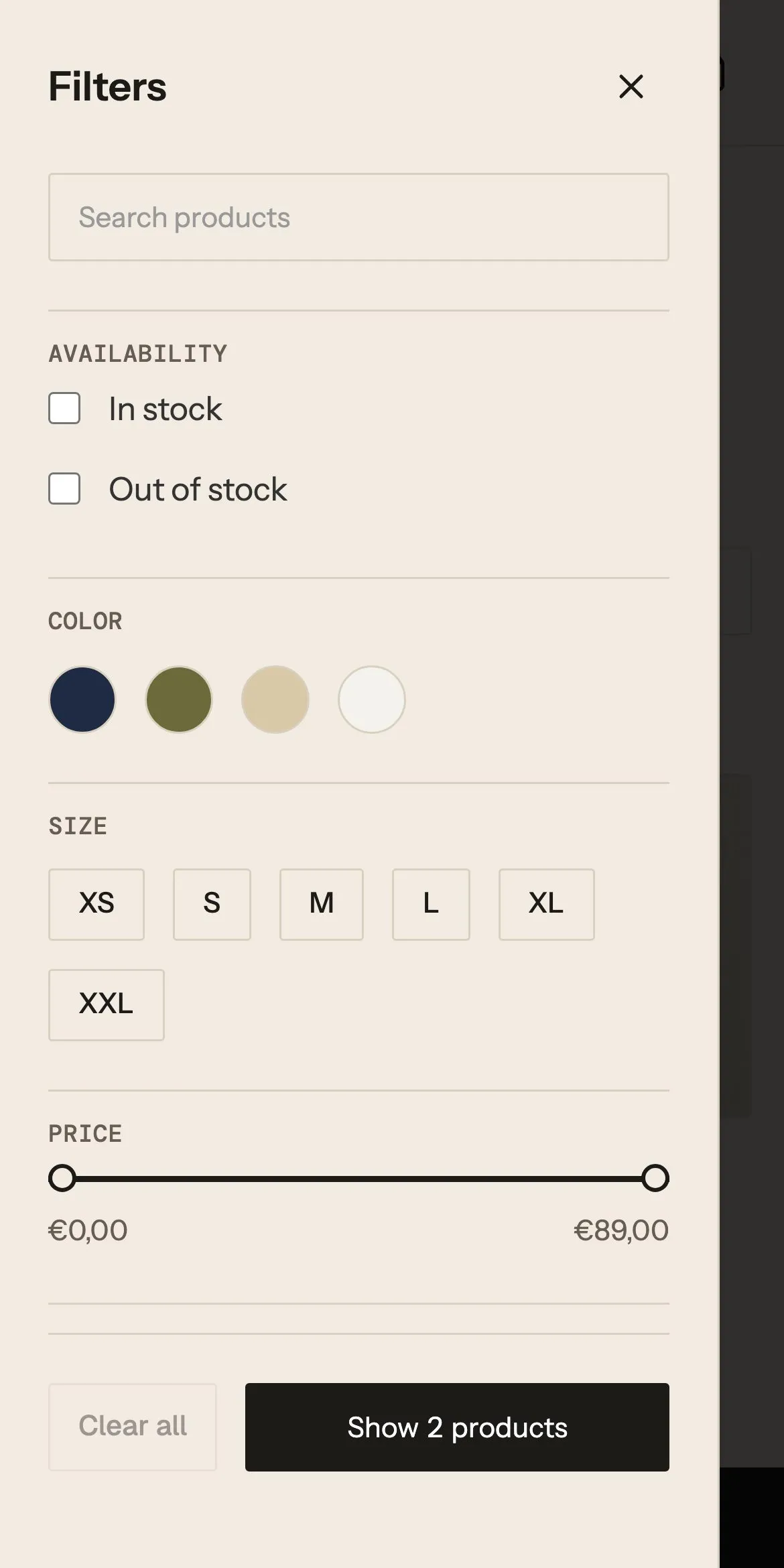
Filters by colour and size
Colour dots, sizes and price come from Shopify’s free Search & Discovery app, in the store’s own design.
On Shirts the shopper filters by availability, colour, size, price and type. The colour filter shows a dot for each colour in the collection, the sizes are buttons, and the button at the bottom says how many products are left. Only the values that exist in the collection appear.
One filtered list of the collection: each filter group is designed once and filled by Shopify, the colours as dots, the sizes as buttons, the price as a range. The same panel is a sidebar on a desktop and a sheet on a phone.
Shopify Search & Discovery defines Availability, Price, Size and Product type, and Color from the category’s Color metafield, so the filter has the swatch colours. Its values are grouped by hand, so Ecru and Sand stay apart instead of both becoming Beige.
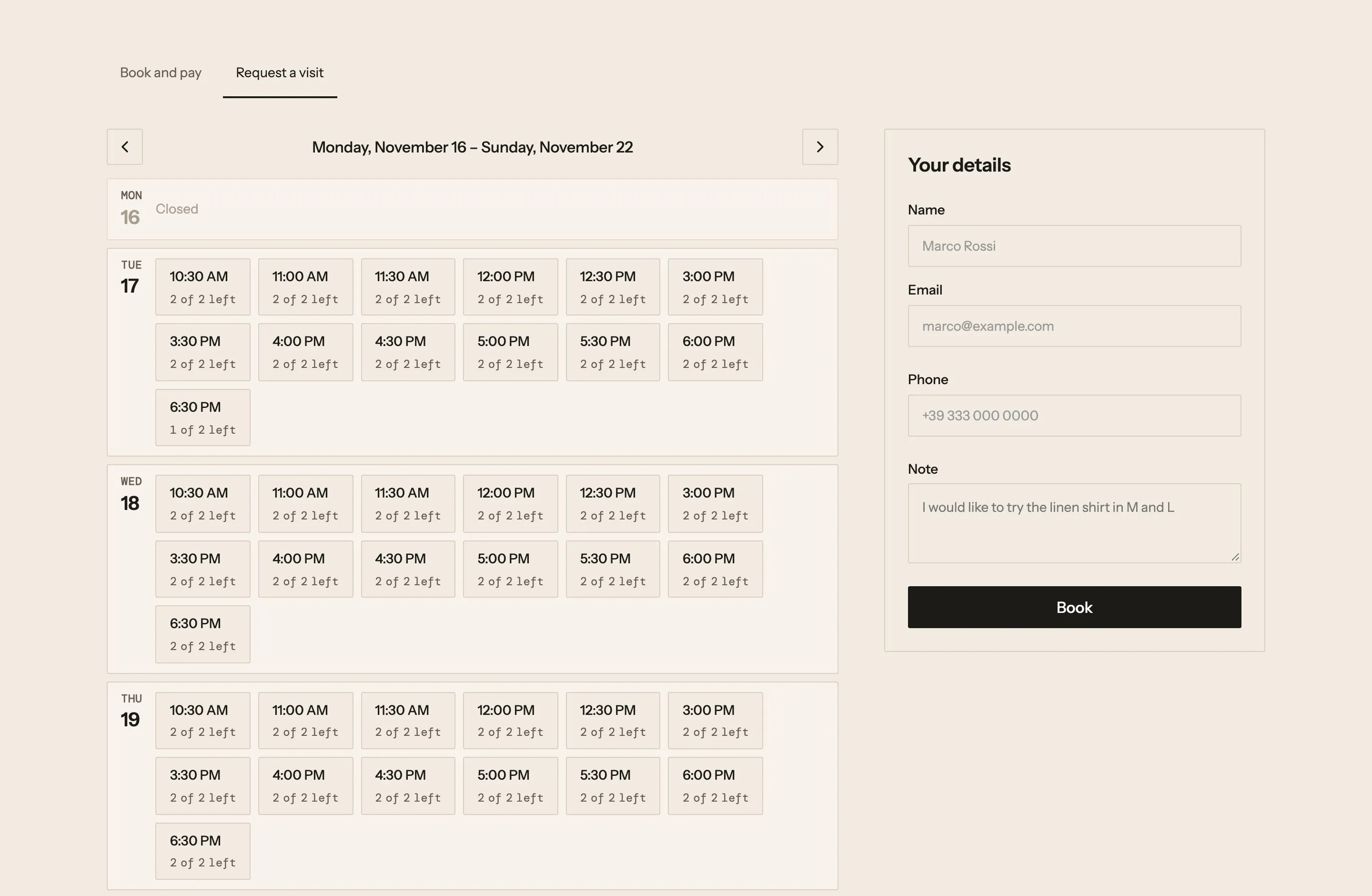
A fitting at the Milan showroom
Half an hour in Via Tortona, booked from a calendar on the site, free and without a cart.
The shopper opens Showroom, picks a day and a half-hour slot, and sees how many places are left. They type their name, email, phone and a note, such as the sizes they want to try, and book. The booking is confirmed on the page, with no cart and no payment.
A booking calendar and a short form sit side by side. The calendar reads the opening hours and the places from the product, the form books the chosen slot, and Smootify counts the places so two people never get the last one.
The Showroom appointment product holds the schedule: appointments of 30 minutes, 2 places, Tuesday to Saturday, 10:30 to 13:00 and 15:00 to 19:00, Europe/Rome. Each booking is saved as a metaobject next to the product. Booking needs the Server plan.
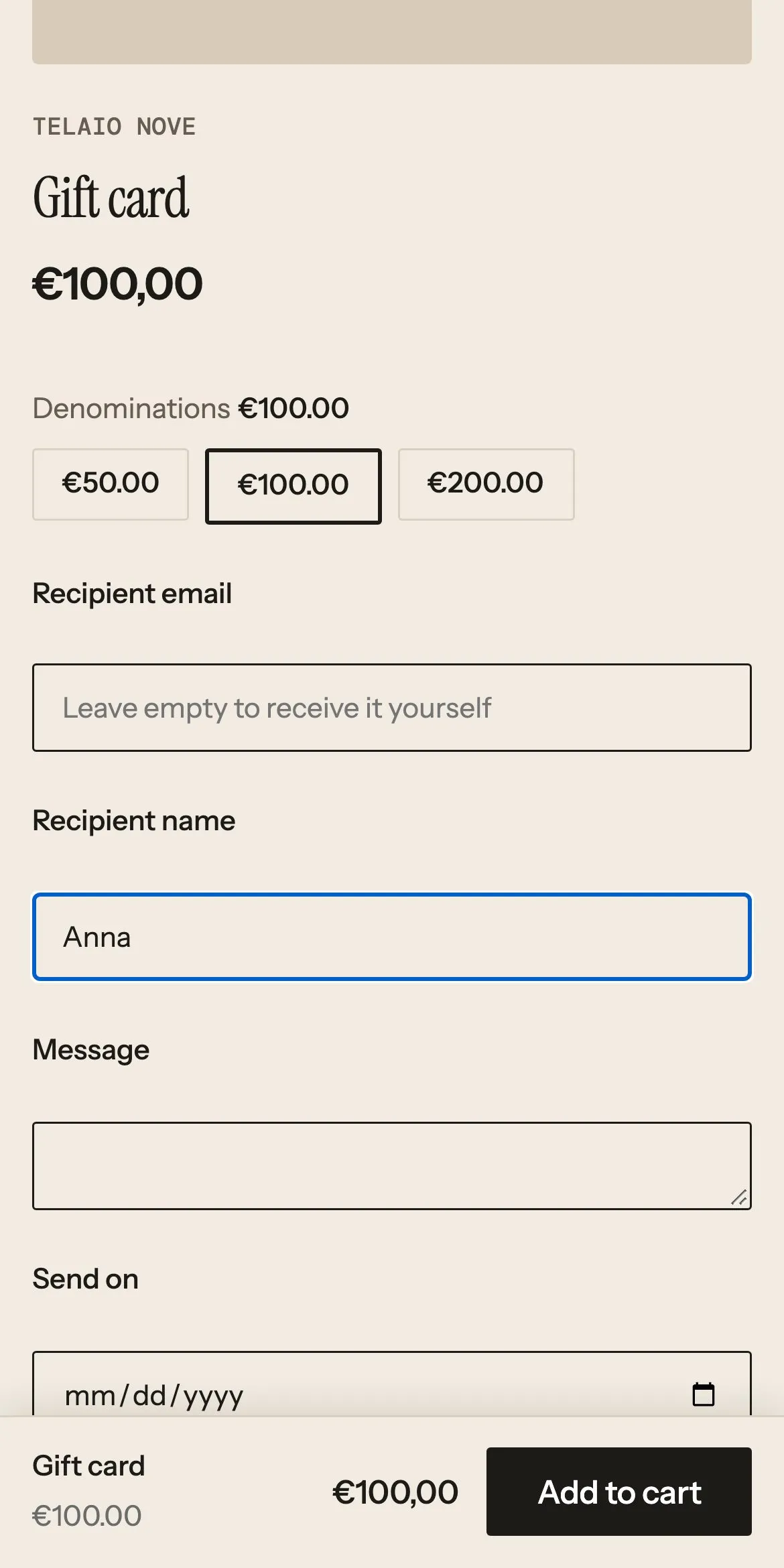
A gift card sent on the day
Three amounts and the recipient’s fields, shown only on the gift card, on one shared product template.
The shopper chooses €50, €100 or €200, then types the recipient’s email and name, a message and the day it should arrive. Left empty, the card comes to the buyer. The gift card does not appear in the search results.
The same product template serves every product. The amounts use the same buttons as any other option, and the recipient fields show only on products tagged as gift cards, so no other product gets them.
Shopify’s own gift card product with three denominations; recipient, message and date are Shopify’s gift card fields. The seo.hidden metafield keeps it out of search. No gift card app.
The other templates.
Start from Telaio Nove.
Free to build, pay only when you go live. One Shopify app with 17 add-ons, billed on the store’s Shopify invoice.
- One Shopify app with 17 add-ons, on the Shopify bill
- Free to build, pay only when you go live
- Works on Basic, Grow and Advanced
- Your 1.x store keeps working
- Every element stays yours to change
- Docs indexed in llms.txt